Execution
Your team knows exactly what to do, no ringing around
Every mover sees their jobs in the app. The foreman gets signatures and payment on site, and closes the job right away.

You want all employees to know exactly which jobs need to be done.
That's possible with the employee app.
That's possible with the employee app.
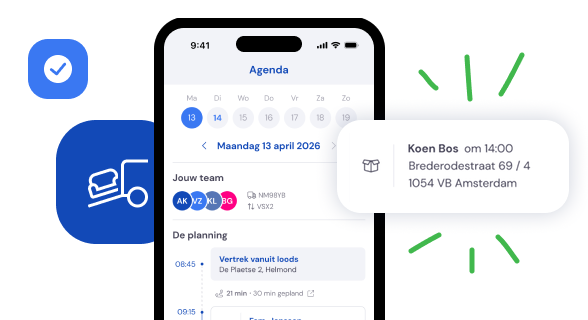
The mover has all the information for a successful execution.
After logging in, the employee can immediately see all the jobs scheduled for today.
With one tap, they can also view the schedule for the upcoming week.
With one tap, they can also view the schedule for the upcoming week.
All job details at a glance. Customer, cubic metres, materials.
All relevant information is clearly organised in one place.
Departure time, route details, vehicle, customer, materials.
If specific information is needed for the crew, a note can be added to the job or a document can be uploaded.
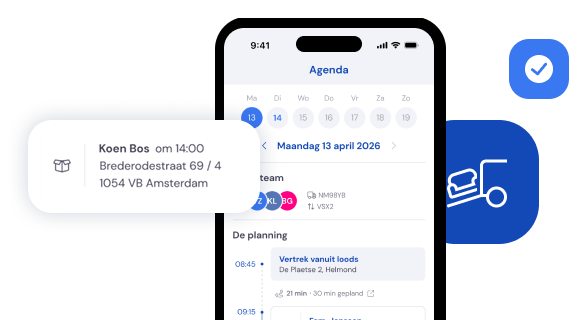

The employee app
Everything the employee needs can be done in the app:
- View leave balance and request time off
- Submit expense claims
- Communicate with the back office
- Register working hours
- View bonuses and allowances (in development)
- Access payslips (in development)
- View leave balance and request time off
- Submit expense claims
- Communicate with the back office
- Register working hours
- View bonuses and allowances (in development)
- Access payslips (in development)
Leave under control
The back office has processed all leave requests for the planner. This way, there are no surprises during execution.
Illness registered
If an employee calls in sick, you can easily register it in the back office. The planner can immediately assign a replacement.
Costs made transparent
When employees incur expenses, they can easily log them in the app. They can specify which job the costs were for, keeping everything clear.
The team leader also has everything they need on the job.
Getting the customer to sign or pay on-site is fully supported.
Getting the customer to sign or pay on-site is fully supported.
The team leader can have the customer sign & pay on-site
In the app, the team leader has everything needed to carry out and complete the job.
At handover, the work order can be signed on-site. If desired, the customer can also make a direct payment on location.
At handover, the work order can be signed on-site. If desired, the customer can also make a direct payment on location.
.png)

The team leader easily records all billable hours
During the job, the team leader is responsible for registering all billable hours.
After completing the job, the team leader is guided through the billable hours registration process.
This finalises the job and immediately updates its status in the back office.
After completing the job, the team leader is guided through the billable hours registration process.
This finalises the job and immediately updates its status in the back office.
After execution
Make storage work for you
If you stored inventory for your customer during a job, you can easily register it in Bas. This way, you make storage work for you.
