
In Bas you can already prepare and send invoices. With Peppol, that process becomes even easier. Invoices you create in Bas can be delivered directly and automatically to your customer — without PDFs, without email and without manual processing on the other end.
That’s not only more convenient, but increasingly necessary too. More and more customers, particularly government bodies, explicitly require invoices via Peppol. With this new feature you meet that requirement straight away, without extra steps in your workflow.
Requesting the integration
Would you like to use Peppol in Bas? You can request this from us. Send an email to [email protected].
We’ll then set up the integration for you, after which you can configure Peppol yourself per end customer. This way you decide for which customers invoices are sent via Peppol, while your existing invoicing process in Bas otherwise remains unchanged.
The integration
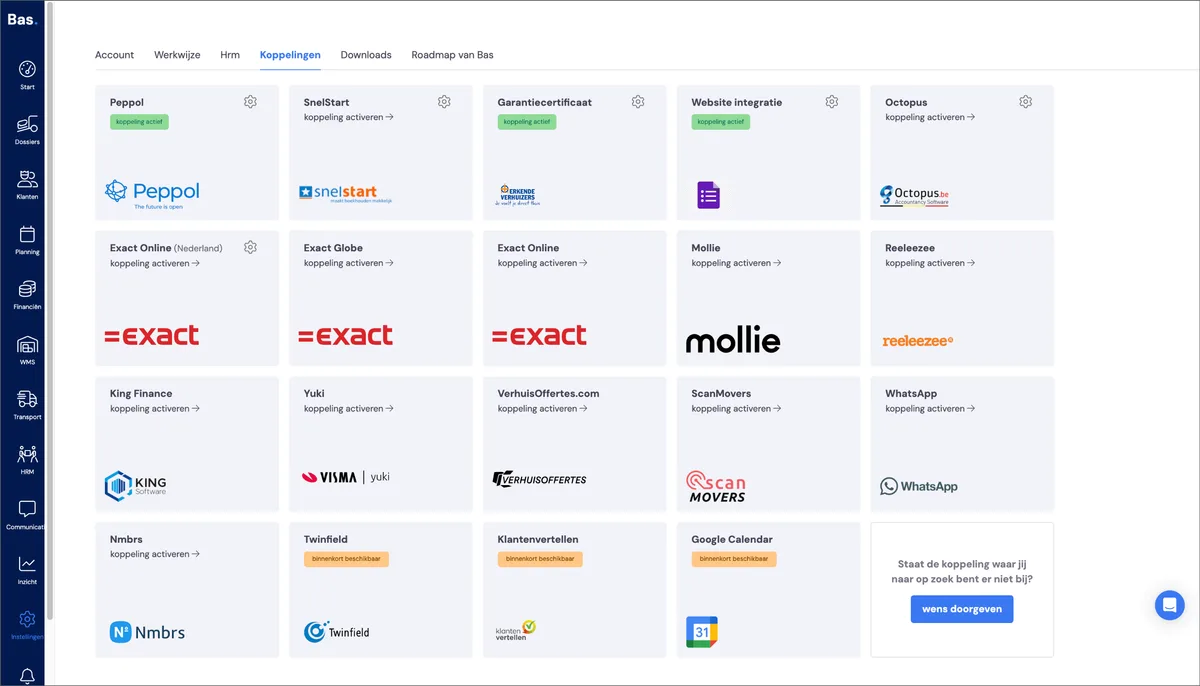
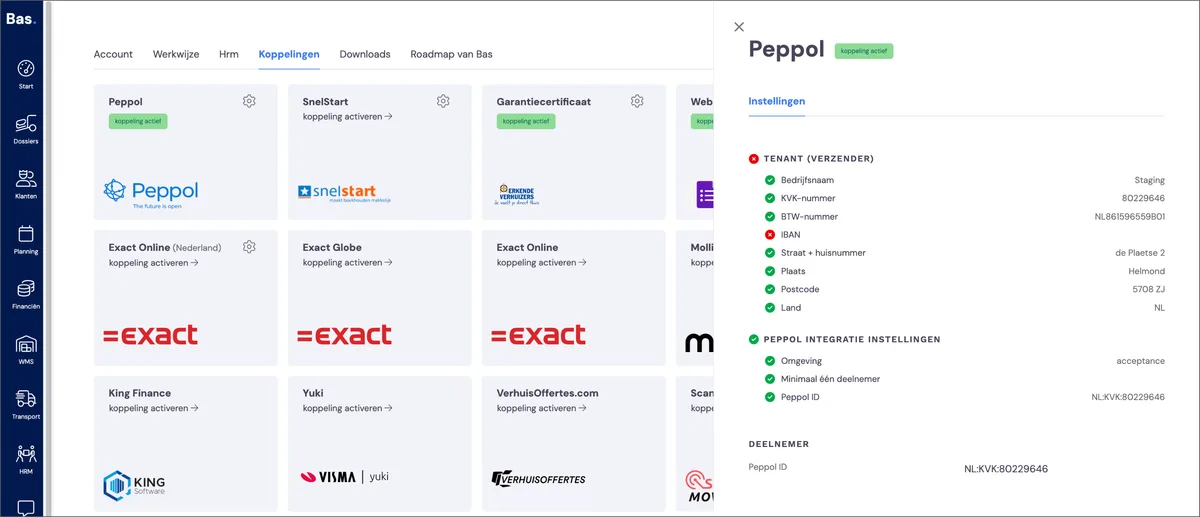
You’ll find the integration under Settings > Integrations. Here you’ll also find the details of the integration as set up for your company.
Activating Peppol for an existing customer
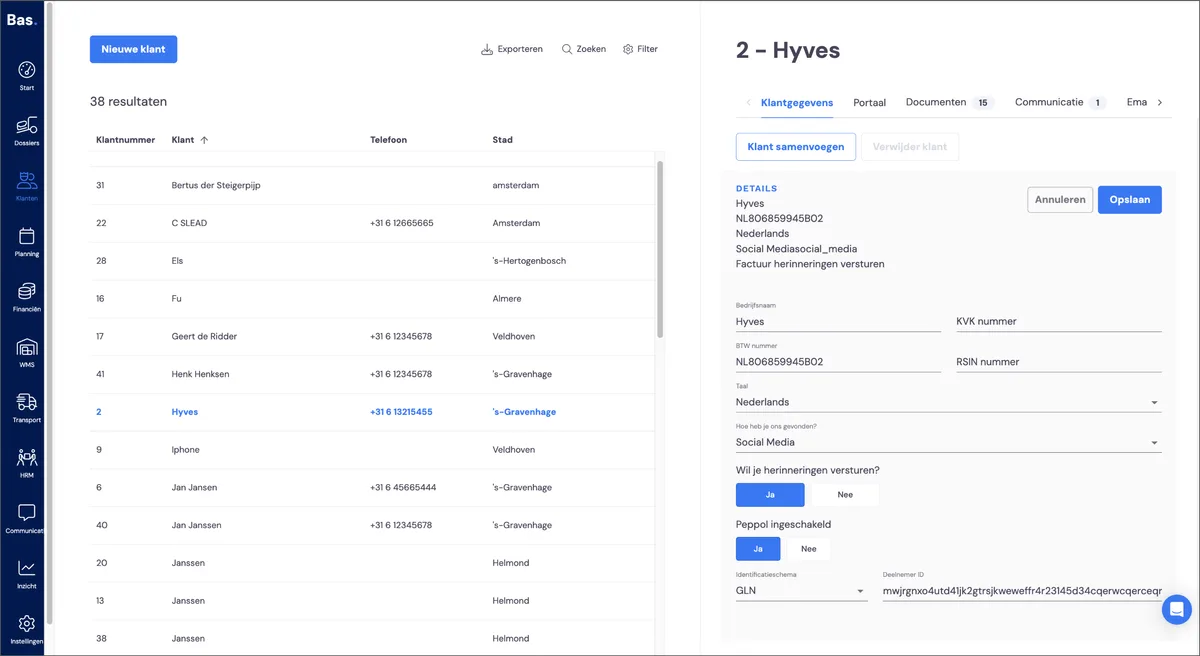
If Peppol has been activated for you, you can enable Peppol invoicing per customer.
You’ll find this under: Customer, then Customer details. Click Edit (the pencil icon) and select ‘Peppol enabled’. Then choose the correct identification scheme (for the Netherlands this is usually Chamber of Commerce number or VAT number, for Belgium it’s company number or VAT number) and enter the corresponding ID.
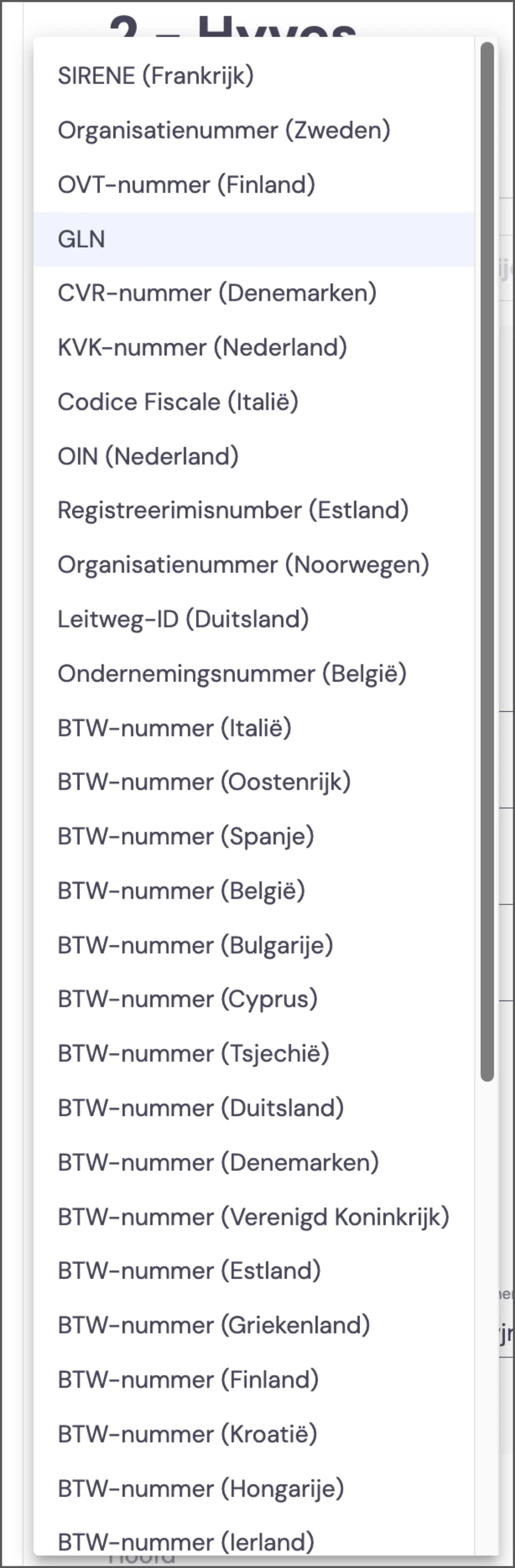
Please note: at the moment there’s no check on code or format. When the first invoice is sent, it’s checked whether the invoice arrives.
Activating Peppol for a new customer
For now, after creating a new customer you can look up that customer and activate Peppol.
Sending an invoice via Peppol
If Peppol is activated for your customer, invoices are sent automatically via Peppol.
Invoice history and error handling
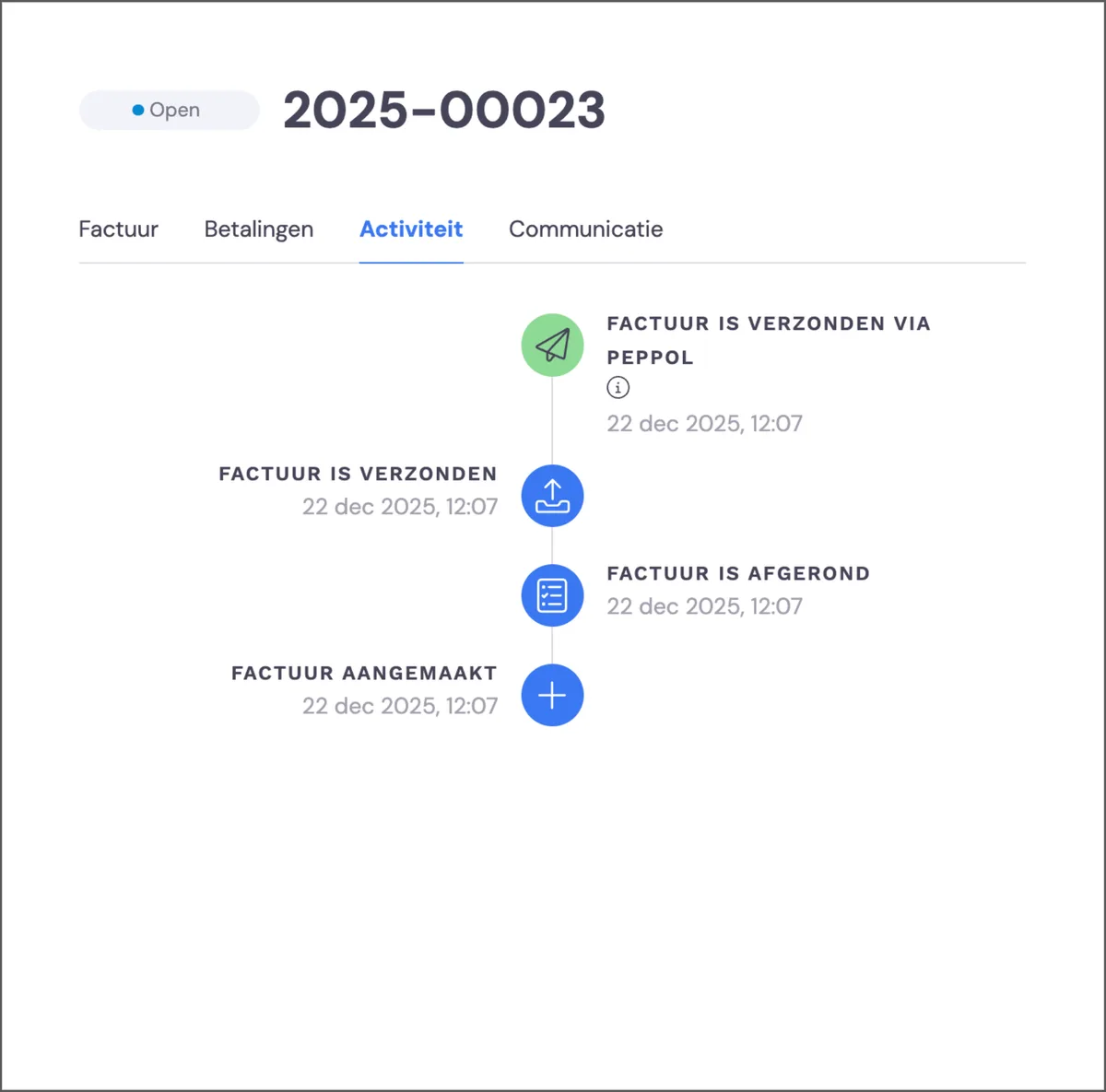
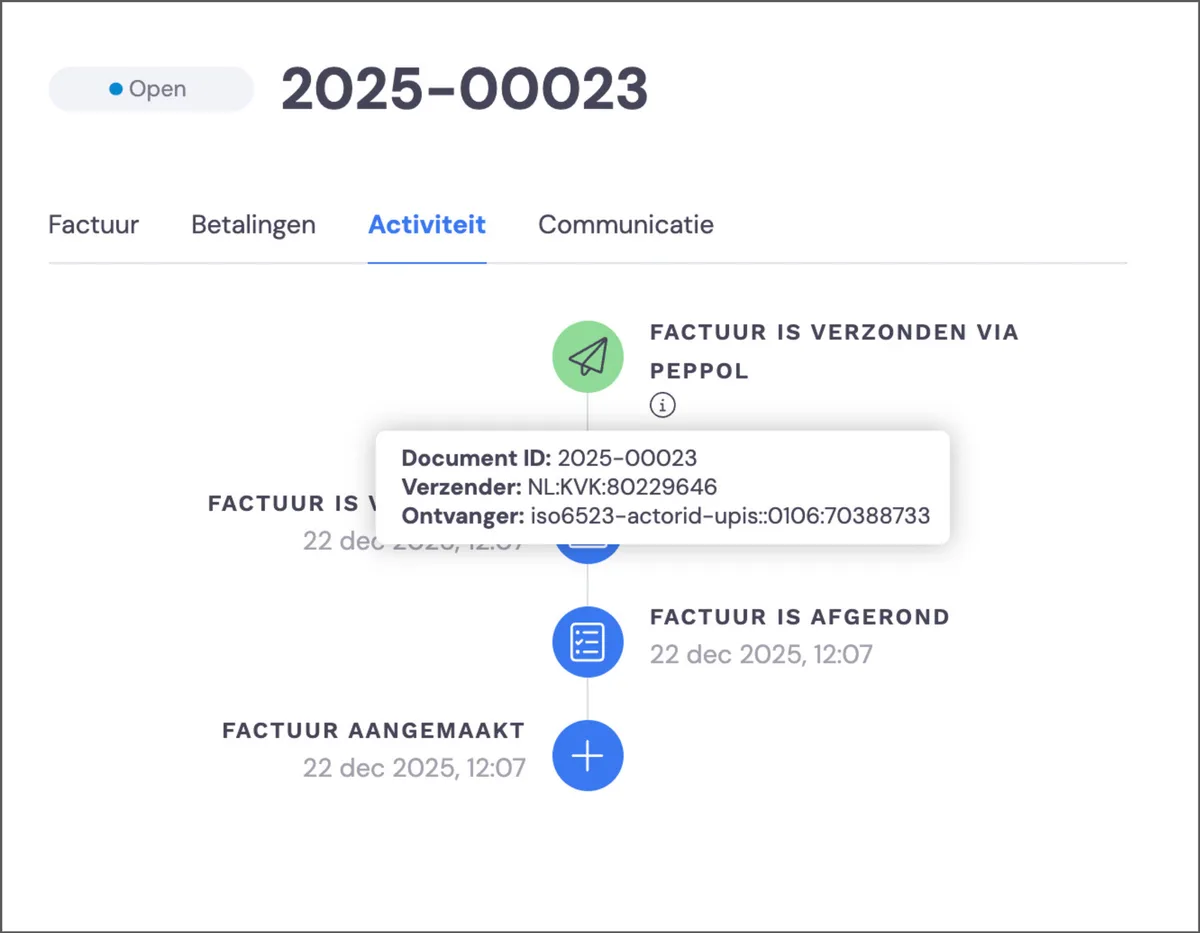
Once you’ve created and sent an invoice, you can track what happened with the invoice and Peppol via Invoice > Activity. In this example you can see that the invoice was sent via Peppol.
Error handling
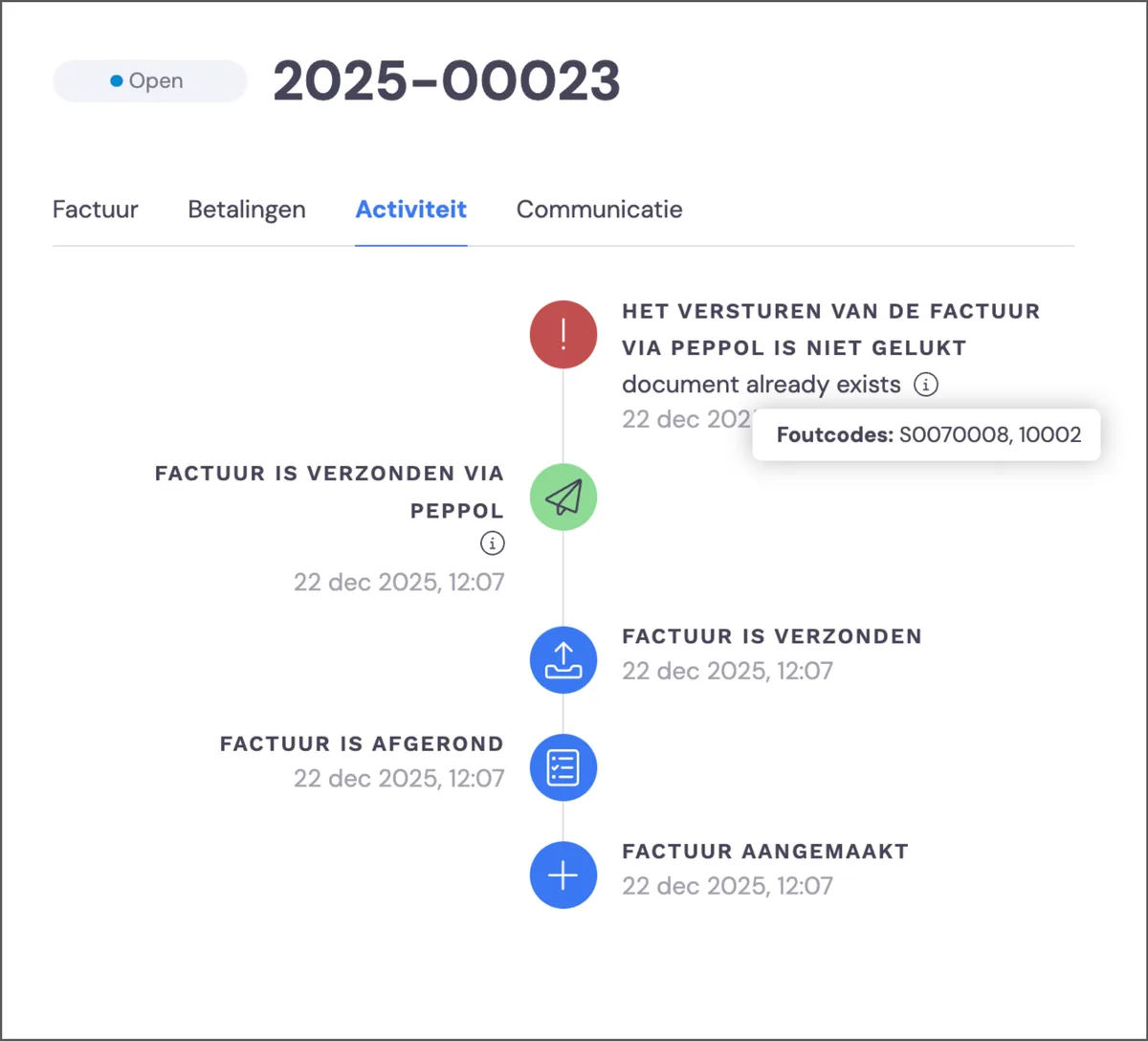
You’ll find the invoice’s status on the invoice itself. If something has gone wrong, you’ll find the details here.