Your team knows exactly what to do, no ringing around
Every mover sees their jobs in the app. The foreman gets signatures and payment on site, and closes the job right away.
Everything comes straight from the planning board.
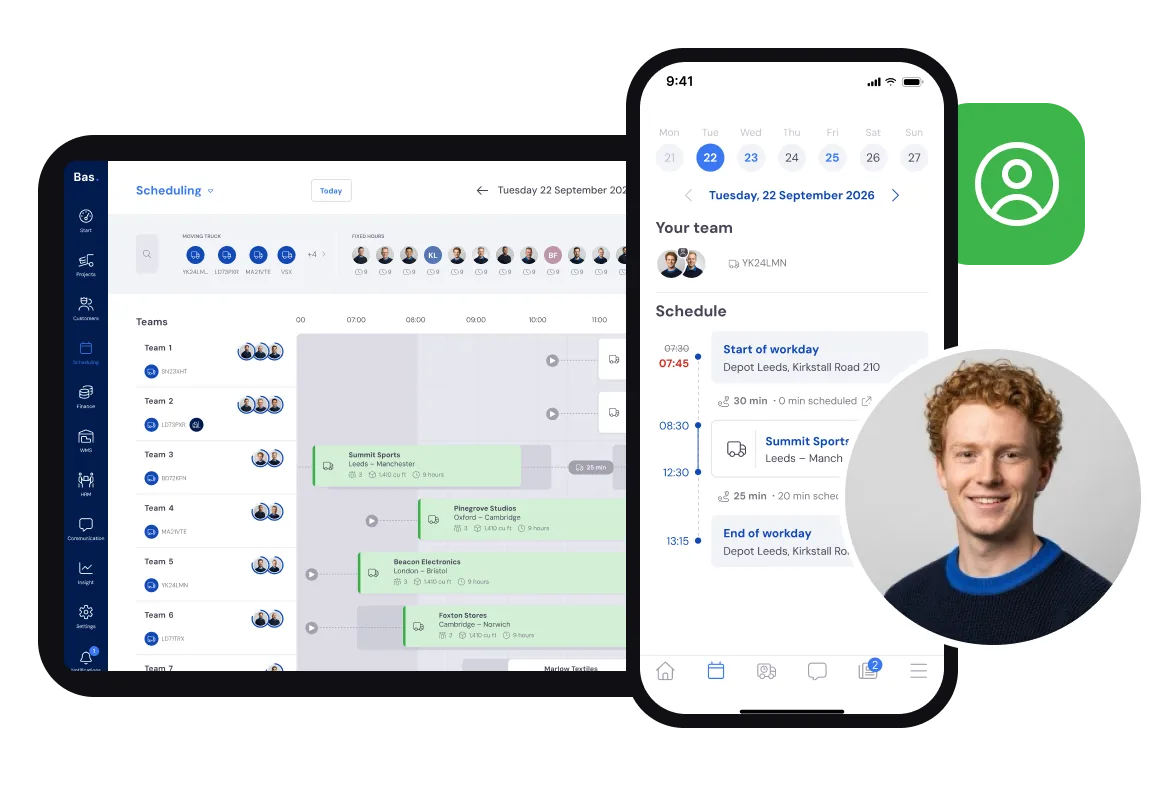
You want all employees to know exactly which jobs need to be done.
That's possible with the employee app.
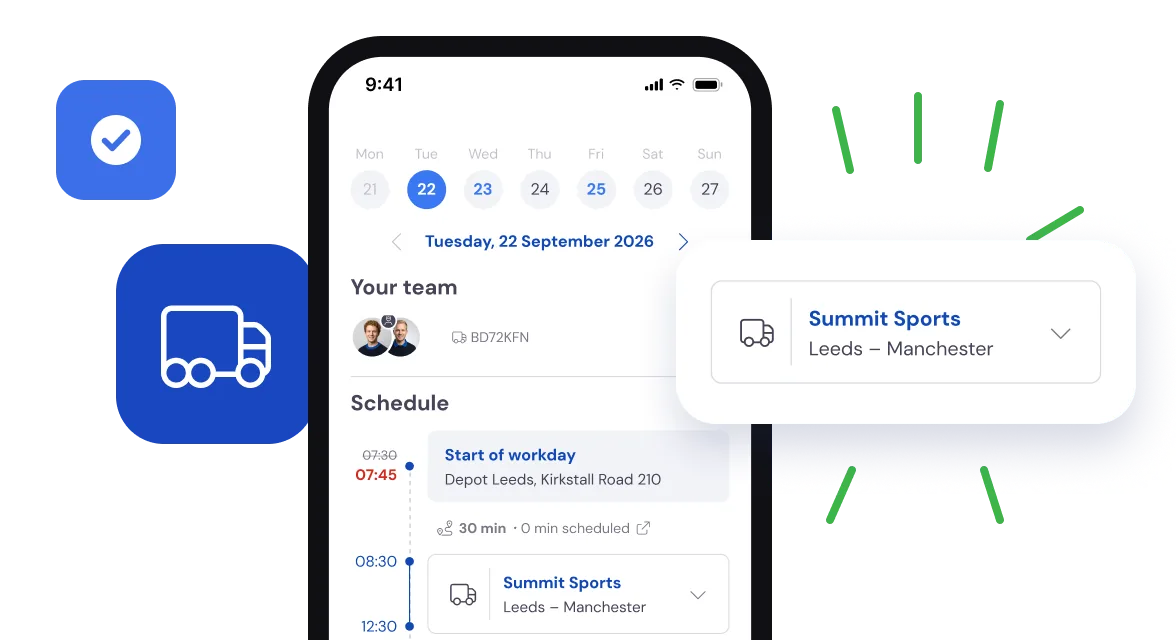
The mover has all the information for a successful execution.
After logging in, the employee can immediately see all the jobs scheduled for today.
With one tap, they can also view the schedule for the upcoming week.
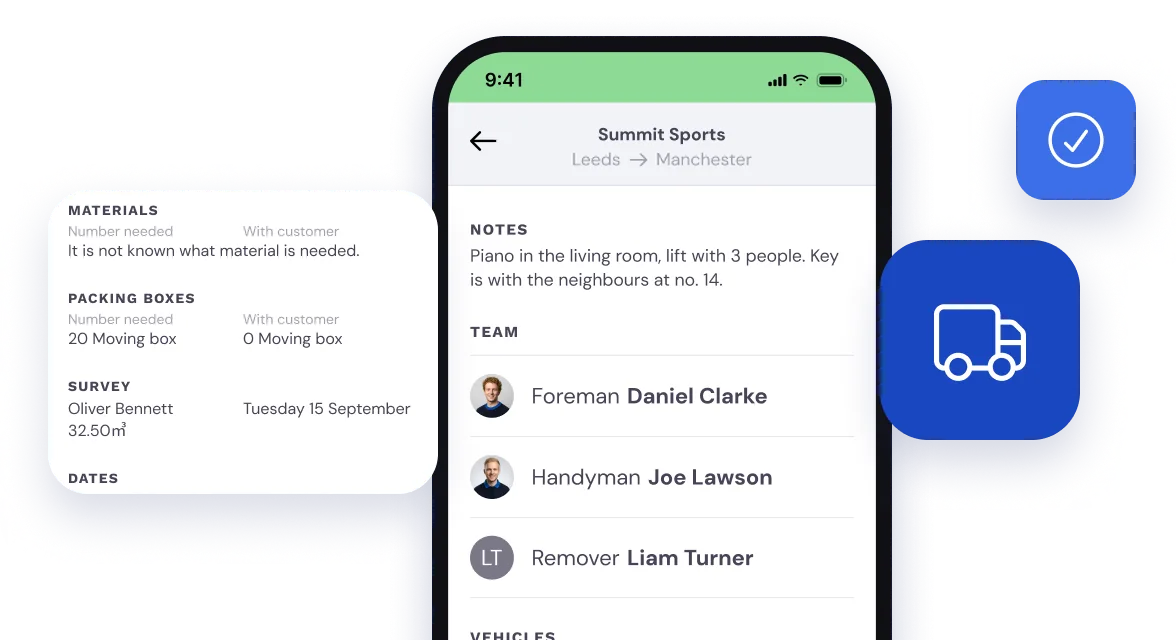
All job details at a glance. Customer, cubic metres, materials.
All relevant information is clearly organised in one place.
Departure time, route details, vehicle, customer, materials.
If specific information is needed for the crew, a note can be added to the job or a document can be uploaded.
So even at an SME removals firm with several crews, every job runs to plan.
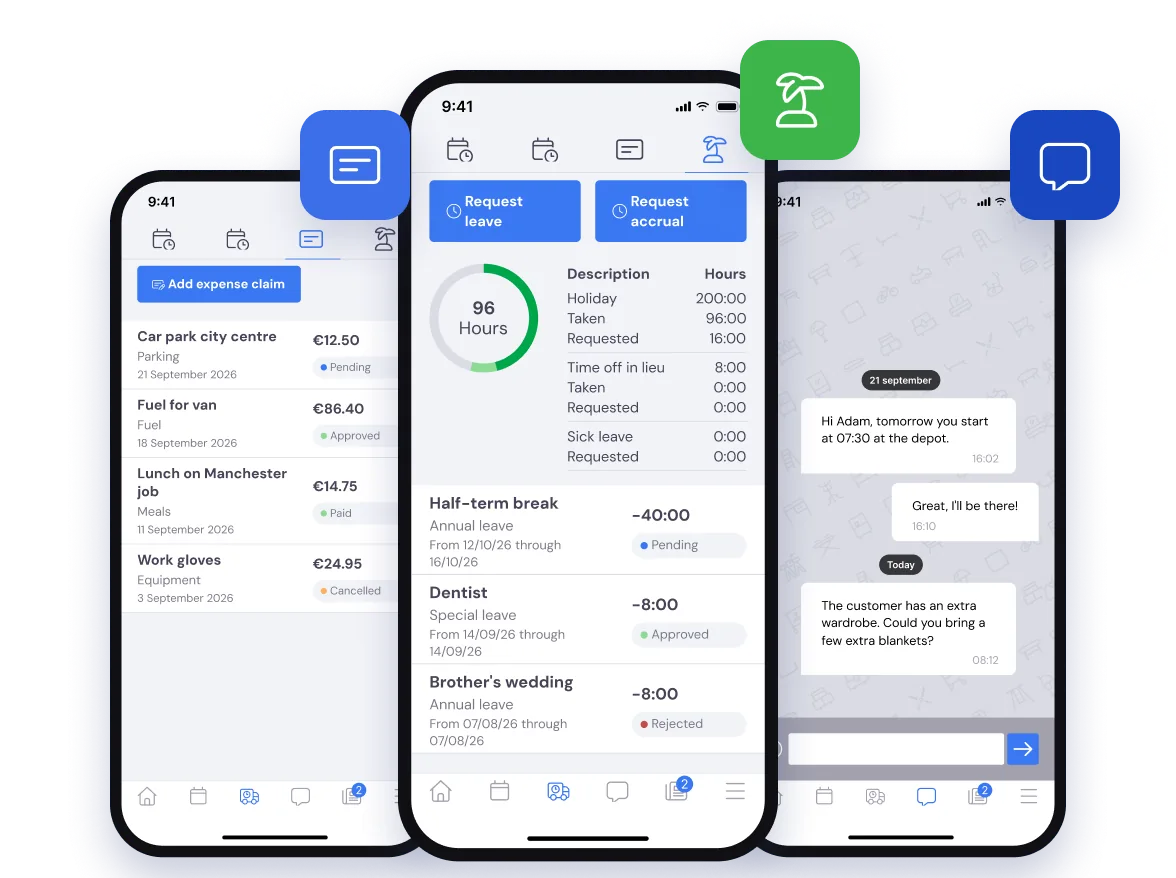
The employee app
Everything the employee needs can be done in the app:
- View leave balance and request time off
- Submit expense claims
- Communicate with the back office
- Register working hours
- View bonuses and allowances (in development)
- Access payslips (in development)
In the back office you process all of it in HRM.
Leave under control
The back office has processed all leave requests for the planner. This way, there are no surprises during execution.
Illness registered
If an employee calls in sick, you can easily register it in the back office. The planner can immediately assign a replacement.
Costs made transparent
When employees incur expenses, they can easily log them in the app. They can specify which job the costs were for, keeping everything clear.
The team leader also has everything they need on the job.
Getting the customer to sign or pay on-site is fully supported.
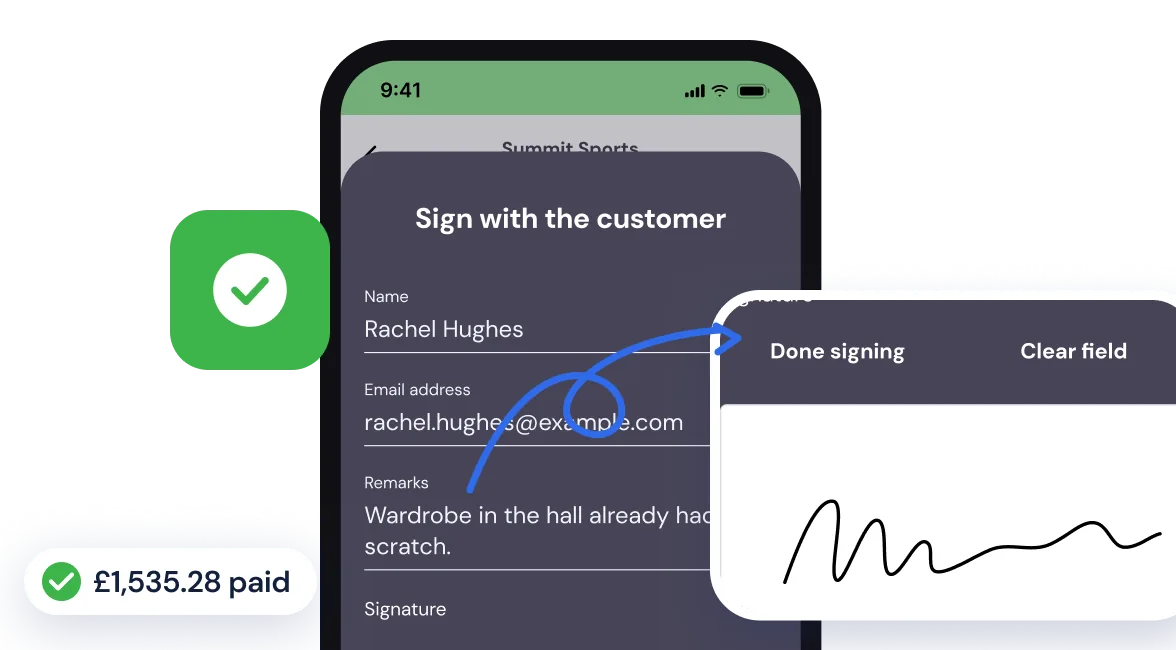
The team leader can have the customer sign & pay on-site
In the app, the team leader has everything needed to carry out and complete the job.
At handover, the work order can be signed on-site. If desired, the customer can also make a direct payment on location.
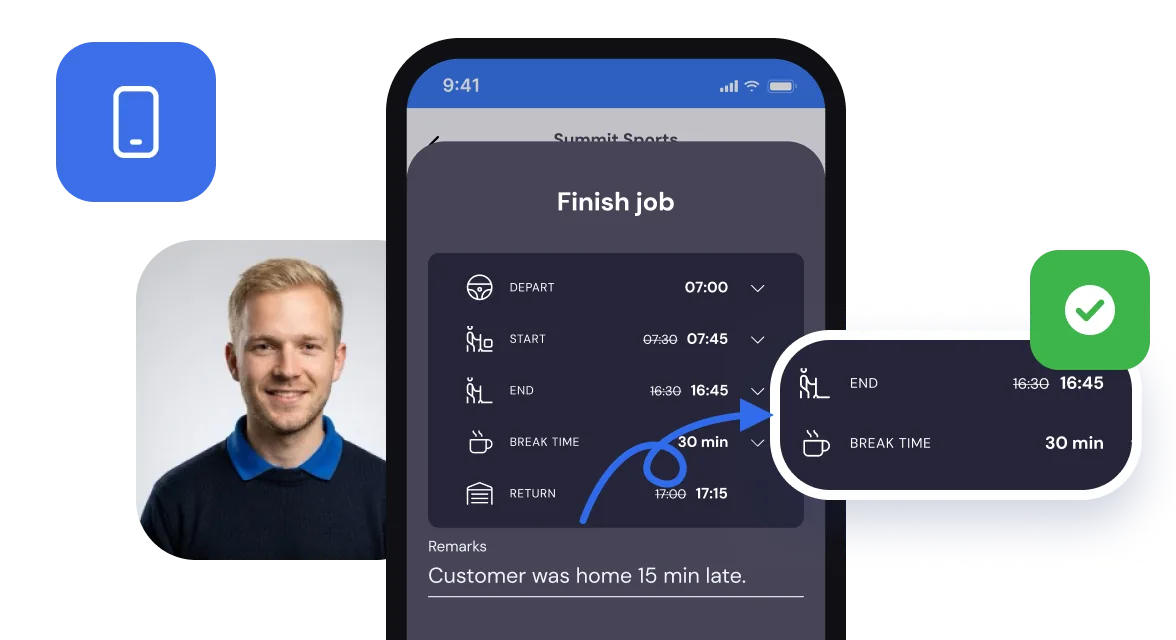
The team leader easily records all billable hours
During the job, the team leader is responsible for registering all billable hours.
After completing the job, the team leader is guided through the billable hours registration process.
This finalises the job and immediately updates its status in the back office.
Those hours then go straight into invoicing.
Frequently asked questions about execution
The questions moving companies ask us most often, with a short answer.
Movers and drivers see their day schedule directly in the Bas app on their phone. Every job carries all the information: customer address, contact details, materials and the vehicle. They do not have to ask the back office anything. From the app they log hours, report damage and have the customer sign digitally on completion.
Employees log hours directly through the Bas app during or after a job. The logged hours are sent to the back office automatically and are immediately available for payroll and invoicing. You do not have to keep or process separate timesheets; everything comes in through the app. Read more in Time tracking and CLA allowances: how to handle it in just a few clicks.
Yes, you can keep customers informed about the status of their move through Bas. You can set up automatic status updates so customers know when the crew is on the way or has arrived. This cuts the number of phone calls to the back office considerably and raises customer satisfaction.
At the end of the move, the crew leader has the customer sign on the screen of the app. That signature is stored with the file straight away. Payment on site is also possible through a connection with Mollie, so you can settle up immediately without a separate card terminal.
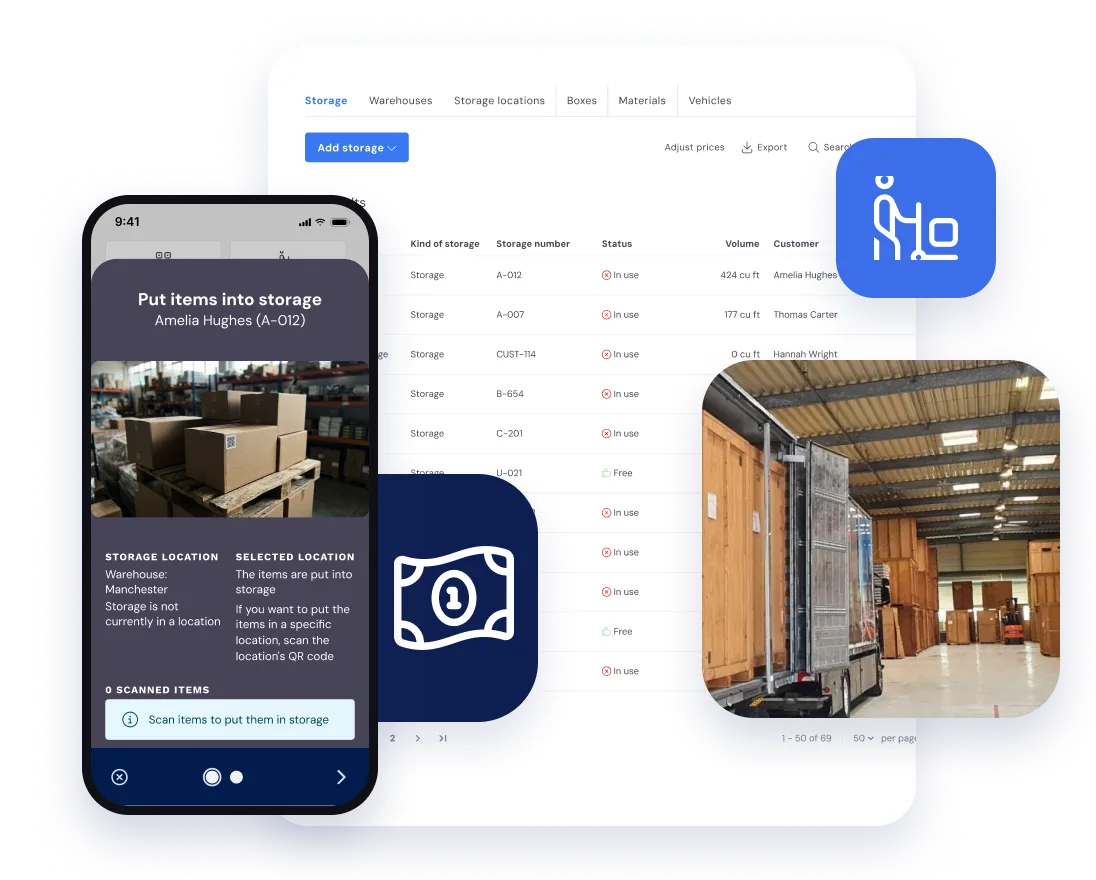
Make storage work for you
If you stored inventory for your customer during a job, you can easily register it in Bas. This way, you make storage work for you.