
Packages
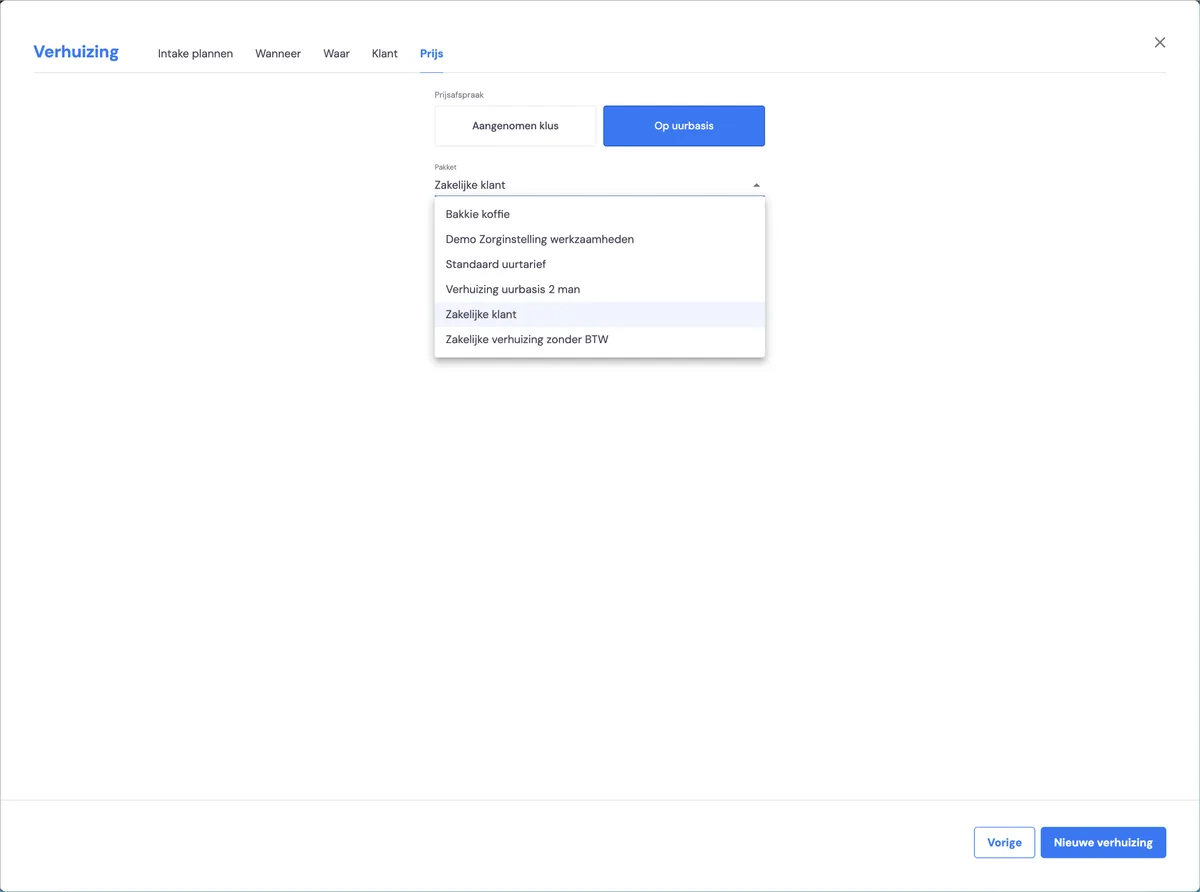
When creating a new job, you always start by choosing the package you want to use. The package lets you set the invoicing moments, signing moments, standard rules in quotes and standard discount. You do this per phase of the job.
Phases in a job
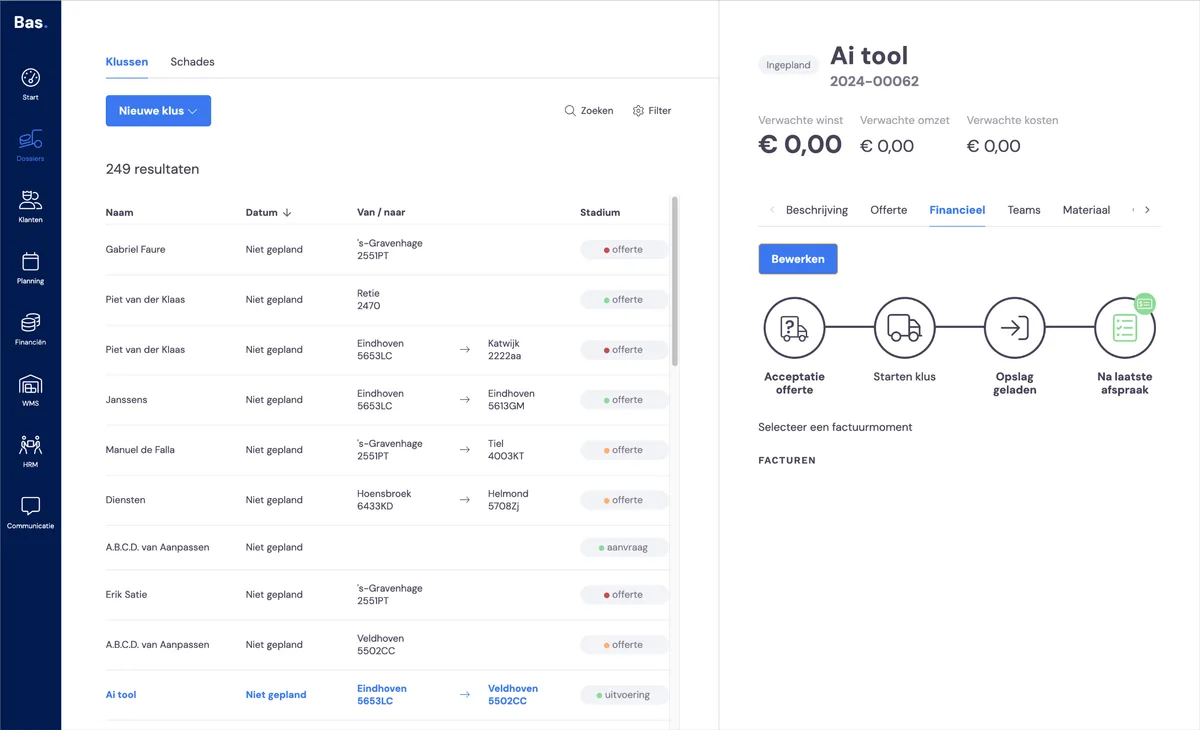
Per phase, the package determines:
which signing moments are included for the customer in the removal process
which quote template and which invoice template are used for the job
which invoicing moments are included in the job
which standard discount applies
which standard rules are included in the quote
You can set up the packages yourself and thereby (partly) configure the process.
Overview of packages
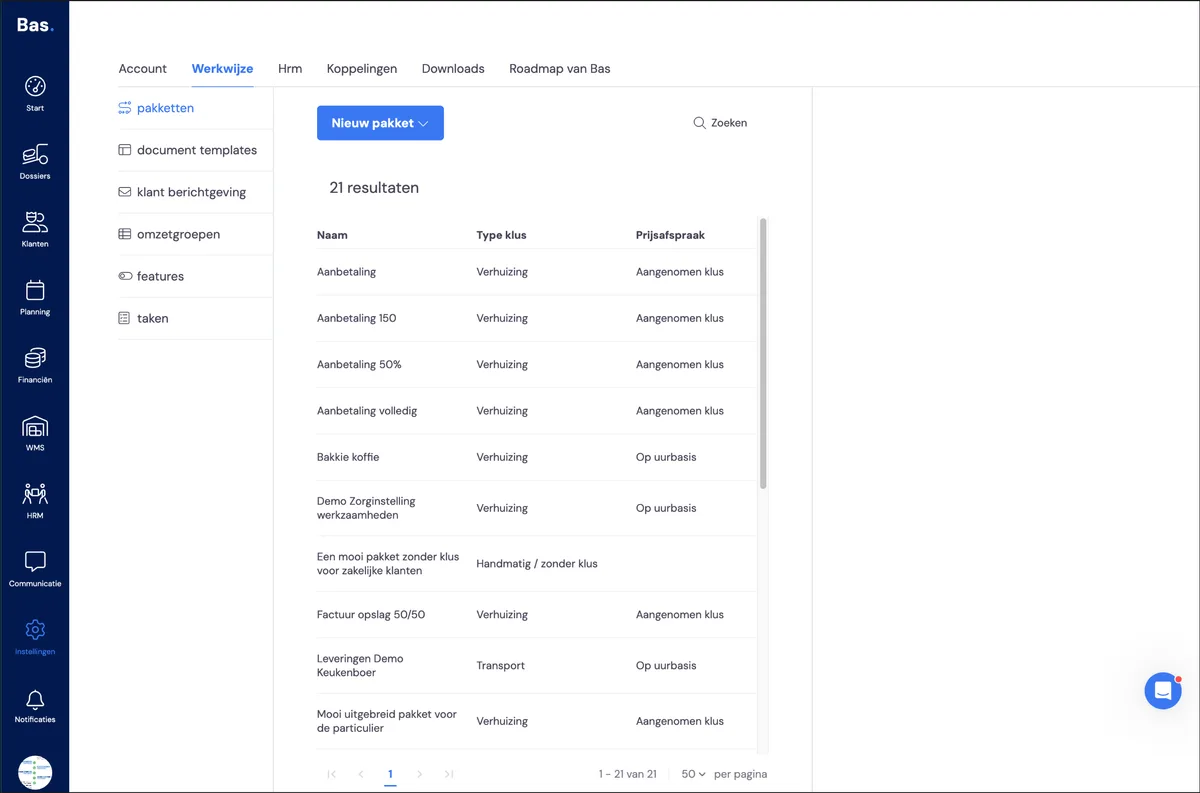
You'll find packages under Settings > Working method > Packages. Here you'll see an overview of all existing packages.
Editing an existing package
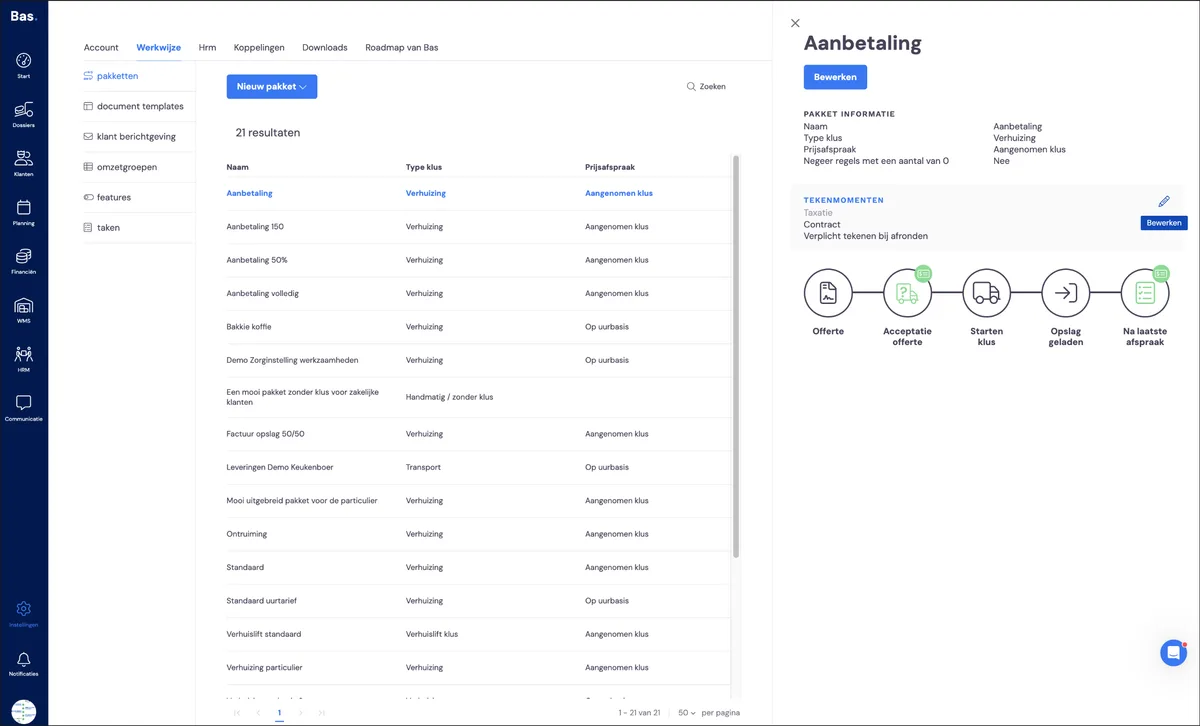
Go to Settings > Working method > Packages and click on the package you want to edit.
Setting signing moments
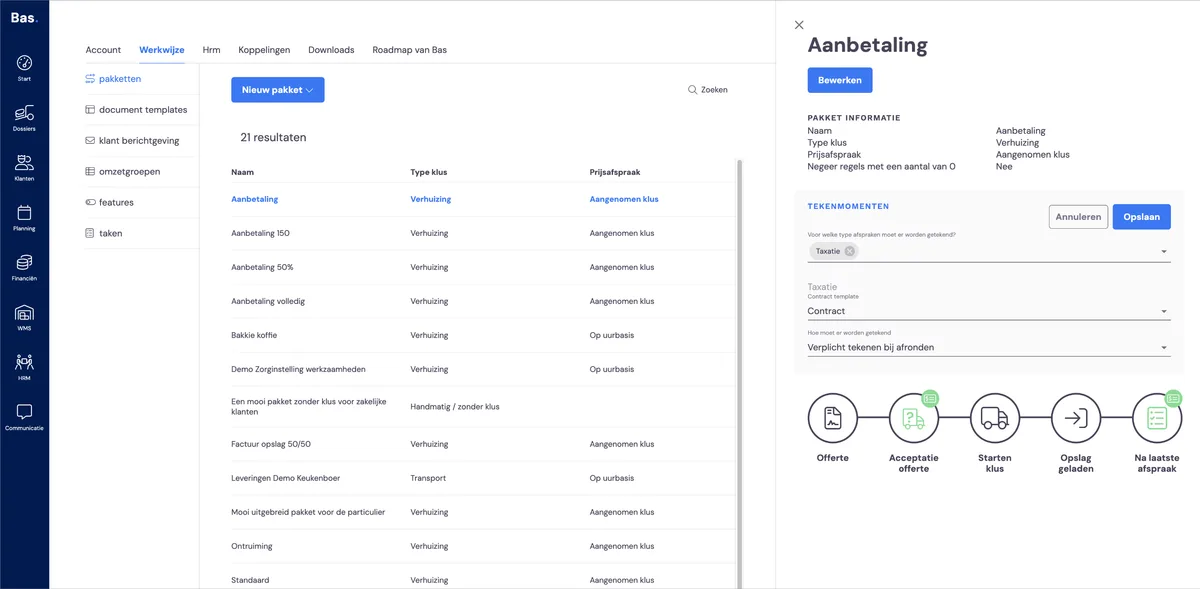
For each appointment, you can specify whether the customer needs to sign. Signing takes place on site, using the app. Click Edit next to signing moments. The list of possible signing moments will then appear.
Adjusting financial handling
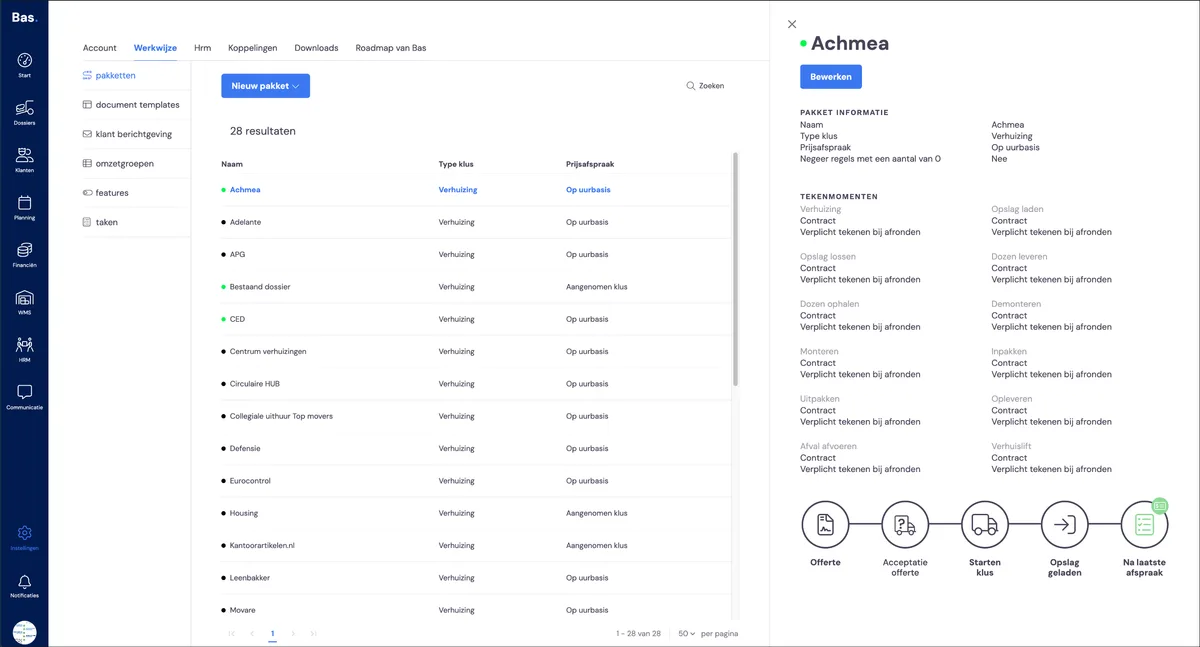
Click Edit and then select the step in the process where you want to make a change
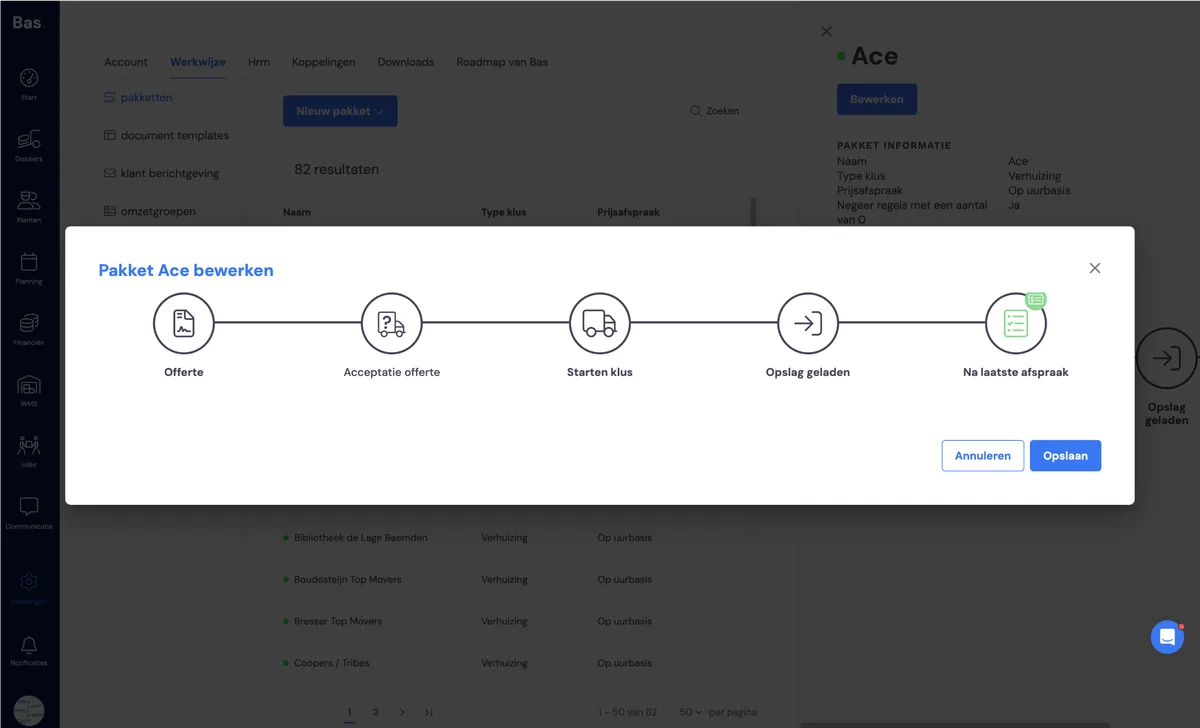
Package with job
With a package with a job, you can adjust all phases of a removal job. Below is an overview of what you can adjust per phase
Quote
Use custom quote
If you want to change something in this phase, select YES
Show price including or excluding VAT
Including VAT for private customers, excluding for business customersQuote template used
You can choose a different template here if you wish.Standard discount
If you want to give a standard discount in this phase, you can specify it here. The description and discount percentage are automatically included in the quote
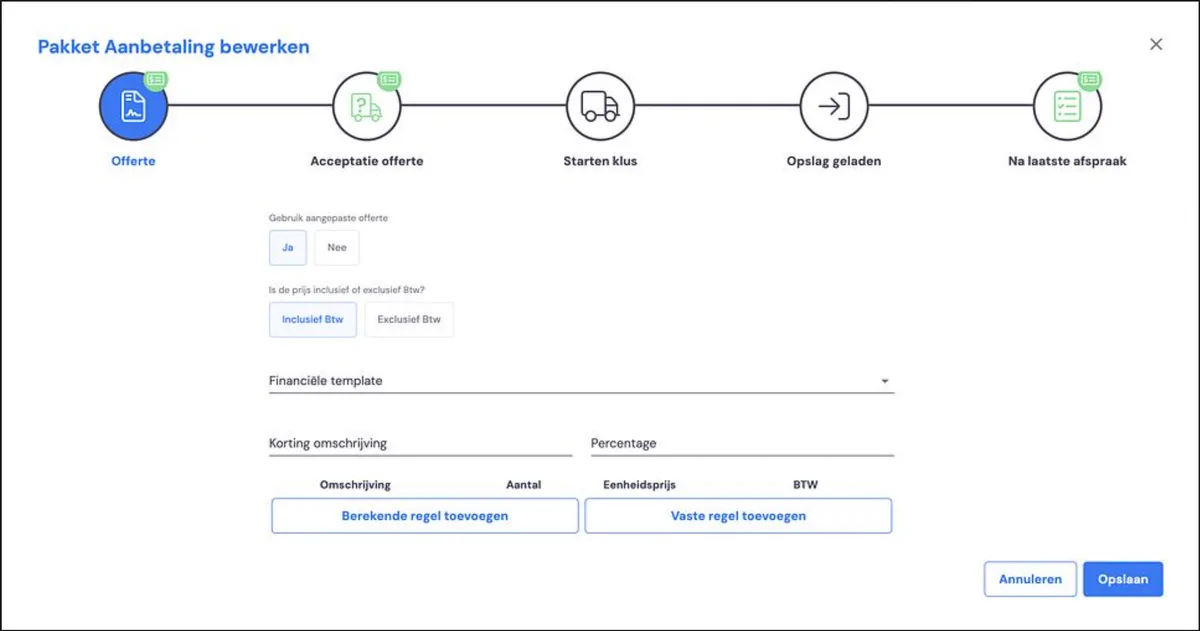
Add fixed line
Here you can include a fixed line that will appear in the quote. Use this, for example, for call-out charges. By selecting the revenue group, you can link this to a general ledger account in your accounting integration.Add calculated line
Here you can include a fixed line that will appear in the quote. Use this, for example, for hourly-rate work. By selecting the revenue group, you can link this to a general ledger account in your accounting integration.
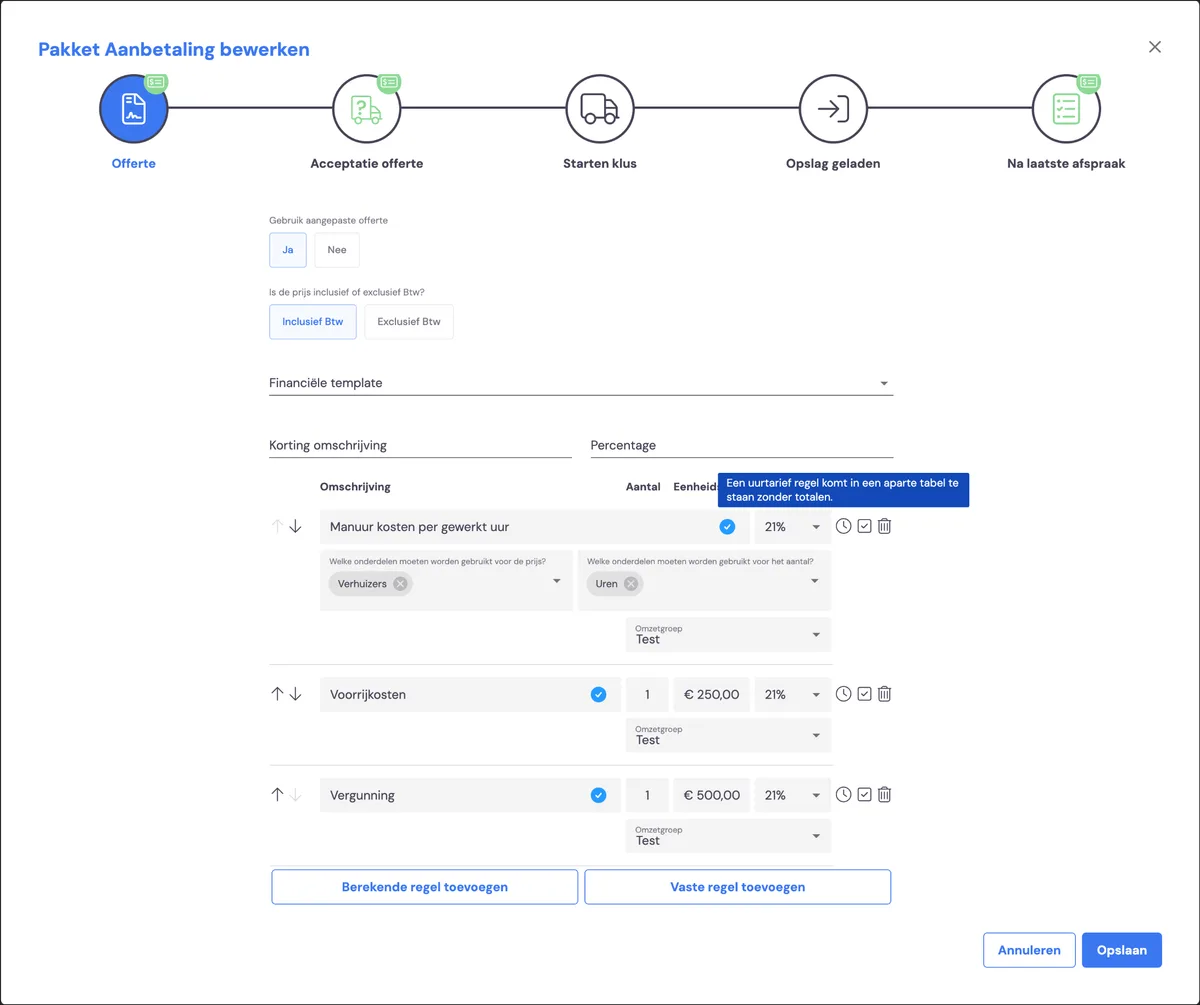
For lines, you have the following options:
Description
This is the description as it will appear in the quote.
Components for the price
Based on the selected component (for example, removal crew), the cost for this line is calculated — in this case, the number of hours worked by the removal crew.
Components for the quantity
You can skip this — it's only used in exceptional situations.
Revenue group
You can use this to link the line if you have an accounting integration.
Hourly rate line
This indicates that this line calculates the cost based on the number of hours (in this case) calculated for the removal crew member via the survey.
Optional line
This line appears as an option in the quote — when accepting the quote, the customer can indicate themselves whether they want to include it in the order.
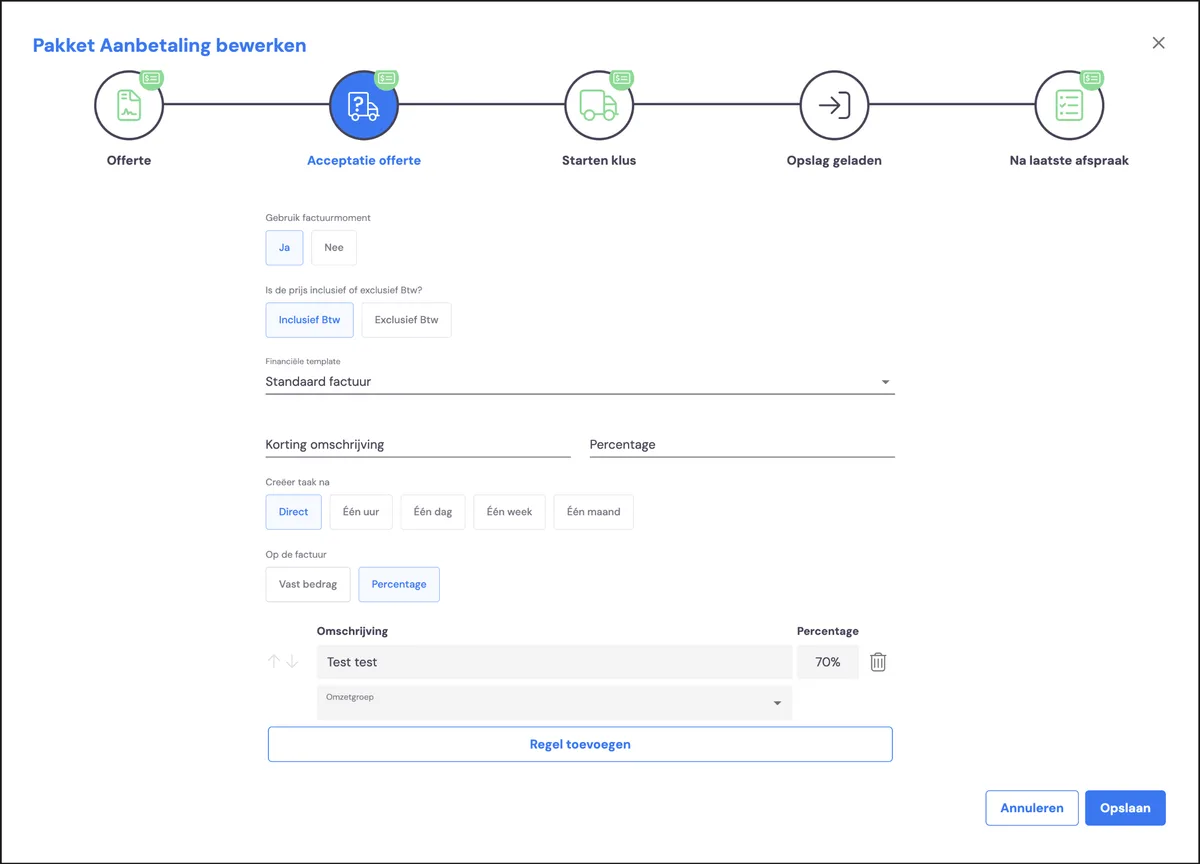
2. Quote acceptance
Use as invoicing moment
Do you want to use this phase as an invoicing moment? If so, you're using a deposit in your processShow price including or excluding VAT
Including VAT for private customers, excluding for business customersFinancial template
Do you want to use the standard invoice template or a specific template?Discount description
If you want to give a standard discount in this phase, you can indicate it here — with the description as it will appear in the quote, and the discount percentage you want to give.
Create task after
If you've activated a task for a team, you can set the timing here
On the invoice: fixed amount or percentage
Do you want a fixed amount as a deposit, or a percentage of the quote?Add line
Here you can add lines that will be included in the invoice
3. Starting the job
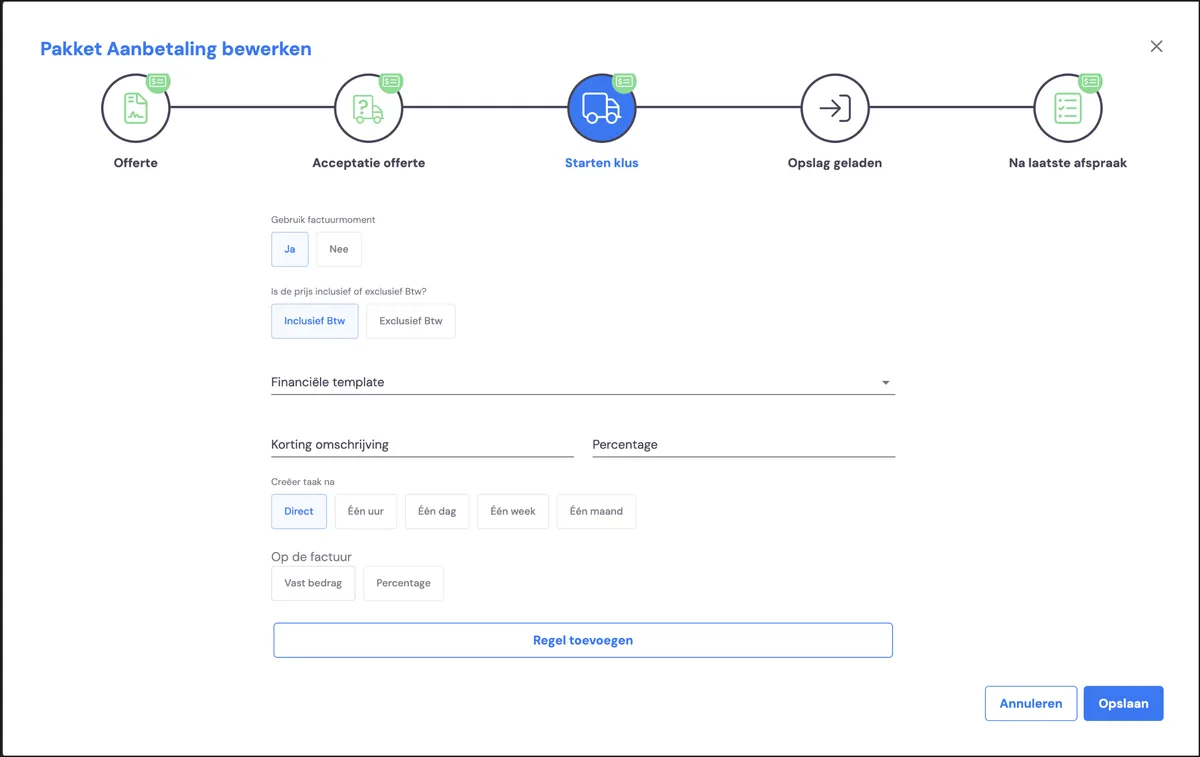
Use as invoicing moment
Do you want to use this phase as an invoicing moment? If so, you're using a deposit in your processShow price including or excluding VAT
Including VAT for private customers, excluding for business customersFinancial template
Do you want to use the standard invoice template or a specific one?Discount description
If you want to give a standard discount in this phase, you can indicate it here — with the description as it will appear in the quote, and the discount percentage you want to give.
Create task after
If you've activated a task for a team, you can set the timing here
On the invoice: fixed amount or percentage
Do you want a fixed amount as a deposit, or a percentage of the quote?Add line
Here you can add lines that will be included in the invoice
4. Storage loaded
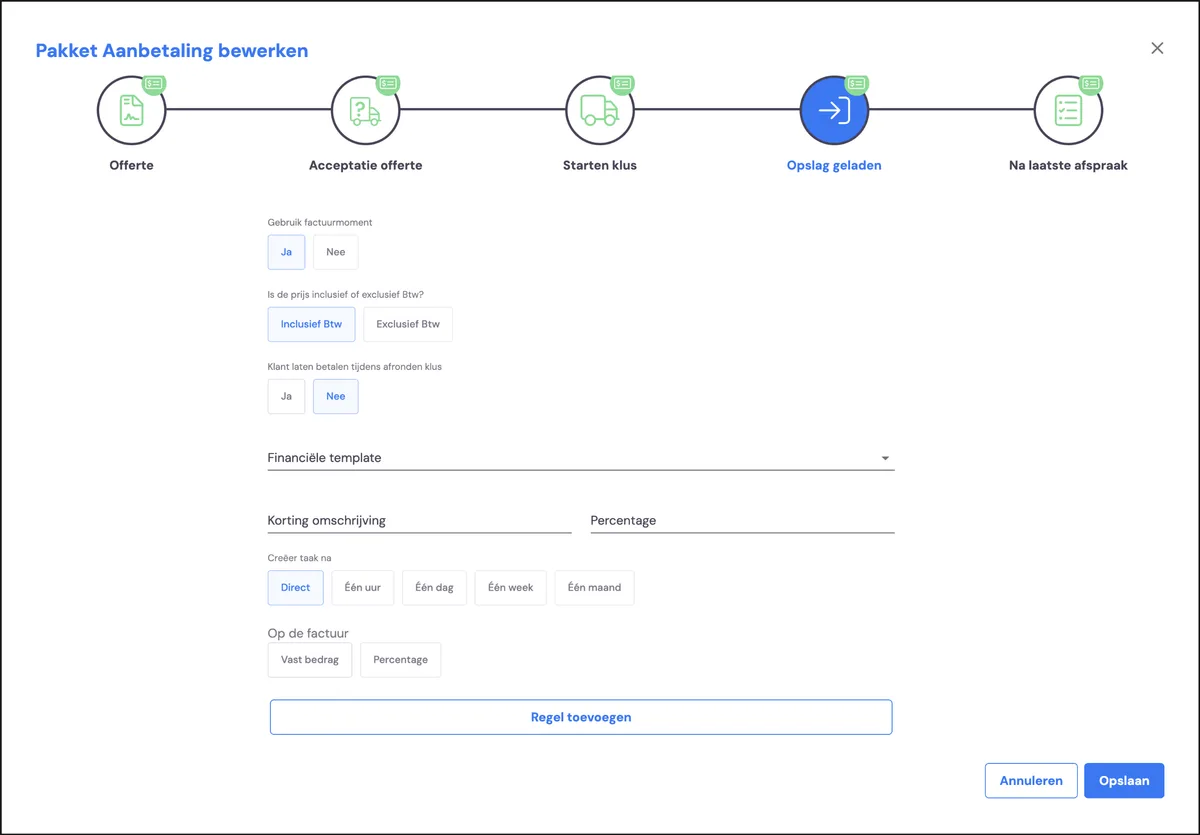
Use as invoicing moment
Do you want to use this phase as an invoicing moment? If so, you're using a deposit in your processShow price including or excluding VAT
Including VAT for private customers, excluding for business customersFinancial template
Do you want to use the standard invoice template or a specific one?Discount description
If you want to give a standard discount in this phase, you can indicate it here — with the description as it will appear in the quote, and the discount percentage you want to give.
Create task after
If you've activated a task for a team, you can set the timing here
On the invoice: fixed amount or percentage
Do you want a fixed amount as a deposit, or a percentage of the quote?Add line
Here you can add lines that will be included in the invoice
5. After the last appointment
Use as invoicing moment
Do you want to use this phase as an invoicing moment? If so, you're using a deposit in your processShow price including or excluding VAT
Including VAT for private customers, excluding for business customersFinancial template
Do you want to use the standard invoice template or a specific one?Discount description
If you want to give a standard discount in this phase, you can indicate it here — with the description as it will appear in the quote, and the discount percentage you want to give.
Create task after
If you've activated a task for a team, you can set the timing here
On the invoice: fixed amount or percentage
Do you want a fixed amount as a deposit, or a percentage of the quote?
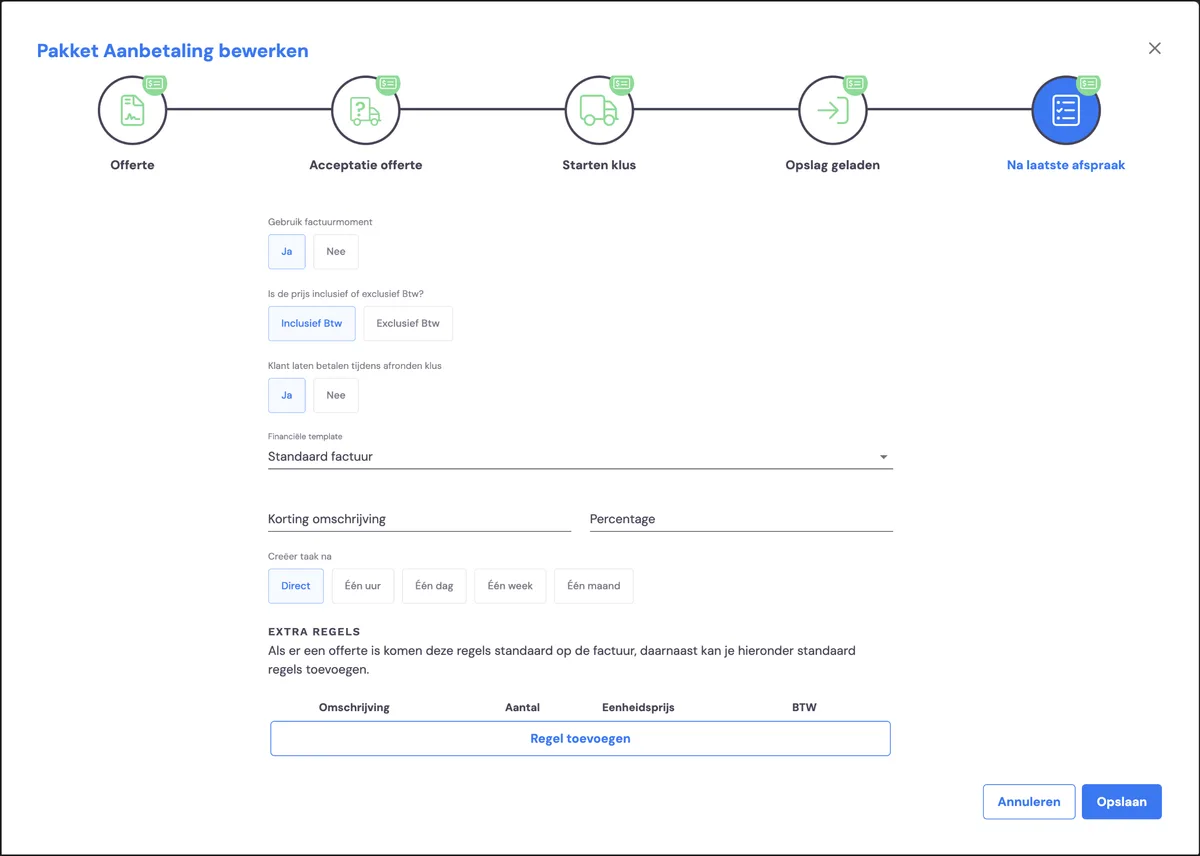
Add line
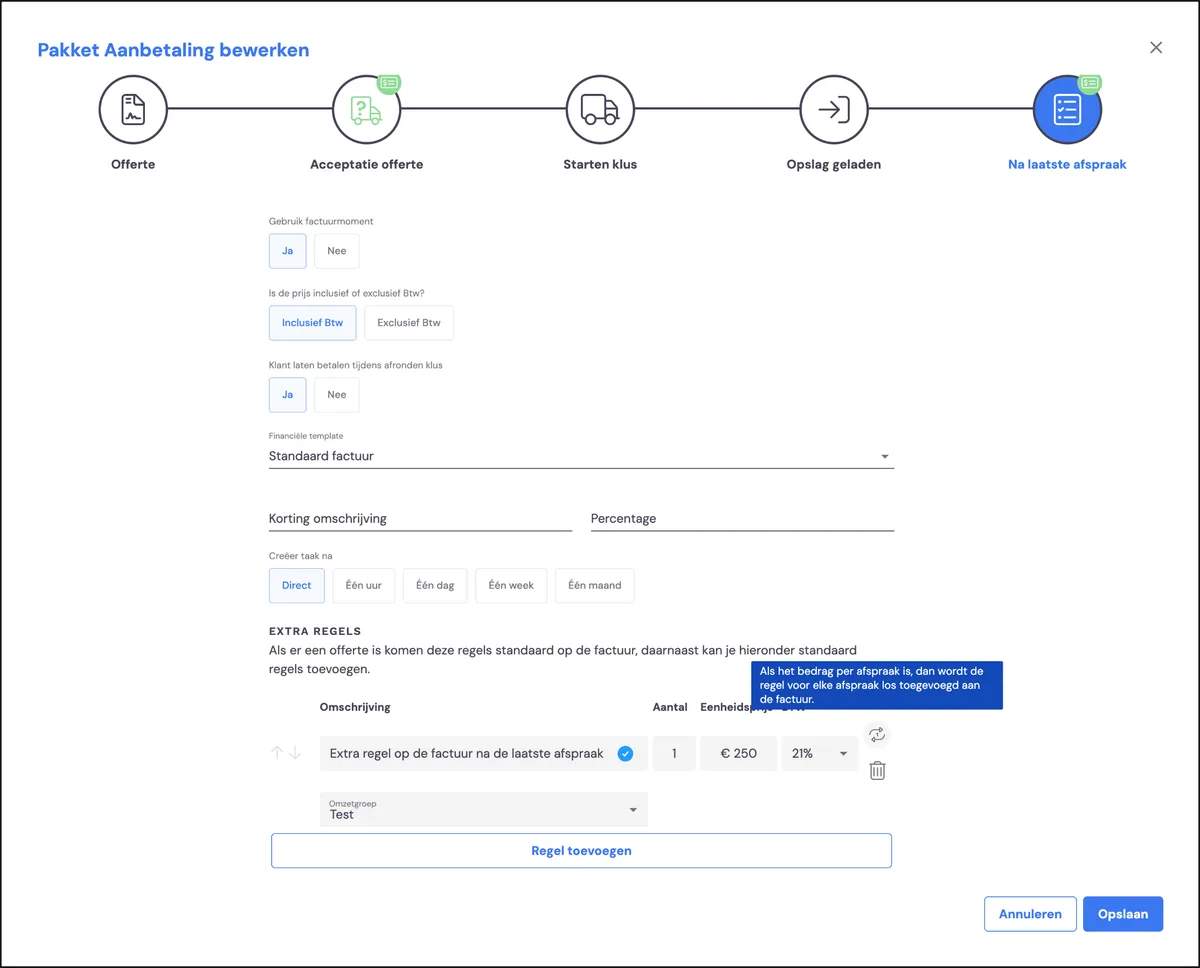
Here you can add lines that will be included in the invoice. This is a fixed line you can use to include costs on the invoice.
Description / quantity / unit price / VAT
These elements are fixed and included as an invoice line
Revenue group
By selecting the revenue group, you can link this line to a general ledger account in your accounting package
Next step
In addition to setting up invoicing moments, signing moments, standard rules in quotes and discounts via the existing packages, you can also set the terms for quotes and invoices. In the next step you'll learn how to do this via document templates >