
You can submit an expense claim request in the Bas app. For example, a fuel receipt you’ve paid for in advance. You’ll find the expense claims overview under the lorry icon at the bottom and then the second icon at the top.
Expense claims overview
You’ll then get an overview of all submitted expense claims and their status. You can click on any expense claim to see what the office has said about it. For example, why an expense claim was rejected. You can amend rejected expense claims, but you can also create a new one. You create a new expense claim by pressing the blue button at the top.
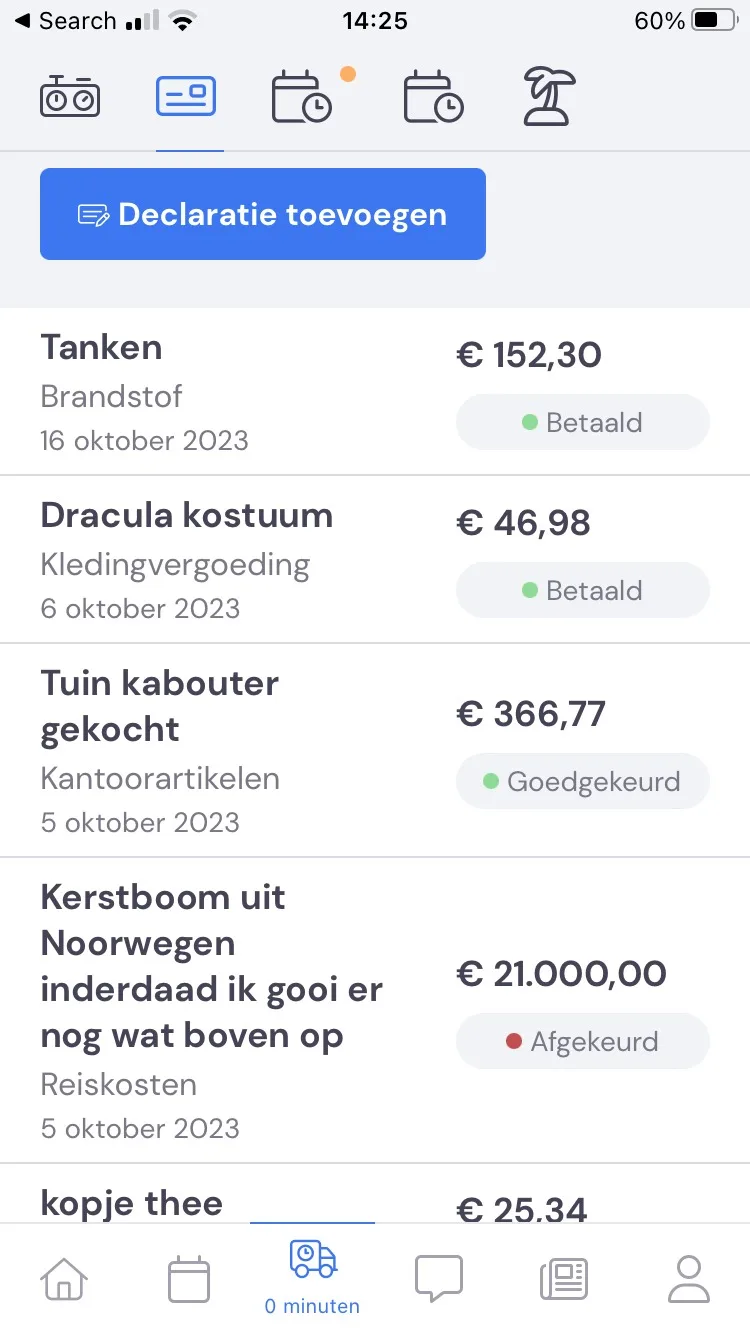
Expense claim status
As soon as you’ve submitted a request, it comes into the status 'Pending'. Once the office has reviewed and approved it, it comes into the status 'Approved'. If the office has actually paid out the expense claim, the status will go to 'Paid'. If the office doesn’t agree with it, the expense claim can come into the status 'Rejected'. It’s then still possible to make changes.
Submitting an expense claim
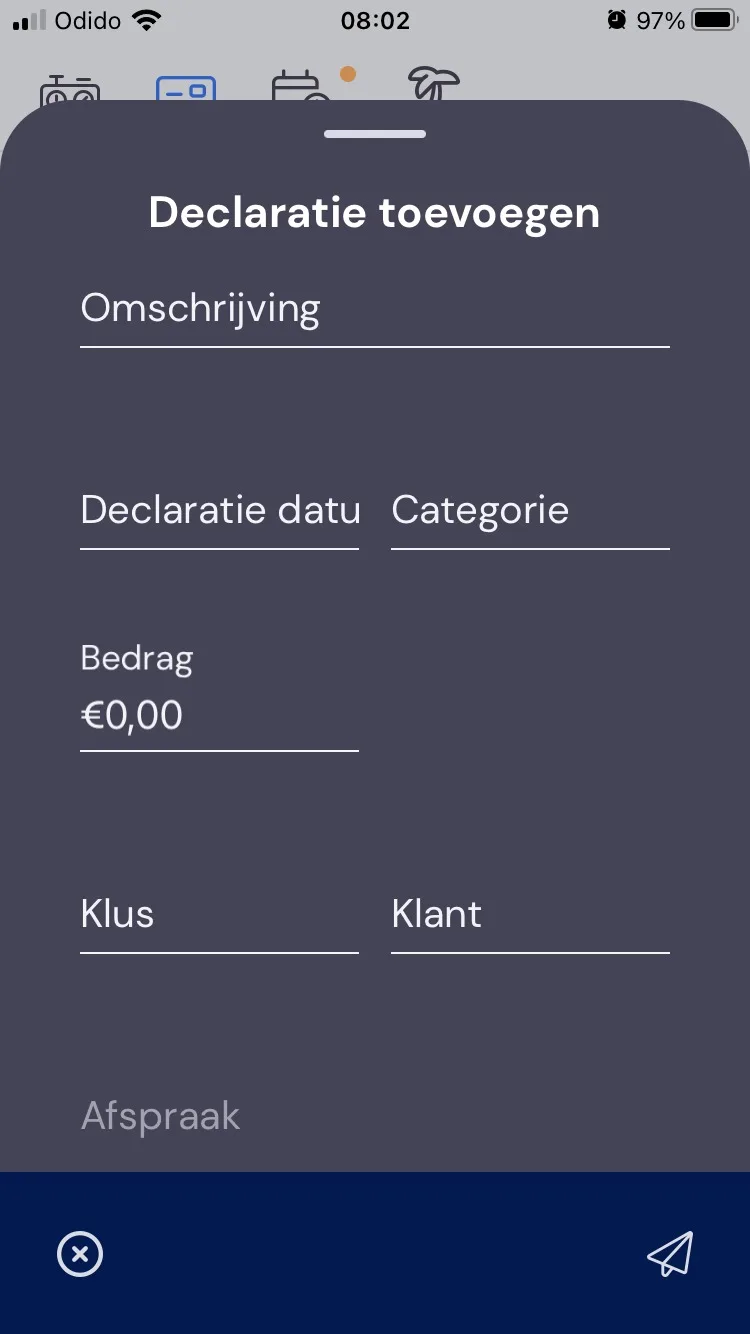
You request an expense claim via the button at the top of the expense claims overview. In the request, you give a short description, when you paid for something in advance, which category it is (e.g. refuelling or car washing), the amount, and, if applicable, the job and any customer for which you incurred these costs.
At the bottom, you have the option to take a photo or upload one from your device to add a receipt. If you’ve forgotten the receipt, you can still add it afterwards.
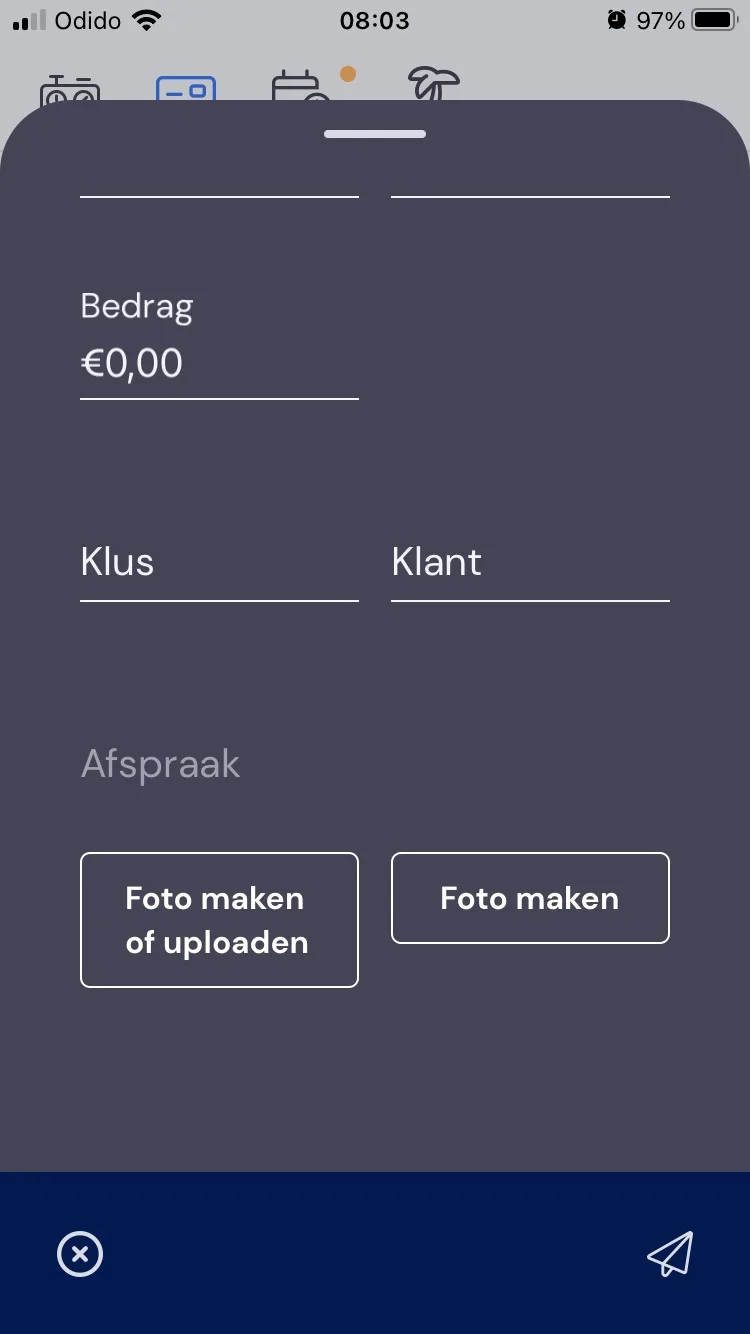
Then press the button in the bottom right to send the request and wait for the office’s response.