
Mollie is a payment provider that processes online payments. By adding Mollie to Bas, you lower the payment barrier for your customers. Customers can pay their invoice quickly, safely and easily. The payments are also processed in Bas.
Enabling Mollie
Not yet a Mollie customer? Register first via https://www.mollie.com/dashboard/signup?lang=nl
Go to Settings -> Integrations -> Mollie and then click "link".
Follow the steps in Mollie.
Then click the "gear icon" next to Mollie to select the profile, and then click save.
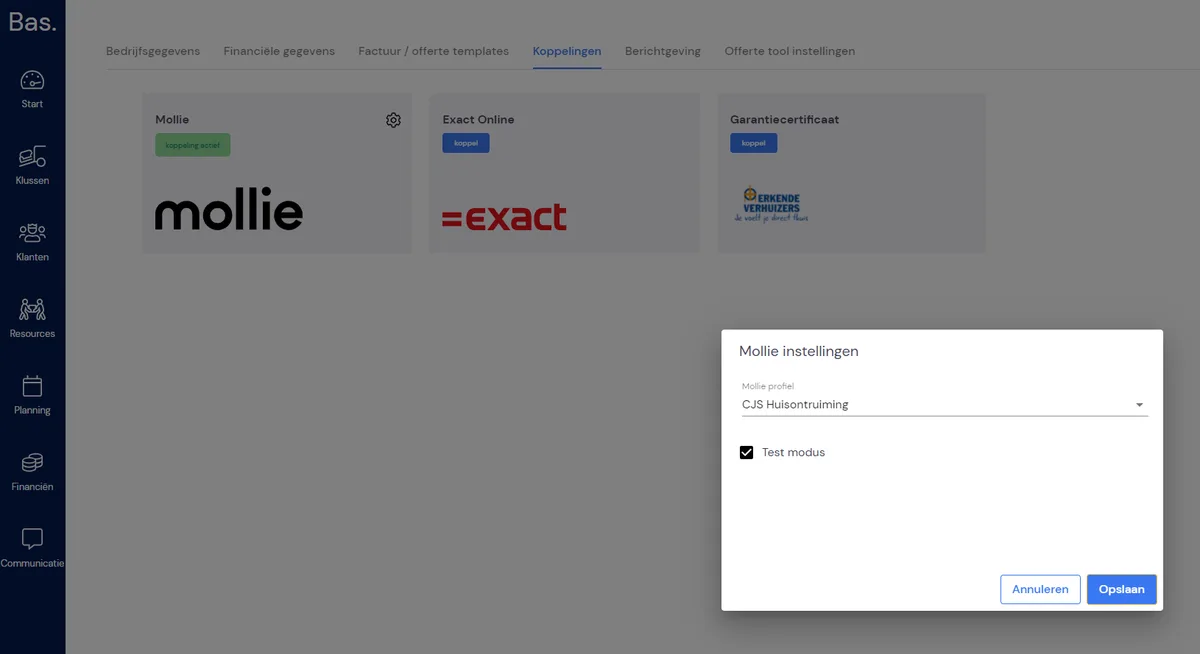
Mollie is now active. Now the "payment link" needs to be added to the invoice e-mail.
Go to Settings -> Messaging and select the "Invoice" e-mail. Click the "pencil icon" to adjust the template.
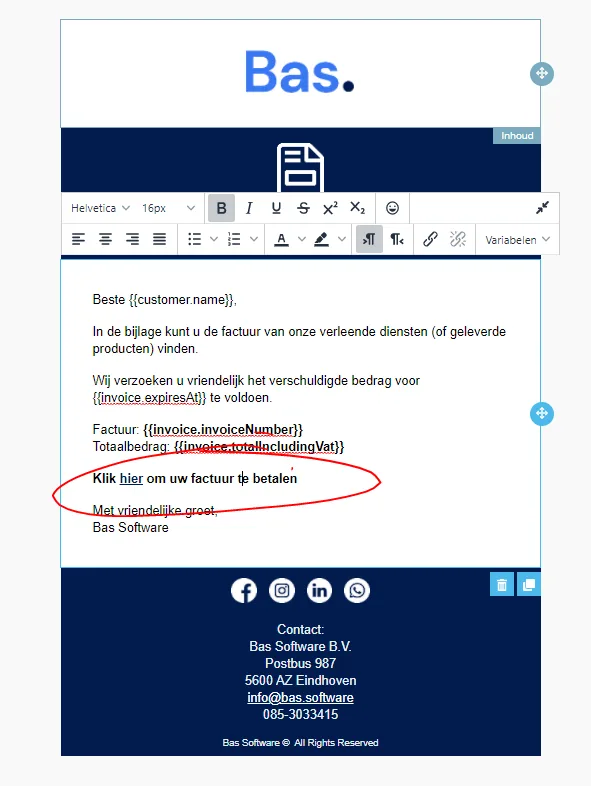
Add some text. For example: "Click here to pay your invoice".
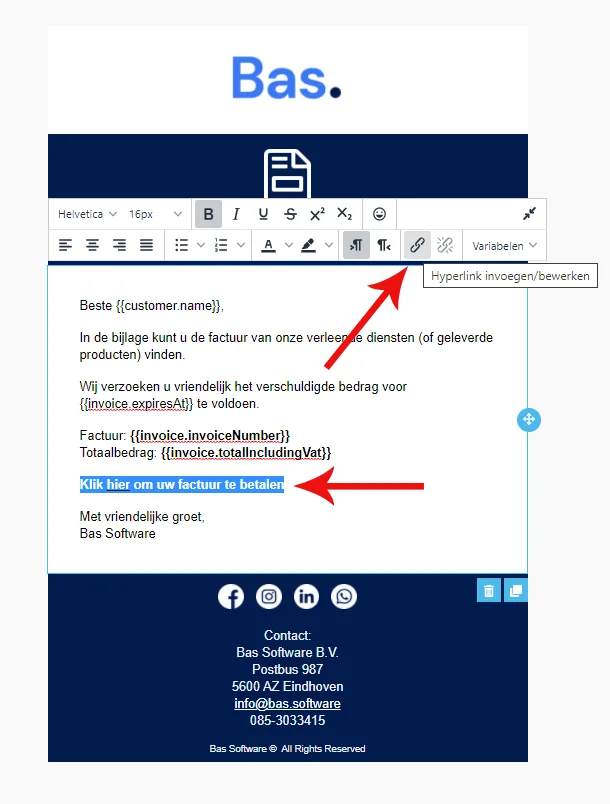
Select the text and click the "Insert/edit hyperlink" icon.
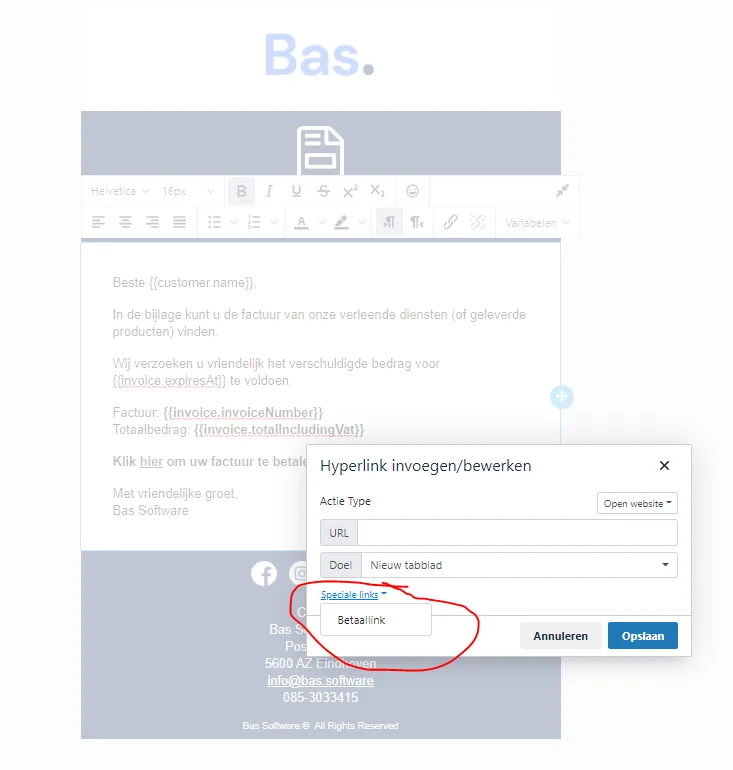
Click "Special links" and then click "Payment link". Then click Save and save the template.
If the link isn't in the list, you can use this to paste in.
#{{ paymentRequest.redirectUrl }}
TESTING
Test before you send your first invoices. Mollie has a test function you can enable.
Settings -> Integrations -> Mollie and then click "Test mode".
DON'T FORGET TO UNTICK THIS AFTER TESTING!
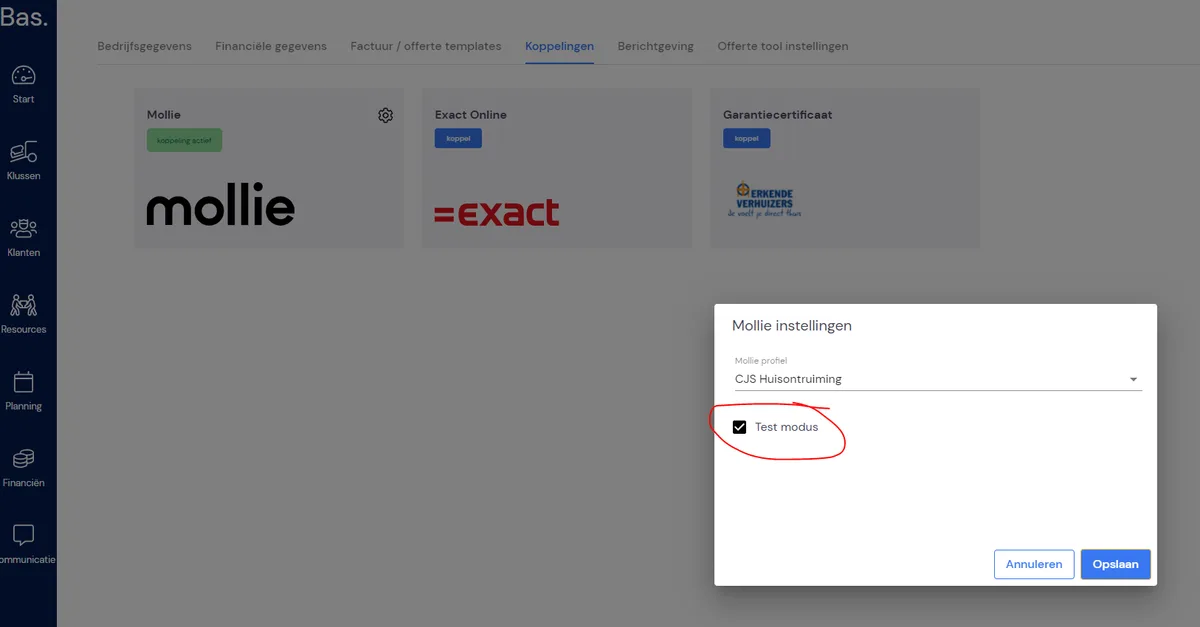
Now create a test invoice and send it to yourself. Then test the payment link. When you make the test payment, the invoice status will also automatically change to "Paid".
DON'T FORGET TO UNTICK THIS AFTER TESTING!