Transport management software (TMS) from warehouse receipt to delivery
Bas is a transport management system (TMS) and warehouse management system (WMS) in one, for transport and removals firms. You run the whole transport end to end: receipt into your warehouse, storage, picking, planning, delivery with proof of delivery, and the invoice.
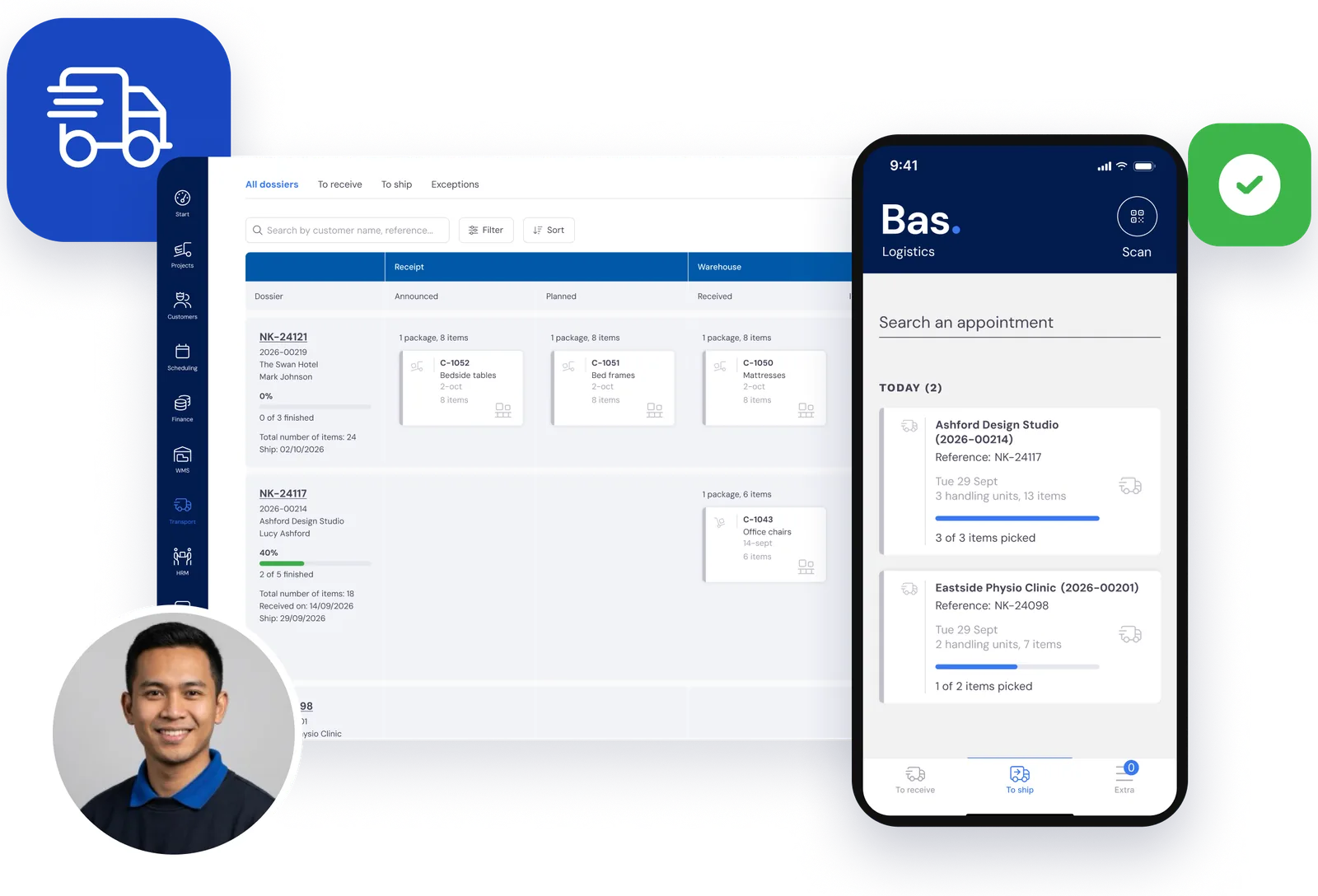
From receipt to proof of delivery in one system.
No more separate TMS, WMS and spreadsheets side by side.
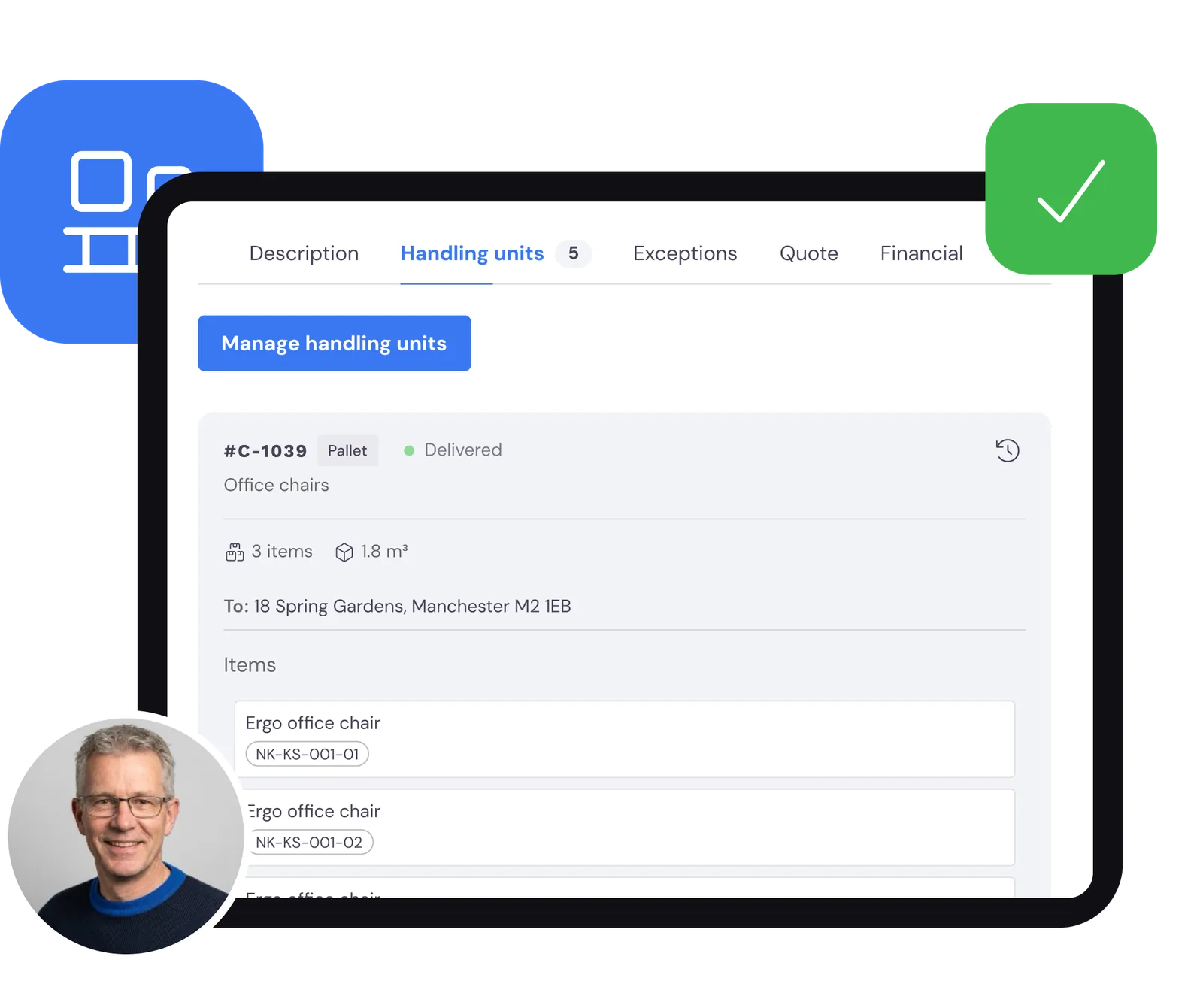
Receive, label and know what is where
You register incoming goods per package, with the items inside. Every package gets a label with a QR code.
So for every customer you can see what is still due to arrive, what is in your warehouse and what is ready to ship. That is the WMS side of Bas: stock per customer, locations with QR codes and getting shipments ready.
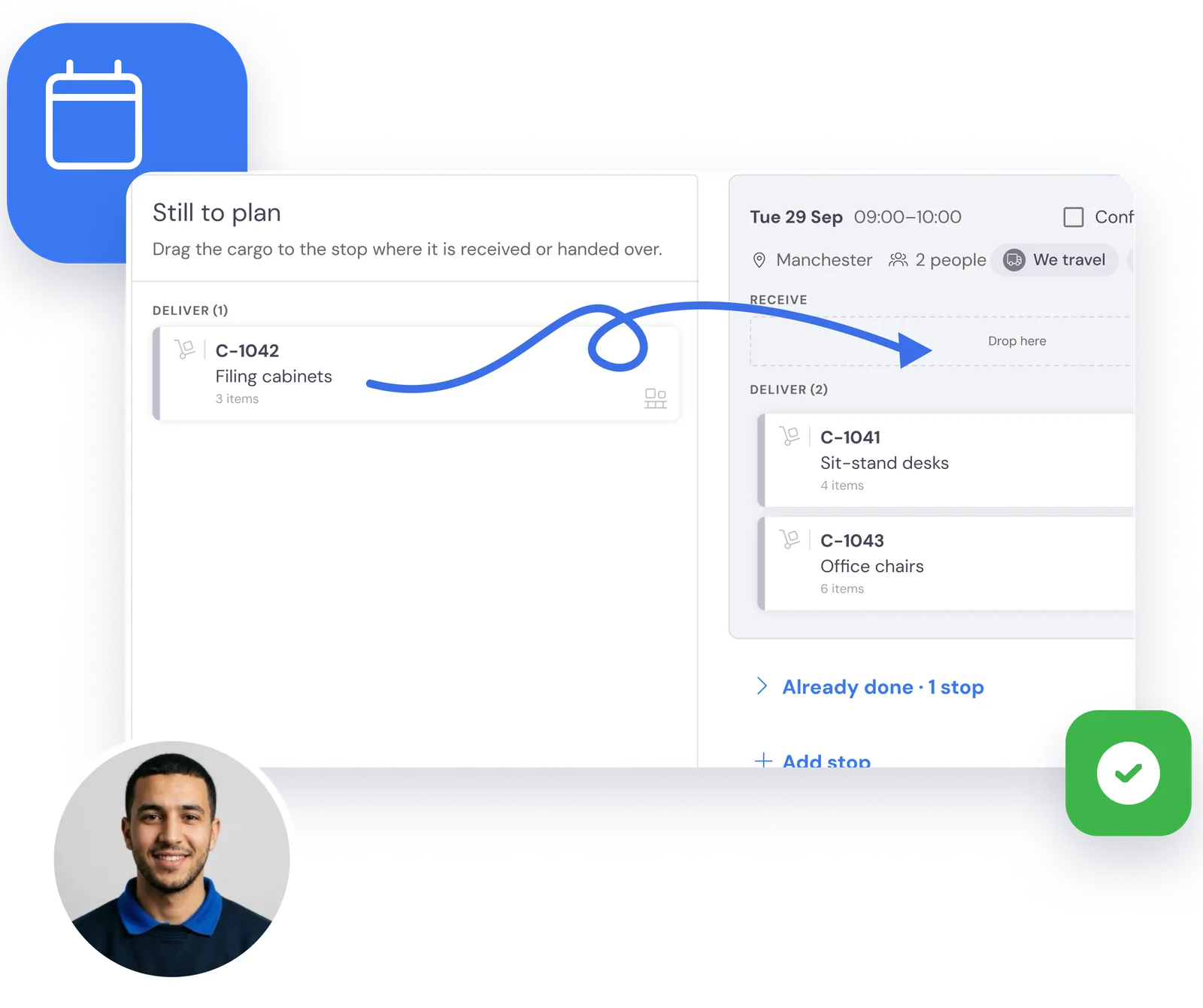
Packages on stops, stops on the planning board
In the project you drag the packages onto a stop: collect or deliver, with an address and a date. Those stops appear on your normal planning board, alongside your other runs and removals.
So you see at a glance which crew and which van does the run, and your transport planning is simply part of your planning.
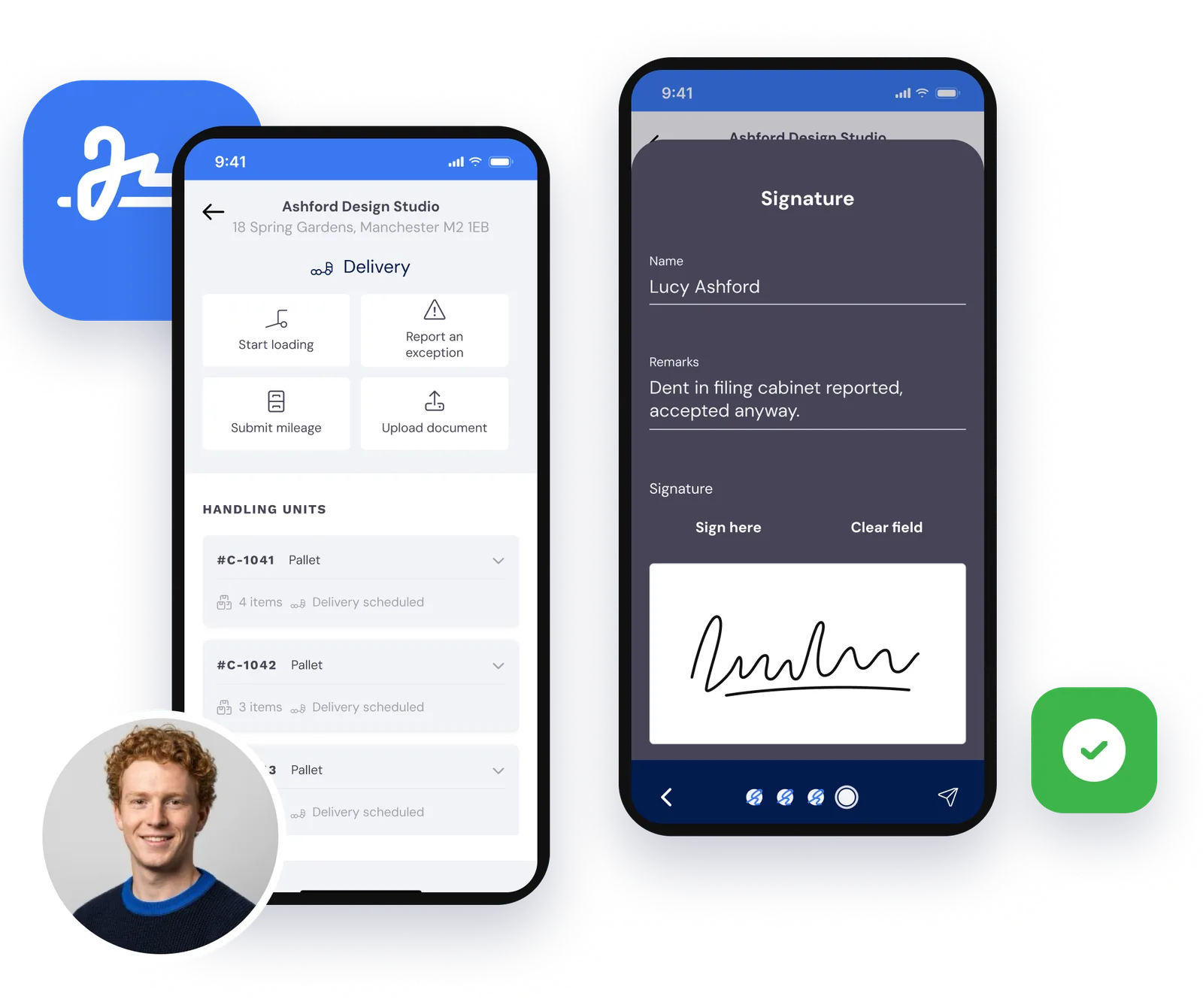
The driver scans, delivers and collects a signature
In the employee app the driver sees his stops for the day. He scans the packages when loading and when delivering. The recipient signs on the phone and the driver takes photos: together they are the proof of delivery.
If a stop fails, the driver picks the reason. You see it straight away in the back office.
Planner
Creates the project, divides the packages over stops and puts the runs on the planning board.
Warehouse staff
Receive the goods, apply the labels and get the packages ready to ship.
Driver
Scans, delivers and collects a signature in the app on his phone.
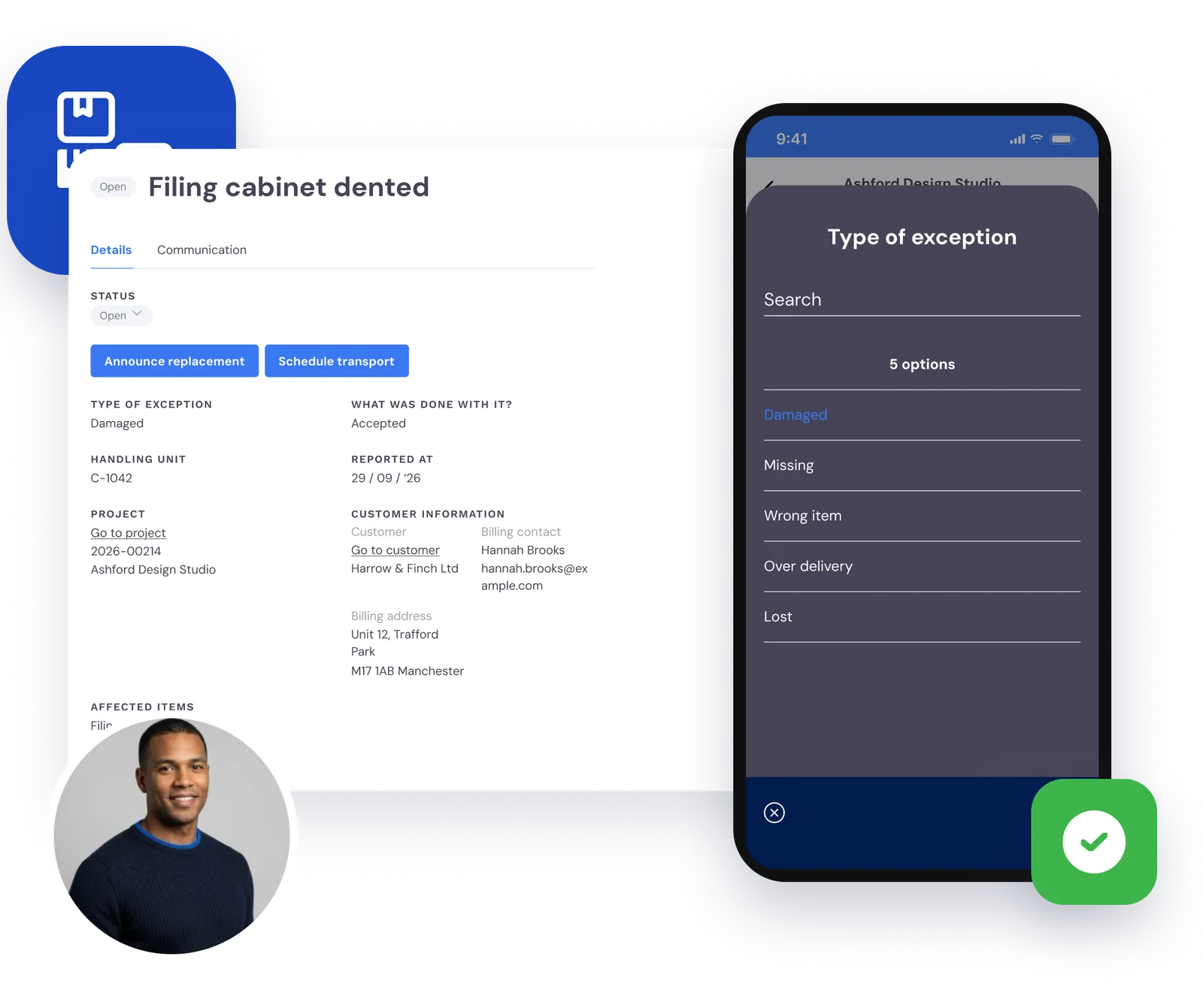
Something goes wrong? It is on record, with photos
Damaged, missing, wrong item, too many delivered or lost: the driver or warehouse staff report it as an exception, with photos.
You record what happened on the spot, and you schedule a missing package as a follow-up delivery. No searching afterwards for what went wrong.
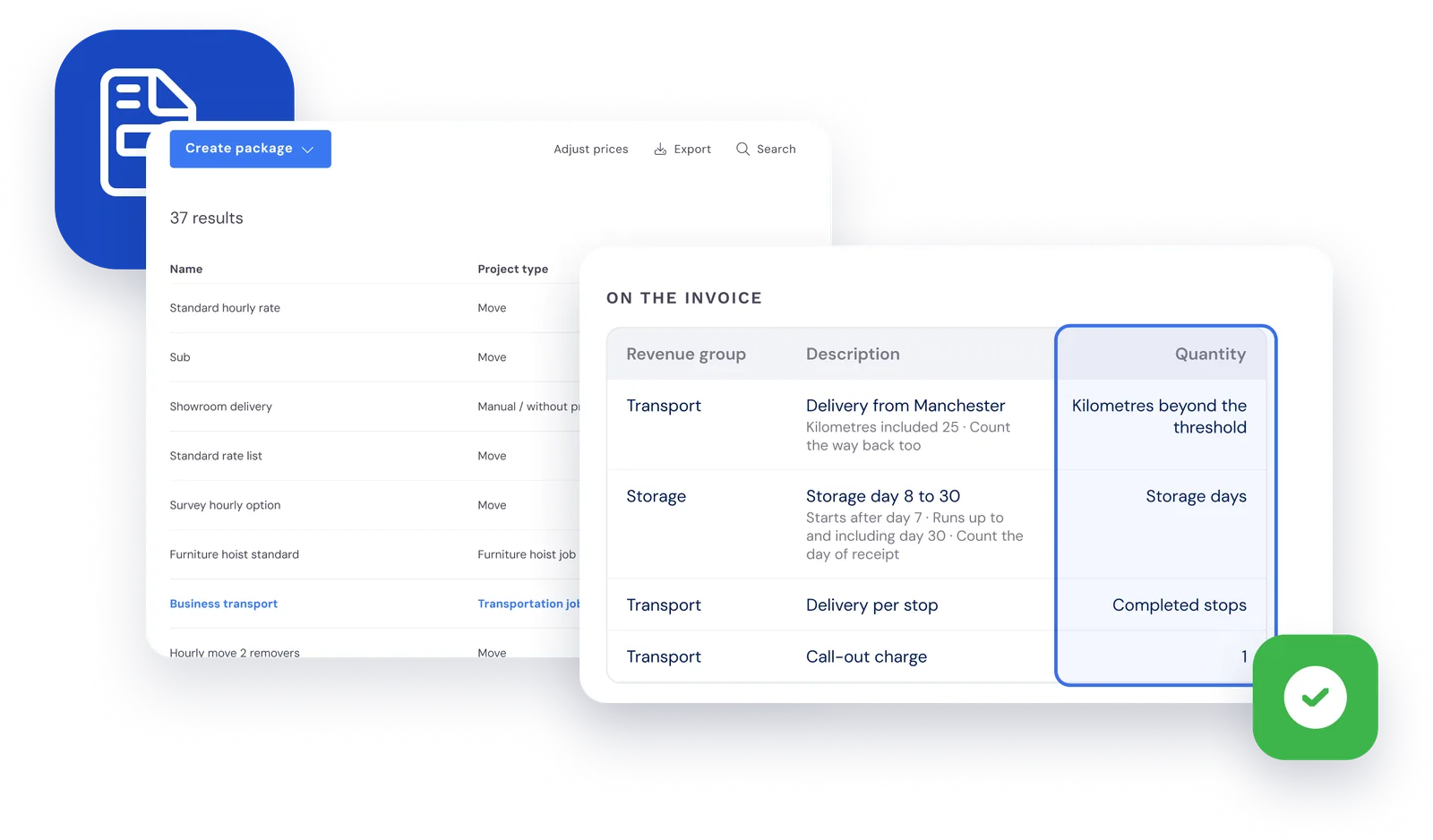
The quantities for your invoice are ready
In your packages you set where an invoice line takes its quantity from: storage days in tiers, kilometres above a threshold or the number of completed and failed stops.
Bas works it out from the project. You check the invoice and send it.
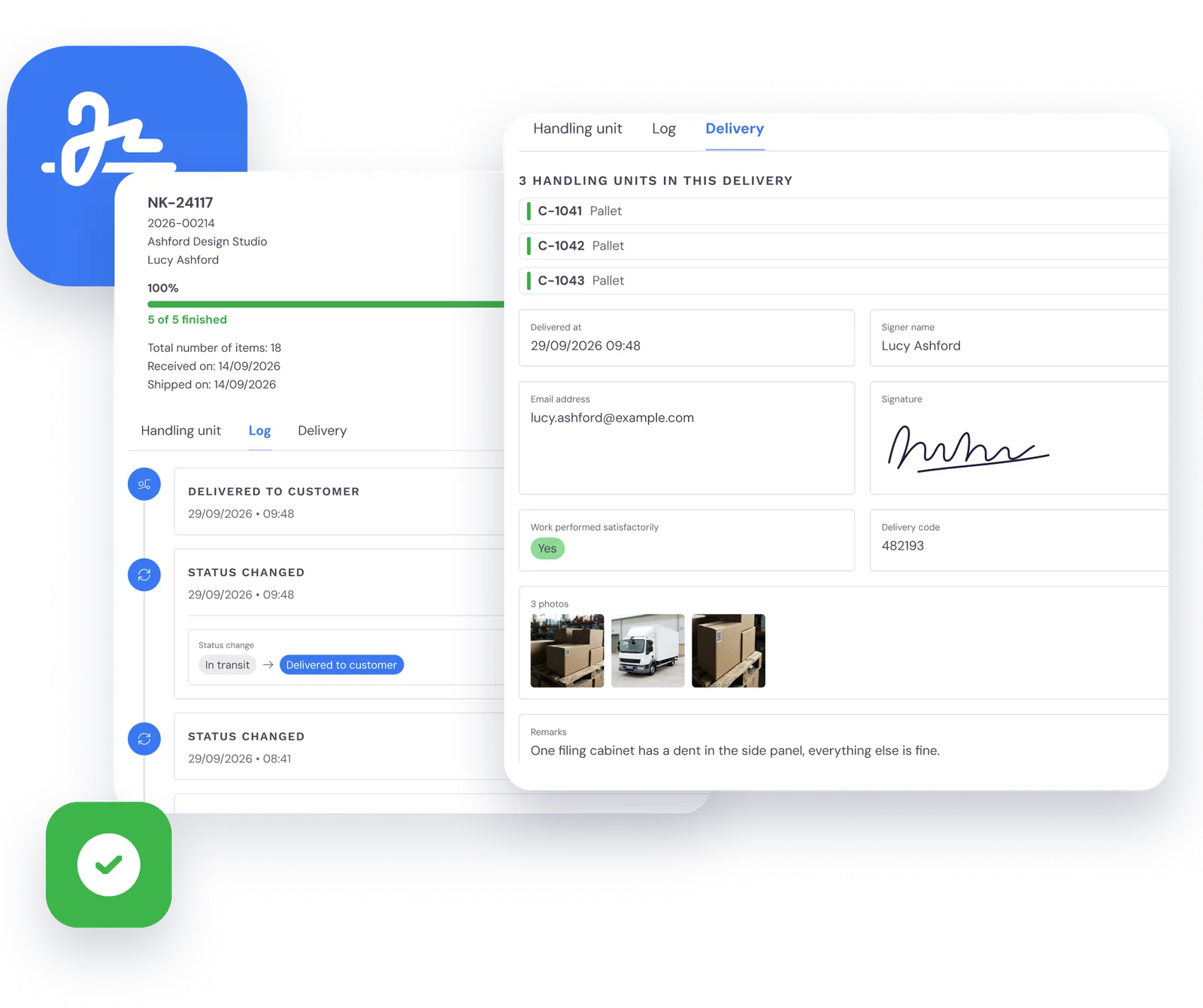
Your business customer follows along
Give your business customers access to the customer portal. There they follow their transports per package, with the proof of delivery, and book a new transport themselves.
That way you also offer B2B fulfilment: your customer orders from their stock, you pick, label and deliver.
Frequently asked questions about transport
The questions moving companies ask us most often, with a short answer.
For transport and removals firms that receive, store and deliver goods for business customers, such as furniture, office fit-outs or project goods. Transport and storage run in Bas on the same planning board, with the same crews and vans as the rest of your work.
Both. As a transport management system (TMS), Bas handles transport orders, stops on the planning board, the driver app with scanning and proof of delivery, exceptions and the quantities for your invoice. As a warehouse management system (WMS), it handles receipt, locations with QR codes, stock per customer and getting shipments ready. Your business customer follows everything in the customer portal. Read more in TMS for moving companies: when do you need one?.
With QR codes. Every package gets a label with a QR code, which the driver or warehouse staff scan with the camera in the Bas app. If a label cannot be scanned, you pick the package by hand and give the reason.
On delivery the recipient signs in the driver’s app, and the driver can take photos. The signature, the photos, the name of who signed and the time are stored per package. You see the proof of delivery in the back office, and your business customer sees it in the customer portal.
Yes. An invoice line can take its quantity from the transport project: storage days in tiers, kilometres above a threshold per stop, or the number of completed and failed stops. You create and send the invoice like your other invoices in Bas.
Transport is an add-on to Bas, which we switch on for you. In a demo we show you how it works and what it costs for your company.