Rates, allowances and breaks: Bas works them out
Bas works out your employees’ rates, allowances and breaks from the approved hours and the rules you set.
A default rule set is ready from day one. Where your company works differently, you change that rule. At the end of the period, everything is ready for payroll.
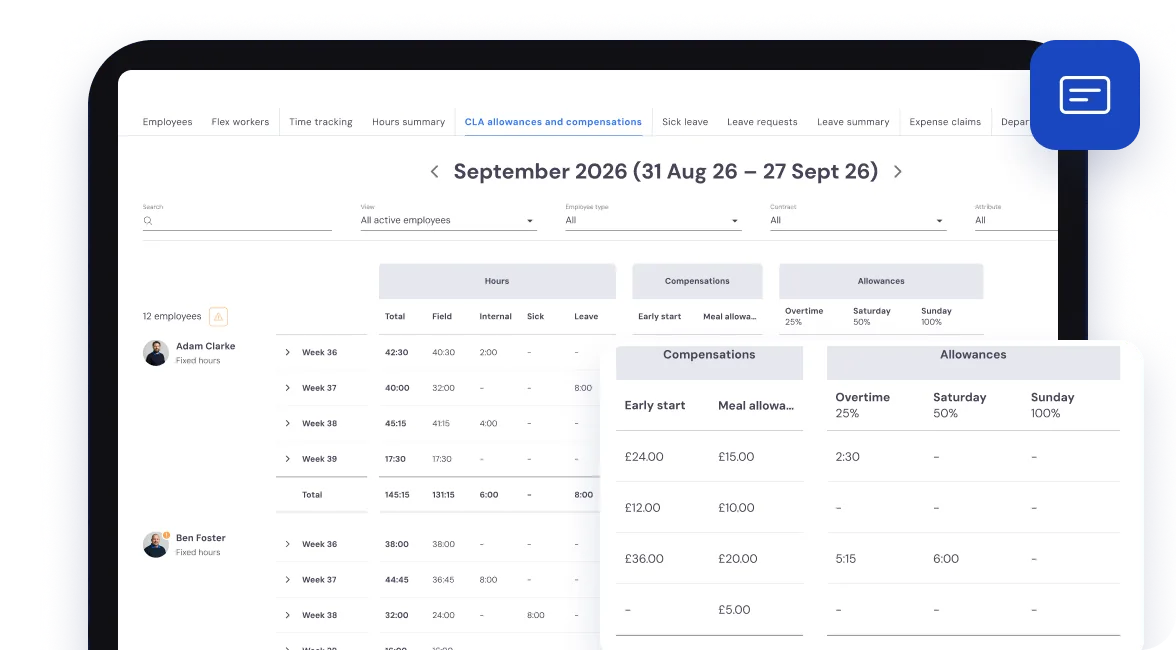
Ready from day one: overtime, Saturday, Sunday, public holidays and night work.
With default percentages you can change yourself.
Overtime
Above a threshold per day or per week, for example 30% above 40 hours. Only the hours above the threshold get the rate.
Weekends and public holidays
Saturday, Sunday and public holidays each with their own percentage, and a different one above 40 hours if you like. Public holidays are set per branch.
Night work
For the hours in the time window you set, for example 19% between 9 pm and 5 am. When rules overlap, the highest percentage applies.
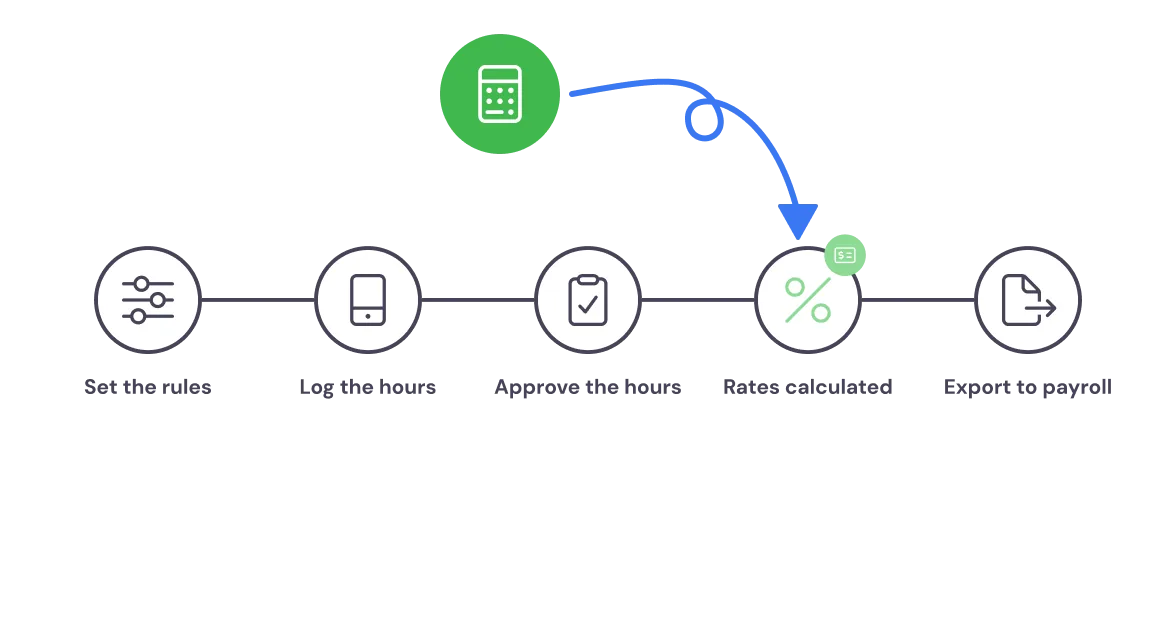
From hours to payroll, without the sums
You set your rules once, or start with the default set. Your employees log their hours in the app, and after the job the foreman confirms the hours of the crew.
You approve the hours in the back office. Bas then works out the rates, allowances and breaks automatically, and at the end of the period you export everything to Excel for payroll.
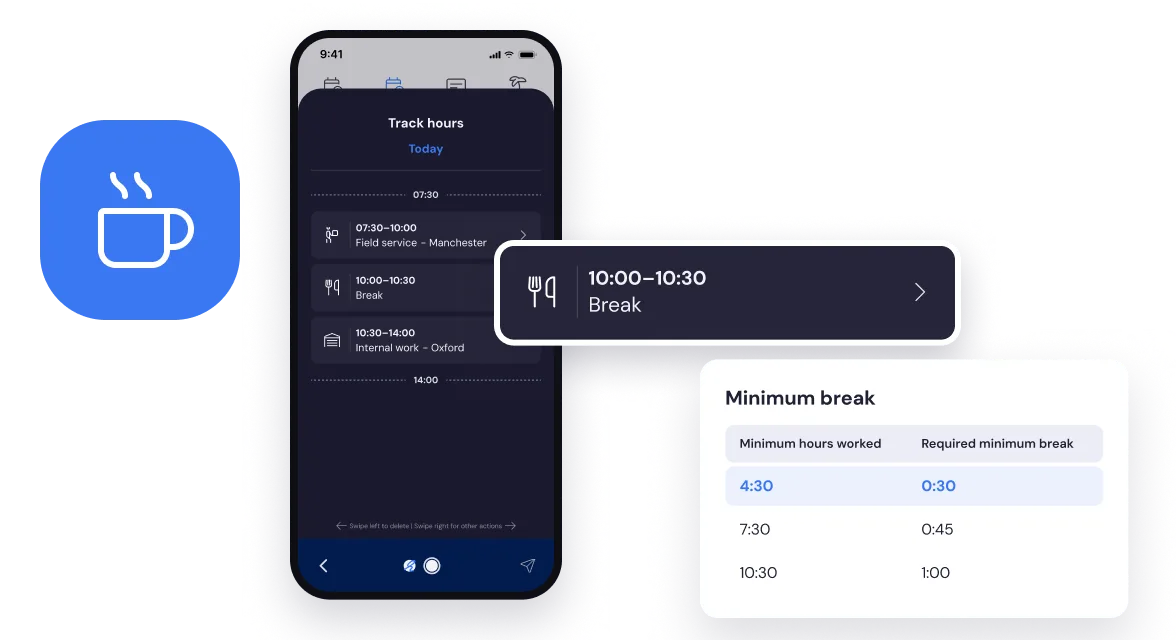
Required breaks sort themselves out
You set break rules: anyone who works 4.5 hours takes at least half an hour. From 7.5 hours on duty, an hour, as in the CLA break schedule. The office can have its own rule.
If a break is missing from the hours, Bas adds it to the time proposal your employee confirms in the app. In the back office you see a notice straight away when there is too little or too much break.
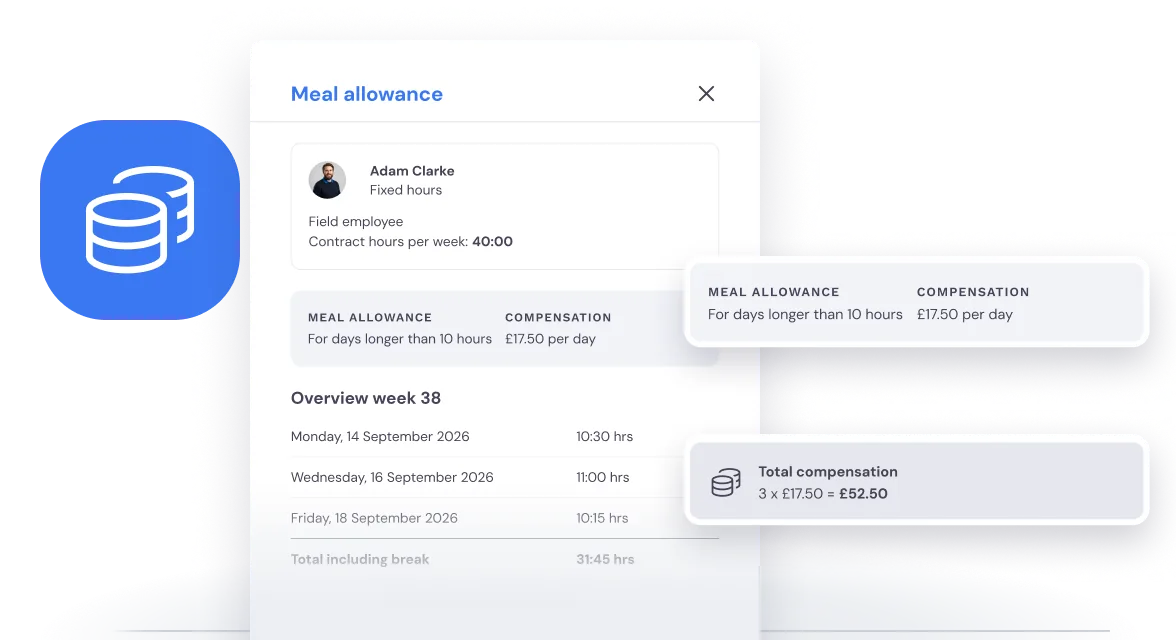
Fixed allowances per hour or per day
A meal, an overnight stay or a daily allowance: you set fixed allowances with an amount per hour or per day. You decide when they apply, with conditions on the type of hours, the number of hours worked and the start and end time.
So your crew gets exactly what was agreed on a long run or an early start. Expense claims with a receipt are submitted separately in the app.
Different rules for office staff and field staff,
per contract and per employee.
Field staff and office staff
A night rate for the crew, a break rule of its own for the office. Every rule applies to field staff, office staff or everyone.
Per contract
Fixed hours, variable hours, hired or payroll: for each rule you choose which contracts it applies to.
Per tag and period
Link rules to a tag you give employees. Every rule applies from a date and, if you like, until an end date.
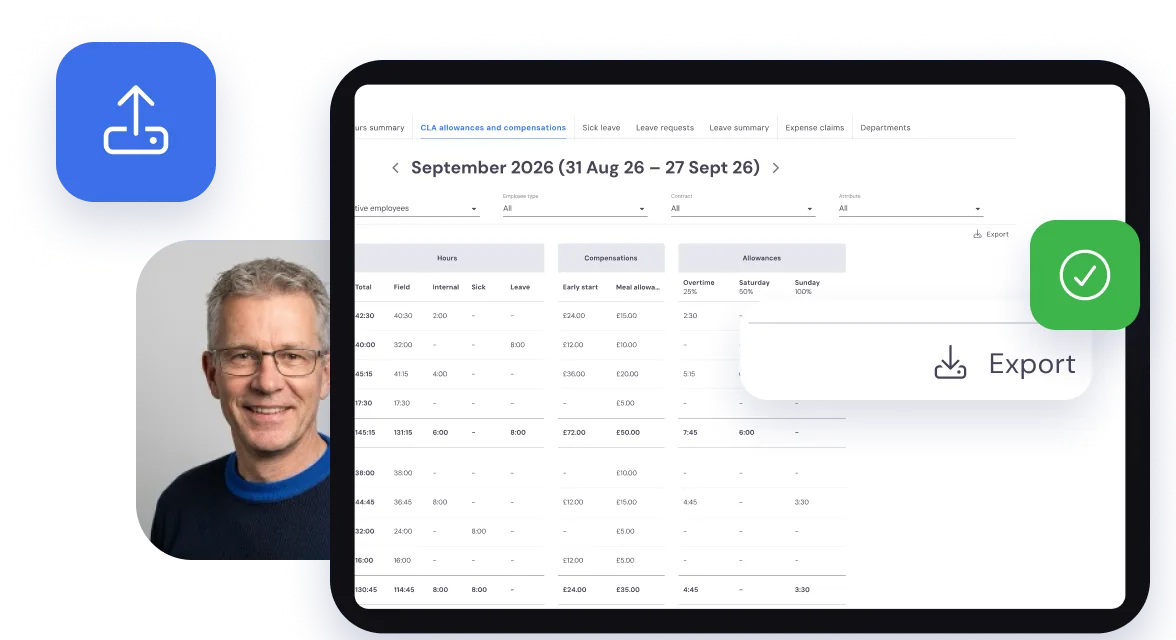
Everything per employee in one place, ready for payroll
Per week and per day you see each employee’s hours: office and field, sick and leave, with the rates and allowances next to them. Bas flags hours that have not been approved yet and hours below the norm.
The period follows your pay period: weekly, every 4 weeks or monthly. One click exports everything to Excel. Leave and time off in lieu are kept as a balance per employee.
Frequently asked questions about allowances
The questions moving companies ask us most often, with a short answer.
Bas knows three kinds: overtime, weekends and public holidays, and night work. Each one is a percentage on the hours the rule applies to. For overtime, only the time above the threshold you set per day or per week counts. When two rules overlap, the highest percentage applies and no hour is counted twice. Bas also works out fixed allowances per hour or per day, such as a meal allowance. Mileage, reduced working hours (ADV) and shift allowances are not calculated. Read more in Which collective agreement applies to Dutch movers? Surcharges, breaks and allowances explained.
No. When you start, Bas sets up the standard rules for you: overtime, Saturday, Sunday, public holidays, night work and break rules. After that you adjust them yourself under Settings, HRM: for each rule you choose which contract type, employee type or attribute it applies to, and from when.
The overview follows your pay period: weekly, every 4 weeks or monthly. For each period you export the hours, rates and allowances to Excel, ready for your payroll or your accountant.