
The employee app is the central information hub for the employee. When carrying out a job, they will find all the information they need here.
The app is always up to date. Whatever information is available in the back office is also available in the app.
Viewing the schedule
The app's homepage lists all the jobs that need to be carried out today. Under the calendar icon, you'll find all other scheduled jobs that have been shared with employees.
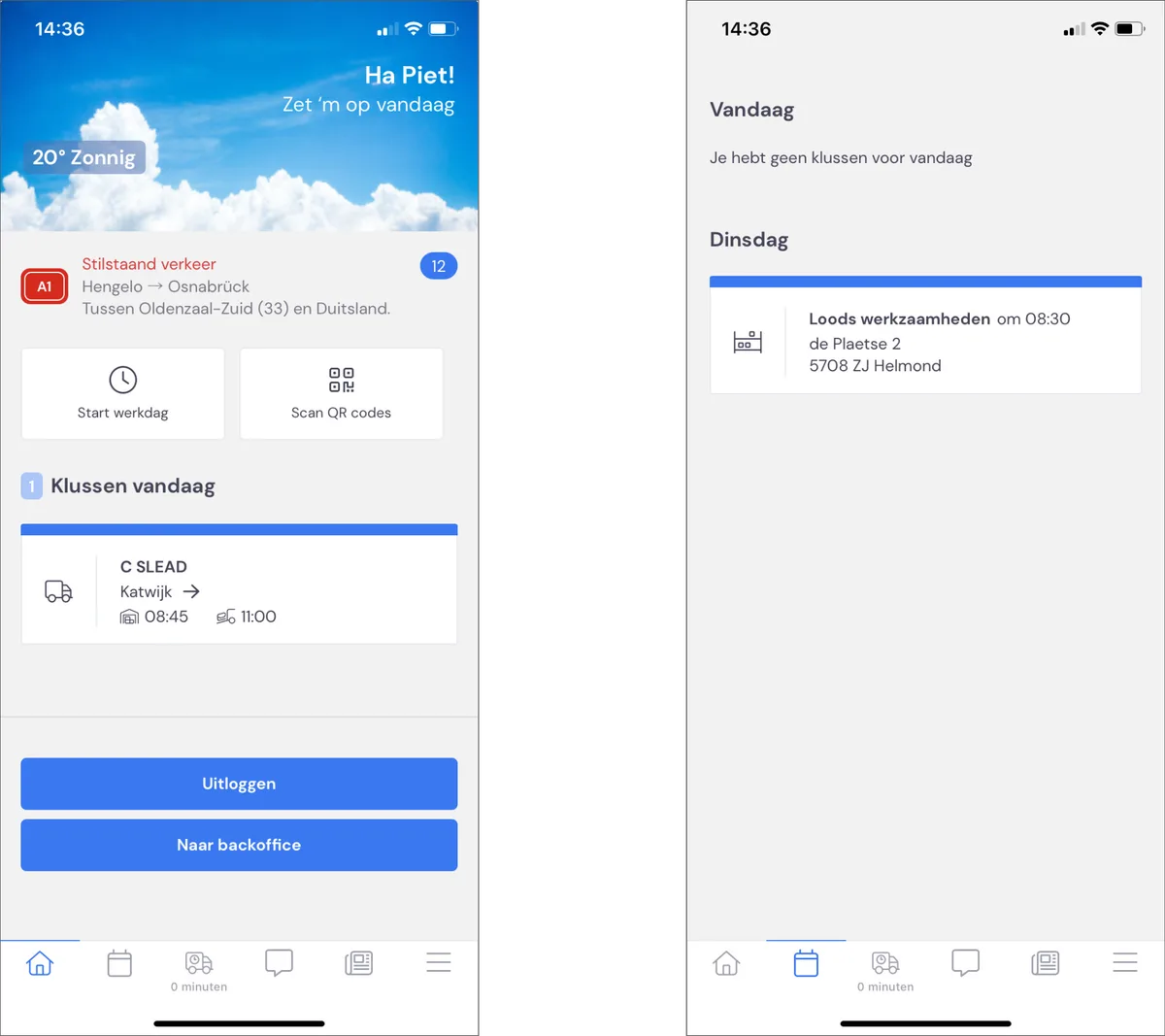
The homepage shows the job type, the customer's name, and the departure time and start time of each job. Exactly the information the employee needs. Clicking on the job brings up the screen with all the job's detailed information.
Detailed information for each job
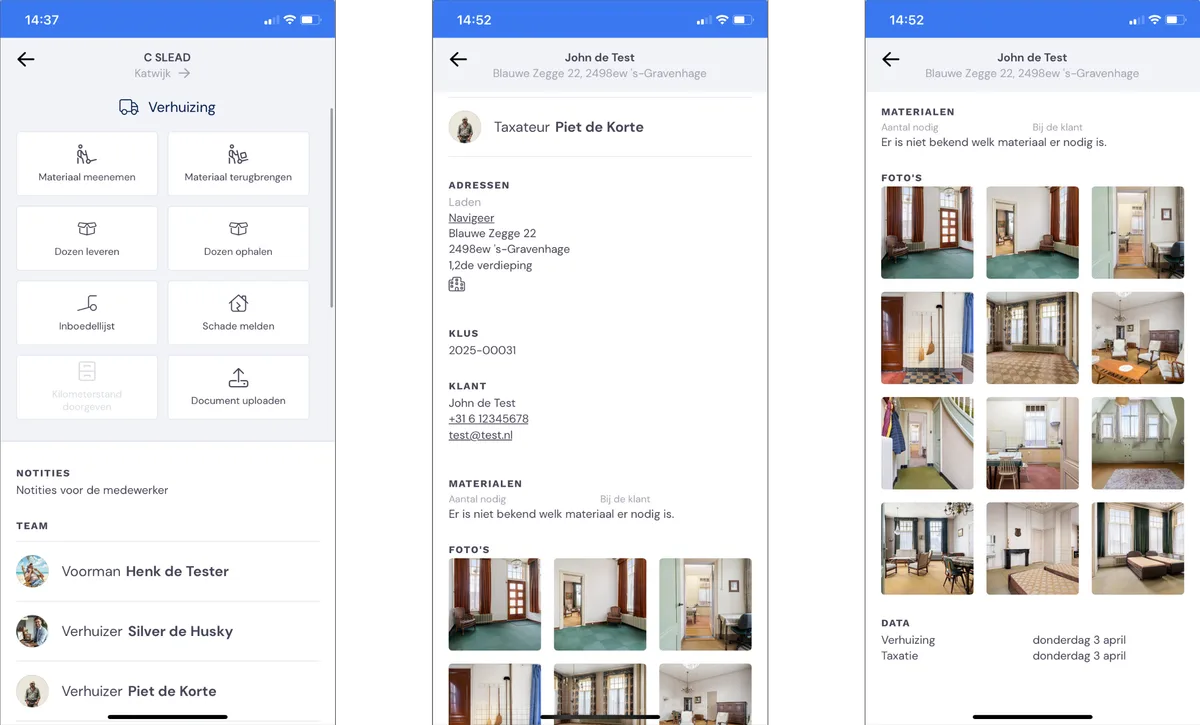
Here, the employee sees:
Notes
the notes for the employee that were added to the job
Team
the colleagues scheduled on the job
Addresses
with the option to click through to Google Maps
Materials
furniture dollies and other equipment
Boxes
the number of boxes as estimated during the survey
Survey
who carried out the survey and the key information
Photos
the photos taken during the survey