
If damage occurs during the job, you can easily register it with the app and have it handled by the back office
Damage overview
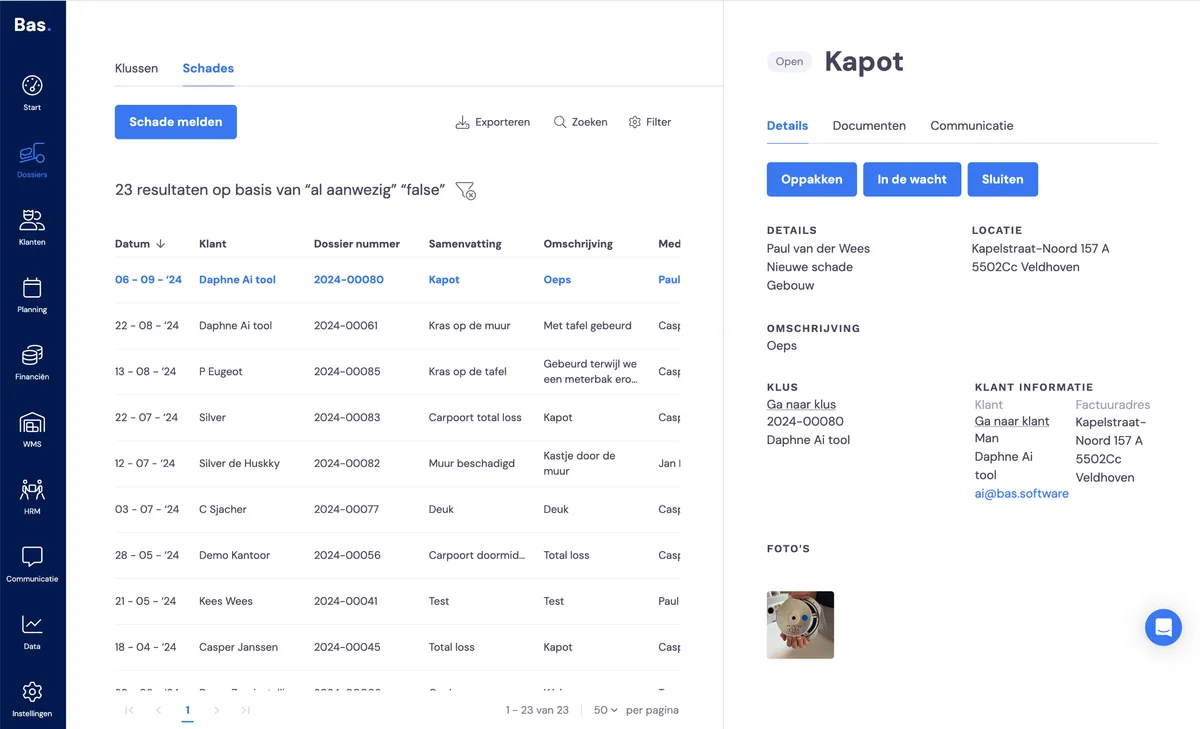
You'll find the damage overview via case files > damage. You can click on a damage report in the list. The detail screen on the right then shows all the information about the damage report in question.
Taking on and handling a damage report
From the right-hand side, you can
pick it up
you then take it on; for example, you contact the customer and the insurance company; you do this outside of Bas
put it on hold
you do this when the damage report is being handled by the insurance company, to indicate that no action is required for now
close it
once the damage report has been handled, you can close it
You can upload additional documents to a damage report and log communication, so you always have all the information about the damage together in one place.
Reporting new damage via the back office
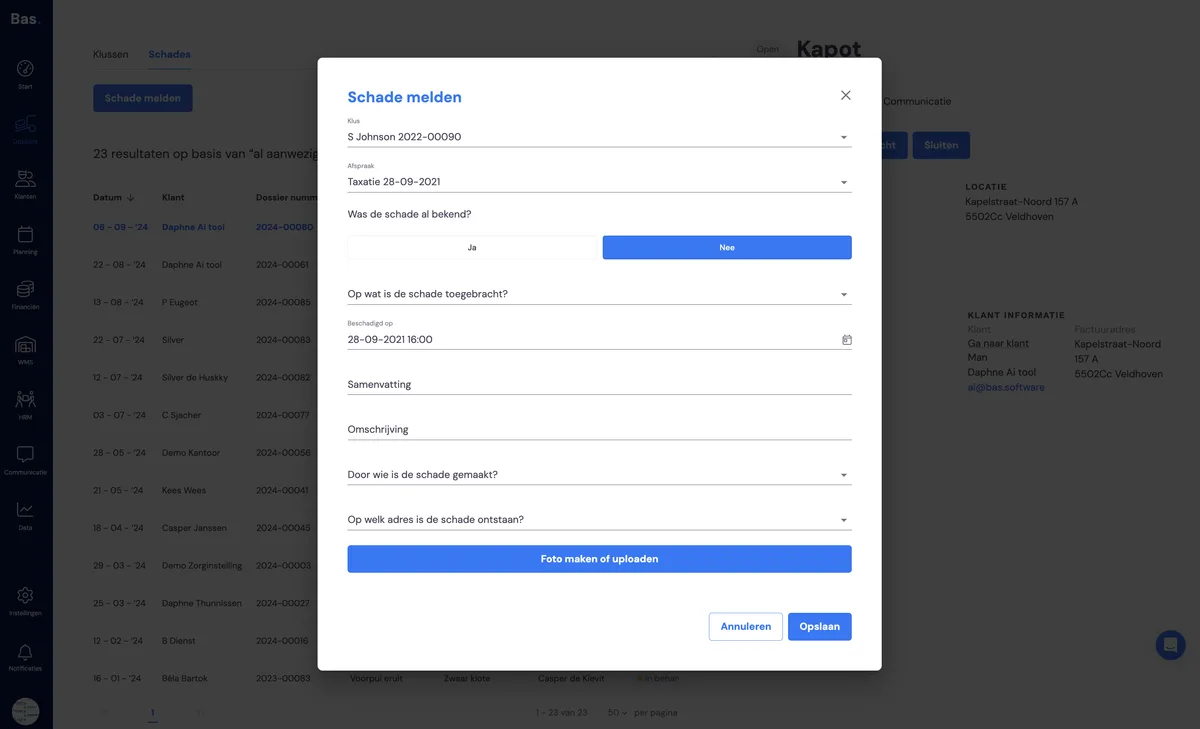
You can report new damage via the back office using the 'report damage' button. Enter all the relevant information and create the new report with 'save'.