
You give an employee skills based on their role. You use these skills in the survey (you indicate how many foremen, removal crew members and handymen you need) and in the planning (you drag the right employees with the right skills onto the scheduled appointment here).
Linking skills to employees
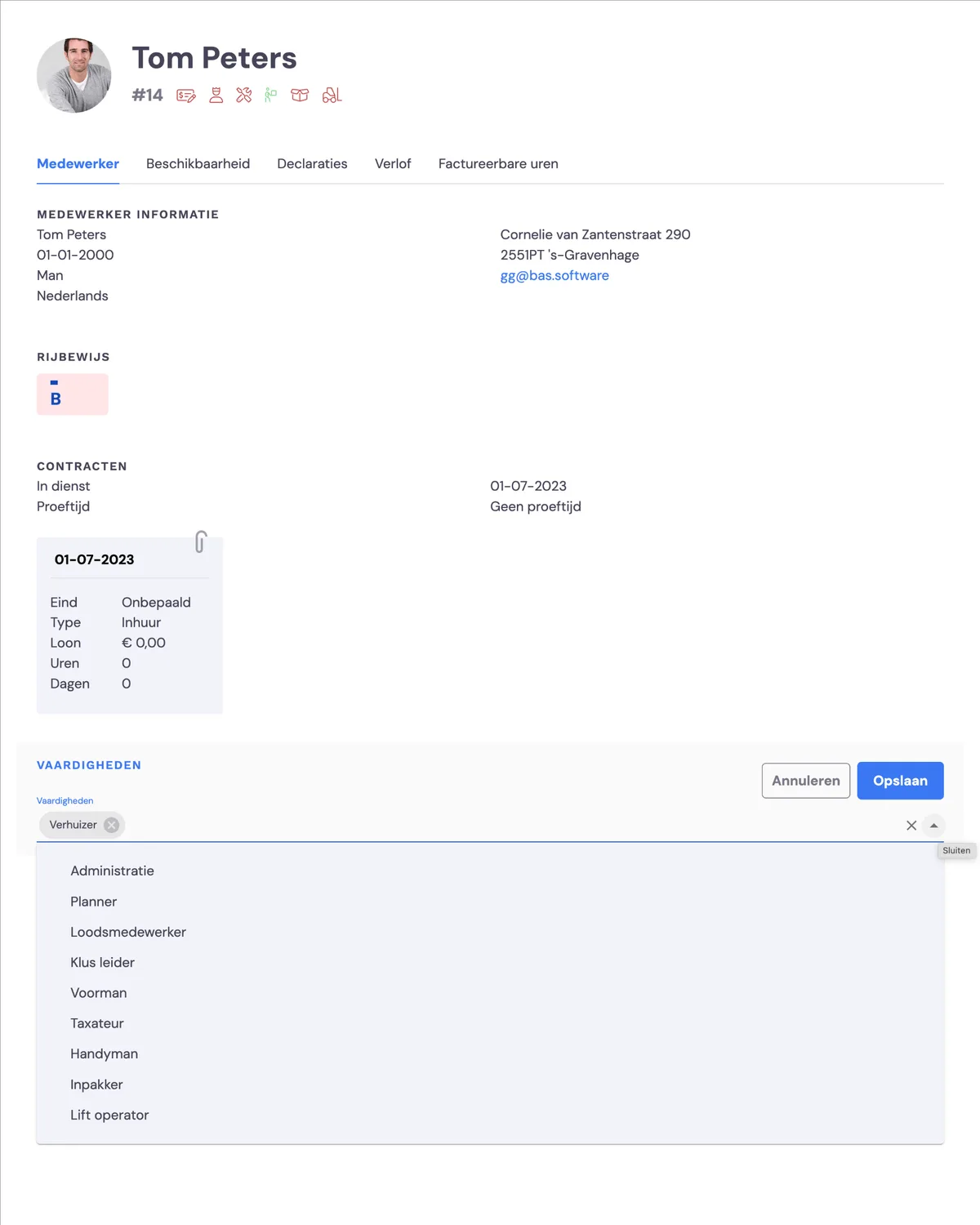
You assign skills under HRM > employees. You click an employee, and the employee's characteristics appear on the right of the screen. You can move the cursor over the skills and click the pencil icon to amend the skills.
Skills for front office employees
The following employees get access to the app:
Foreman:
Can complete jobs in the employee app.
Handyman:
Disassembly and reassembly work
Removal crew member:
Moving and delivering/collecting boxes
Packer:
Packing and unpacking at the customer's
Hoist operator:
Can operate the furniture hoist
The following employees get access to the app and to (part of) the back office
Warehouse employee
May carry out warehouse work via the app and via the back office
Surveyor:
May carry out surveys via the app and via the back office
Skills for back office employees
Planner:
Can view and edit the entire back office.
Administration:
Can view and edit the entire back office.
The system is not restrictive
If you've scheduled an appointment for a survey, it's obvious to drag an employee with the 'surveyor' skill onto it. However, you can always drag another employee onto the appointment if that suits you better. This way, you always retain the flexibility to fill in the planning exactly as you want.