
When an employee is on leave, you naturally cannot schedule them. Bas takes this into account.
Leave and availability on the planning board
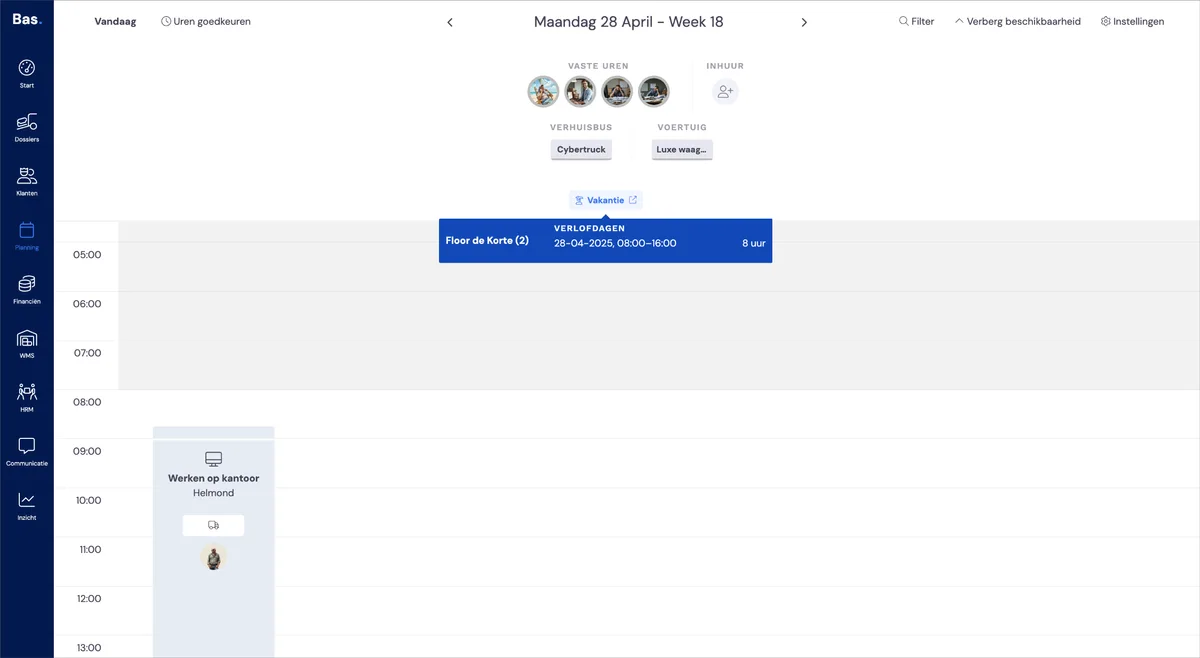
An employee who has not yet been scheduled and is on leave will not appear as available on the planning board for the period in which he or she is on leave. Do you still want to schedule the employee? Then you can add them via hire.
Who is on leave?
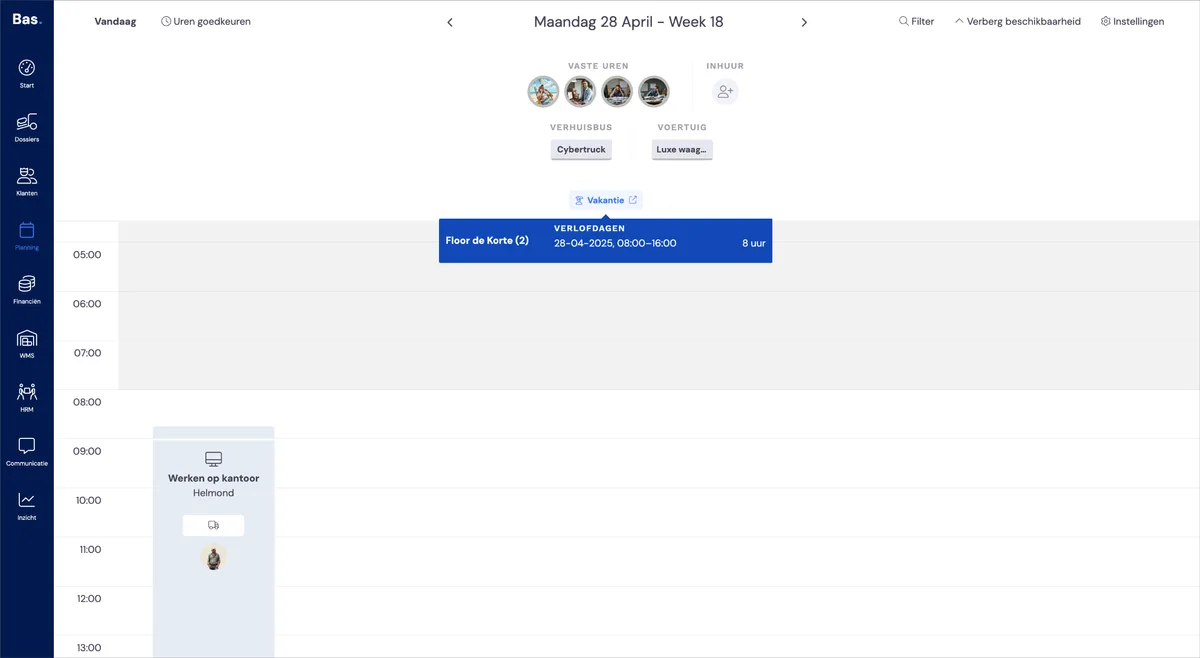
You can see who is on leave by moving the mouse over the 'Holiday' button. In the window that appears, you will see all employees who are on leave.
Removing an employee on leave from the planning
Under the 'Holiday' button you can see all employees who are on leave at that moment. By clicking the 'Holiday' button, you can also quickly remove employees from the planning. The screen below appears:
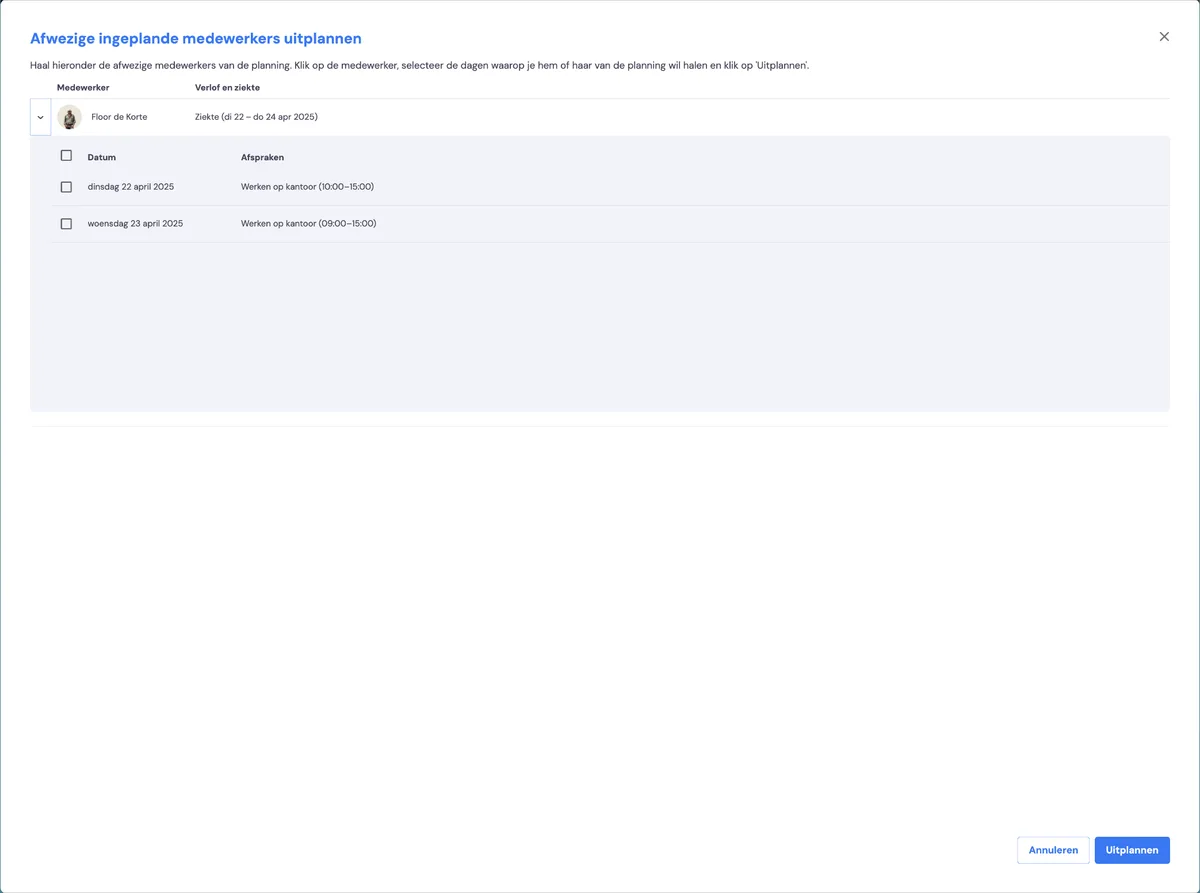
Click on the arrow in front of the employee; all appointments the employee is scheduled on will then be shown. Select the appointments from which you want to unschedule the employee and click the unschedule button. The employee has now been removed from the planning. You will still need to drag a replacement onto the appointment afterwards.
Task on your dashboard
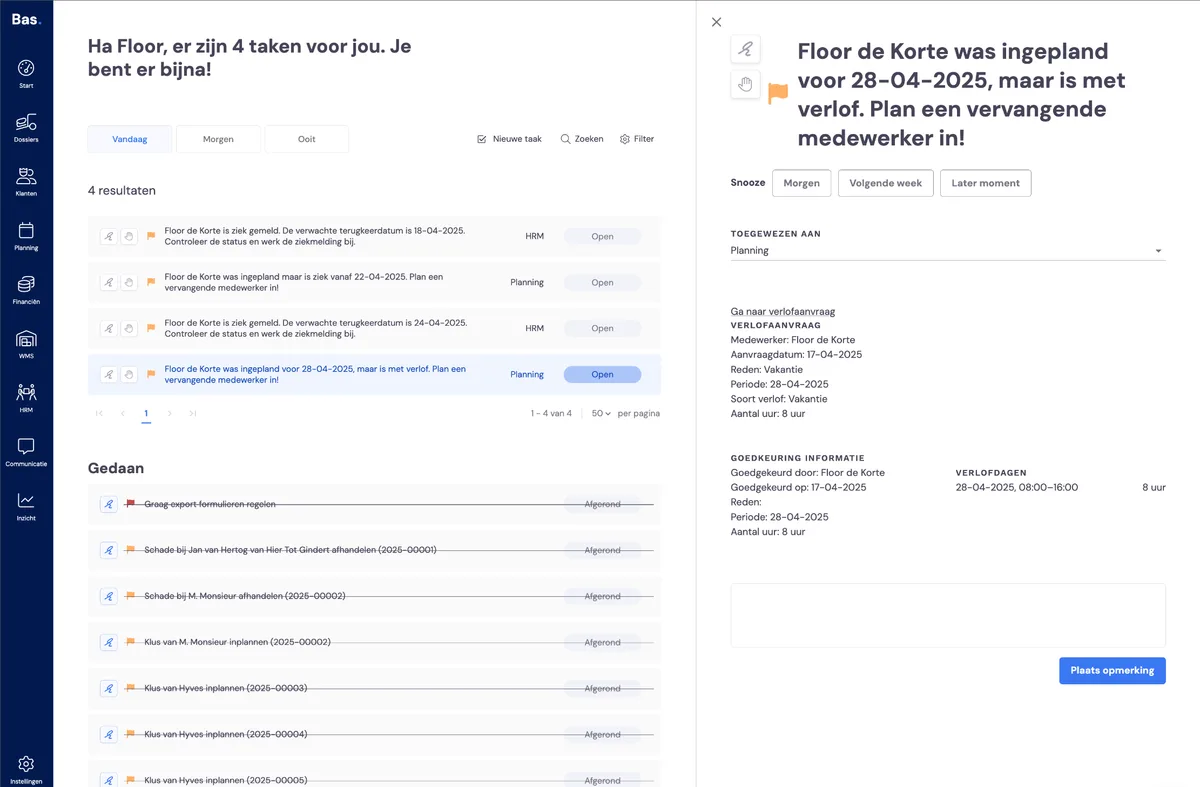
If an employee was already scheduled but has submitted a leave request that has been approved via HR, you will receive a task for this on your dashboard.
This way, you are always kept informed of the fact that you need to change your planning.