
When you start planning, you naturally need information such as: which jobs do I need to schedule, which employee skills are needed, how many cubic metres need to be moved?
Determining the required resources in the sales phase
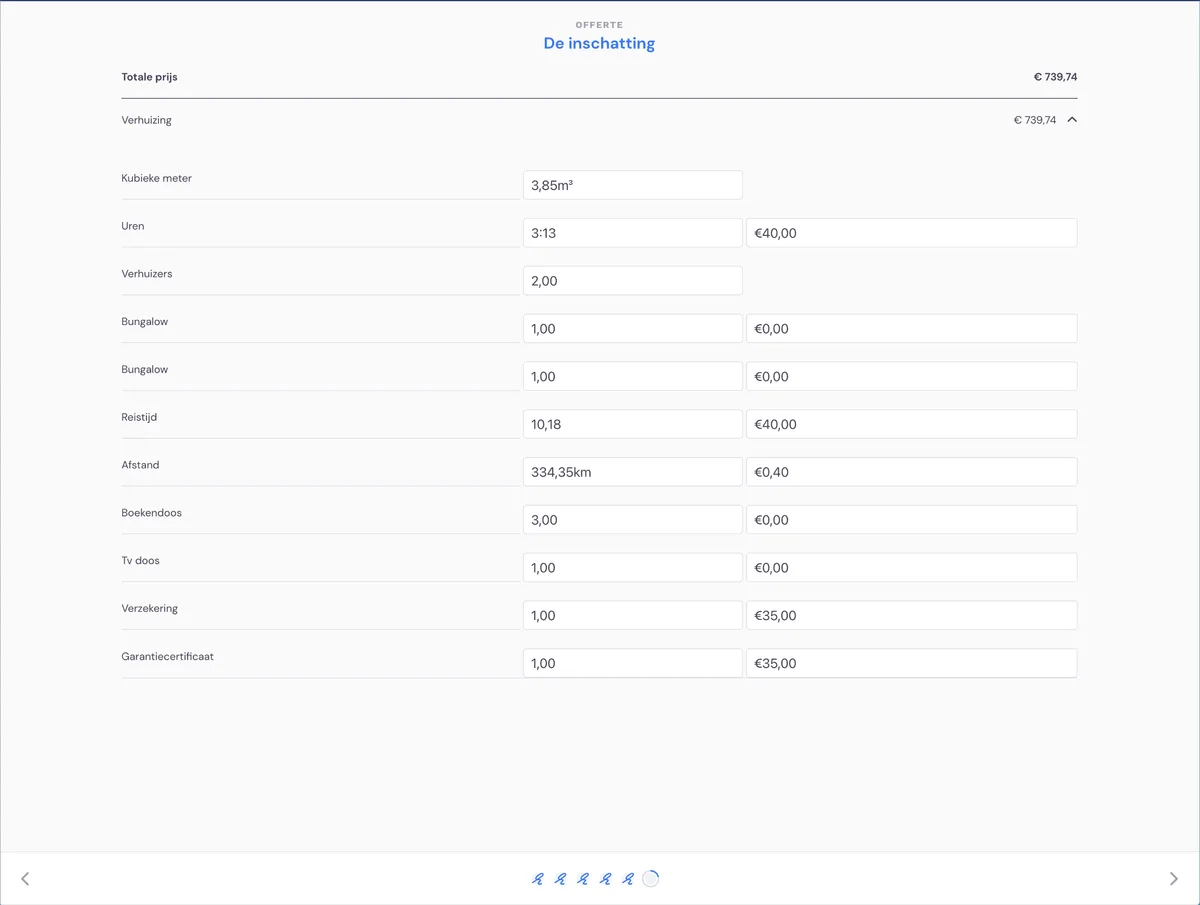
For a residential move, the survey determines how many cubic metres need to be moved and how many hours are needed for which skills. This information is available in the appointment you see on the planning board.
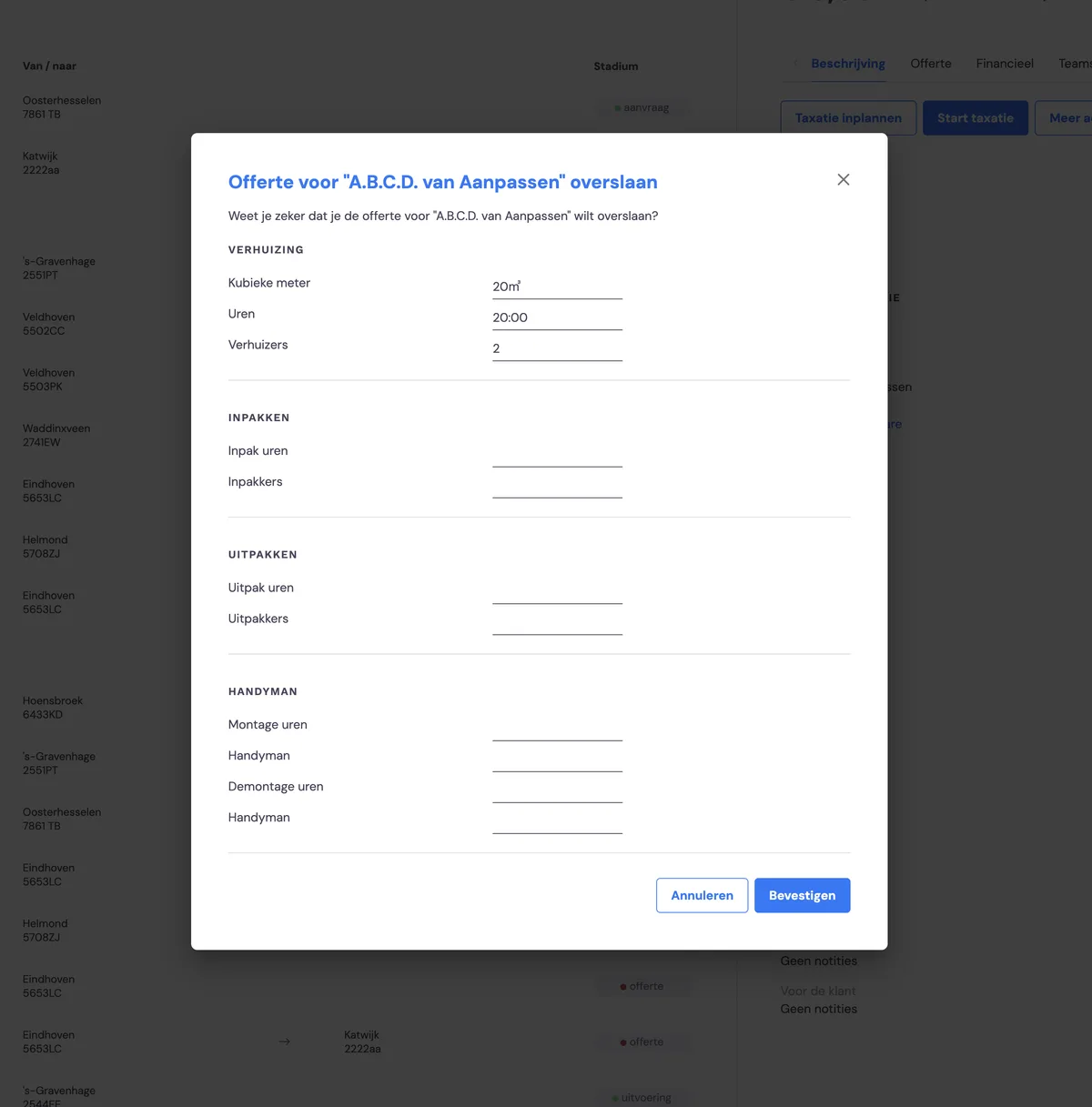
If you skip the quote phase (and therefore the survey), these details can be entered while creating the new job.
Viewing the required resources in the job
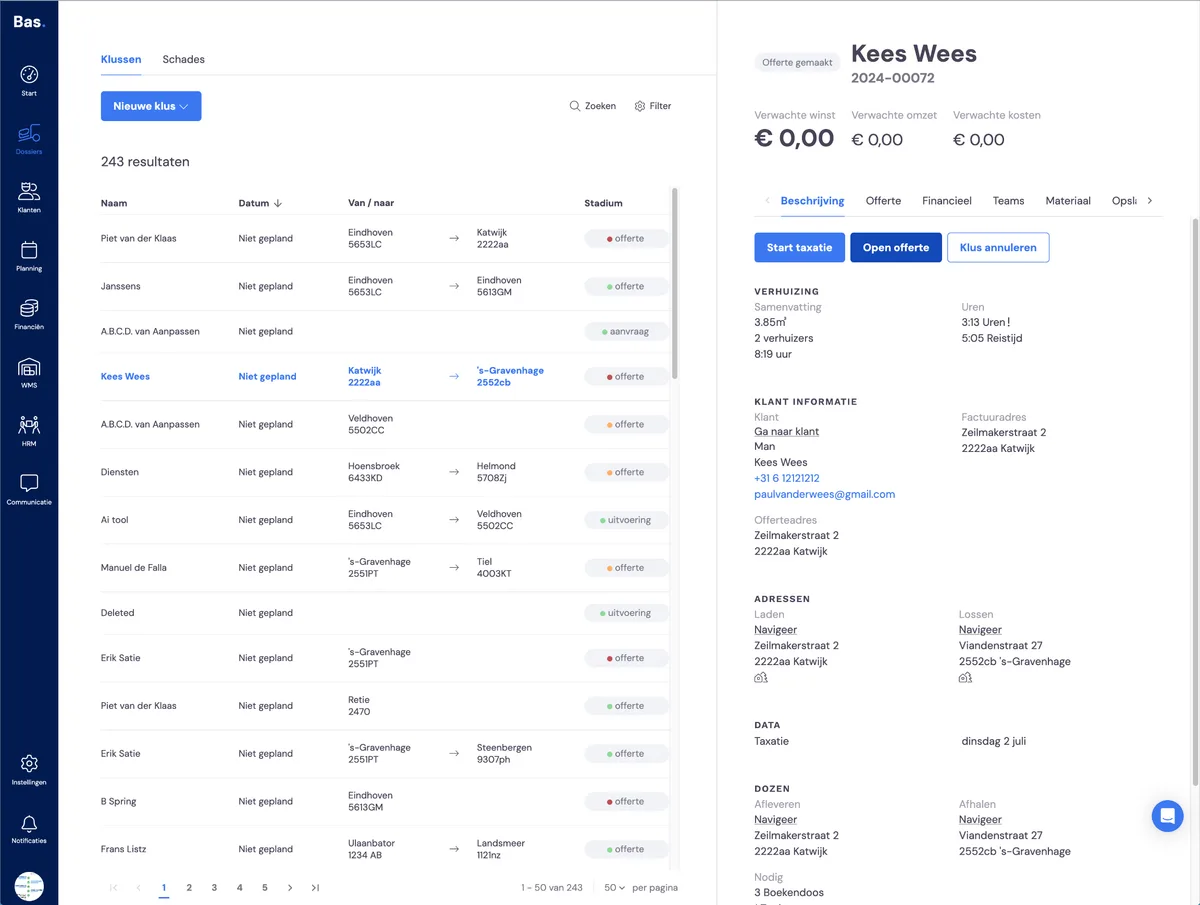
If you open the 'Description' tab in a job, you'll see the required resources there. If there's an exclamation mark after the value, it means the calculated value was overridden in the sales phase.
Viewing the required resources in the planning
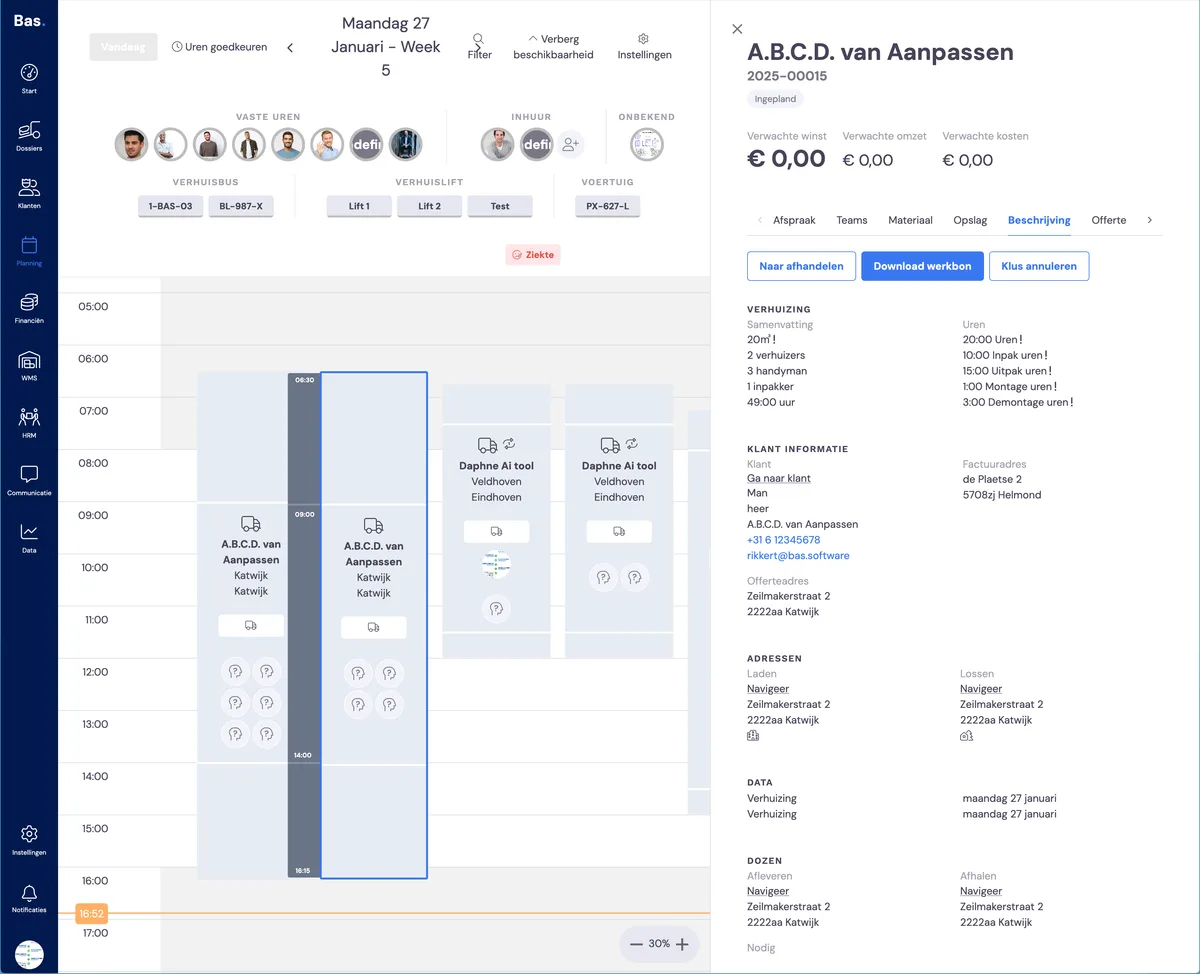
If you double-click an appointment, you'll see on the detail screen on the right the number of cubic metres to be moved, which skills are needed, and the number of hours. Based on these details, you can schedule the right number of employees.