
You share the planning with your employees via the app. All appointments that are final in the planning are automatically shared with the employees who are scheduled on them.
Planning and the employee app
The employee can find everything related to their schedule in the employee app.
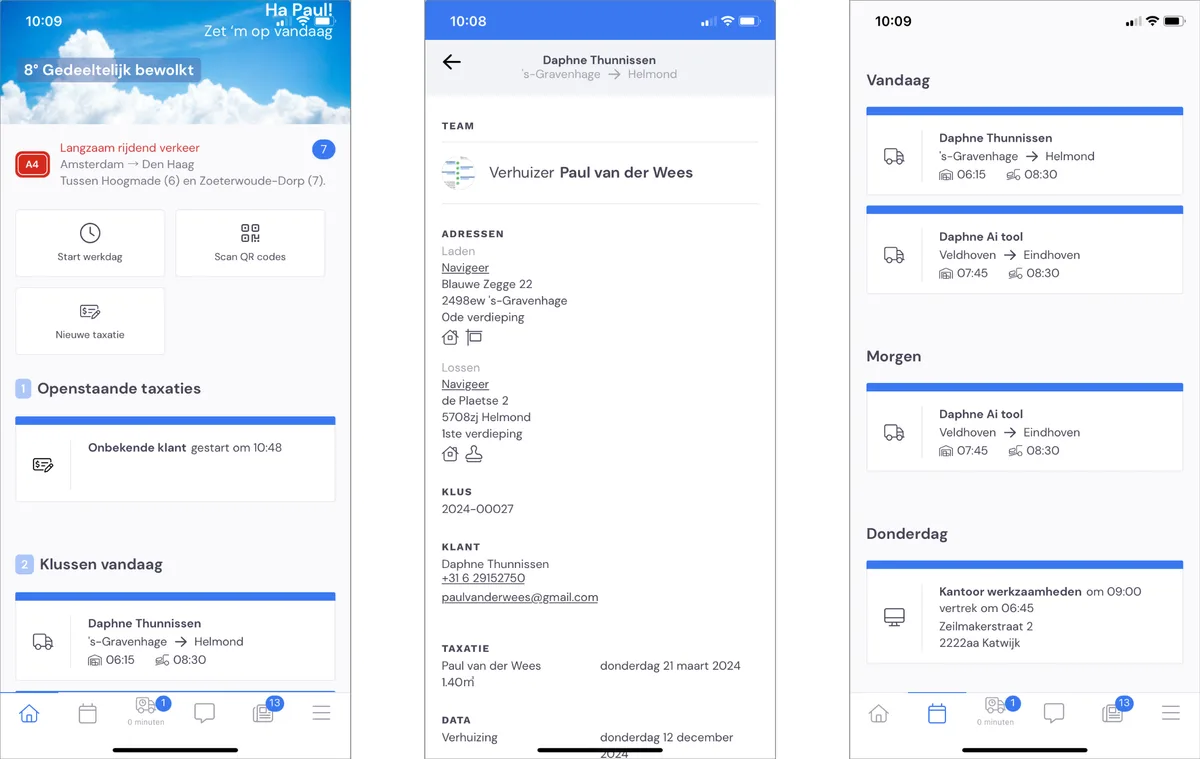
The app's home page shows today's schedule. Clicking on an appointment brings up the appointment details. Here the employee can see which team the appointment is being carried out with, the addresses, the customer's details and the survey details (if applicable).
The employee can find the schedule for the following days (insofar as it has already been shared) via the tab with the calendar icon.
Day and time at which you share the planning
You set the moment of sharing via Settings > Working method; scroll down until you see the heading 'mobile app'.
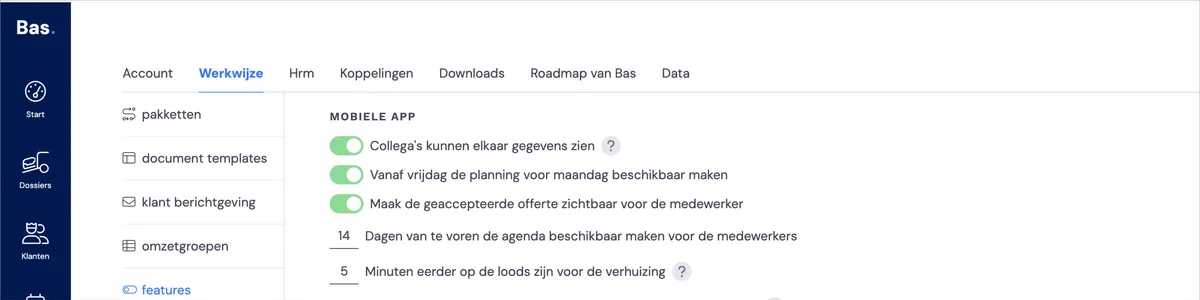
Decide for yourself when you share the planning with your employees. What you set is the number of days in advance the planning is shared. For example, if you set 1 day, Tuesday's schedule can be viewed on Monday.
The system automatically takes the weekend into account, so in the 1-day example, Monday's schedule can be viewed on Friday.
New! Sharing at a set time (from 24 February 2025)
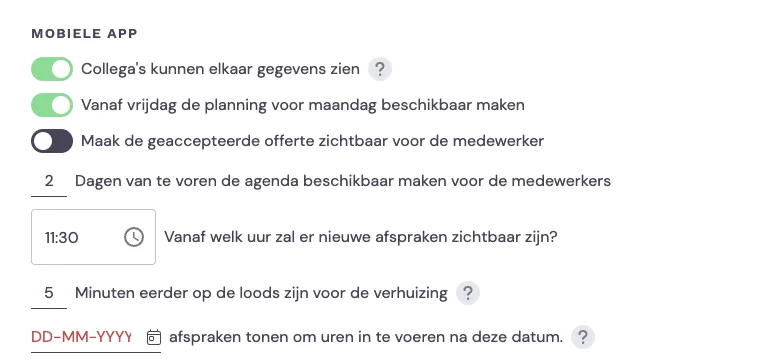
You can now also set the time at which you want to share the planning. Simply enter the number of days and the time, and at that moment the scheduled appointments will be shared with the employee.
Example
You set the following values:
2 days - share the planning with the employees 2 days in advance
11:00 - the time at which you share the planning
Then on Monday at 11:00, Wednesday's schedule becomes visible in the app. Before 11:00, only Monday's and Tuesday's schedules are visible.