
If you want to offer your customer options in your quote, you can use optional lines. The customer can then indicate which options he or she would like to use.
Quote with optional lines
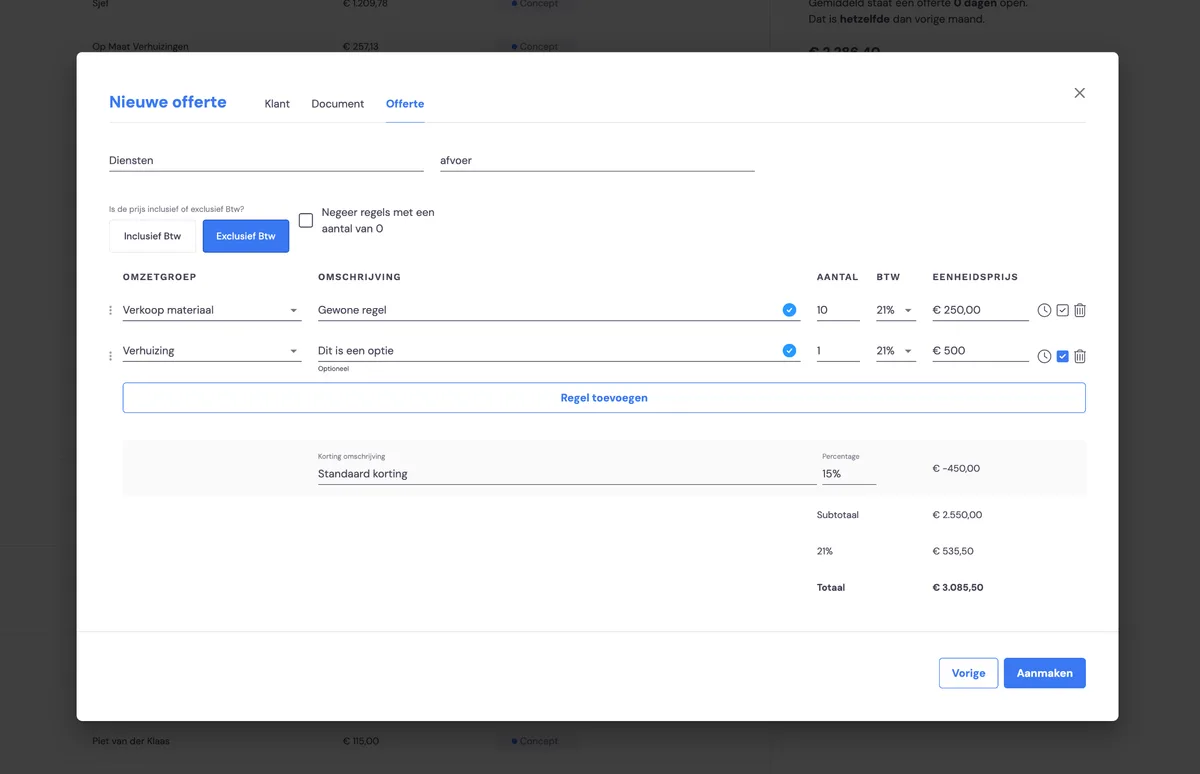
When creating the quote, choose 'optional' for the lines, recognisable by the tick box at the end of the line. This turns the entire line into an option.
The customer chooses
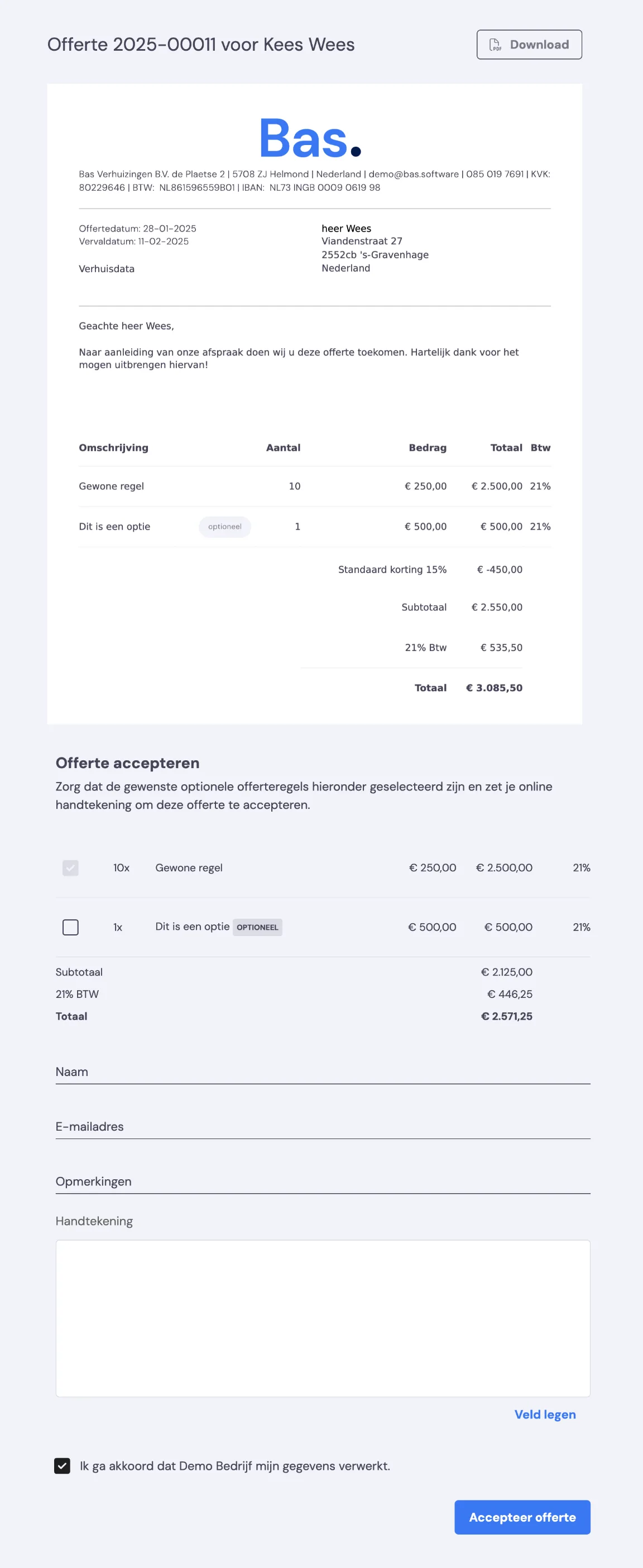
When accepting the quote, the customer indicates whether he/she wants to go ahead with the option. Simply by ticking or unticking the box. The box is ticked by default.
Communication adjusted automatically
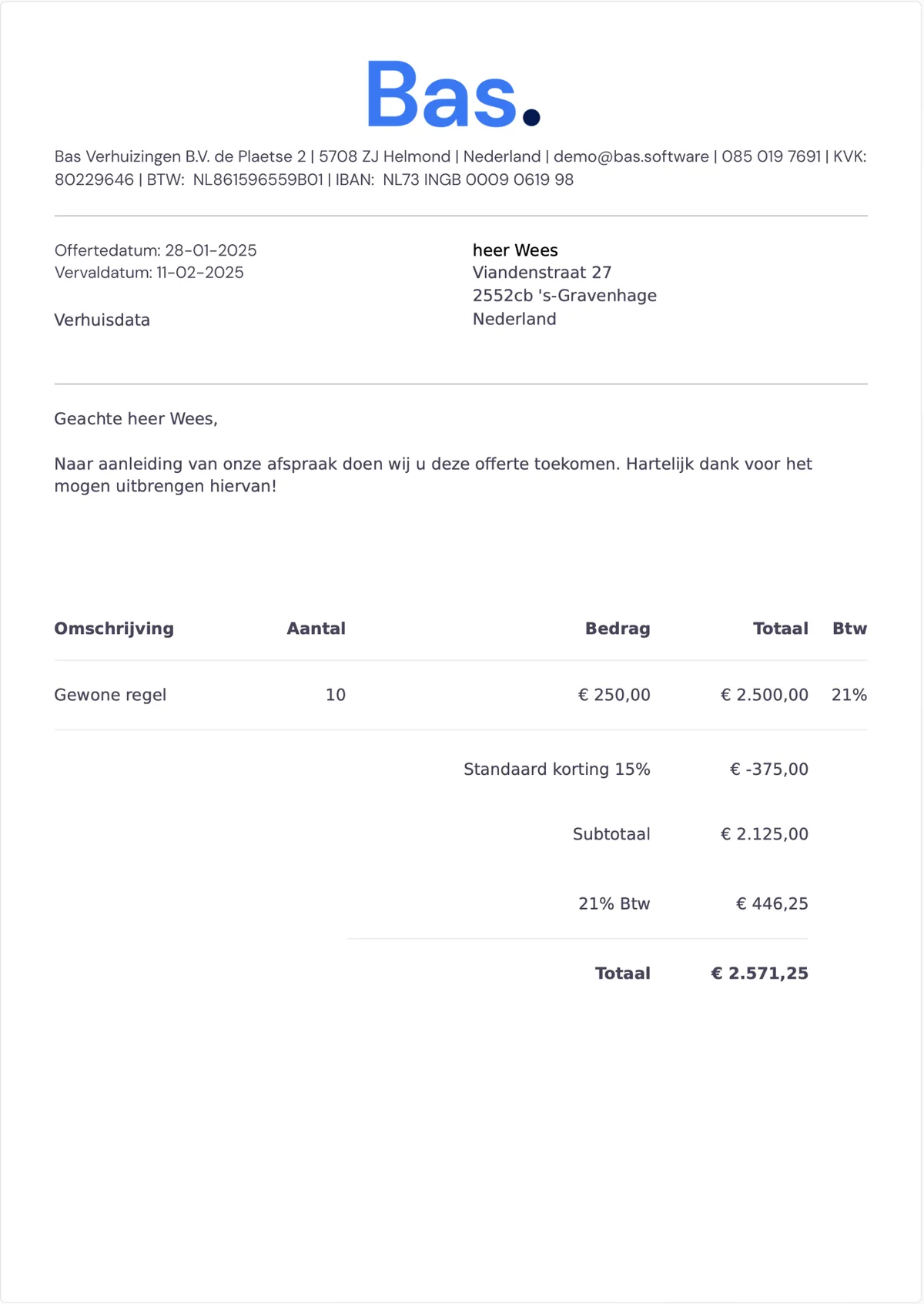
In the order confirmation to the customer, the content is automatically adjusted to the choice the customer has made. If the optional line is not ticked, it disappears from the quote in the attachment to the order confirmation.
In the job
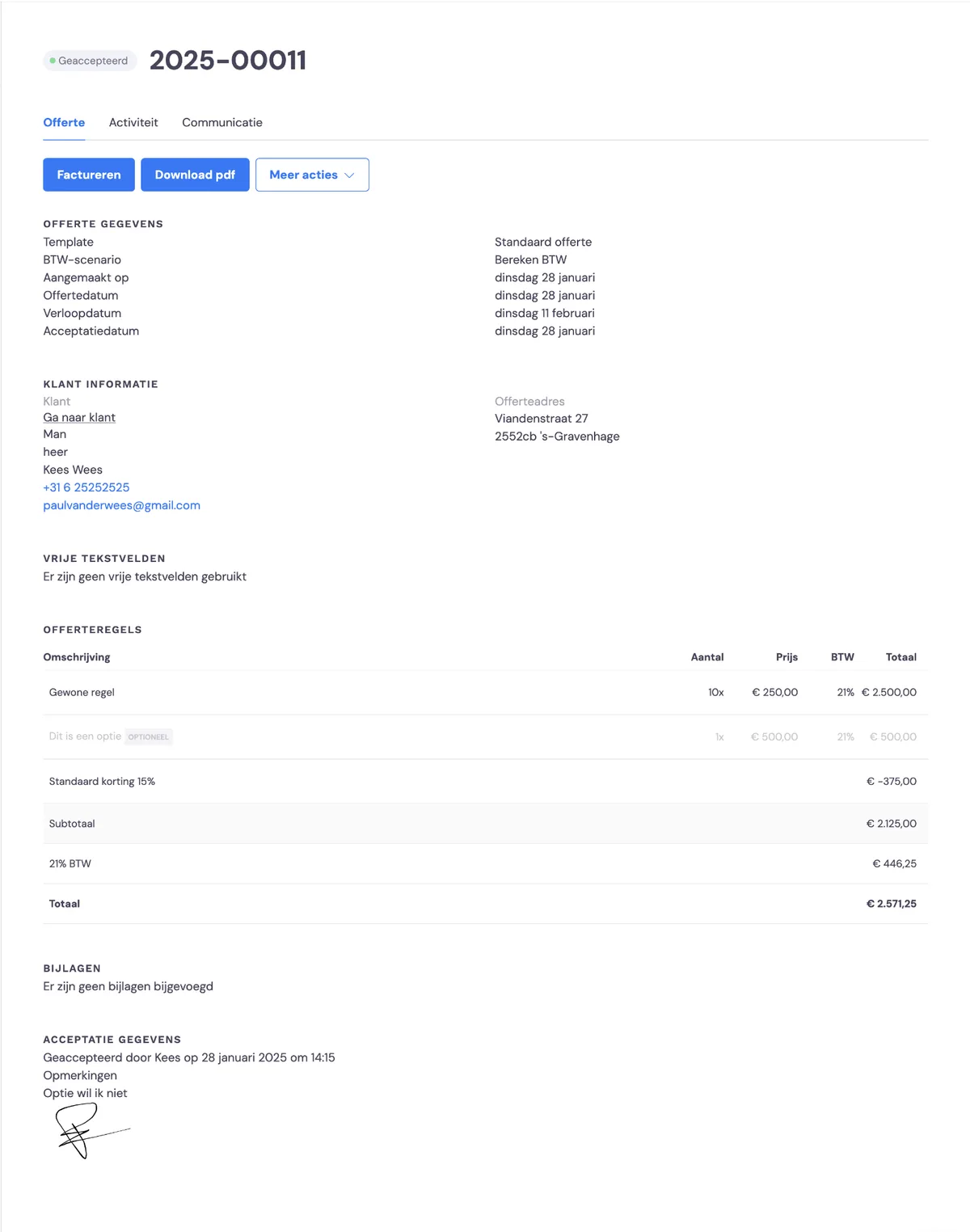
You'll also see the optional line in the job. If the optional line was not commissioned, it is greyed out.