
New! Smart furniture scan
In the survey tool, you'll find the 'smart furniture scan' as a new option. This new feature helps you include furniture in your survey more quickly. More time for your customer!

You'll find the smart furniture scan as an option for every room you survey. You can use this option by pressing Start scan. If you don't want to use the smart furniture scan, you can skip it by clicking the arrow to the next screen.
How does the smart furniture scan work?
You click the 'start scan' icon at the bottom left of the app. All the furniture in your room is then detected automatically. If you want to add a piece of furniture to your survey, tap it. The tapped item appears in the 'Captured collection'.
Got all the furniture in your collection? Then click Finish. The list of furniture then appears in the overview. Here you can also add more furniture, in the way you're used to.
Missing a piece of furniture? Add it manually
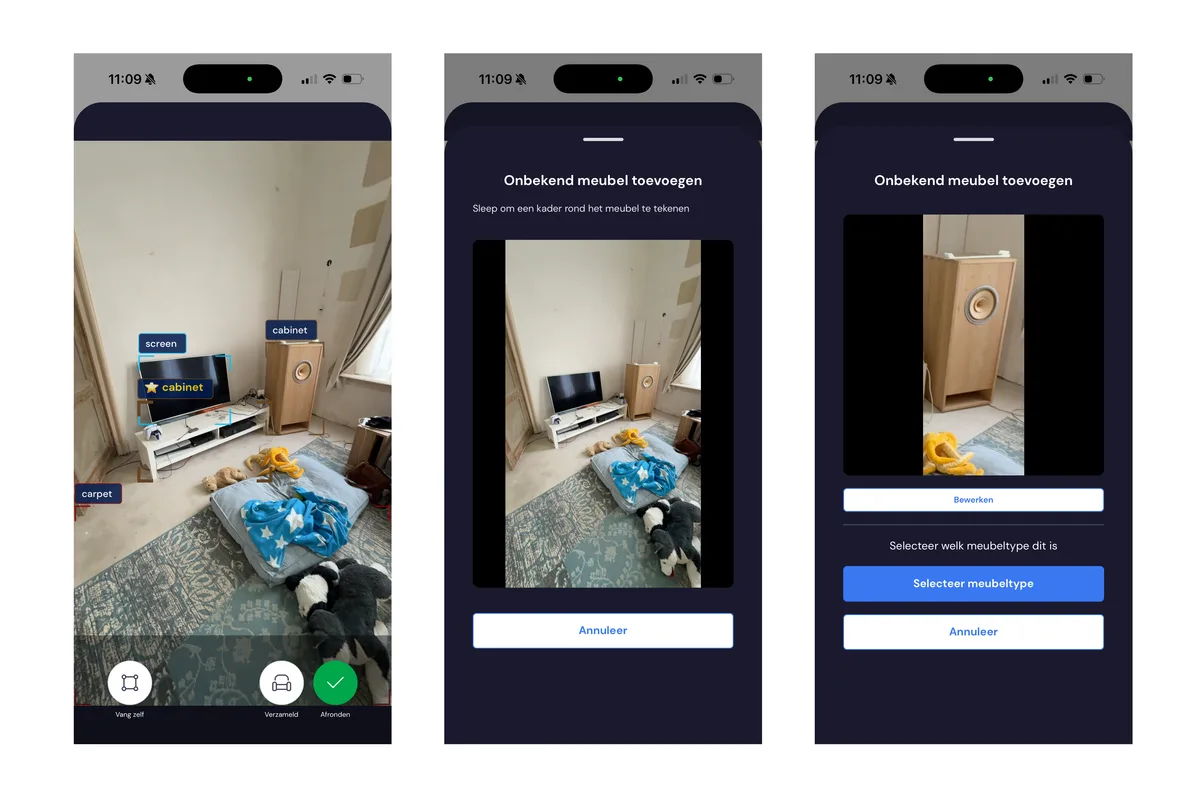
Are you scanning and missing a piece of furniture? Then add it manually. You do this by using the 'Capture manually' option while scanning. You'll find this button at the bottom left of the screen. After 'capture manually', you can adjust the image by drawing a frame over it, then you select the furniture type.
Does the smart furniture scan detect the wrong furniture?
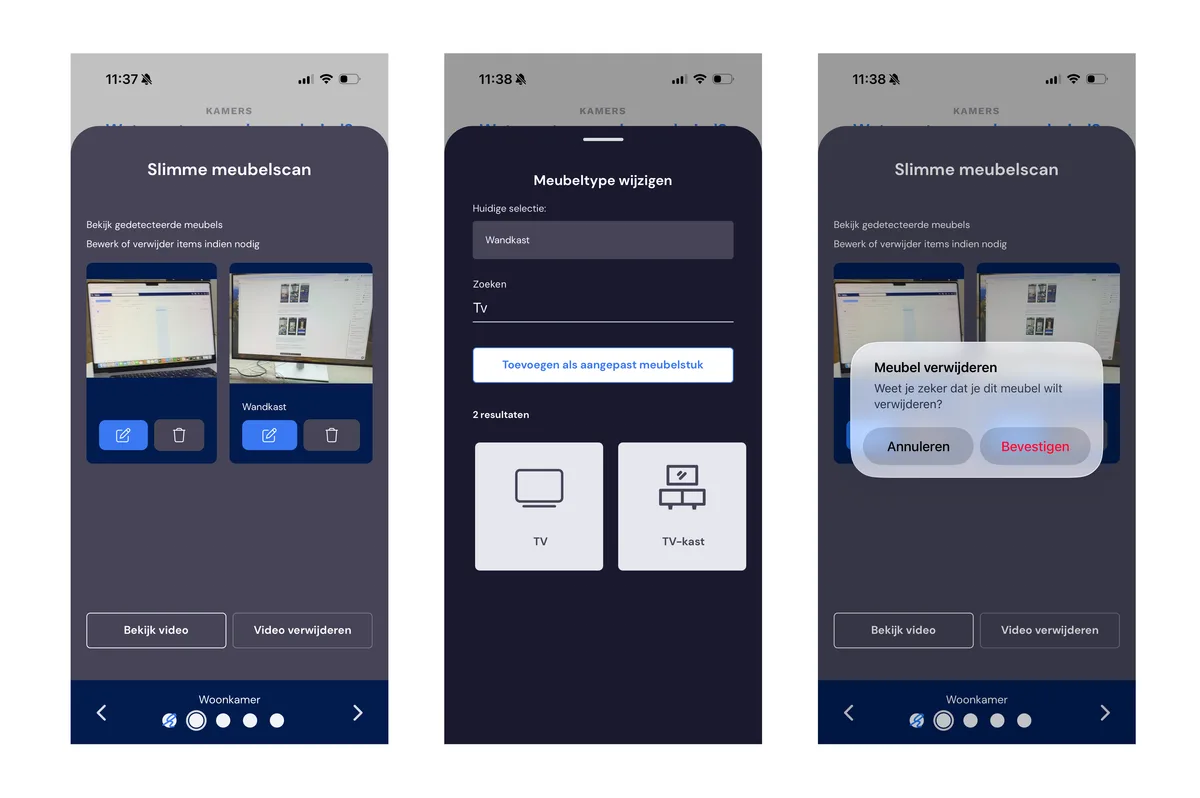
The smart furniture scan may occasionally make a wrong assessment. You can correct this yourself after completing the smart furniture scan, by manually removing the item after finishing or by adjusting it via the pencil icon.
For now: only available on iOS
At the moment, this feature is only available on iOS. We're also working on the Android version, which will be released in the near future.
About this new feature
The smart furniture scan is a brand-new addition to the survey tool — and this is the first release You can use the feature with complete confidence: everything the scan recognises can always be checked and easily adjusted by you. So you can't do anything wrong. If the scan makes a wrong assessment, you can correct it in a few clicks. What's more, the tool becomes smarter and more accurate with every update. Feel free to try it out — your work always remains leading, and the smart furniture scan is only there to save you time.