
Within Bas, you have the option to create various quote and invoice templates. These templates can relate to, for example, the services you offer or payment terms.
You can create templates per language.
Go to "Settings" and then to "Invoice / quote templates".
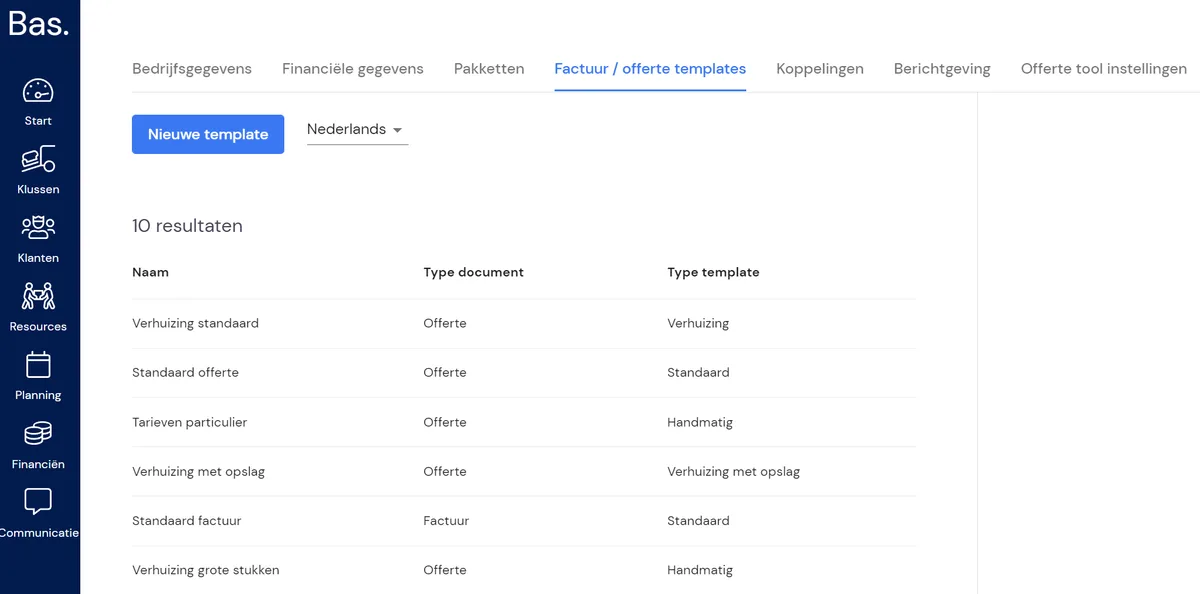
Click the "New template" button. You'll then get the following pop-up:
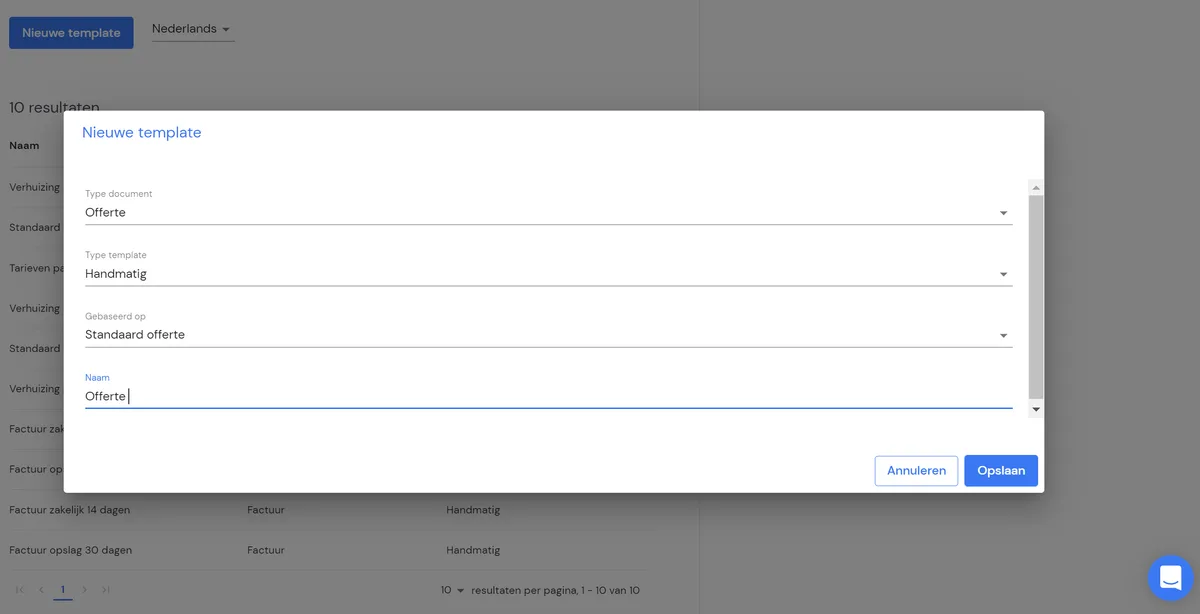
Fill in the fields and click "Save".
Then click on the template, and on the right-hand side, next to "Preview", you can click the pencil icon to open the editor.
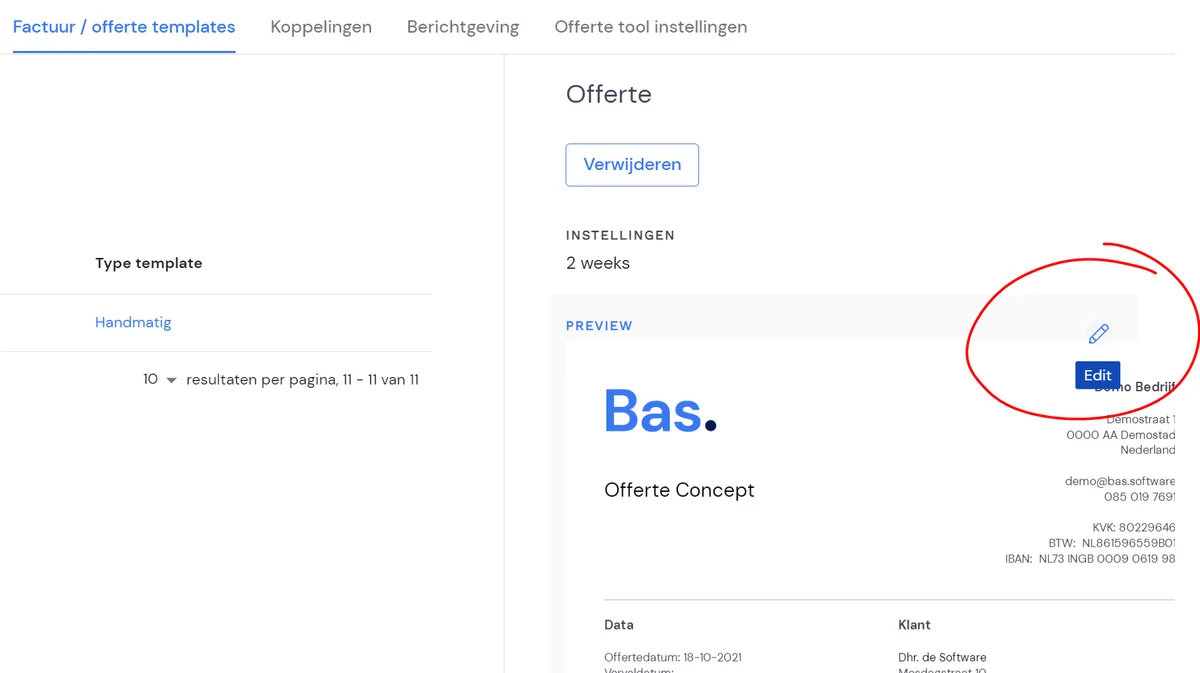
You'll then land on the editor:
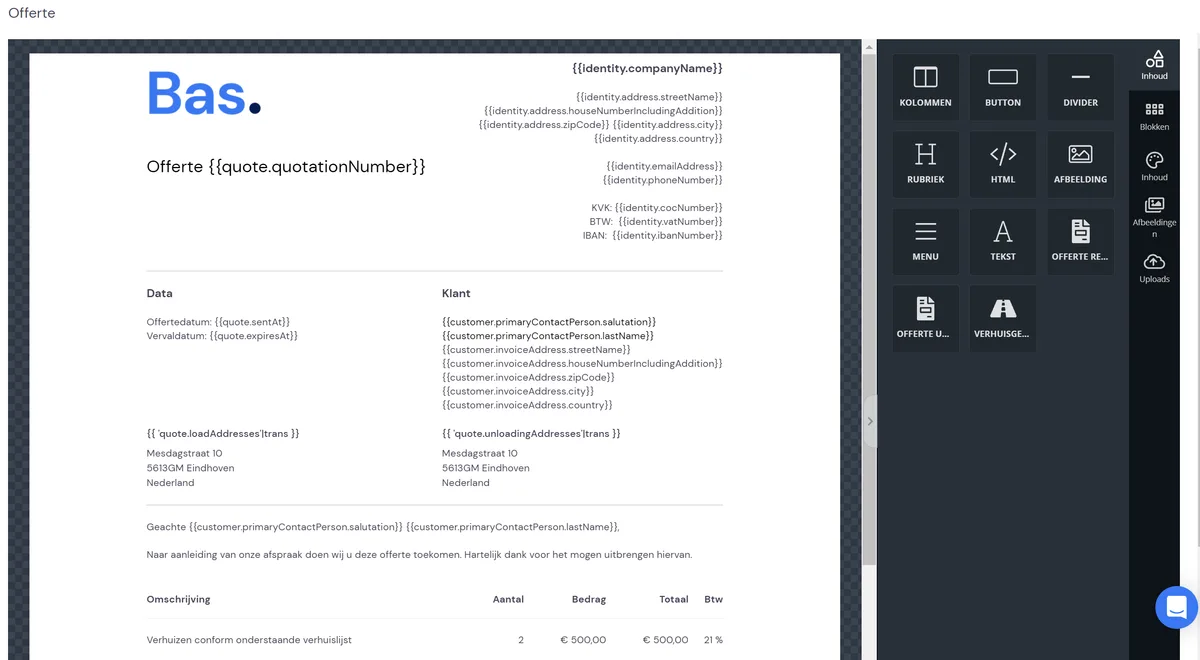
Now you can start working with logos, text, etc.
To display certain information on your template, you can work with variables. This is a bit of "programming language" that pulls information from your Bas environment. Think of customer details, loading and unloading addresses, etc.
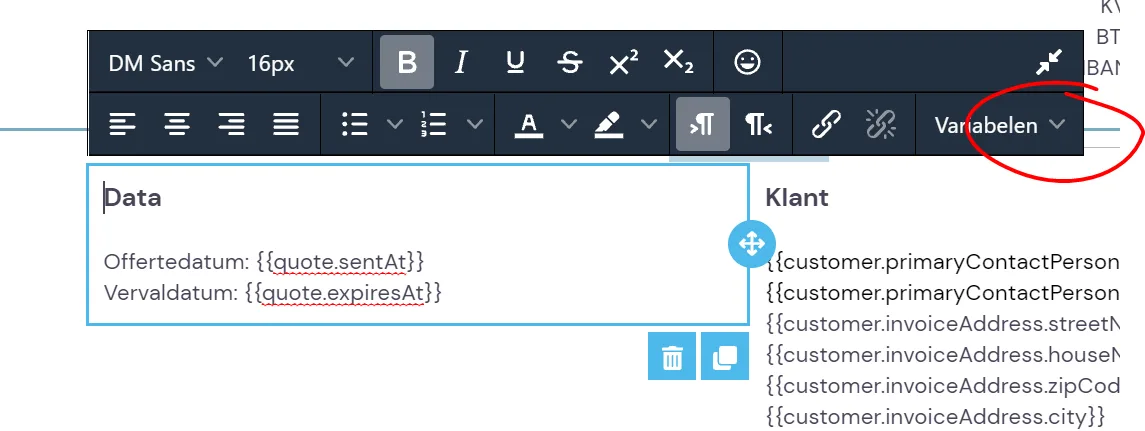
With these variables, you can fully personalise your template.