
In this article, I'll explain how you can send a different e-mail message for, for example, a storage invoice.
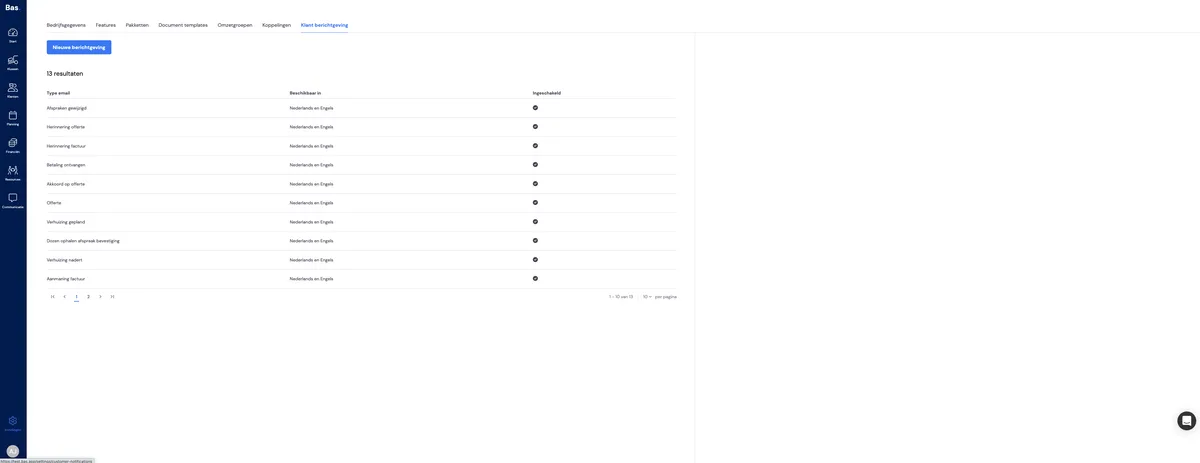
Step 1
Create a new message
Step 2
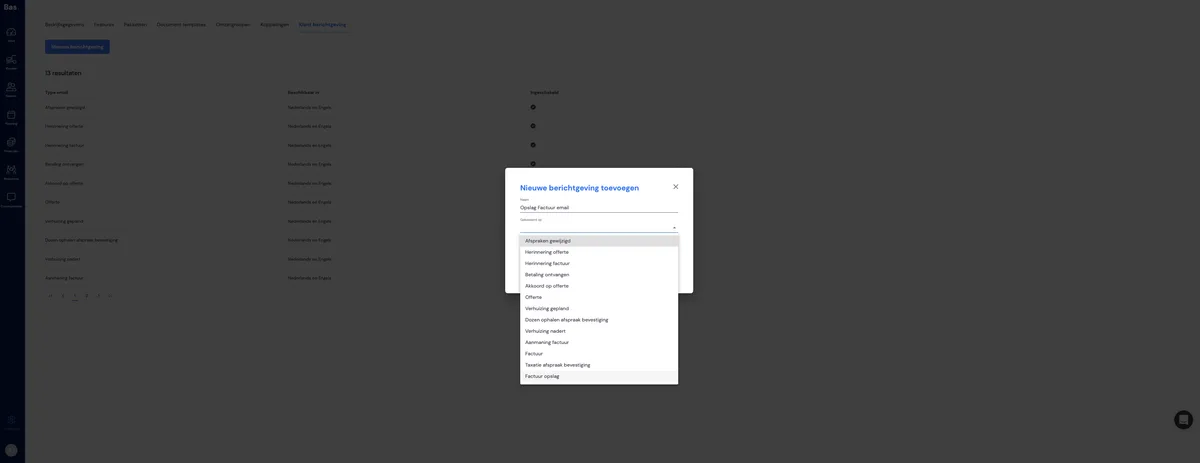
Give your message a name and indicate which situation it belongs to
Step 3
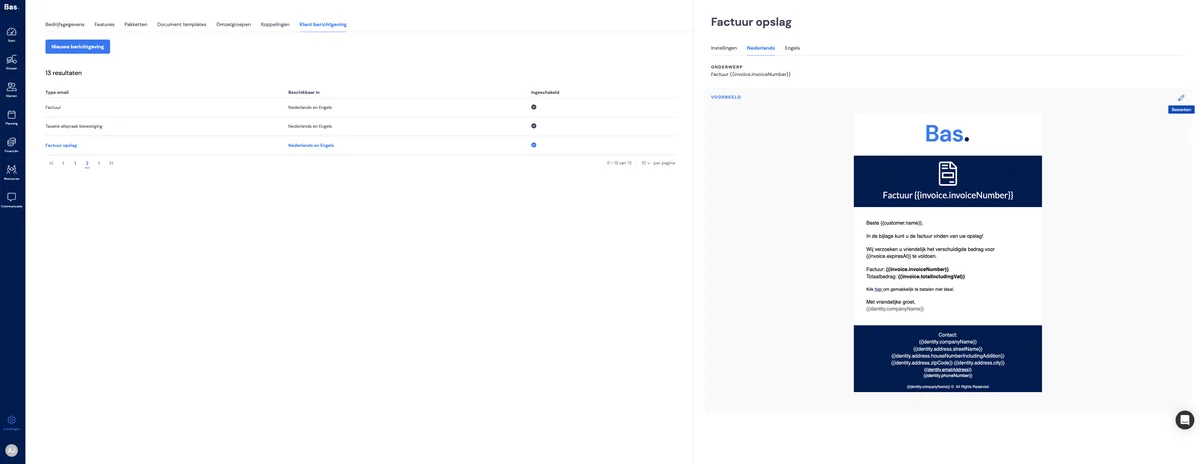
Adjust your message as desired
Tip: don't forget your English template either!
Step 4
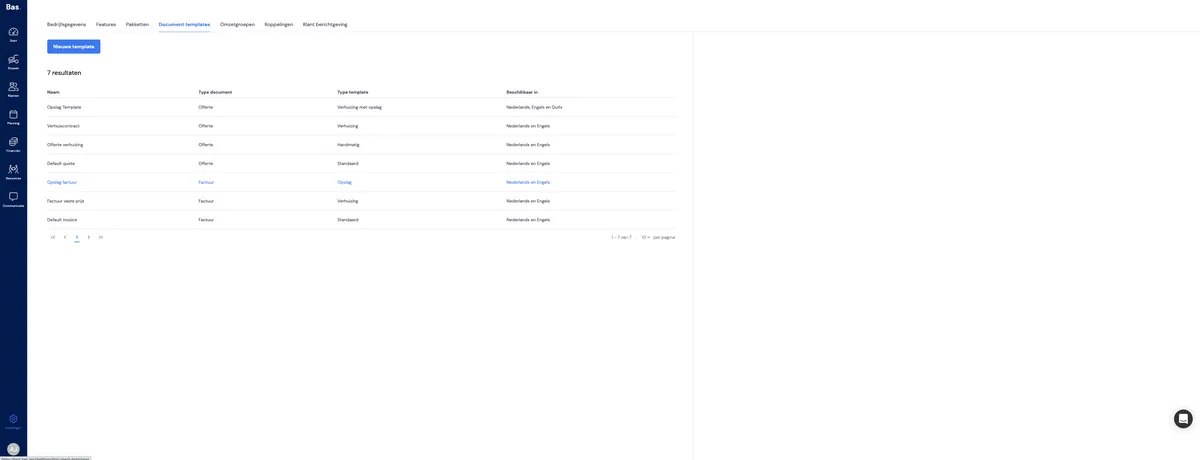
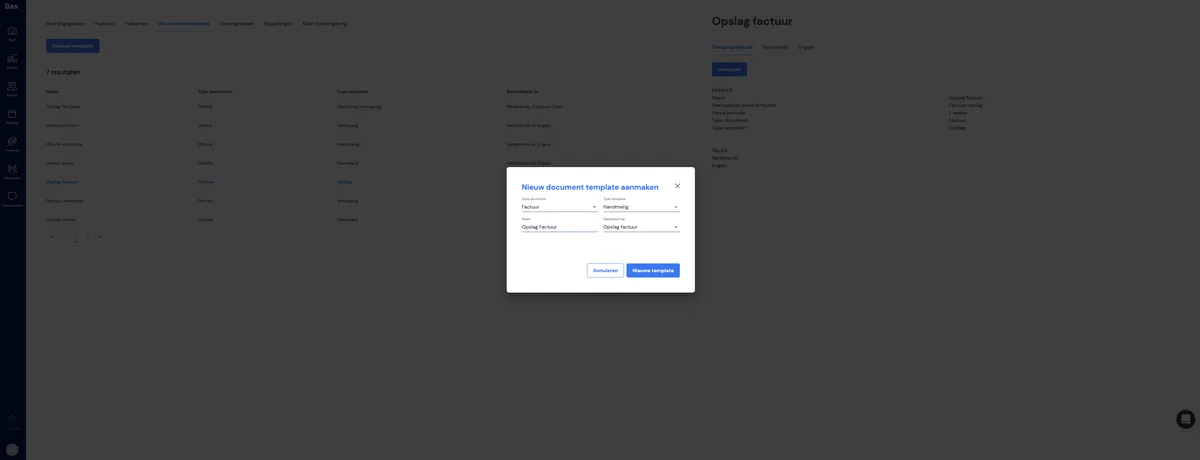
Create a template for a storage invoice
Step 5
Fill in all the fields
Step 6
The last step!
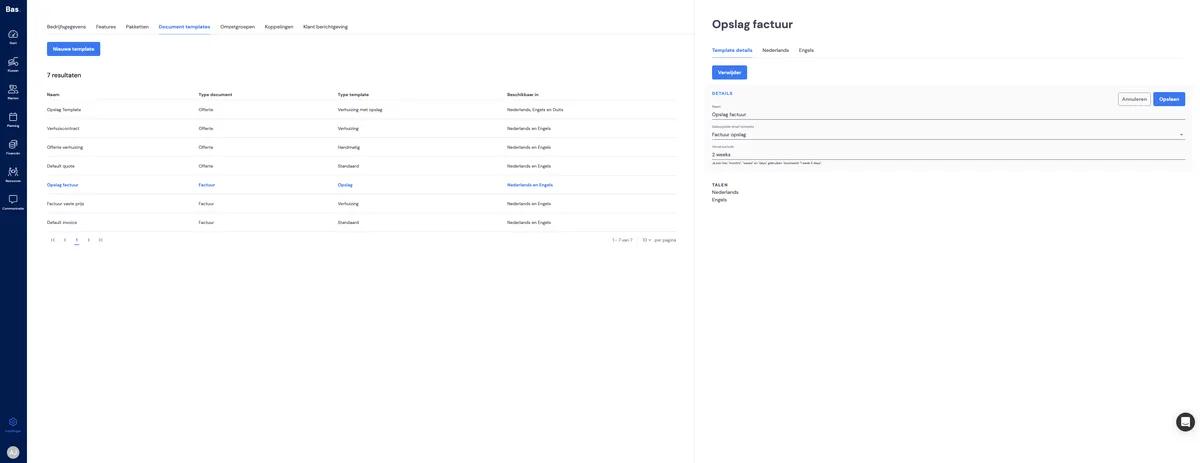
Link the e-mail template you just created to the invoice template
Ready!
Now you're done, and from now on your customer will receive a bespoke e-mail for their storage invoices in this example.
If you have any questions, ask them in the Intercom chat!