
Hi Mover,
We've made it possible to apply discount lines to quotes and invoices.
If you want this, you need to read this article very carefully!
This requires a few steps you need to take to make this visible to your customer.
Fortunately it's very easy, I'll walk you through it!
Step 1
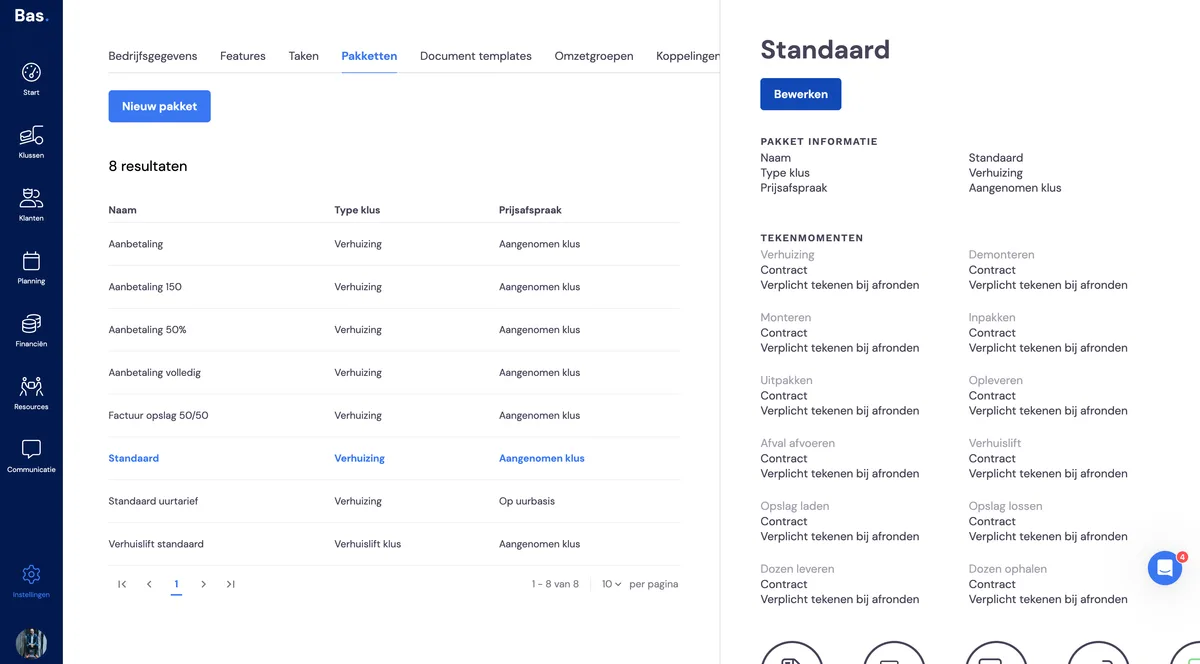
If you want to set this up in your package, you need to do the following.
Go to settings, then to packages.
Select the package in which you want to set this up.
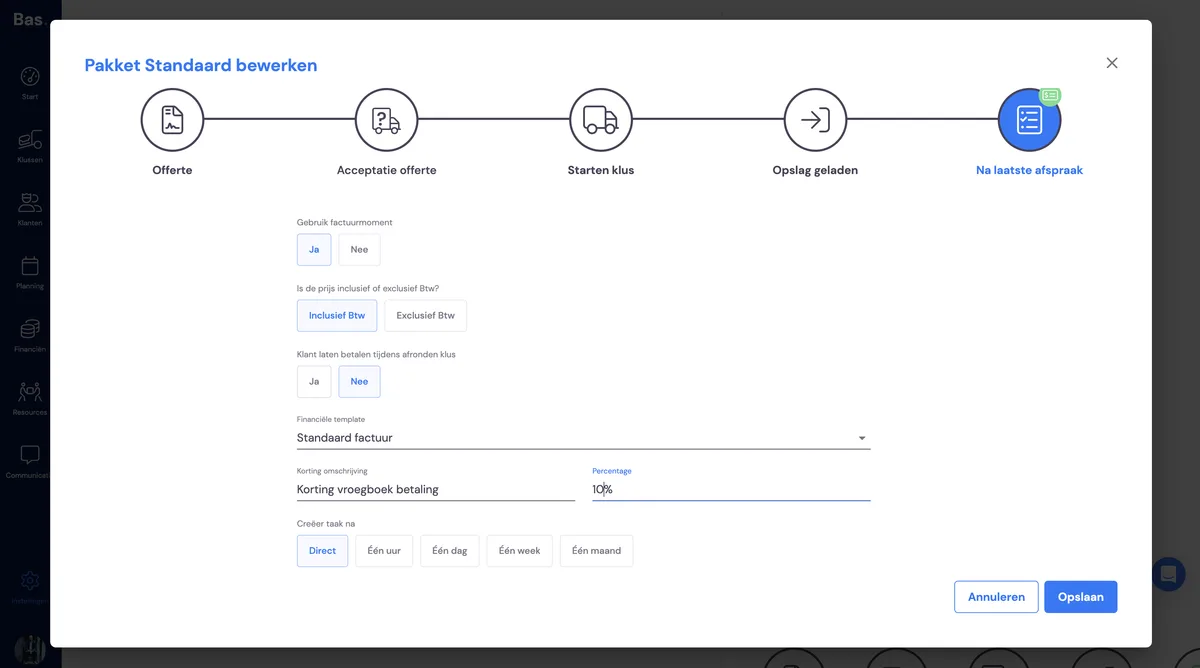
Click on edit.
Select the moment at which you want to make the lines visible.
Give it a description and a standard value in %.
Update your templates!
Note that you need to save all your templates again!
If you don't do this, the description and amount won't be visible on your template.
You don't need to add anything, other than going through the following steps.
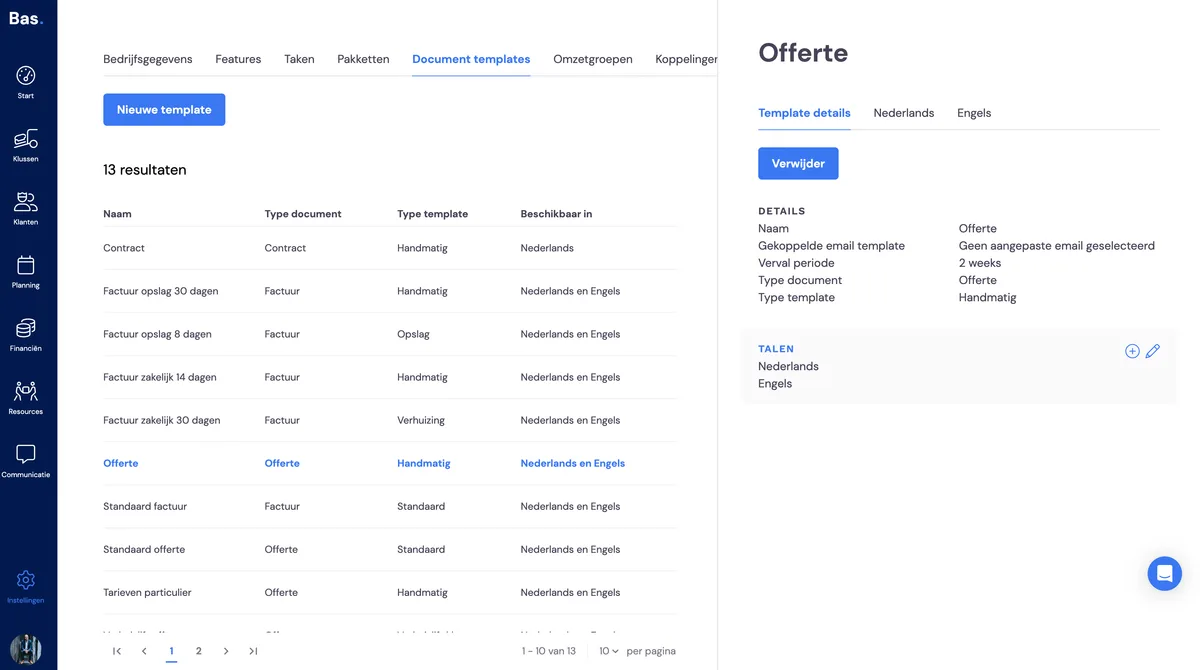
Go to settings and then to templates.
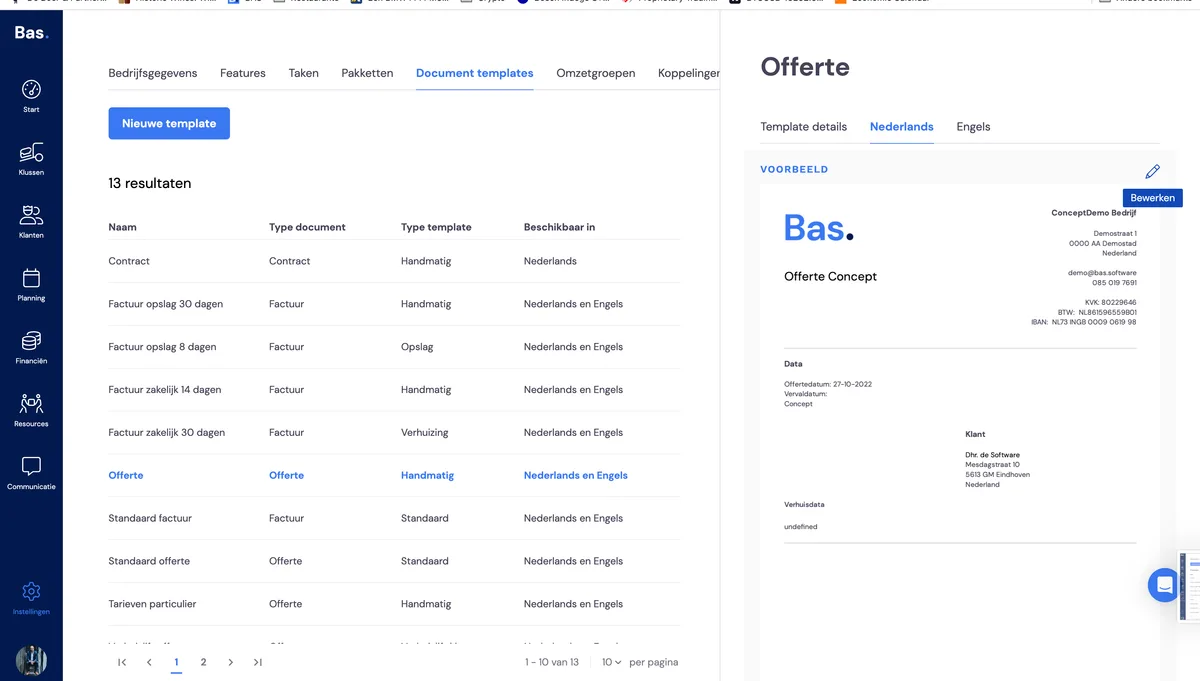
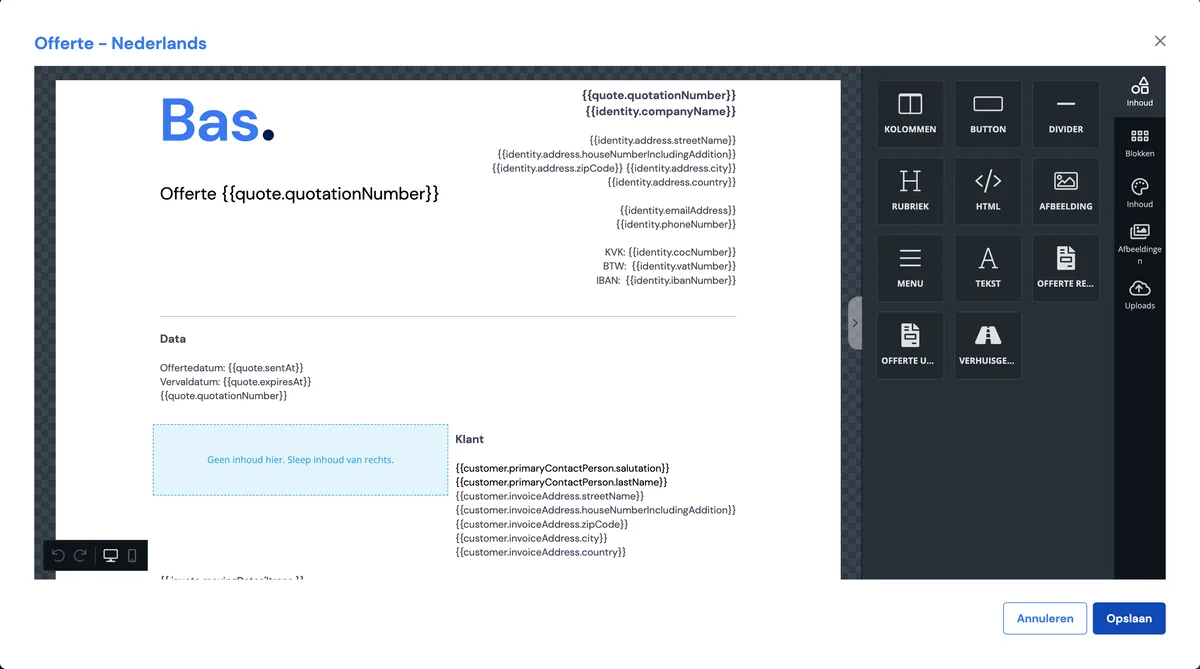
Click on the template, then the language, and then the pencil icon.
The only thing you need to do now is click save.
Your template is now up to date, so it can load the lines and discount.
Note that if you want this on multiple templates, you need to apply these steps to every template!
I hope this has informed you sufficiently.
If you have any further questions and/or comments, you know where to find us.
Feel free to click the chat bubble, we're happy to help further!
Kind regards,
Casper