
Before you start using Bas, it's a good idea to set up all the "templates". Customer-facing actions are confirmed to the customer by e-mail.
You can find the "templates", also called "Messaging", under "Settings" and then under the heading "Messaging".
See below:
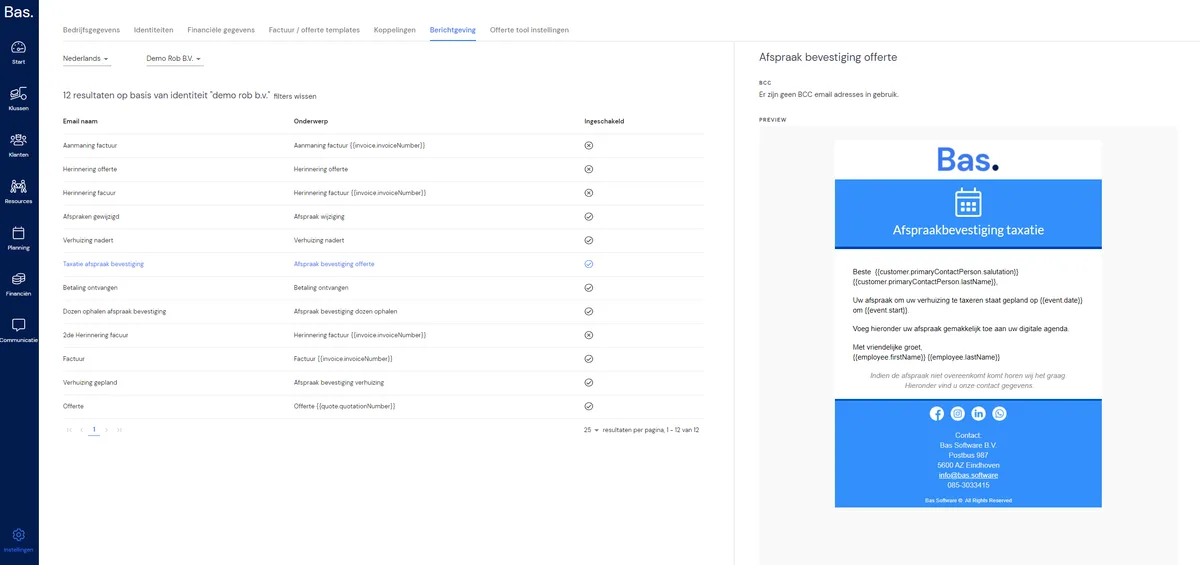
It's possible to add a BCC e-mail address(es) per message. You do this by clicking the "pencil icon" next to BCC, entering an e-mail address and pressing enter. Want to add another one? Then enter another e-mail address, press enter, and then click save.
You adjust the messages as follows;
Select the desired message. On the right-hand side, you'll see the selected message. You can now adjust the following:
Subject line
BCC e-mail addresses
The message
To adjust the message, click the pencil icon next to the message (top right). You'll then land on the following page:
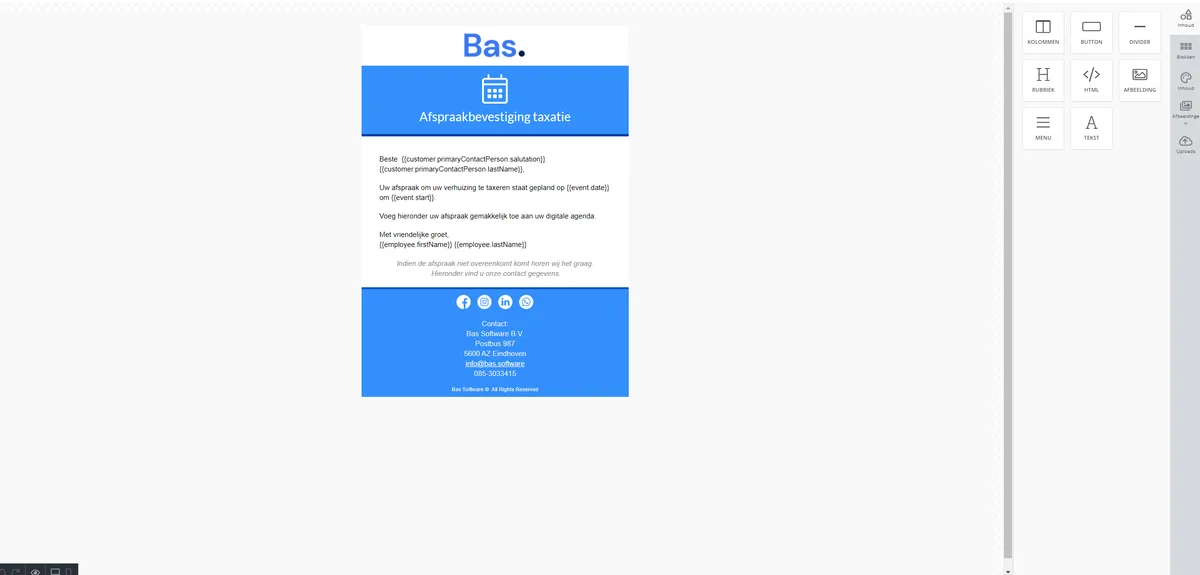
Now you can adjust the message fully as you wish. On the right-hand side are the options.
Don't forget to click save at the bottom right when you're done.