
The driver is responsible for loading all the handling units ready for transport, and for delivering them and having the customer sign for them. They do this with the Bas app.
Delivery is scheduled
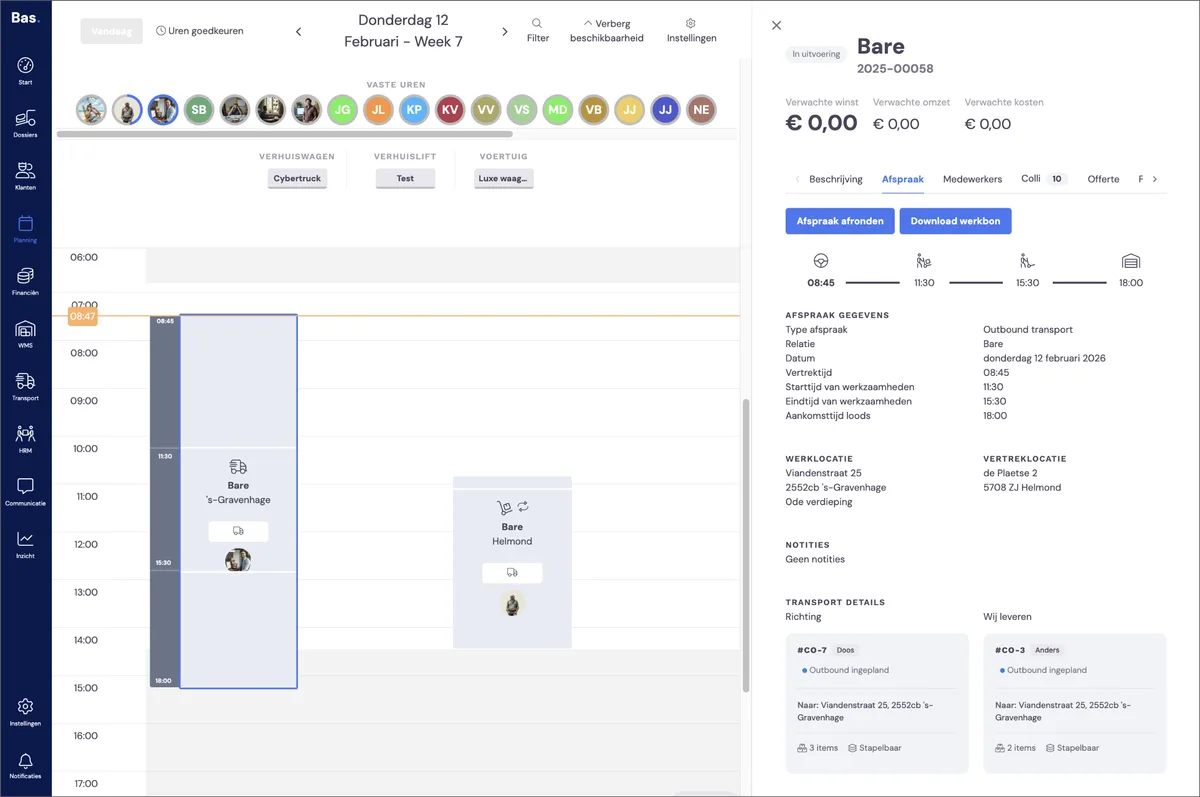
The driver needs to be scheduled on a confirmed outbound appointment. The driver then has access to the appointment in Bas. After clicking on the appointment, the driver can load the scheduled handling units by scanning them.
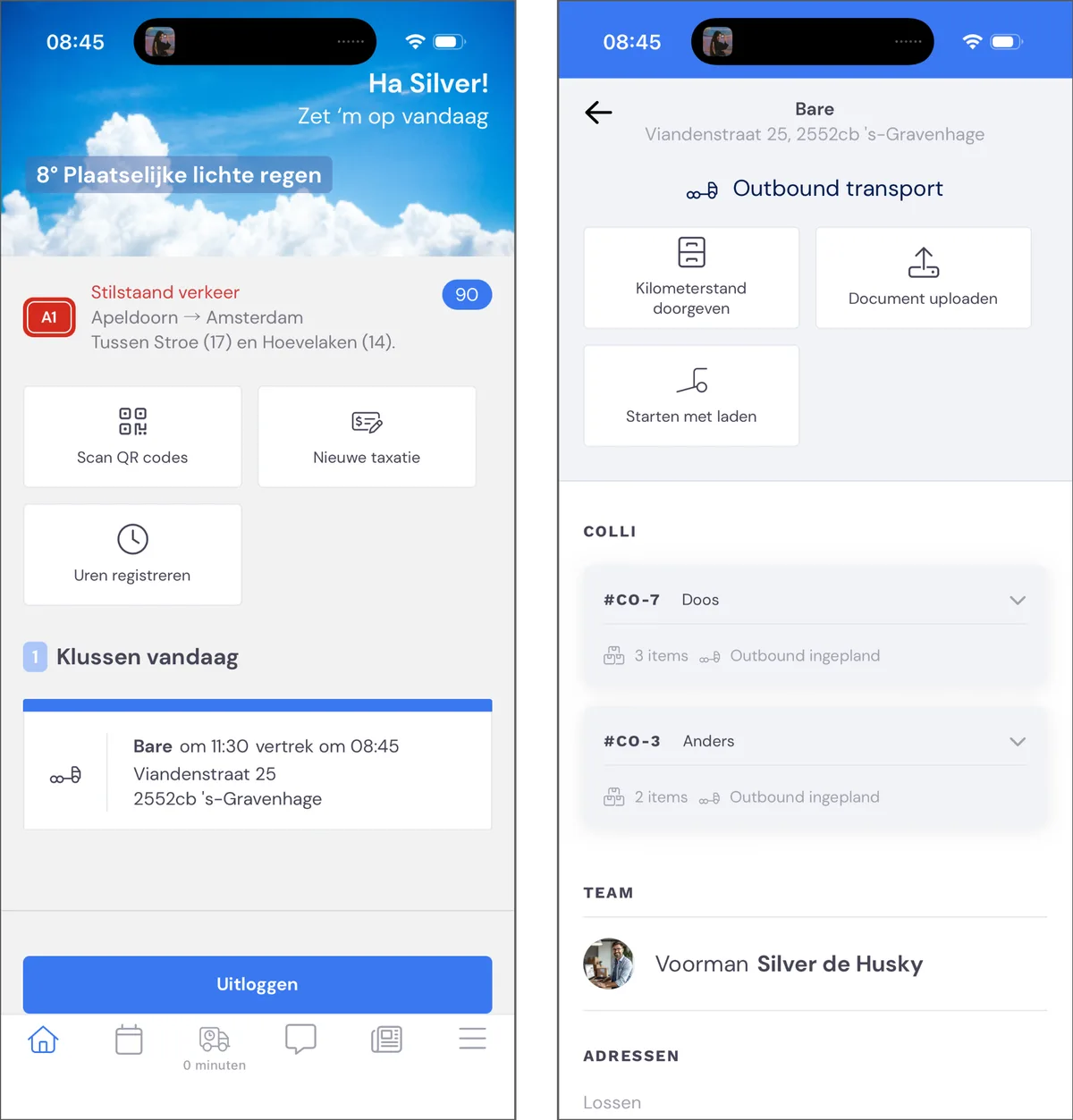
Loading and scanning handling units
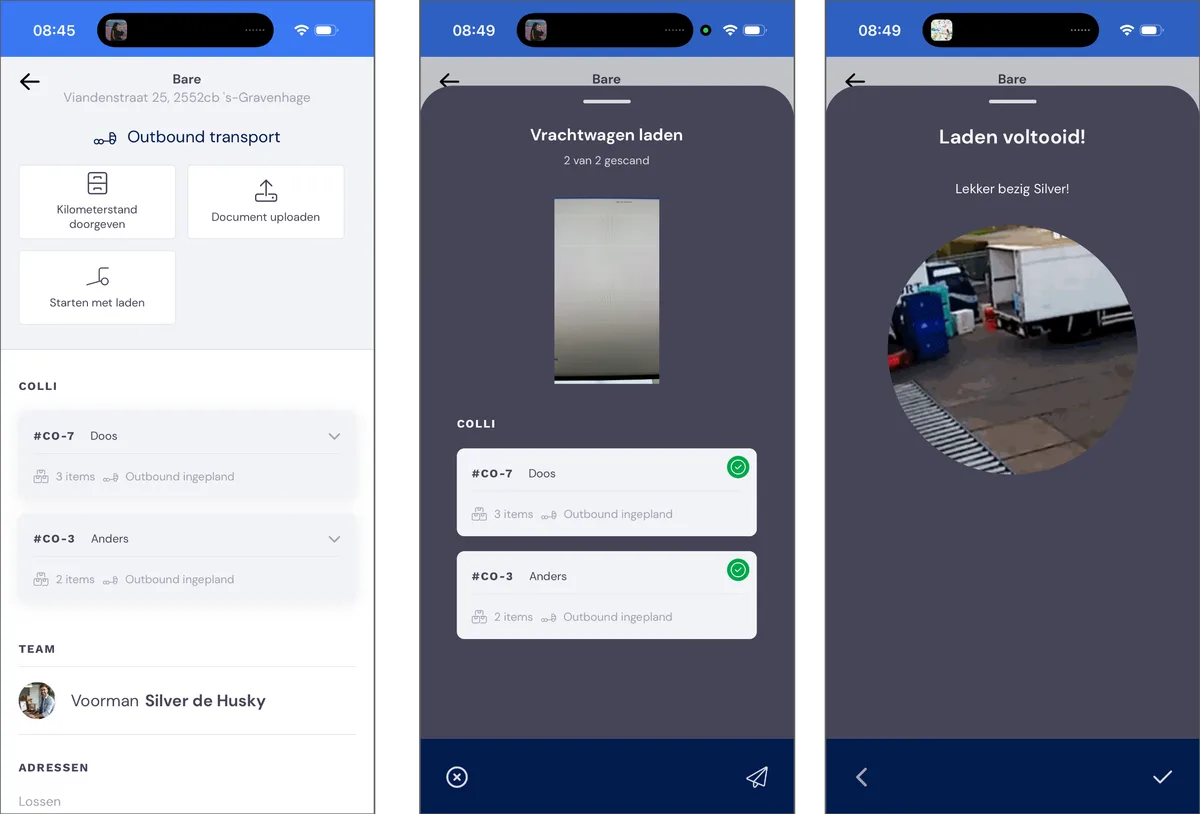
The driver scans all the handling units that have been prepared, while loading. Once all handling units have been scanned, loading is complete.
Trip registration
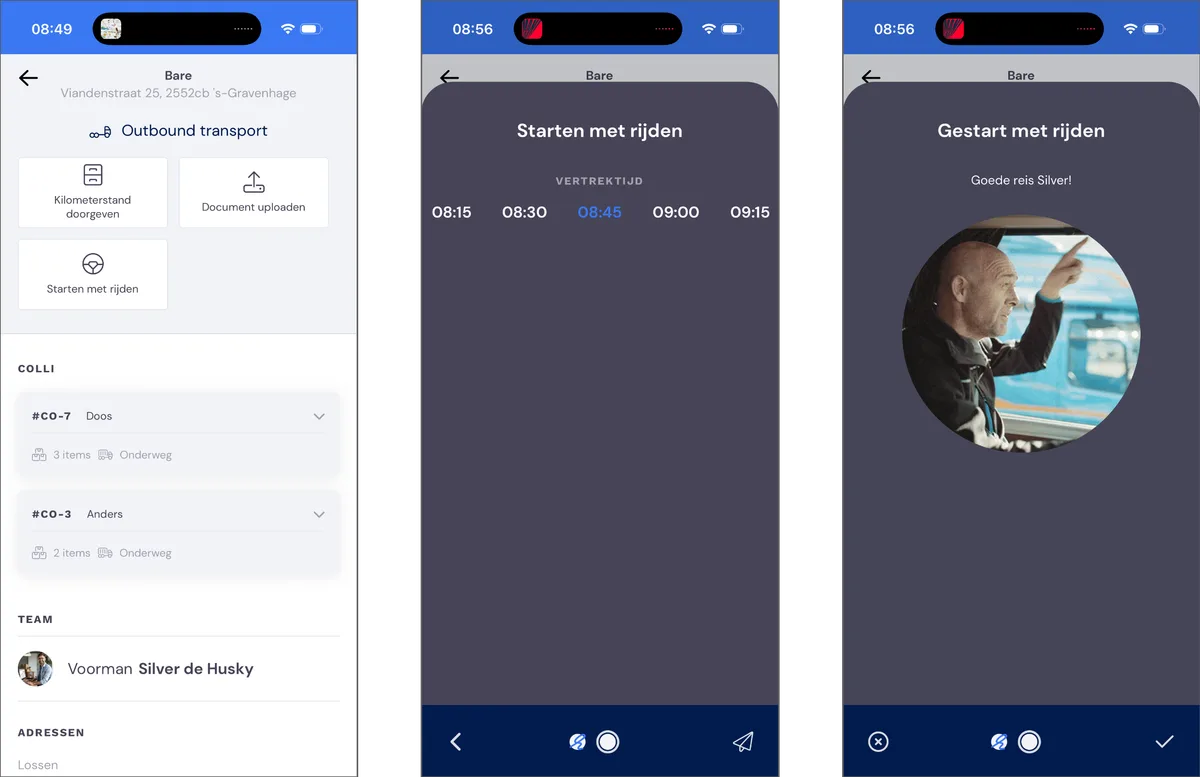
After loading, the driver selects 'Start driving'. This registers the trip.
Delivering handling units
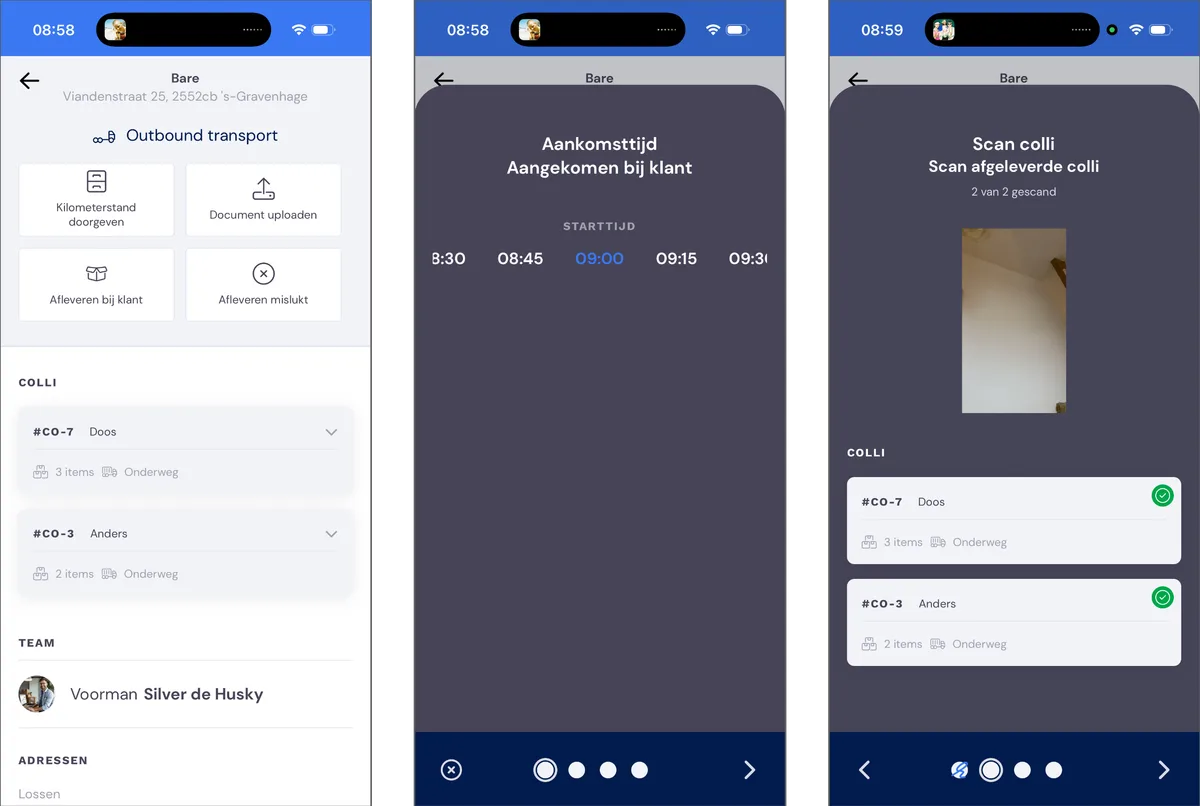
The delivery process starts with 'Deliver to customer'. The driver then enters the arrival time, and scans the handling units being delivered.
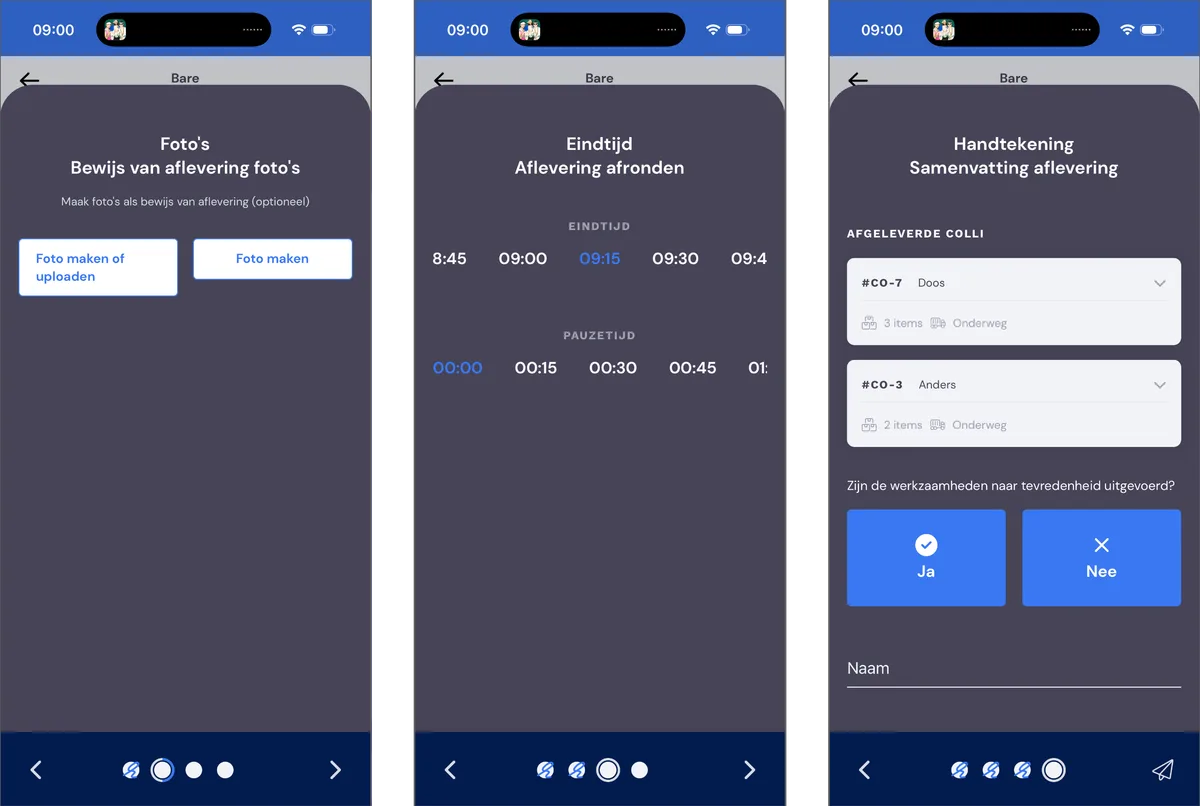
Photos can be taken during the delivery, and the end time must be confirmed. After this, the customer can sign for receipt.
Completing the appointment
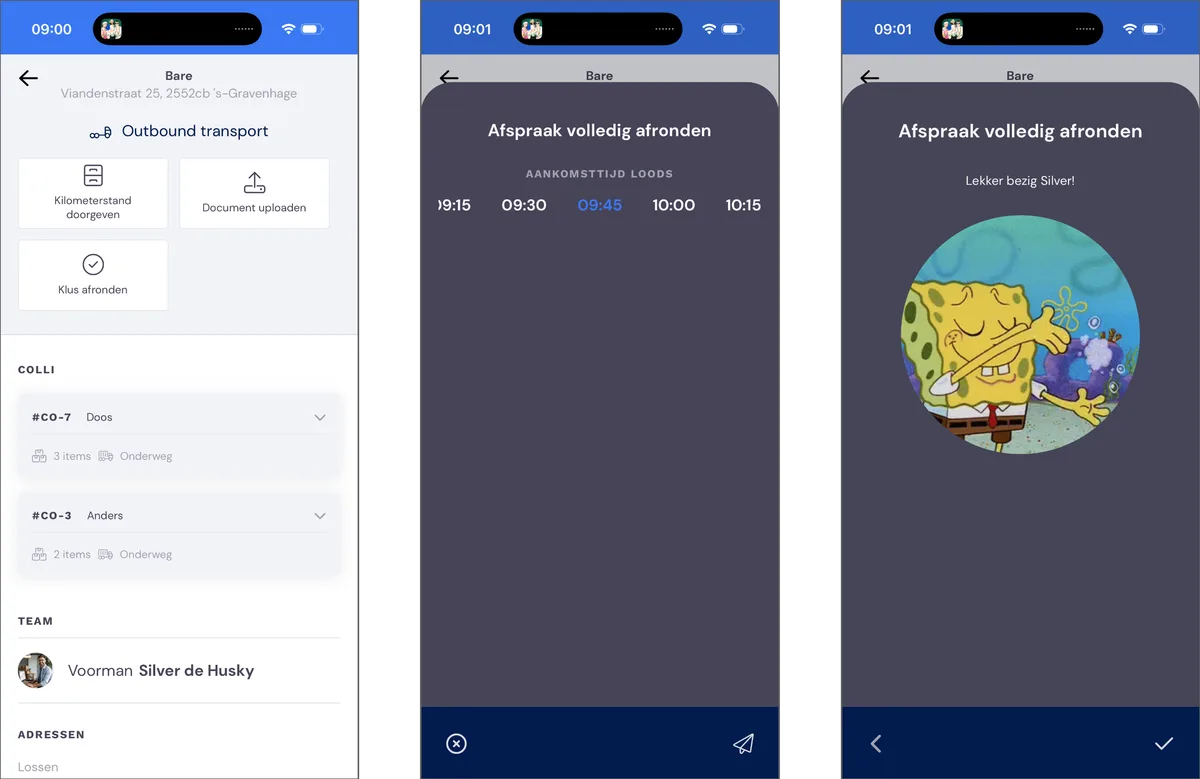
Once the delivery is complete, the driver's last step is to complete the appointment. This finishes the job for the driver.