
New Features
1. Adding attachments to automatic customer messages
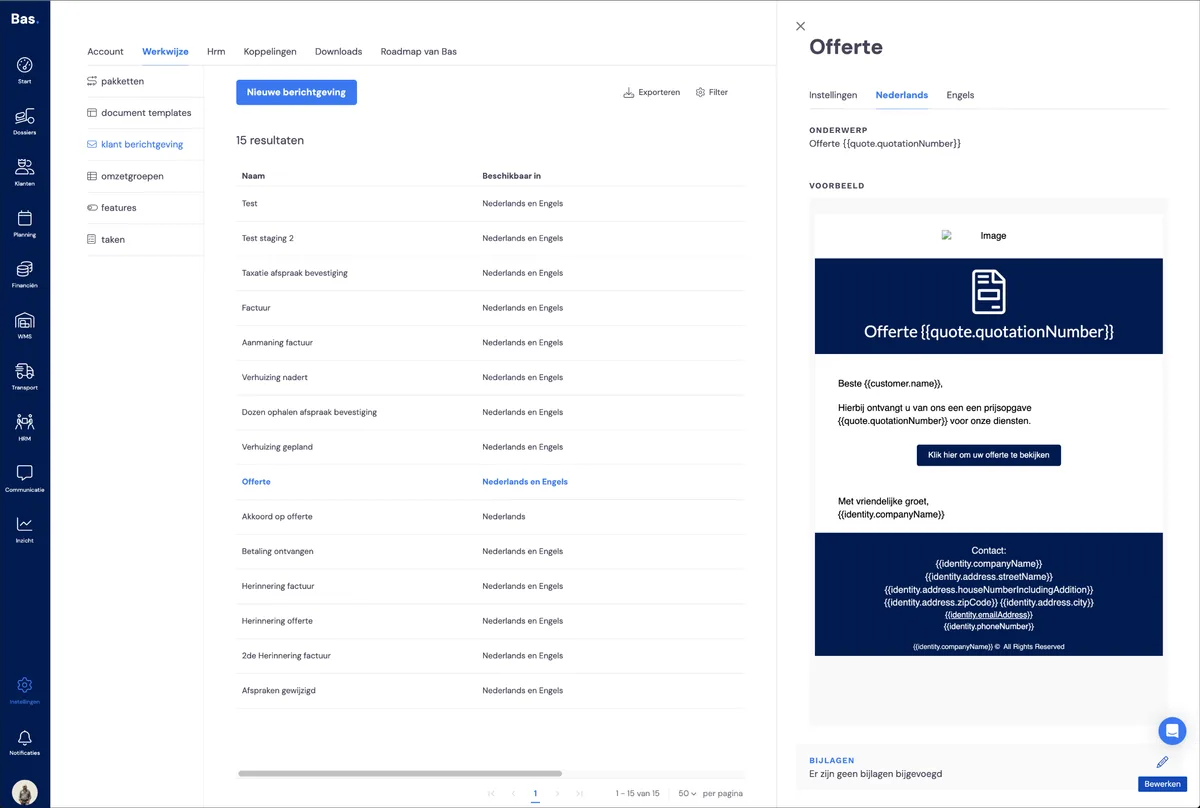
A frequently heard request: the ability to add attachments to the emails you automatically send to your customers from Bas. This is possible as of this new release.
You add an attachment by going to settings, then to workflow and then to customer messaging. Select the customer message, choose the language variant and then choose attachments at the bottom of the preview.
2. Extra filter for invoices
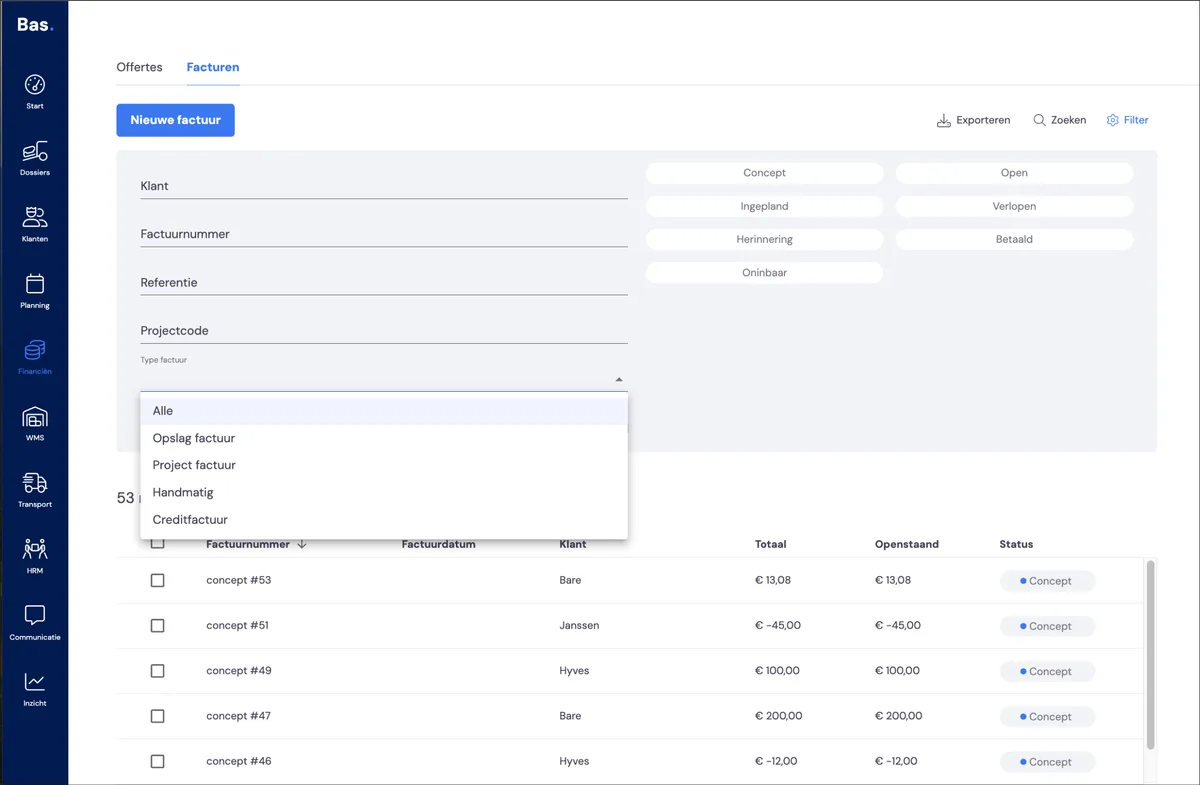
To give you a better overview of your invoices, we've added a filter. With this filter, you can filter by invoice type. Handy if, for example, you're getting started with invoicing your storage.
You can now filter by:
- storage invoice
- project invoice (all invoices directly linked to jobs)
- manual (all invoices you added separately)
- credit note
3. Separate template for credit notes
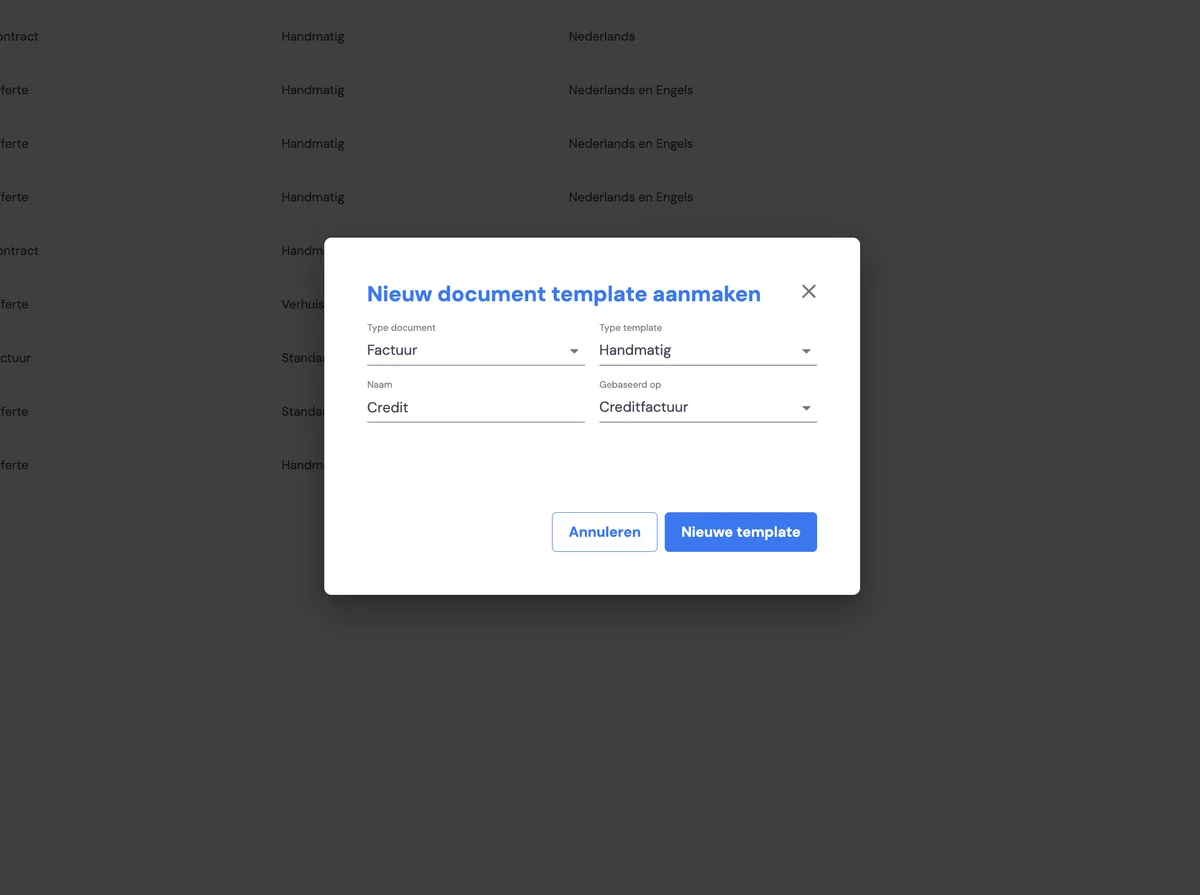
The template for credit notes was always based on the normal invoice. From now on, you can use a specific template for your credit notes. You'll find it under settings, then workflow and then document templates. If you want to use a new template for your credit notes, you can choose 'based on' credit note when creating it.
Improvements
1. Selecting contact persons for business customers when creating a case file
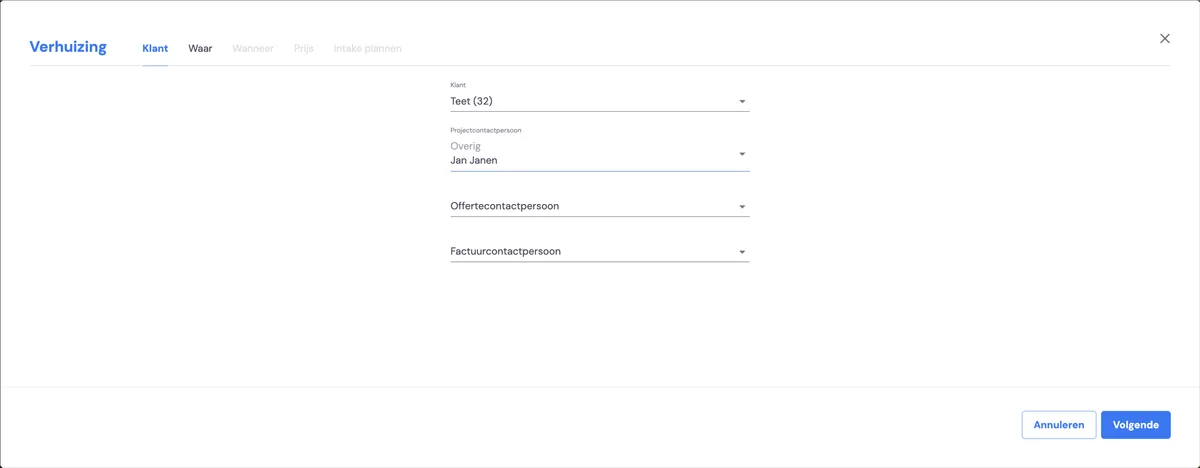
When creating a new case file, you can now directly select the different contact persons: the primary contact person, the quote contact person and the invoice contact person. Is a contact person not yet in the system? Then you can add them straight away while creating the case file. This makes it clear at a glance which contact persons are linked to the new case file.
2. Clearer display of identities
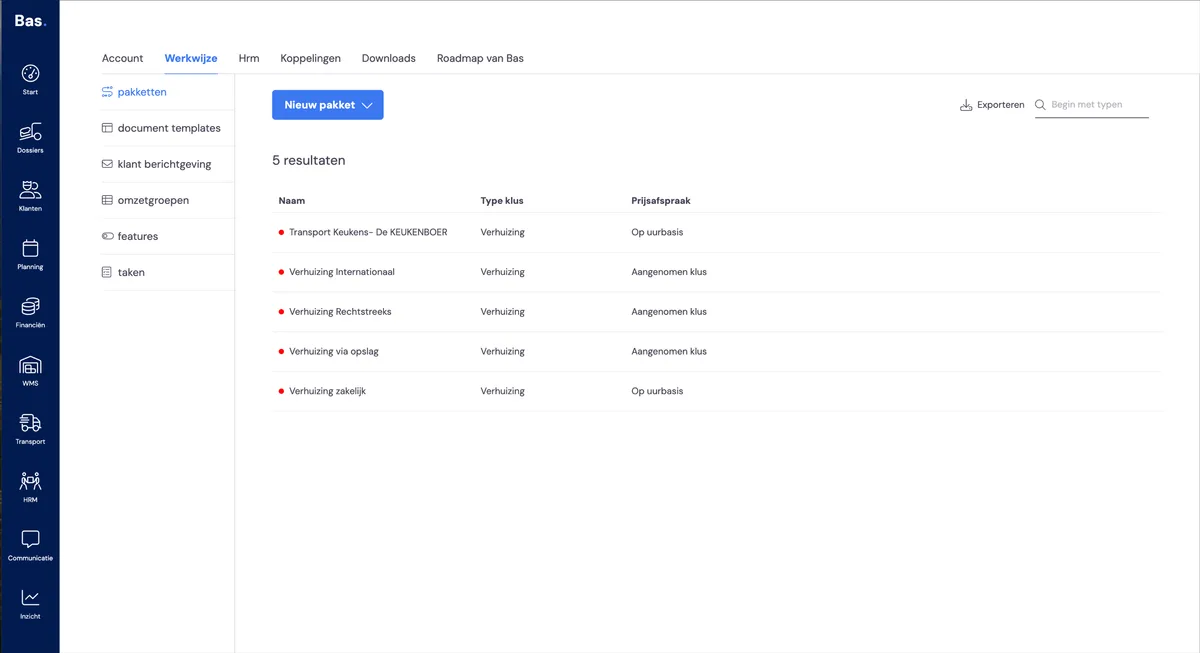
We've added identities to the display in two places. You'll now see the coloured circle for the warranty certificates and for the packages. For the packages, we've also added a search function, so you can find the right package more quickly.
3. Failed warranty certificates can now be cancelled
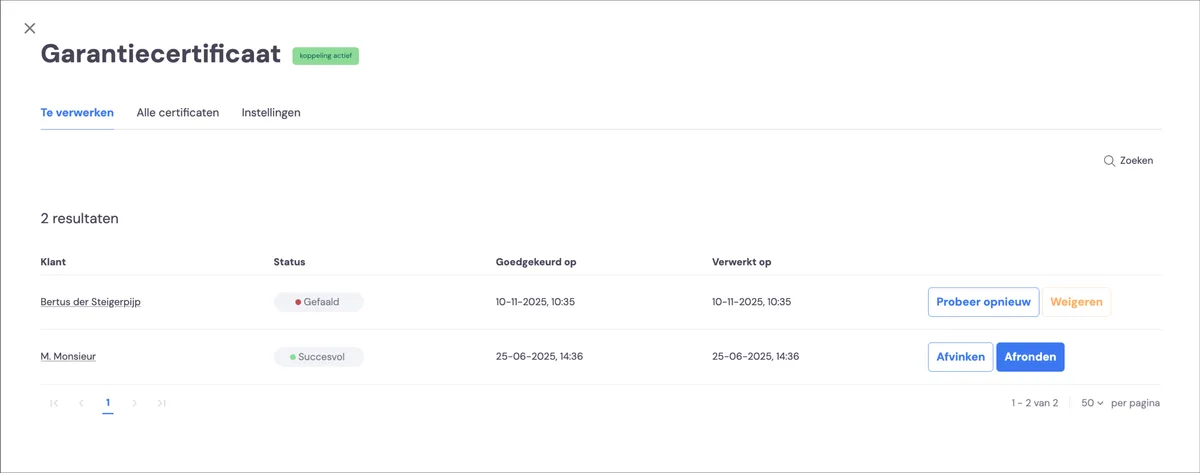
As of the new release, you can clear away warranty certificates that have failed. You do this by clicking 'reject'. This removes the request from the 'to be processed' list.
4. Adding a cost price to a warranty certificate
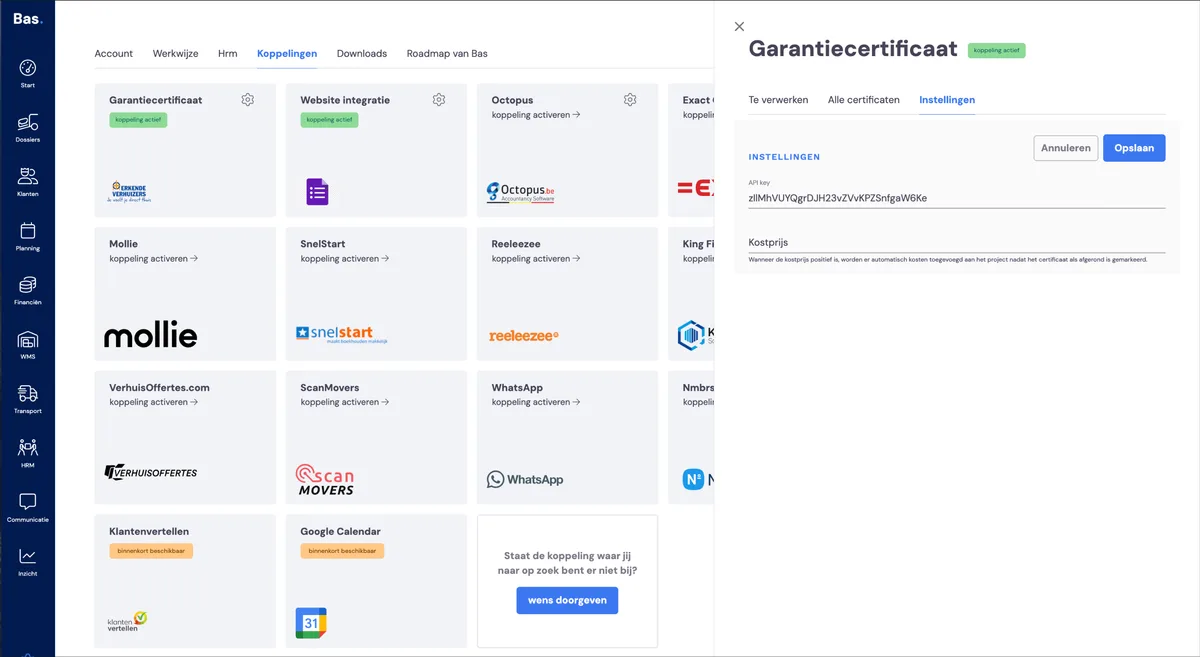
You can now add the cost price of a warranty certificate. If you do this, the costs also end up in the cost overview of the case file. You set this up by going to settings for the integration and entering the cost price there.
5. Website integrations: appointment does/doesn't automatically appear in the calendar
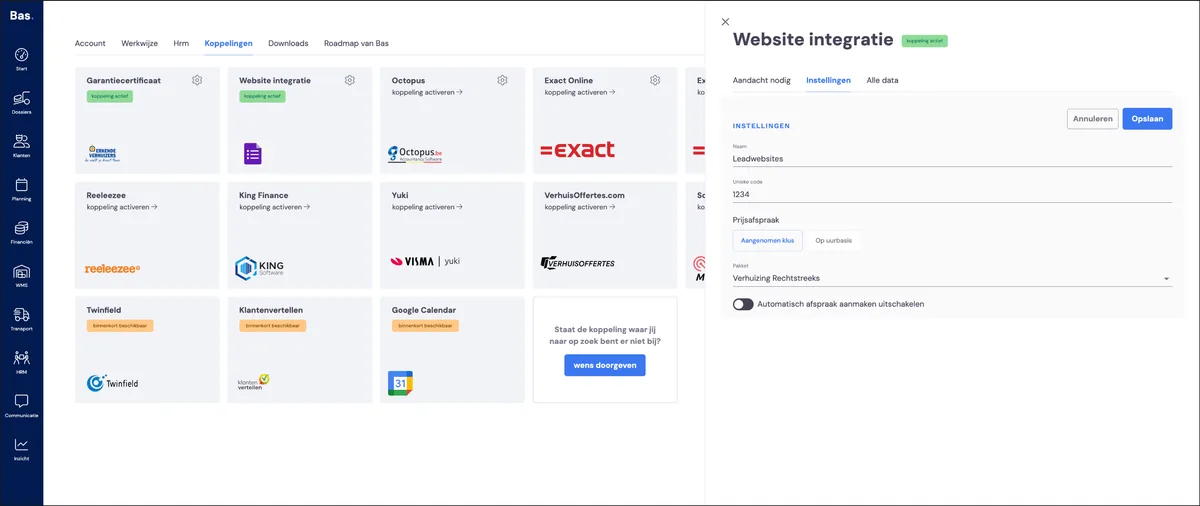
If you use an integration with your website or connect with lead websites, you can now choose whether you want incoming leads to add (provisional) appointments directly to your planning. To set this up for your own website, go to settings > integrations > website integration. Here you'll find the option 'Disable automatic appointment creation'.
6. Cubic metres per room are now shown during the survey
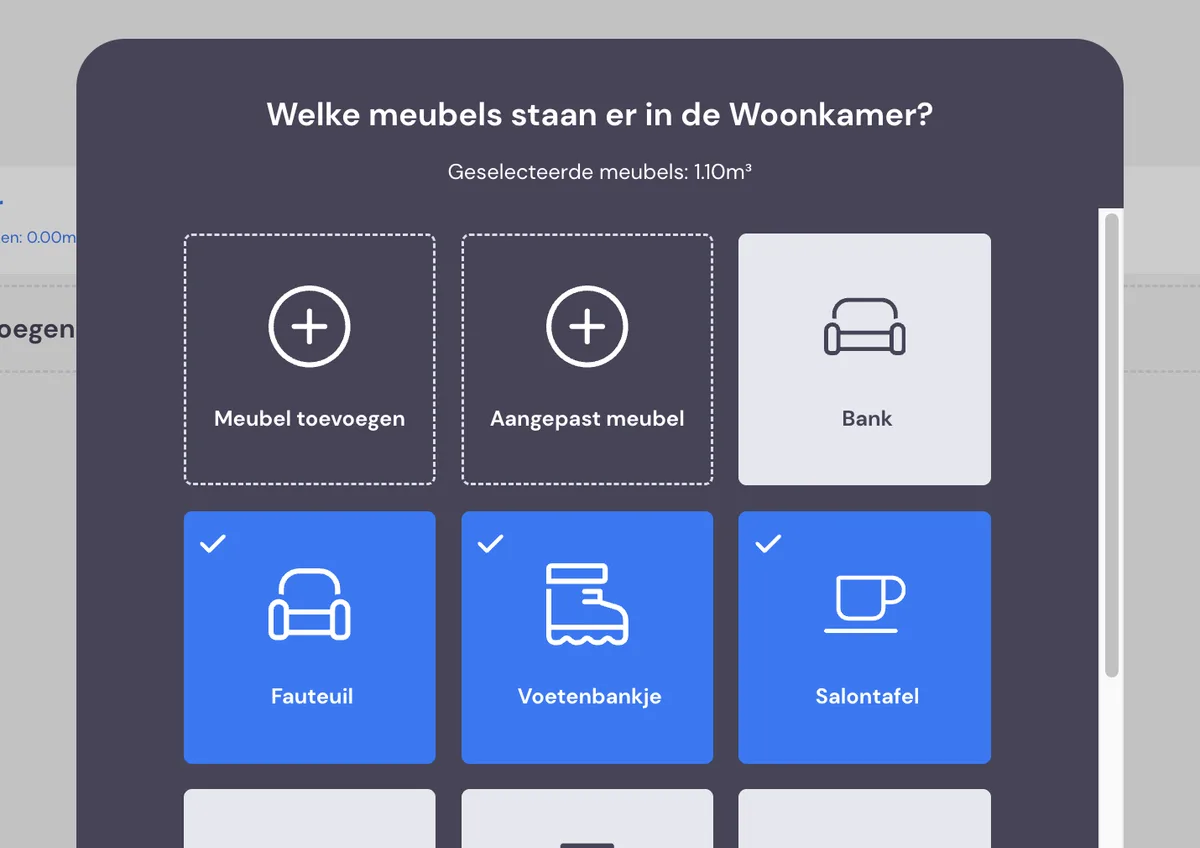
In the survey tool, the cubic metres are now shown per room while surveying; you'll see this for the room, in the inventory list and for the number of boxes you choose.
Some of the bug fixes
We've fixed a large number of small bugs. Below are a few notable ones:
The Teams tab now shows the correct furniture hoist icon. Until now, the lorry icon was shown here.
Amounts are now automatically recalculated when adjusting quantities in invoices and quotes.
The inventory list is now sorted alphabetically again
Credit notes now use the default template if the original has been deleted, so no error occurs when creating and sending a credit note.