
Entering company details
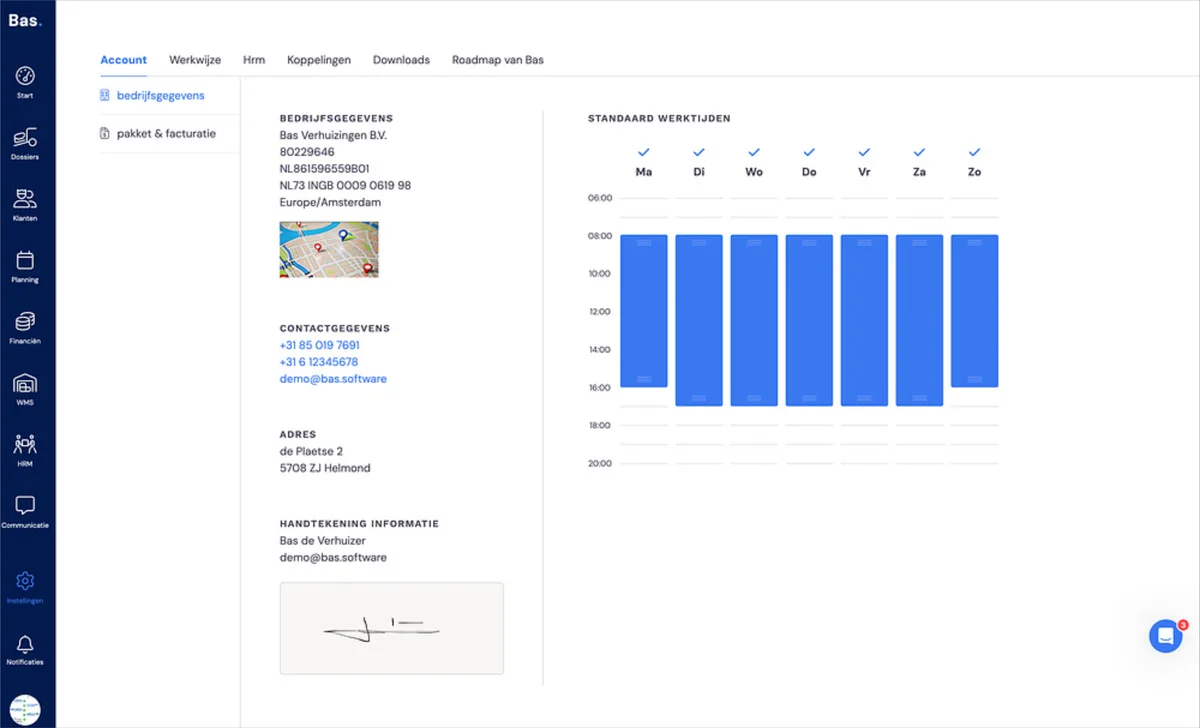
Go to settings. The page opens on 'Account' and on the 'Company details' page. Under company details you enter the following information:
Company details
Logo
Contact details
Address
Signature
Standard working hours
Points of attention when entering company details
Entering company details is fairly straightforward. Below are a few points of attention:
Company details
This information is automatically included in document templates and in emails. It's therefore important that you enter the correct information here.
Signature
The signature entered here is used on quotes. You need the signature to be able to reach an agreement with the end customer. It's therefore important to enter this.
Standard working hours
The standard working hours are used in the planning. You'll see the standard working hours displayed graphically there as a reference for the appointments you schedule.
Next step
The next step is creating and inviting the colleagues who will use Bas's back office >