
Install the app
Go to the Apple App Store or the Google Play Store and search there for 'Bas Medewerker'. Install the app.
Access to the app
You get access to the app by logging in with
URL (the part that comes before bas.app in your environment's web address)
username (email address)
password
Inviting a new employee
If you've added an employee via HR, they'll automatically receive an invitation email. Using this email, the employee can create an account. Please note: this must be done within 24 hours! After that, the link to set the password is no longer valid.
Invitation email
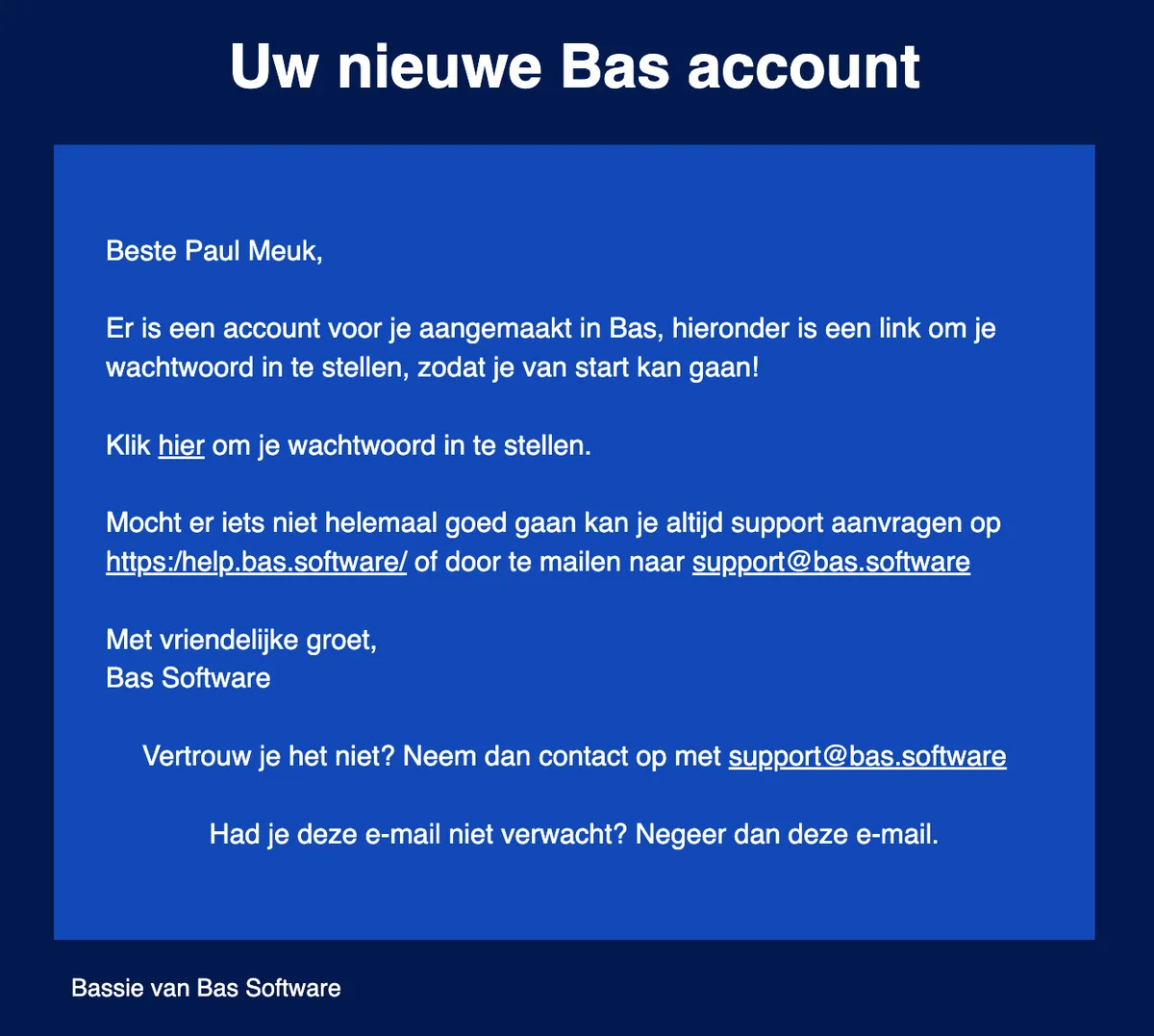
The employee clicks the link. After this, the screen to create a password appears.
Creating a password
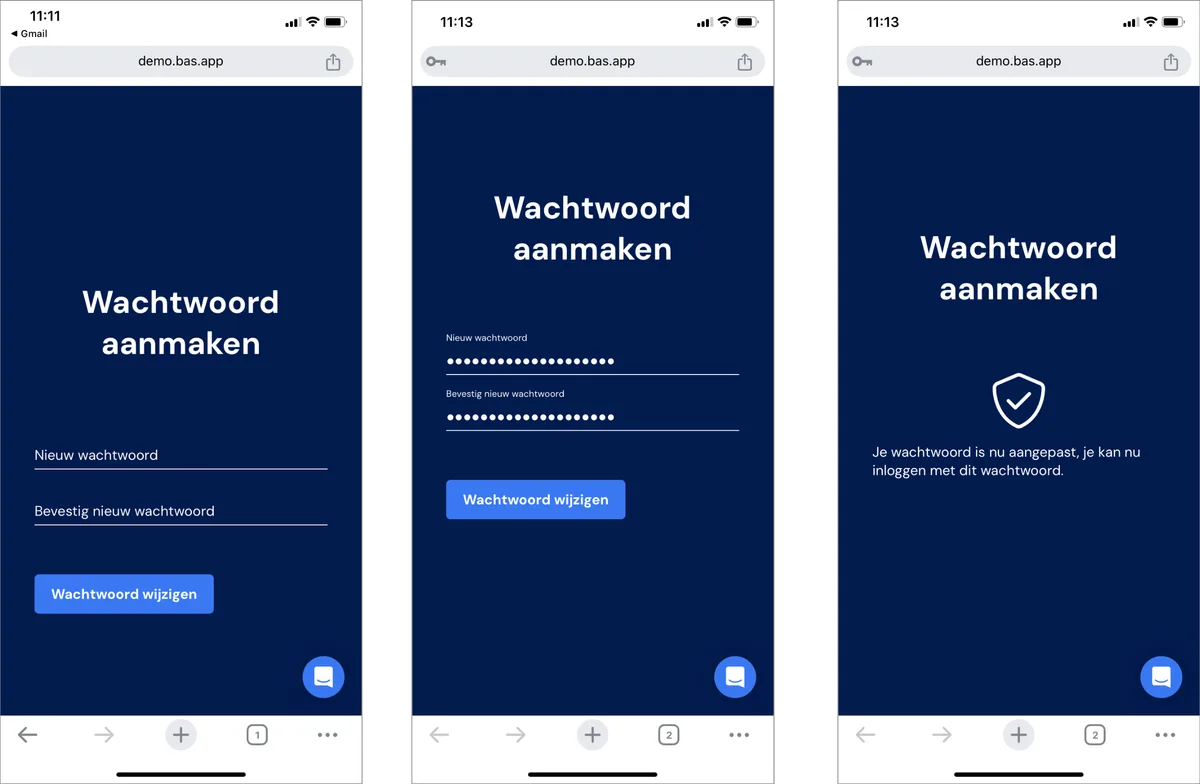
The password must be strong. In practice, this means it should be more than 15 characters long and include symbols and numbers.
We recommend using a password manager such as lastpass. This lets you generate and store the password so you have it available again later.
First login
After creating the password, open the app and log in with your password. The app is now ready to use.
Passkeys
After logging in, you can create a passkey. You do this via profile and then create passkey. You'll then be linked through to your password manager, where you can create the passkey.
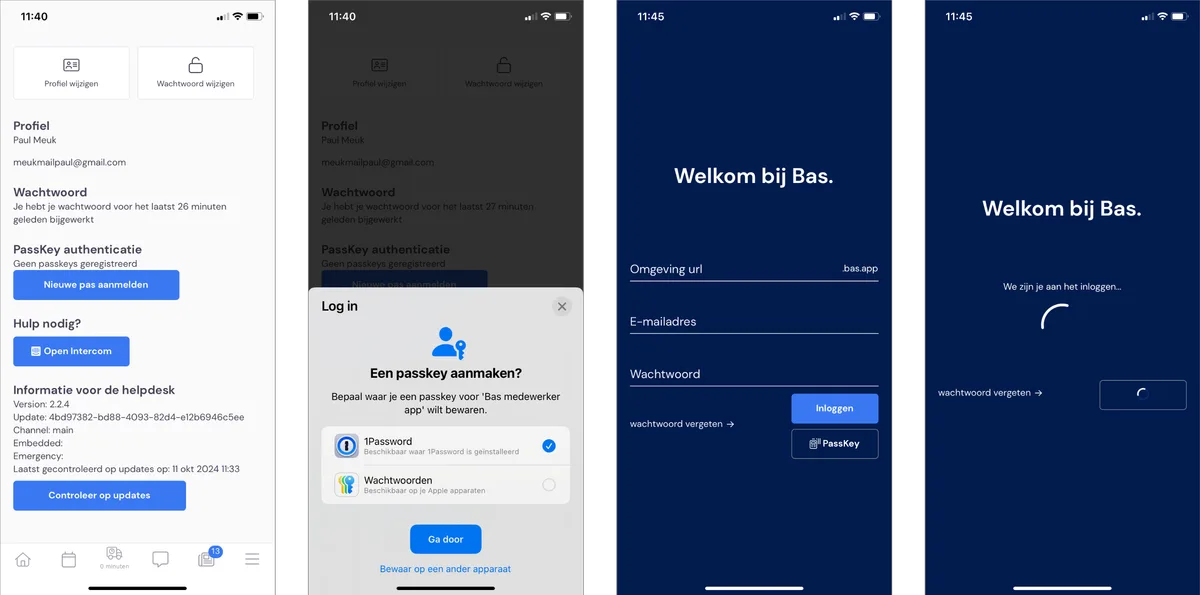
Once you've done this, next time you can log in via the passkey option, where you're logged in quickly and securely using facial recognition or your fingerprint (depending on your password manager).