
You can add view quote, accept quote and pay invoice online to a customer message. This makes these options available to your customers.
Customer messages
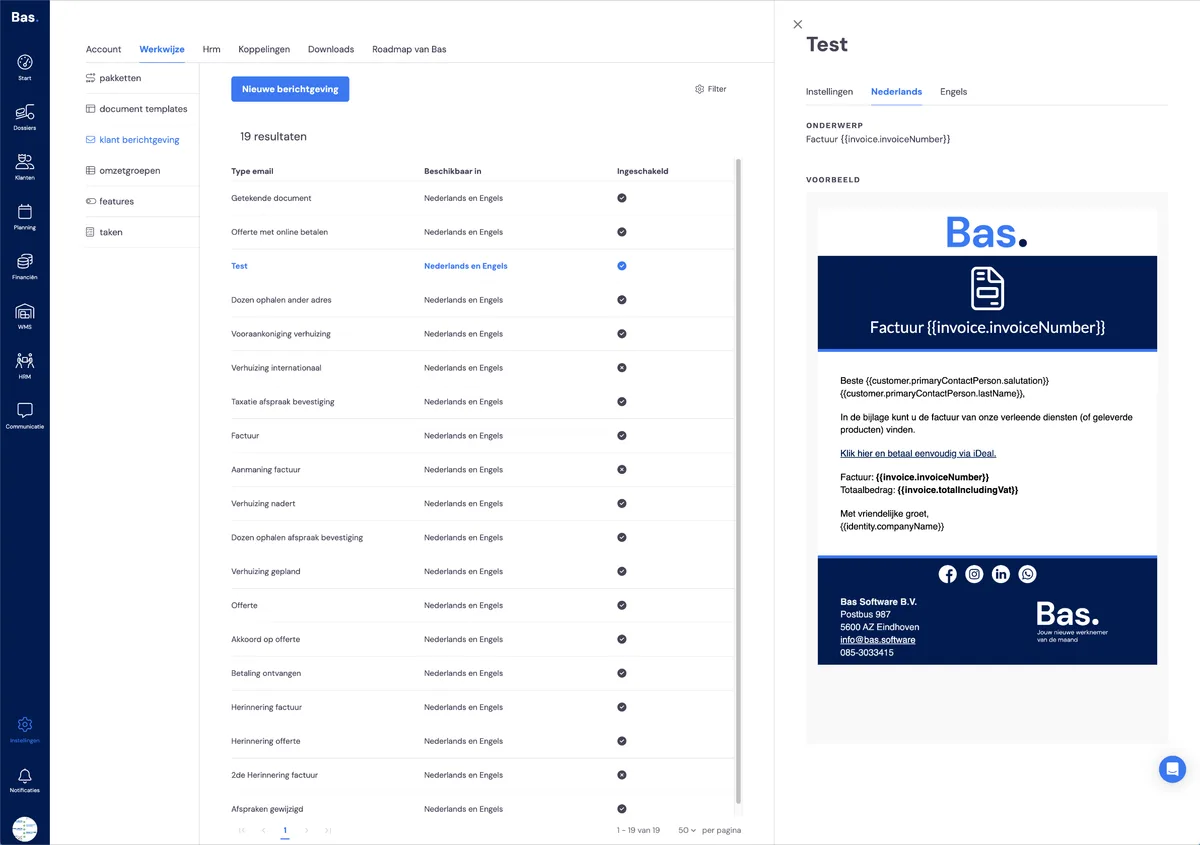
Go to customer messages. Click on the customer message you want to adjust. Then select a language and hover your cursor over the preview. Then click edit.
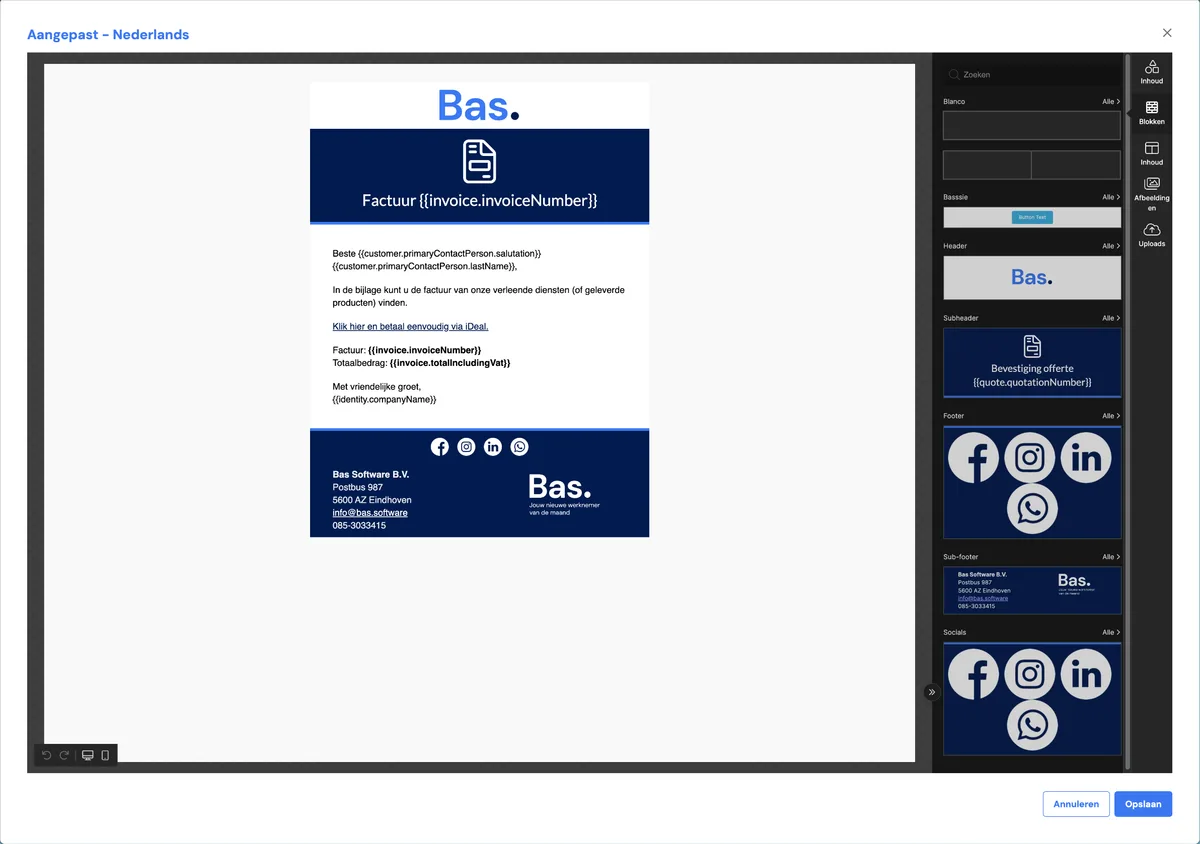
When it opens, click on 'blocks' on the right-hand side of the screen. A row of buttons will appear here. The options view quote, view and approve quote, and pay invoice online are options you can drag into the email.