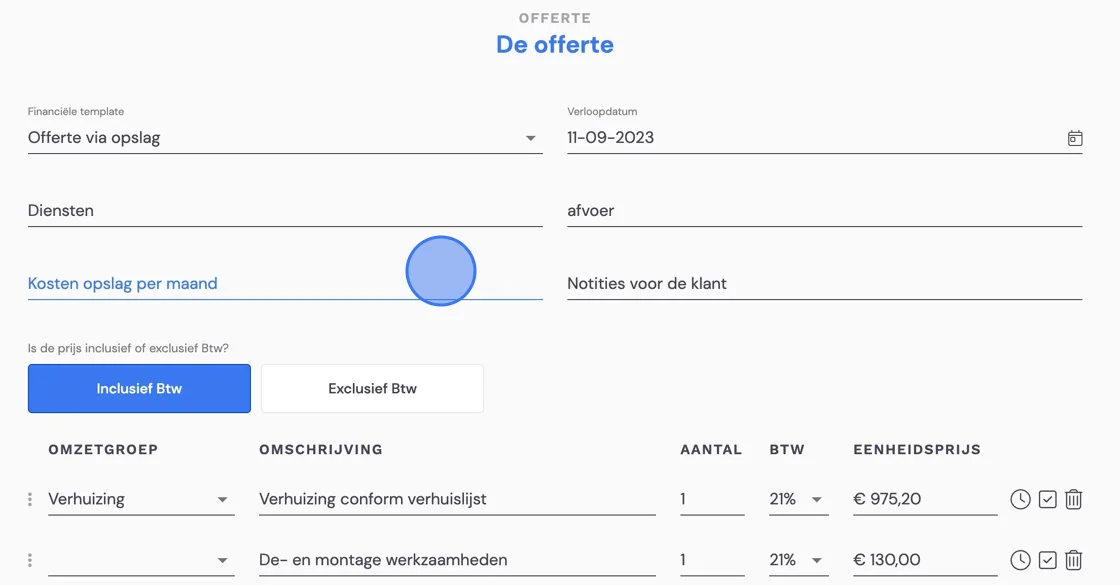
If you have a customer who wants to move via storage, the storage costs usually need to be invoiced separately from the removal costs. If you enter the storage costs in the packages alongside the removal costs, they will be included in the removal invoice. To avoid this, we recommend using a free text field. Here is the code you can place in your template.
€ #{{quote.freeText['Kosten opslag per maand']|nl2br}} per month
(gives: € 270 per month)
or
€ #{{quote.freeText['Kosten opslag per maand']|nl2br}},00 per month
(gives: € 270,00 per month)
For entering free text fields, you can have a look at :
So always make sure you don't include the storage costs in the quote lines, and that the surveyor then enters the costs correctly in the free text fields and in the estimate. See an example below.
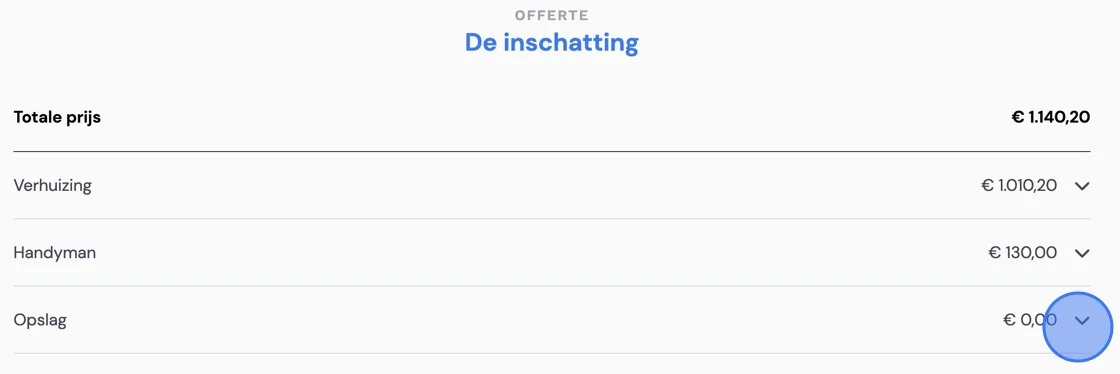
Enter the costs for the storage here. This field ensures that the invoice for the storage costs is automatically prepared with the correct amounts.
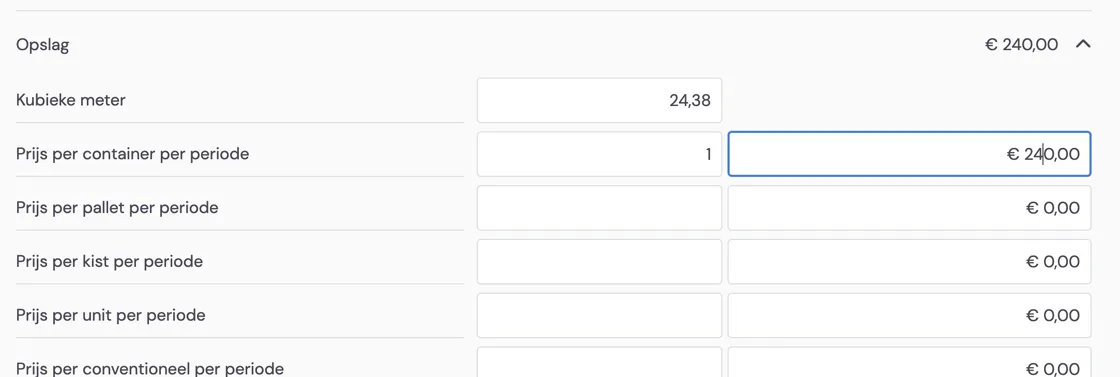
On the next page, you enter the price for the storage here. This is what the customer will see. You can also adjust or fill in these fields later at the office in the "back office". After this, handle the quote like any other.