
Leave balances
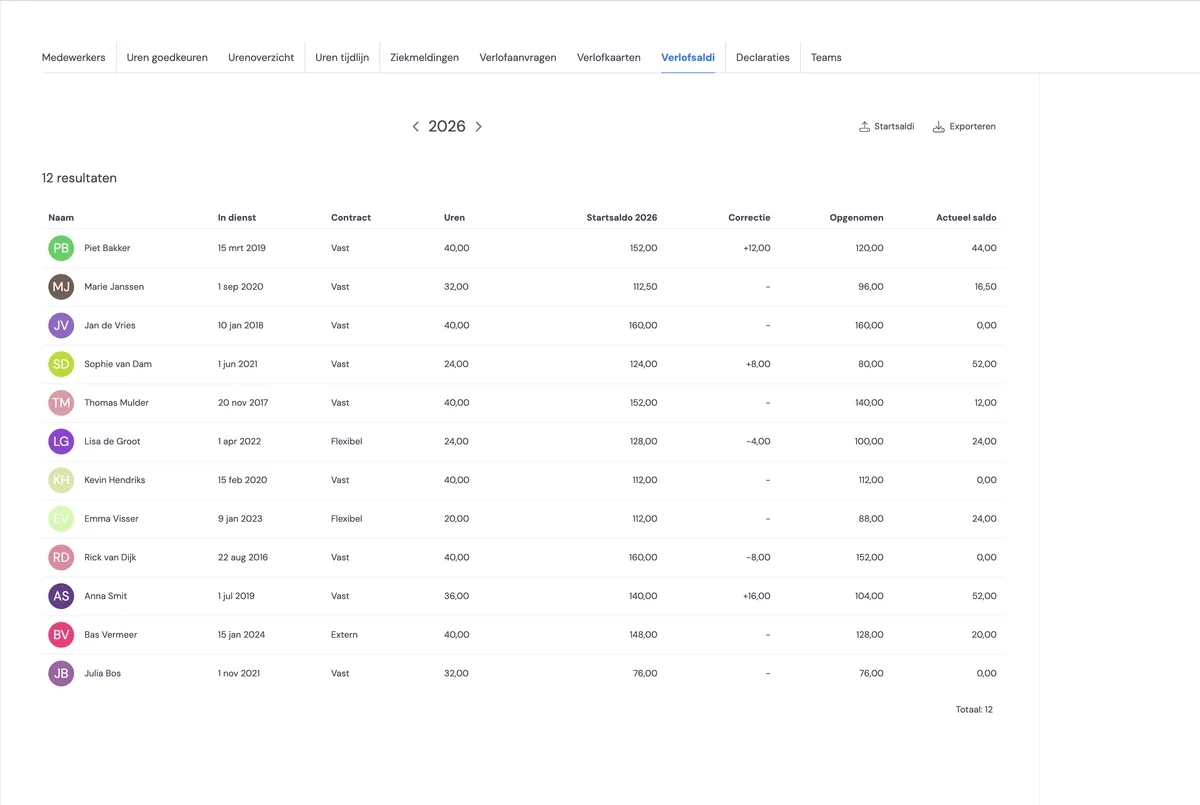
You'll find the overview of the leave balance for all employees under HRM and then 'Leave balances'.
Entering starting balances
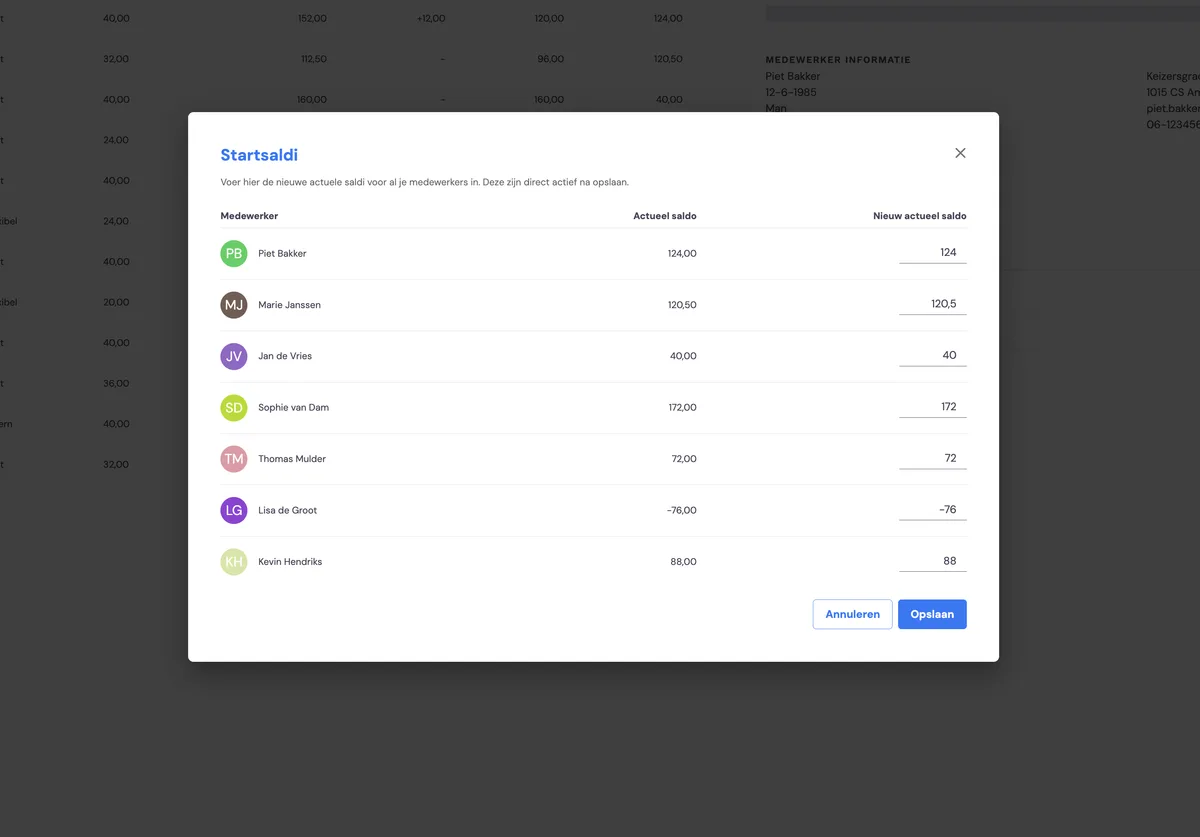
You can enter the starting balance for all employees in one go using the 'Starting balances' button. You do this when you're going to start managing leave in Bas. In the pop-up you get after clicking this button, you can enter the current starting balance for everyone. Please note: this overwrites all employee balances! This action cannot be undone.
Entering leave entitlement for an employee
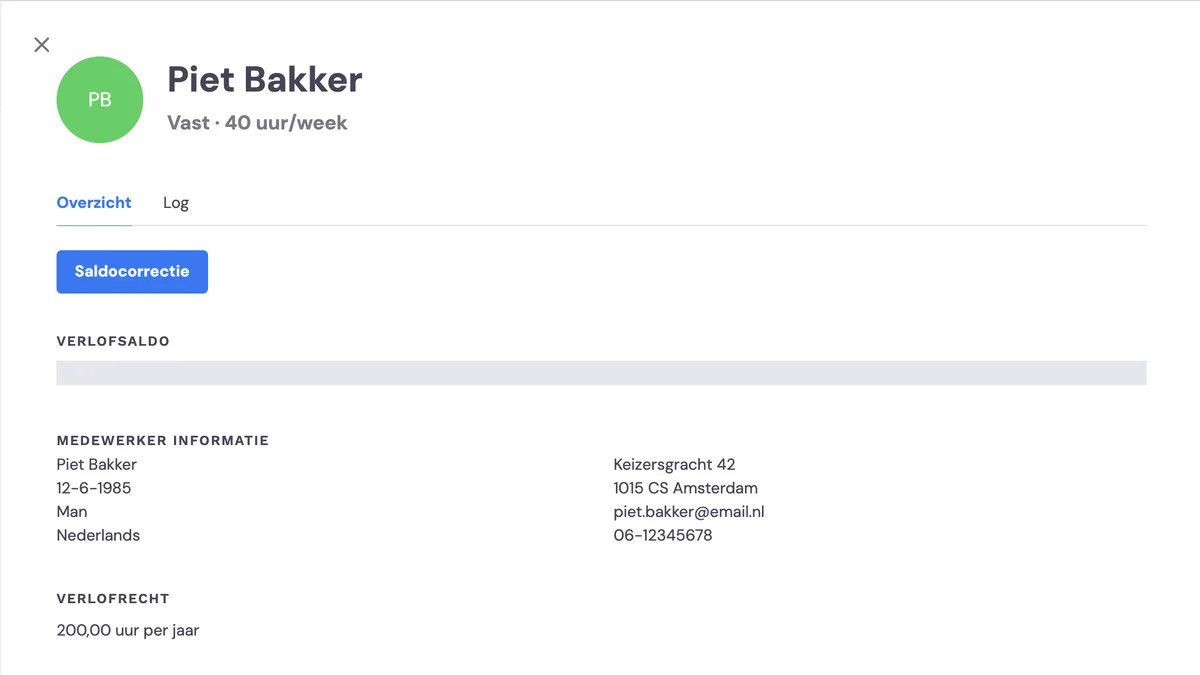
If you want to enter the leave entitlement for an employee, you can do this in the employee's detail screen under leave balances. Move your cursor over the leave entitlement, click the pencil icon and enter the correct leave entitlement for the employee.
Applying a balance correction
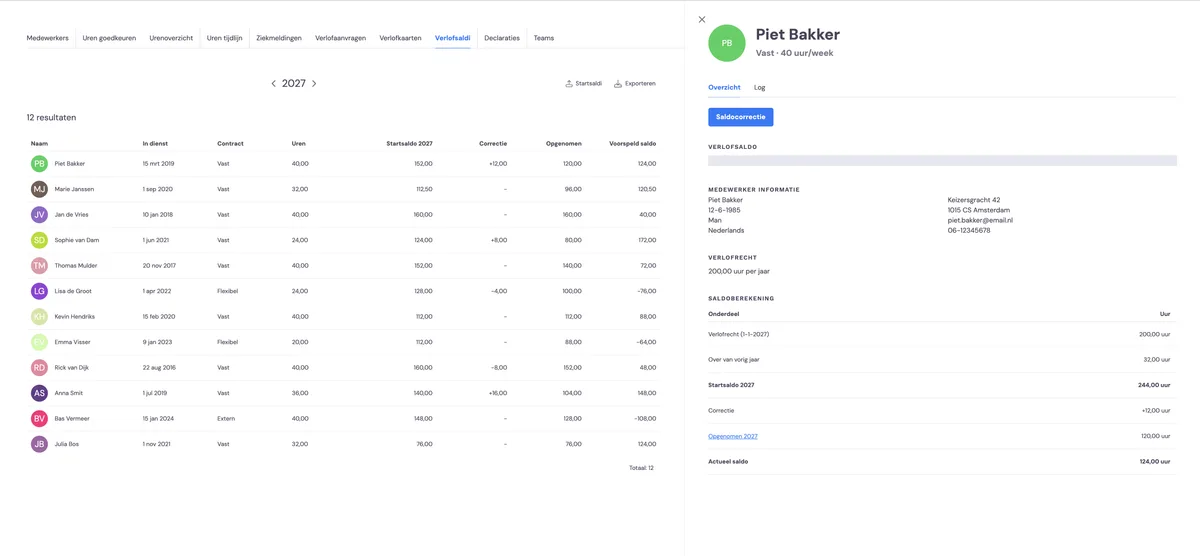
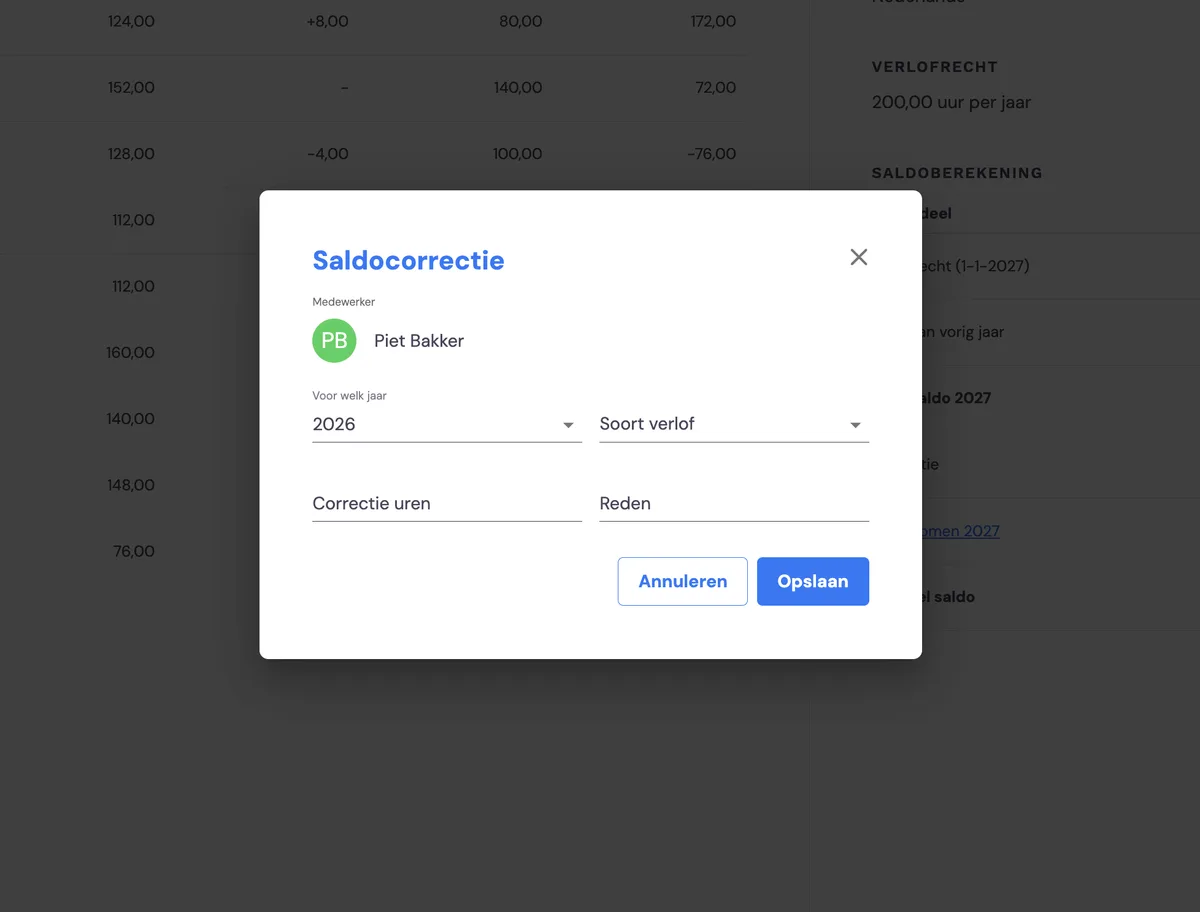
If you want to apply a balance correction for an employee, you can do this using the 'Balance correction' button on the selected employee. Here you can, for example, process expired statutory / additional leave hours or make an adjustment if needed.
Transition to the next year
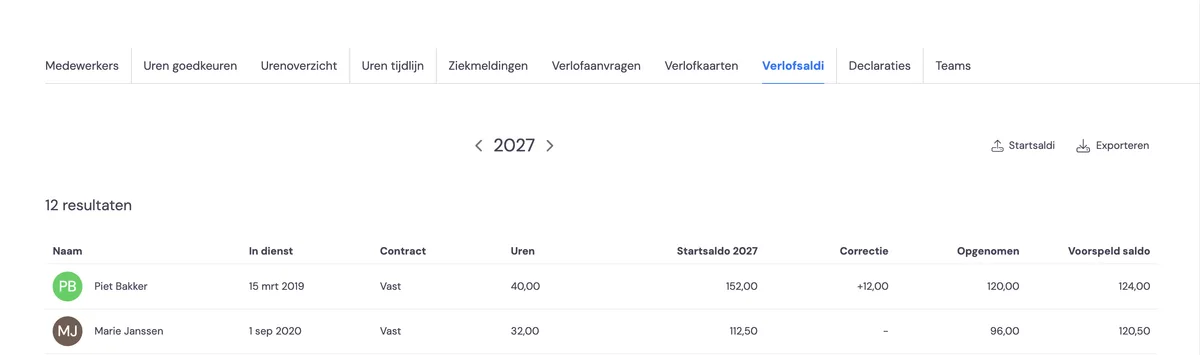
You can view (the forecast for) the balance for the next year by clicking through to the next year via the year selector. The balance is calculated automatically. The calculation is based on the employee's leave entitlement and the leave requests already approved for that year.
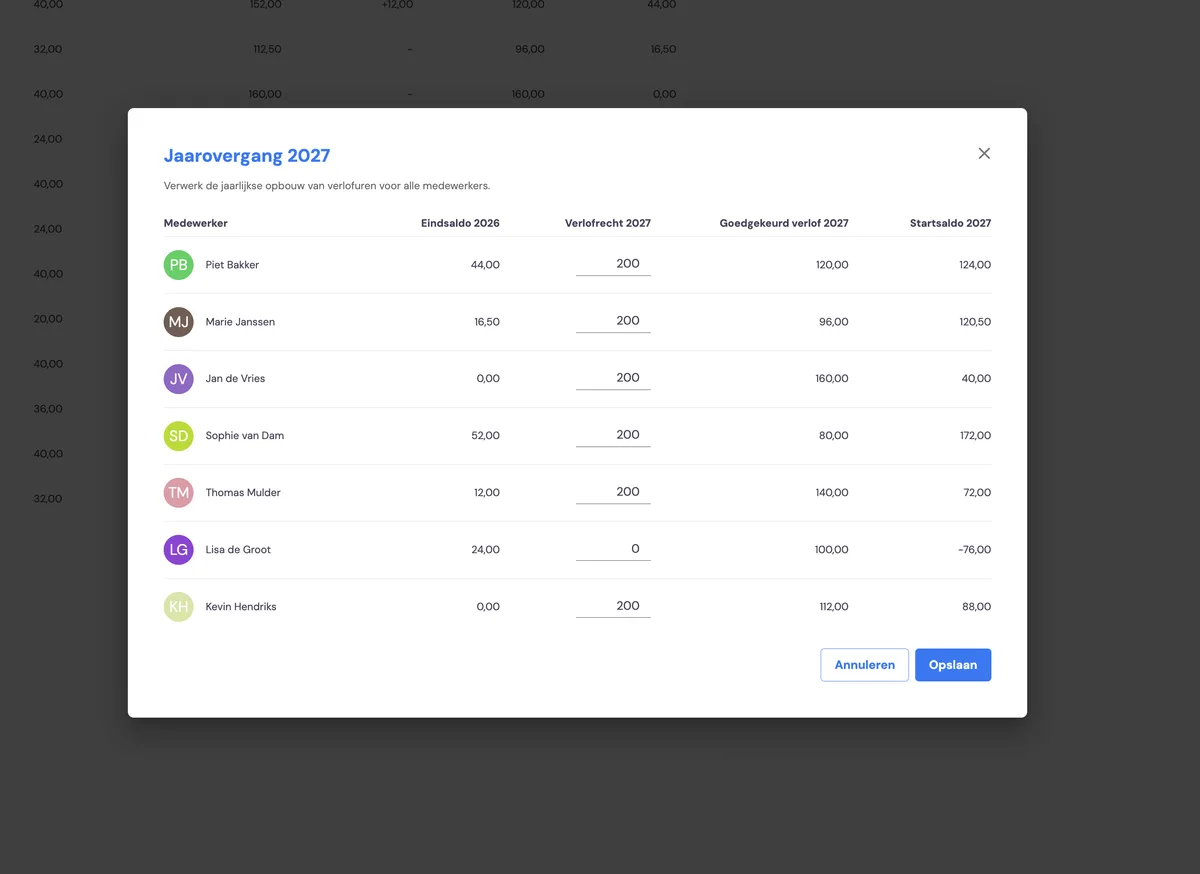
If you do this for the first time, the system will ask for the employees' leave entitlement if it hasn't been entered before. The system makes a suggestion for the next year, you can still make any changes to the balances, and after saving, the next year is ready for you.