
If an employee leaves your company, you can easily record this in Bas. Please note: an employee who is no longer employed can no longer log in!
Report an employee as no longer employed
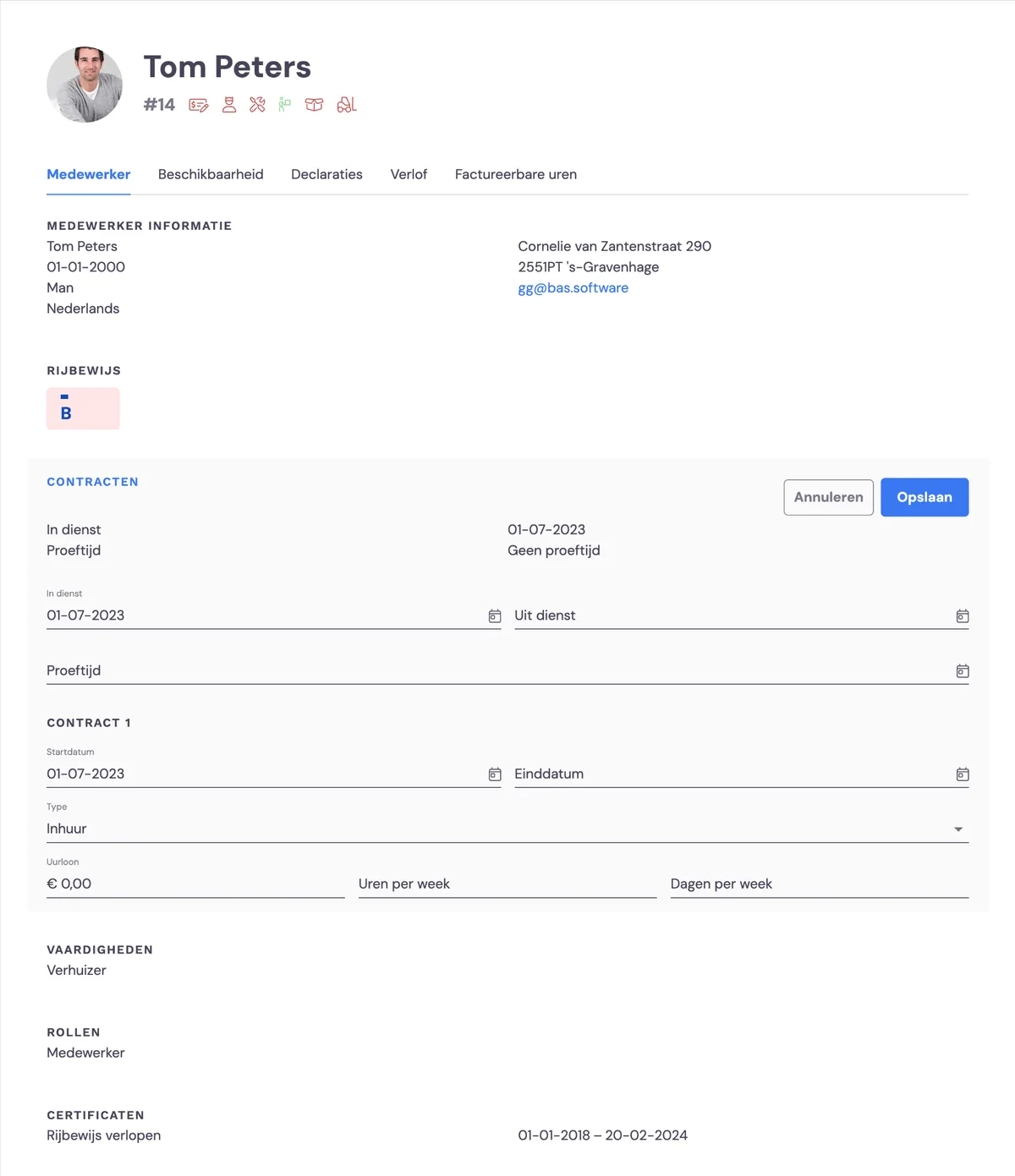
You can report an employee as no longer employed via HRM > Employees. Then click the pencil icon next to the contracts. Adjust the end-of-employment date.
An employee who is no longer employed can no longer log in
An employee can only log in to the employee app or the back office if they are currently employed!
Finding an employee who is no longer employed in HRM
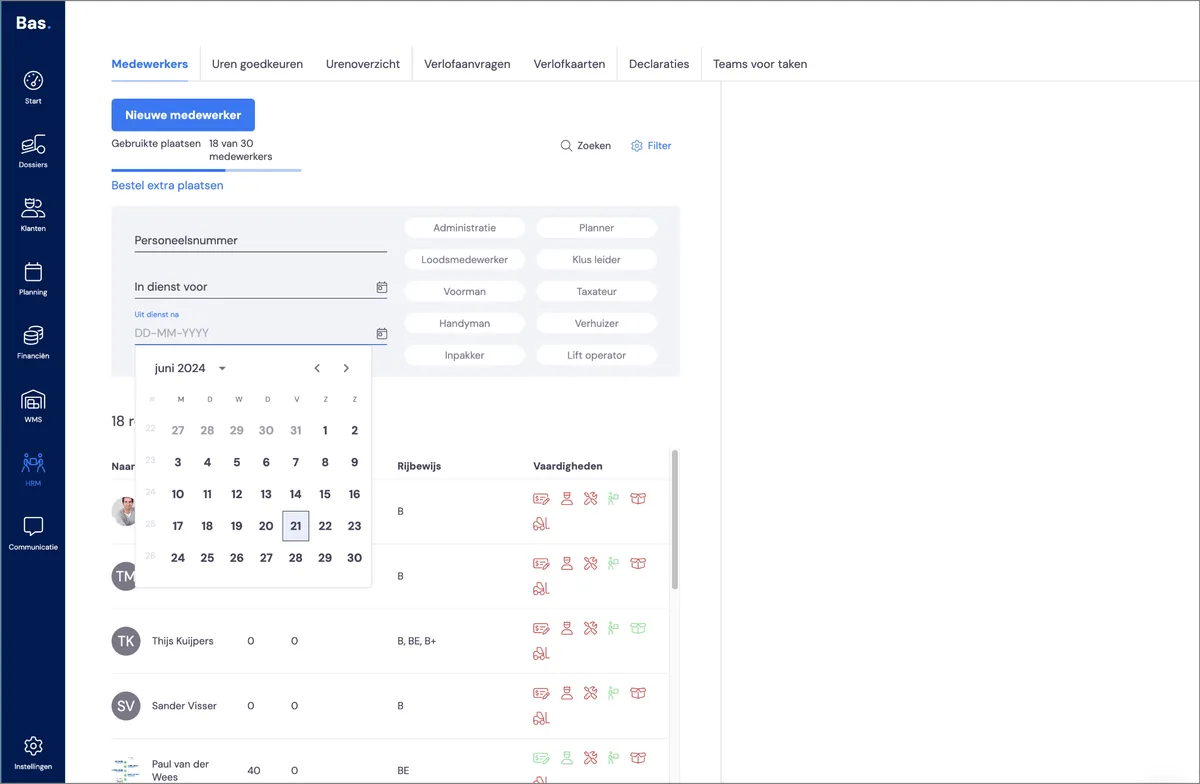
An employee who is no longer employed is normally not shown in the employee list. This keeps things clear and organised. If you want to edit an employee who has left employment, select 'no longer employed from' in the filters and enter the date on which the employee left employment.