
Overview of warehouses
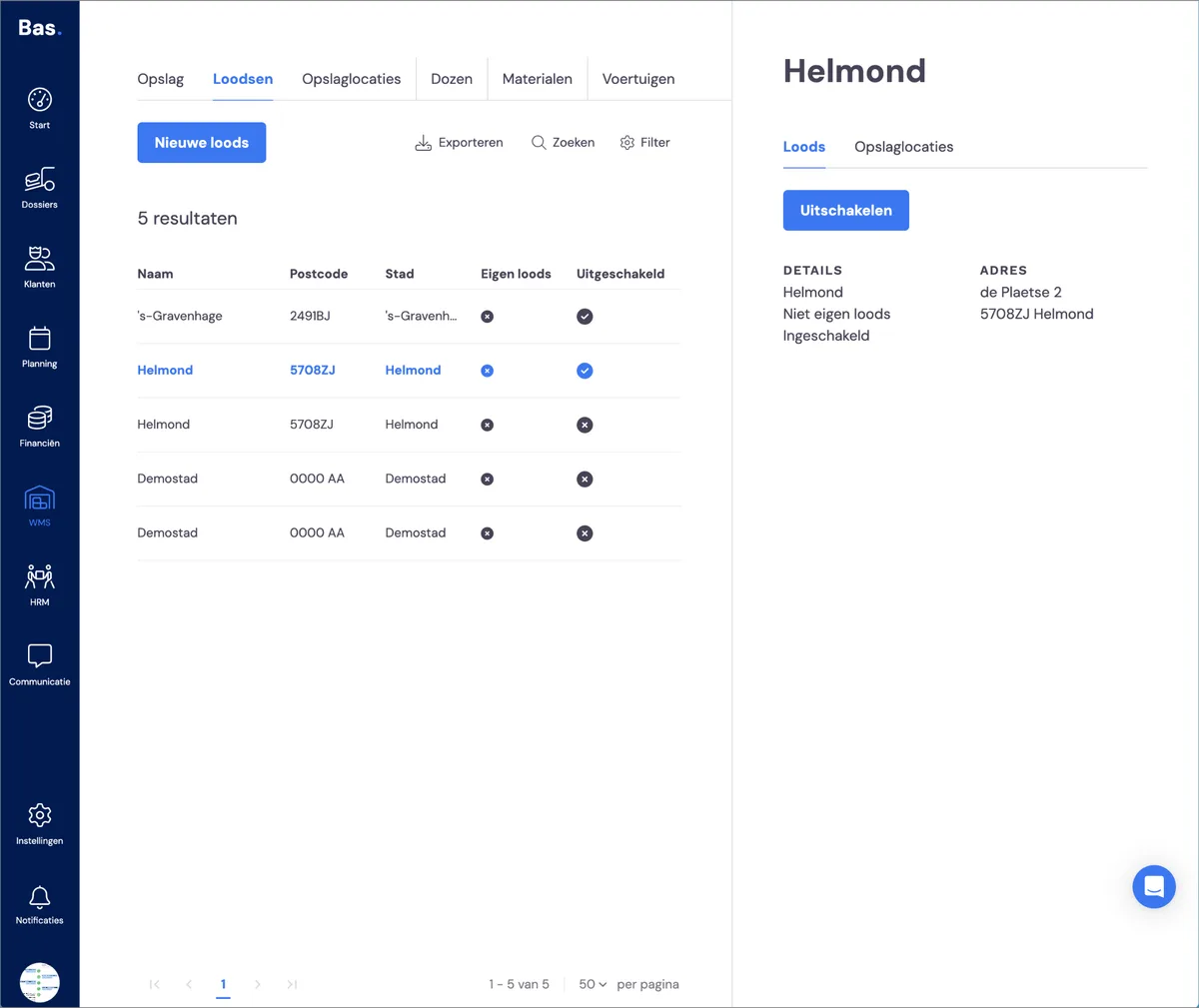
Via WMS > Warehouses, you'll find an overview of all the warehouses created for your company.
You immediately see the name, postcode and city, so you can identify the warehouse. You also see whether it's your own warehouse (or one you rent), and finally the status: whether the warehouse is enabled or not - a warehouse must be enabled in order to use it.
Adding a warehouse
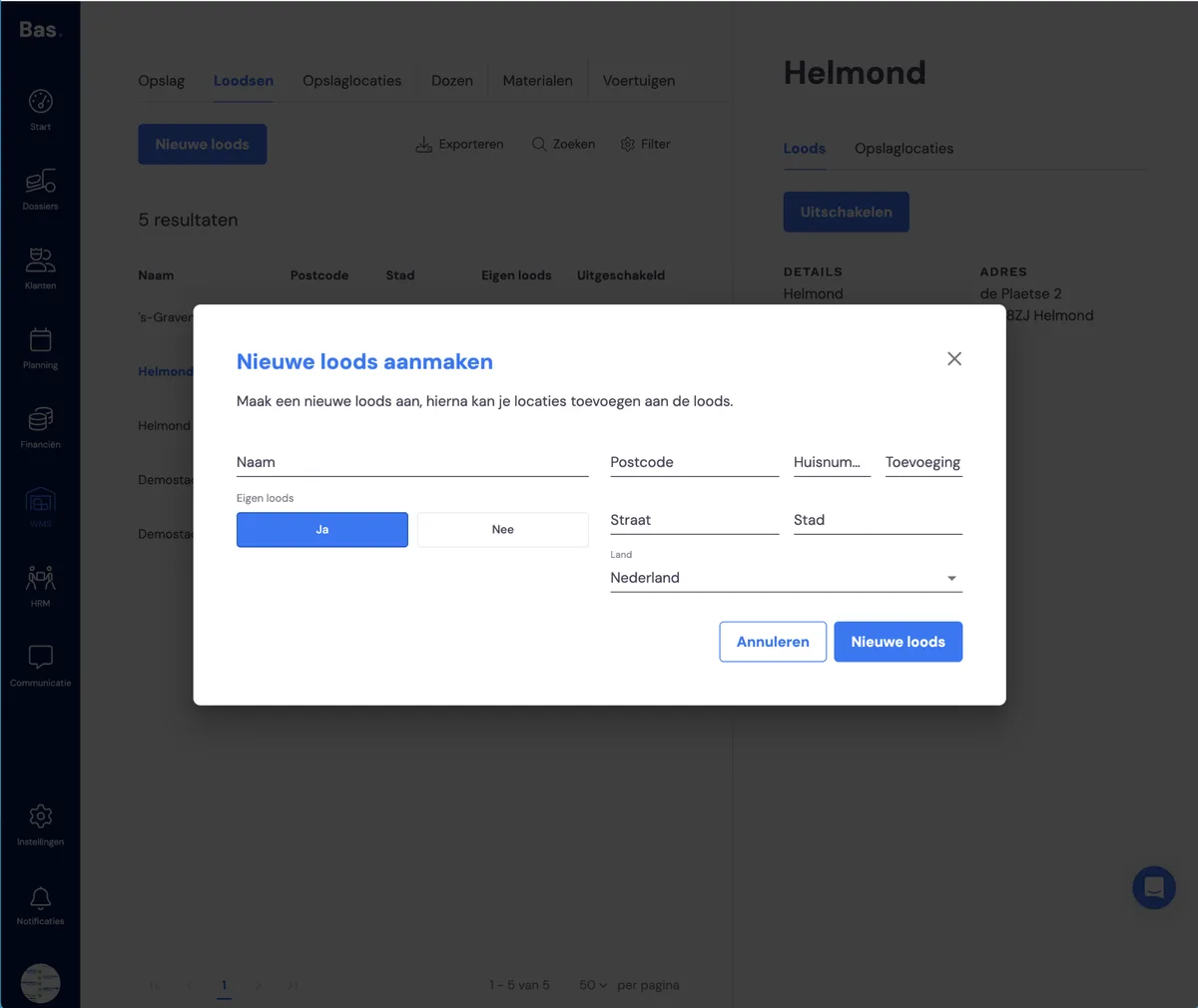
To add a warehouse, click on 'New warehouse'. Enter the name and address here, and indicate whether it's your own warehouse or not. Enter the address details and, after clicking 'New warehouse', it's created and ready for use.
Editing a warehouse
To edit a warehouse, click on the warehouse you want to edit. The warehouse's details appear on the right-hand side of the screen. You can edit these by hovering your mouse over the details and then clicking the pencil icon.
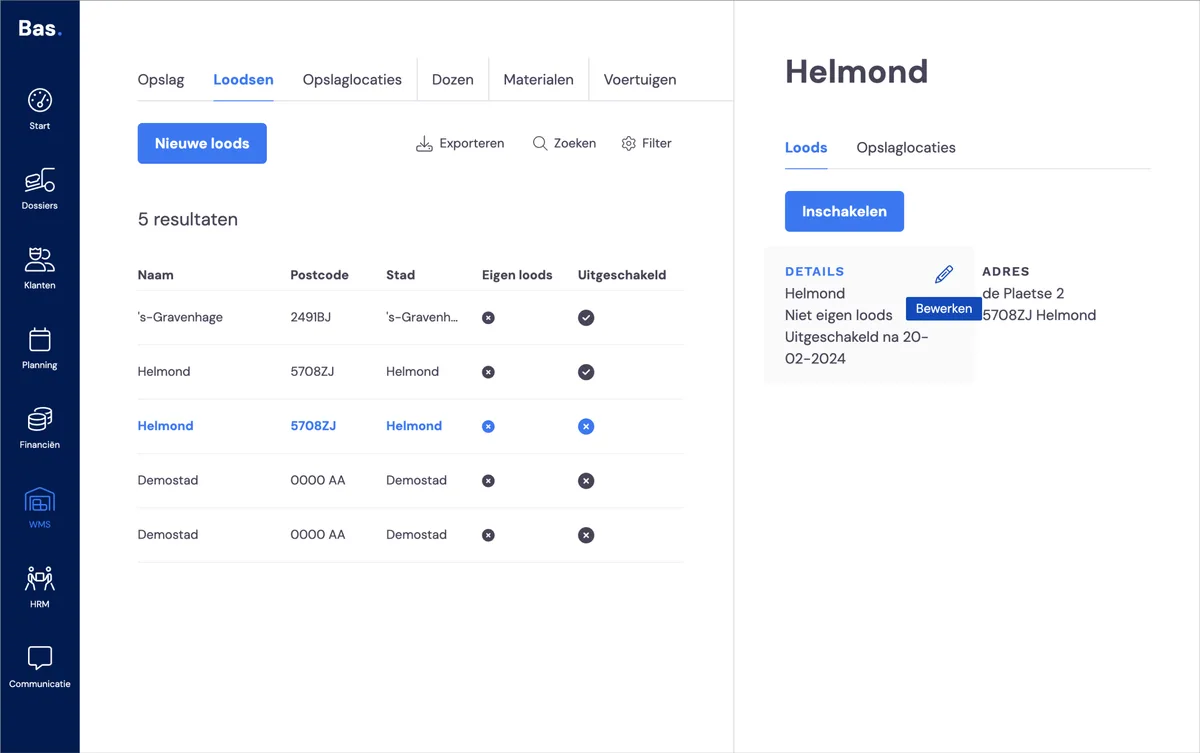
If you want to change the name, hover your mouse over the 'Details' box and click the pencil icon.
If you want to change the address, hover your mouse over the 'Address' box and click the pencil icon. Change the details you want to edit here and then click 'Save'.
Disabling a warehouse
Closing a warehouse, or no longer using a rented warehouse? Then you can simply disable it.
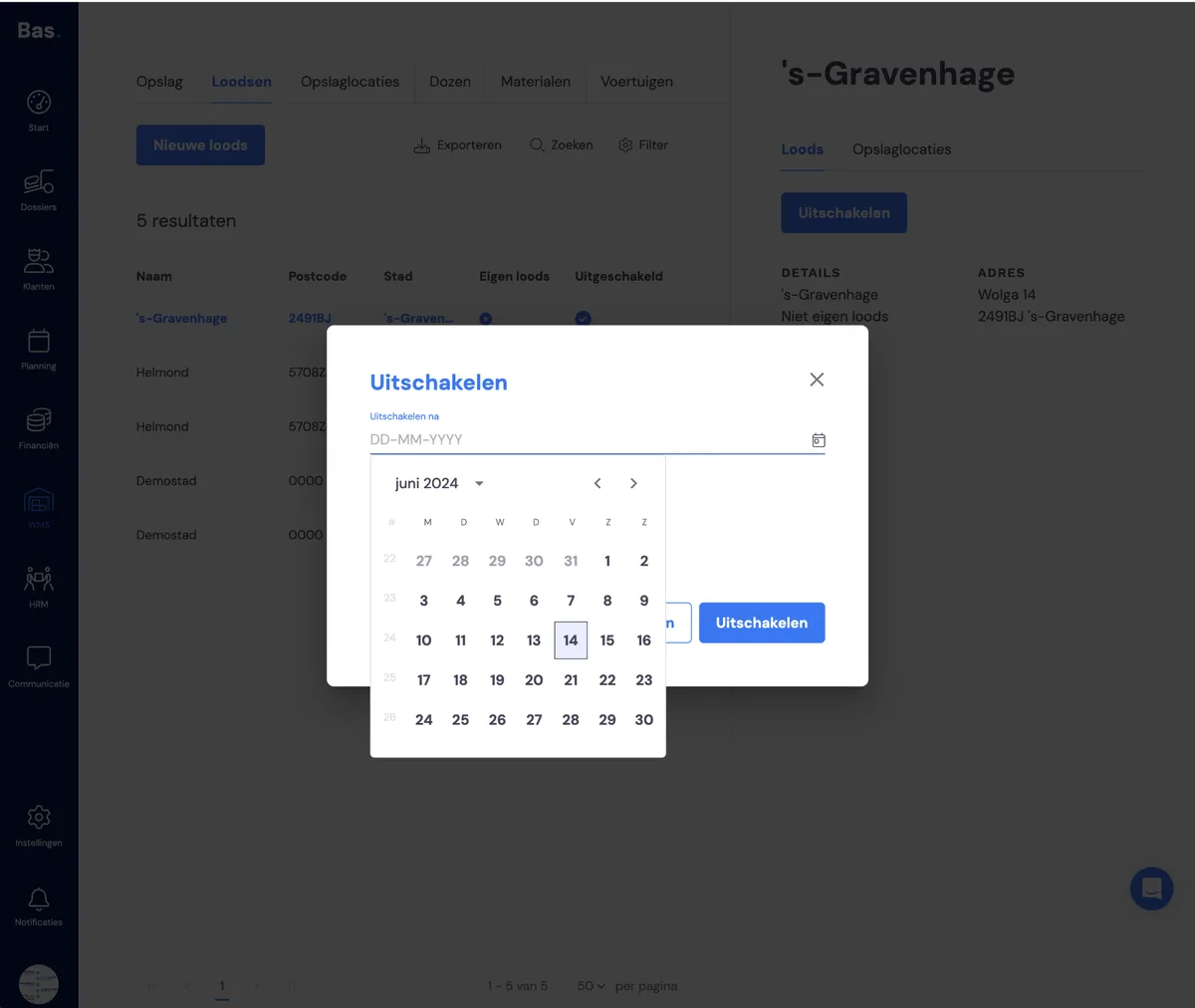
Click on the warehouse and click the 'disable' button on the right-hand side of your screen. Then choose the date from which the warehouse is no longer in use. Click 'disable' and, from the chosen date, the warehouse can no longer be used by employees.
What happens when you disable a warehouse?
When you disable a warehouse, it's hidden from your employees. They can then no longer select this warehouse. However, if storage is already present in the warehouse, it remains in place and you retain an overview of it.
Enabling a warehouse
You do this by clicking on the warehouse you want to enable and then clicking the 'Enable' button.
Managing storage bays
To keep working with storage clear and organised, you can divide warehouses into storage bays. You can organise a warehouse yourself, for example with row numbers and bay numbers, so a warehouse employee can find a customer's storage.