
At some point, all the handling units for a transport job have been received. Or enough handling units have been received to start scheduling the transport. This moment is determined by the warehouse employee. The warehouse employee indicates this in the system by marking the handling unit as 'ready for dispatch' in the back office.
Ready for dispatch
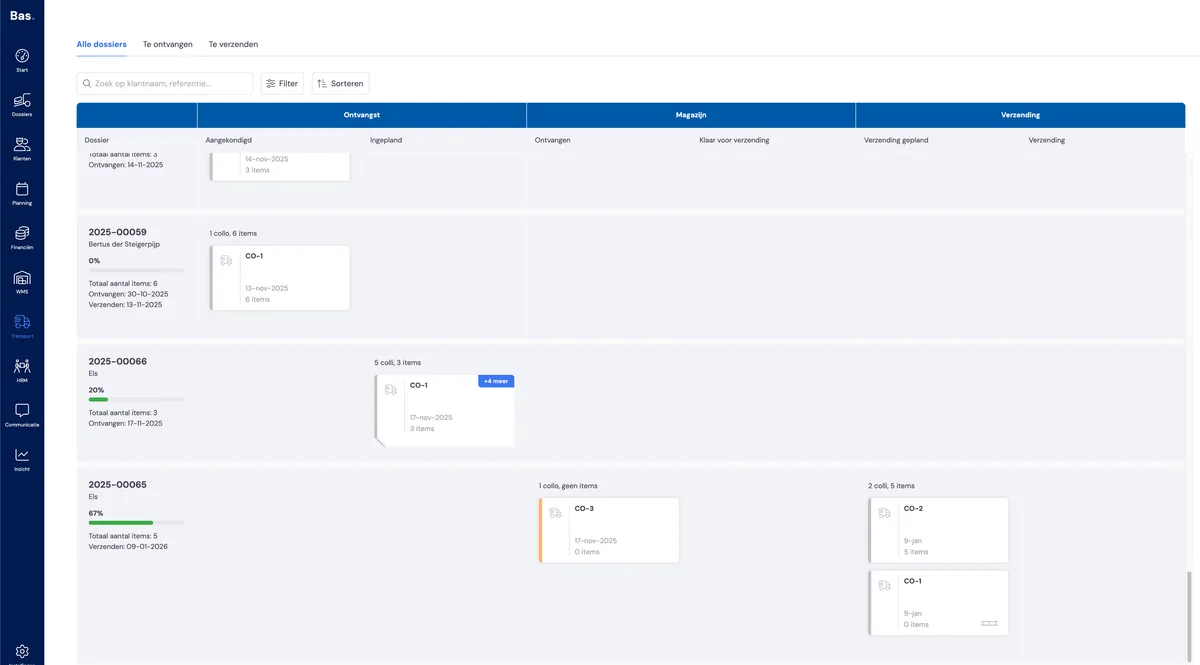
In the screen above (Transport > All case files in the back office), you can see that a handling unit has been received for case file 2025-00065. The warehouse employee can indicate that the handling unit in this phase is ready for dispatch by clicking on the card.
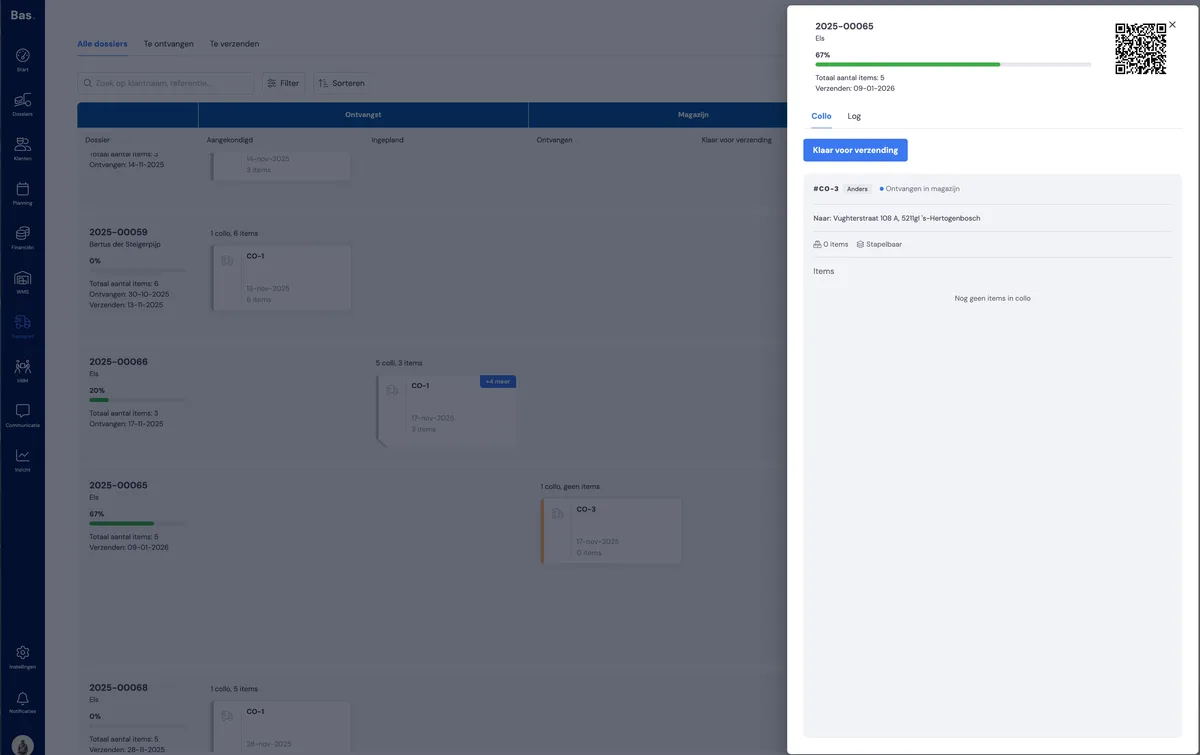
After the warehouse employee clicks on the card, the detail screen appears on the right with all the information about the handling unit. And the option 'Ready for dispatch'.
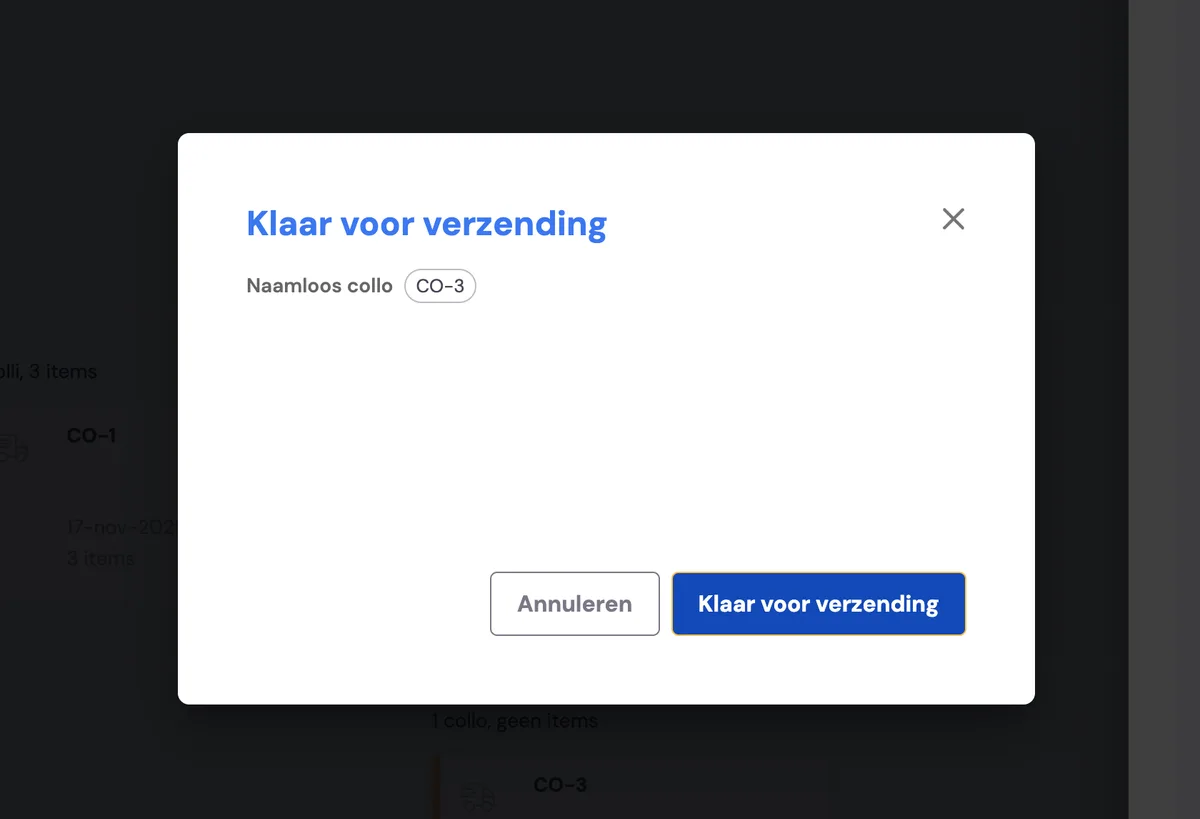
After clicking this button, the warehouse employee can mark this (and any other handling units in the same phase) as 'ready for dispatch' using the 'Ready for dispatch' button.
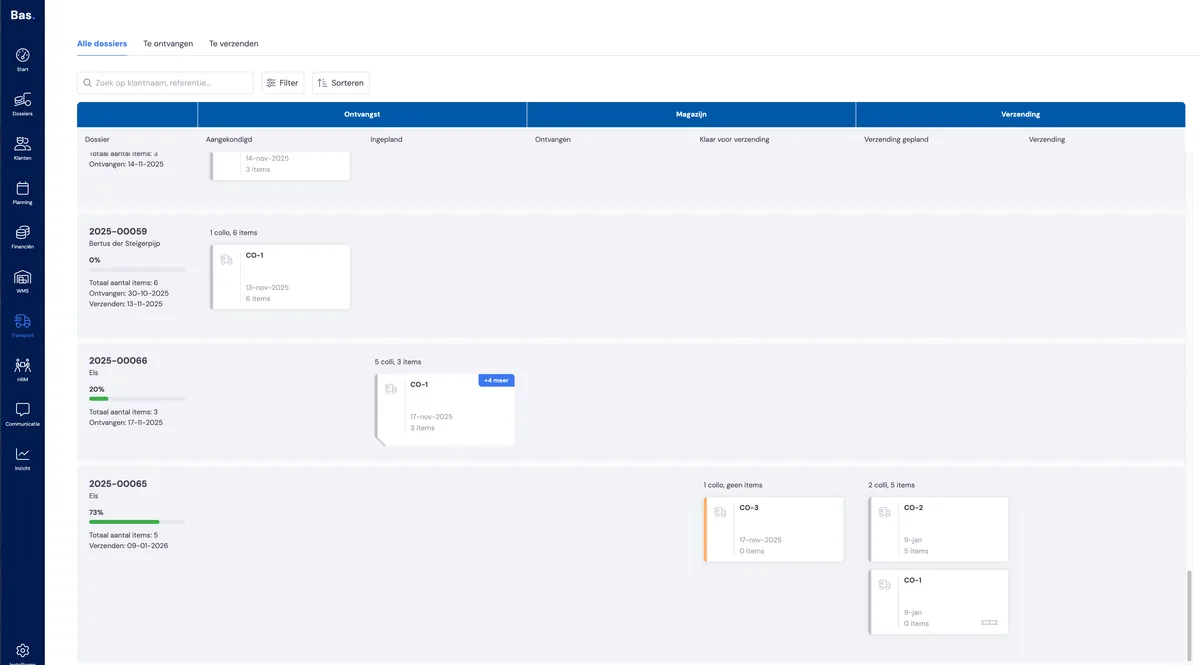
In the portal, the card has moved to the next phase
The back office has received an email to schedule the dispatch
The customer has received an email to check the case file in the portal
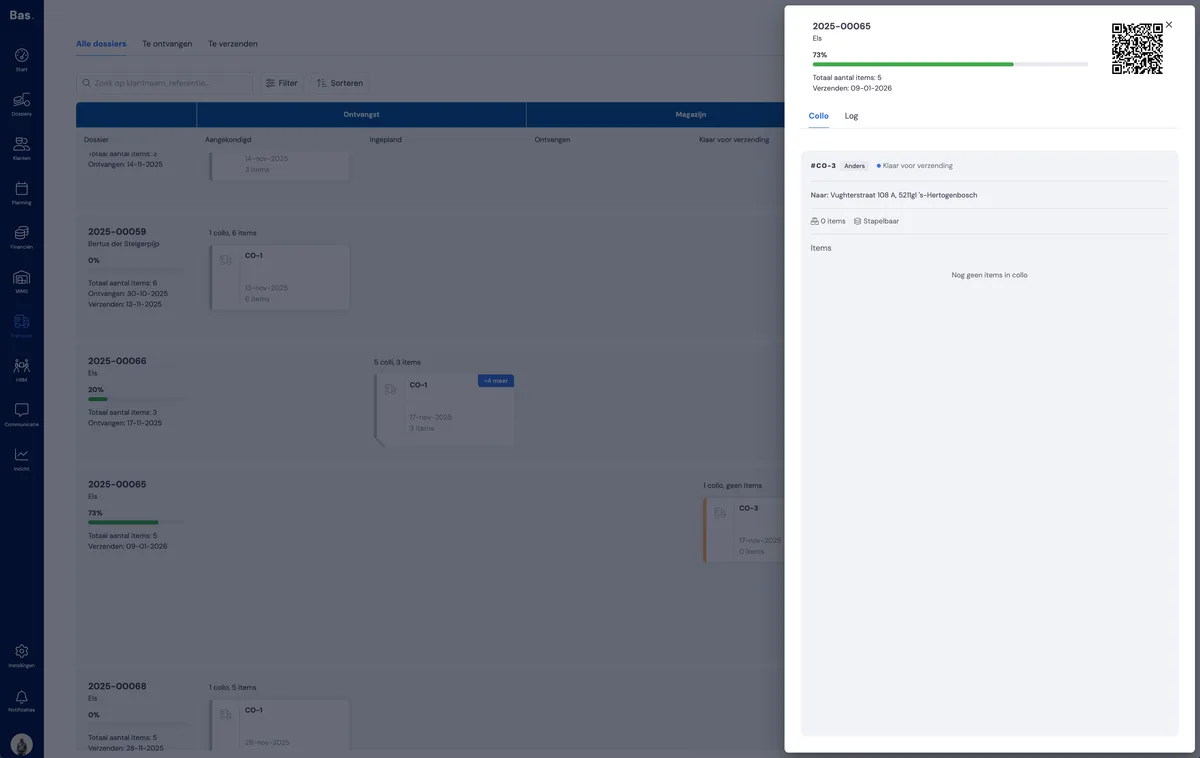
The details now also show that there's no action required from the warehouse employee. It's now up to the back office to schedule the delivery to the end customer.
Next step
The back office schedules the delivery to the end customer, and the driver can get started loading and delivering to the customer.