
Customer message: inviting a customer
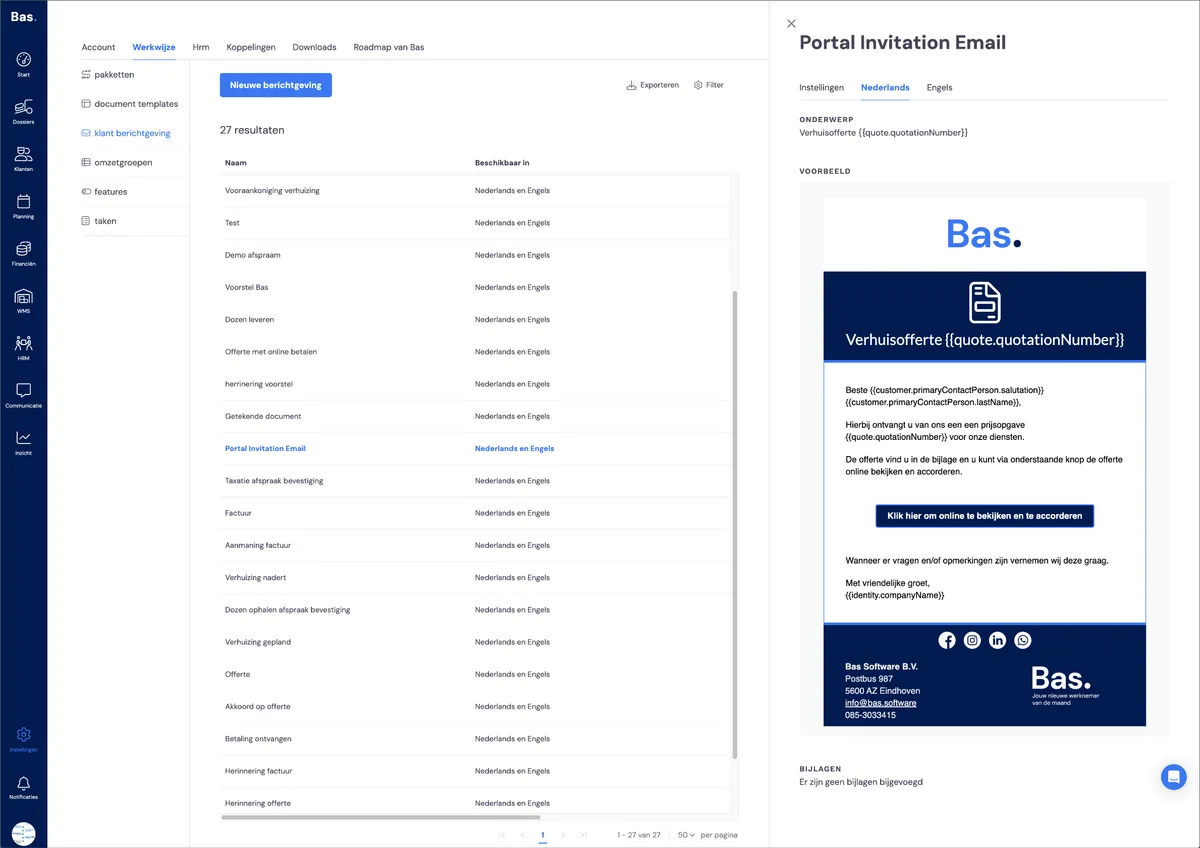
In the back office, you'll find a specific customer message used to invite your customers to start using the customer portal. You'll find this customer message under settings > process > customer messages. The title of the customer message is 'Portal invitation Email'.
Packages
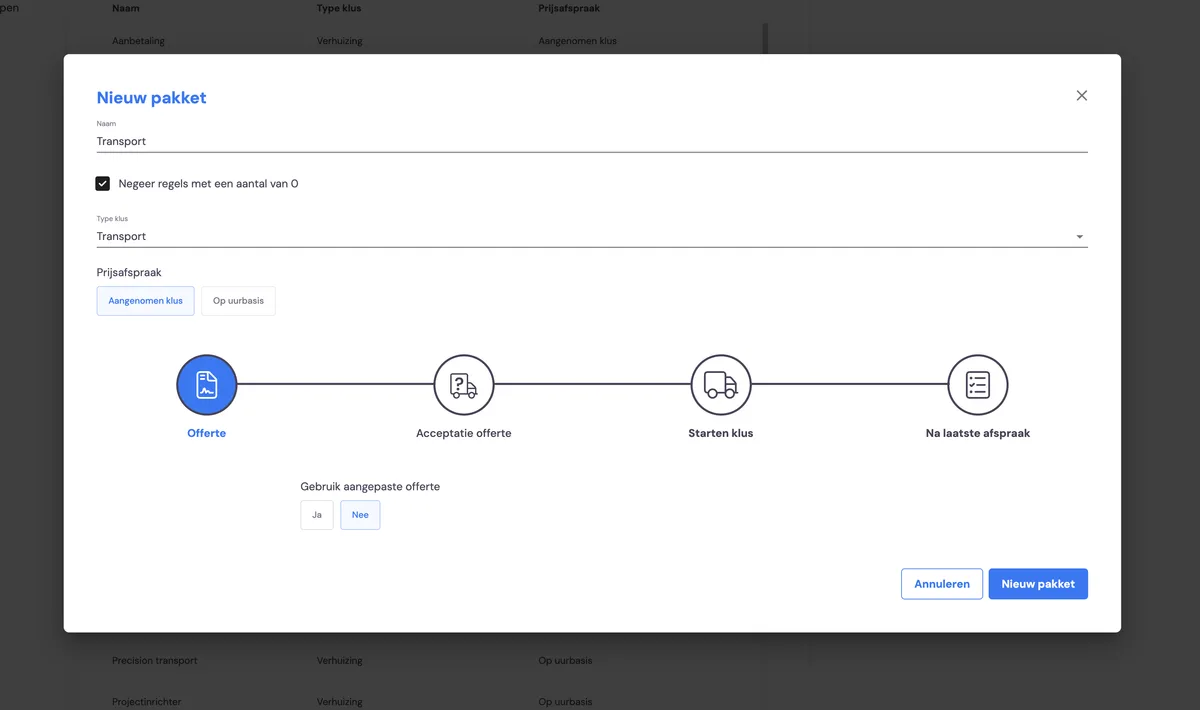
Set up invoicing via settings > process > packages. Here you create a new package with the type 'transport'. As with the other packages, choose the invoicing moments here. For the invoicing moment, choose 'After last appointment' to have invoicing take place after the last appointment.
Standard amount for a transport job
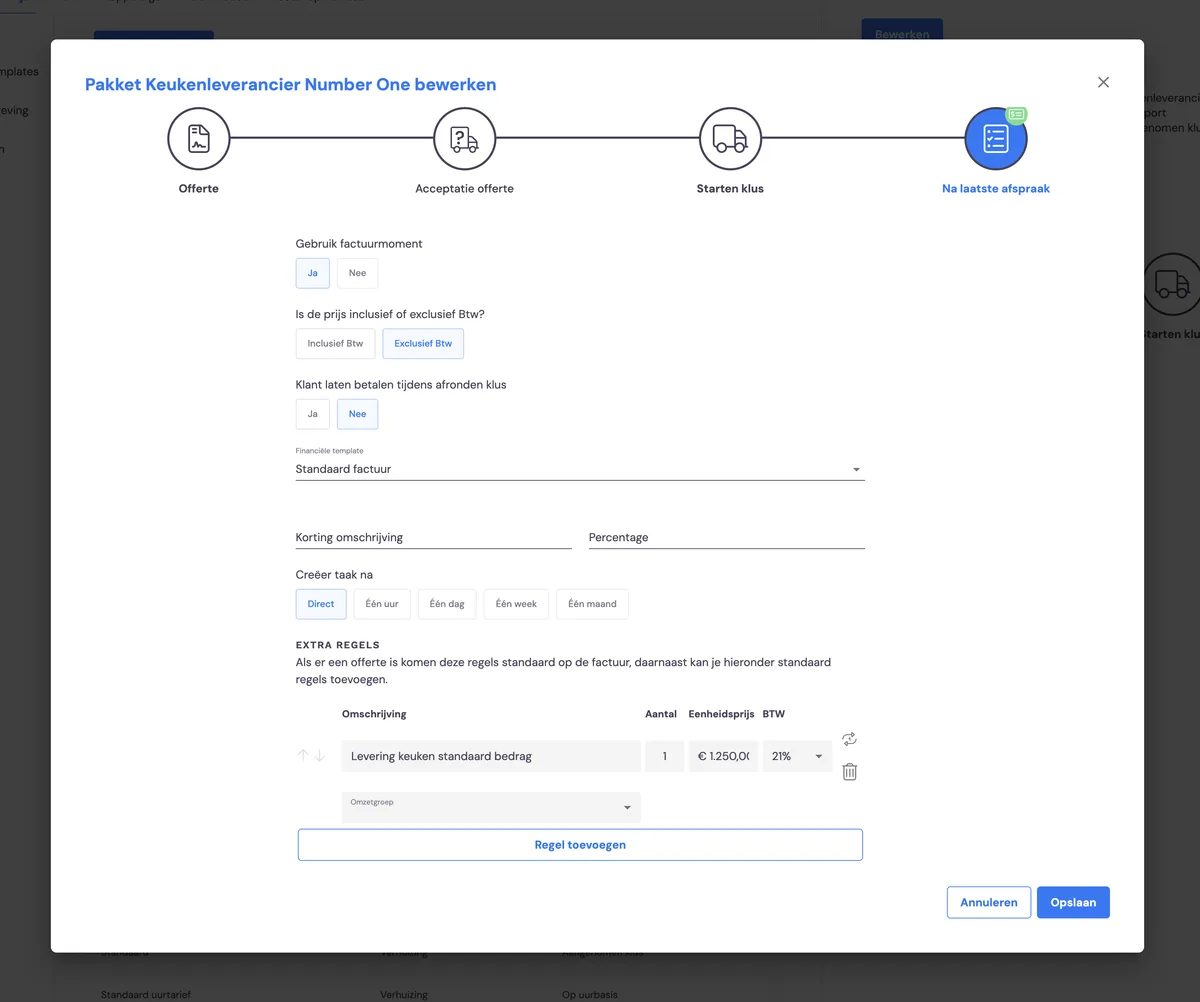
If you work with a standard amount per delivery, you can set this up in advance in the extra lines. This way, you can include a fixed amount per customer on your invoice.
Transport jobs in the back office
Once all the settings are done, you can start working with transport jobs that have come in via the portal