
April was all about major product updates. The new planning is live with the first customers, the Bas app for removal crews has a completely redesigned start screen, damage reporting has been improved, and you now manage vehicles just as easily as employees. We'll take you through all the changes.
The new planning
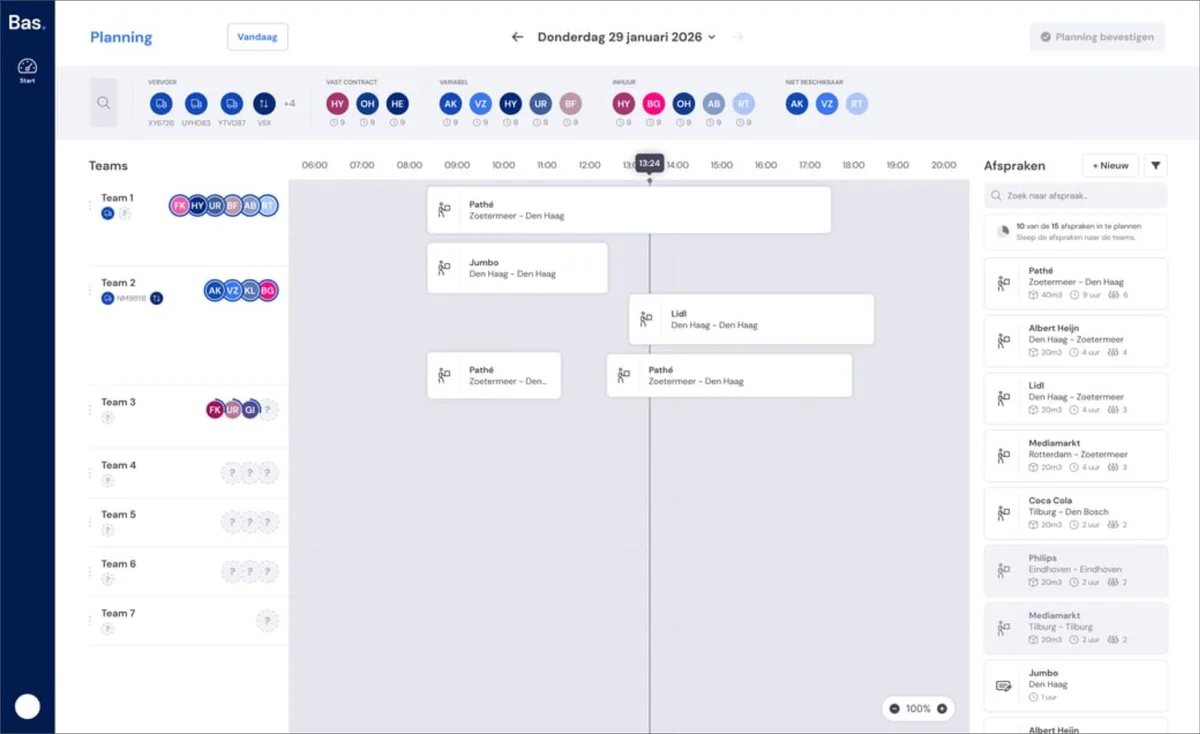
Forget the old planning screen. This is planning as it should be: a horizontal planning board with all your teams on one timeline, so you can see at a glance what's happening that day.
Planning by team, not by individual job
Drag appointments from the sidebar straight onto a team. If you have several short appointments, place them one after another to keep the order and staffing sharp.
Travel time calculated automatically
Bas calculates the expected travel time between each stop, including the drive to and from the warehouse. This way you can see straight away whether enough time has been scheduled between appointments, allowing you to plan even more precisely.
Hover for employee details
Not sure who to assign? Hover over an employee and you'll see their contract, skills and available hours.
A draft until you're ready
Changes remain a draft on your screen. Only when you click Confirm planning are they sent to employees and customers. No more changes accidentally leaking out.
Redesigned Bas app for removal crews
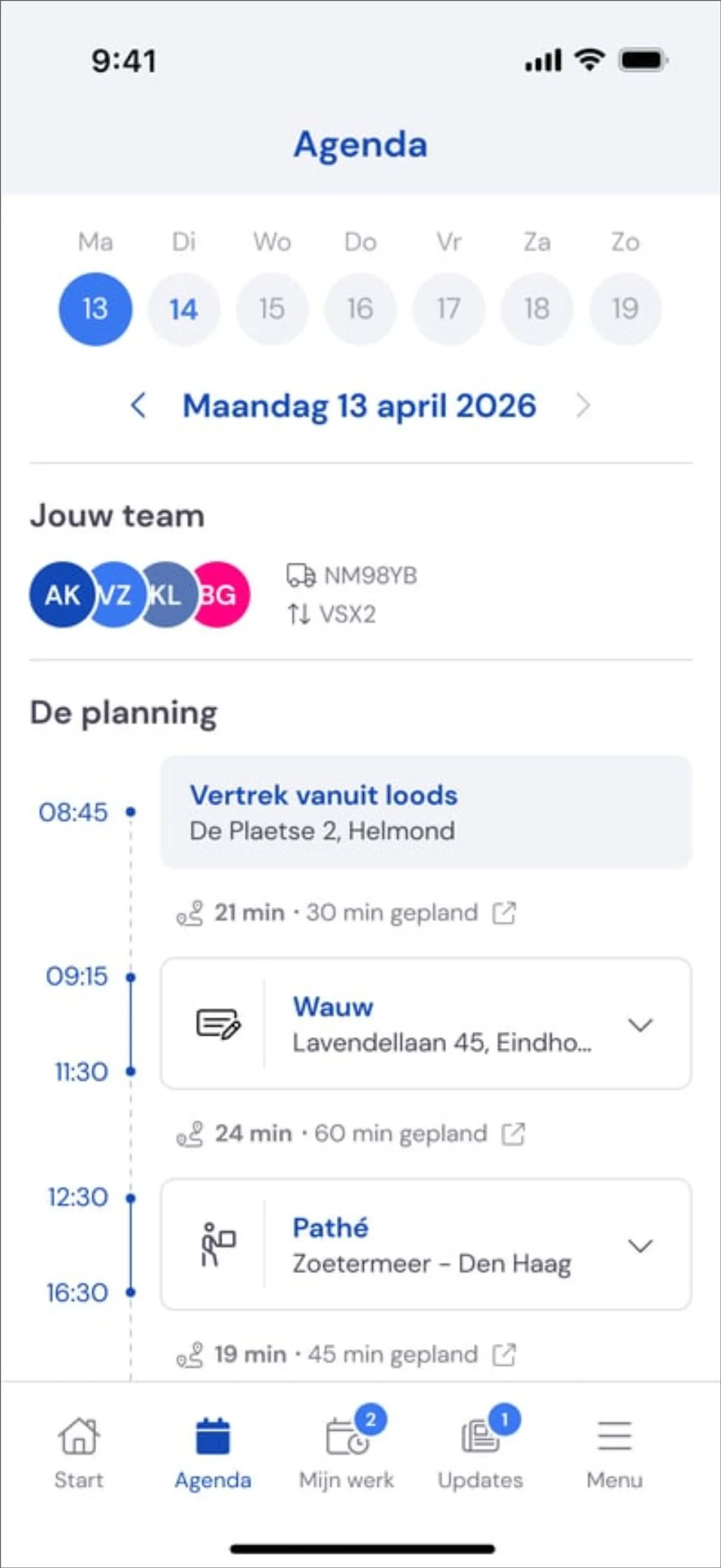
If you use the new planning, the app's start screen also becomes much clearer. It shows employees exactly what their day looks like: team, vehicle, departure from the warehouse, all events in order and the travel times in between. No more searching around.
See everything about the new planning >
Damage reporting improved
When reporting damage, you can now indicate that it is not known who caused the damage, so it can be properly recorded in those cases too. In addition, employees can now see the photos of the damage in the app, and the form for entering the damage has been simplified.
Quotes: correct company name after acceptance
Do you work with multiple identities? The acceptance page now shows the company name of the identity that sent the quote. And action buttons remain visible, even if the customer has been deleted.
Taking a vehicle out of service
Selling a vehicle or taking it out of rotation? Enter an end date instead of deleting it. Just as with employees: the vehicle disappears from new planning, but remains visible in historical case files. In addition, more vehicle types are available (tractor unit, service vehicle, various trailers and semi-trailers), including the maximum number of people for the planning.