
In Bas you can keep track of the stock of the materials you use on your jobs. Think of furniture dollies, roll containers, computer crates, etc. You can also enter suppliers of materials, place orders and book in orders.
In this step you enter materials, enter suppliers, and book in an initial order so that you have entered the stock of materials.
Entering material types
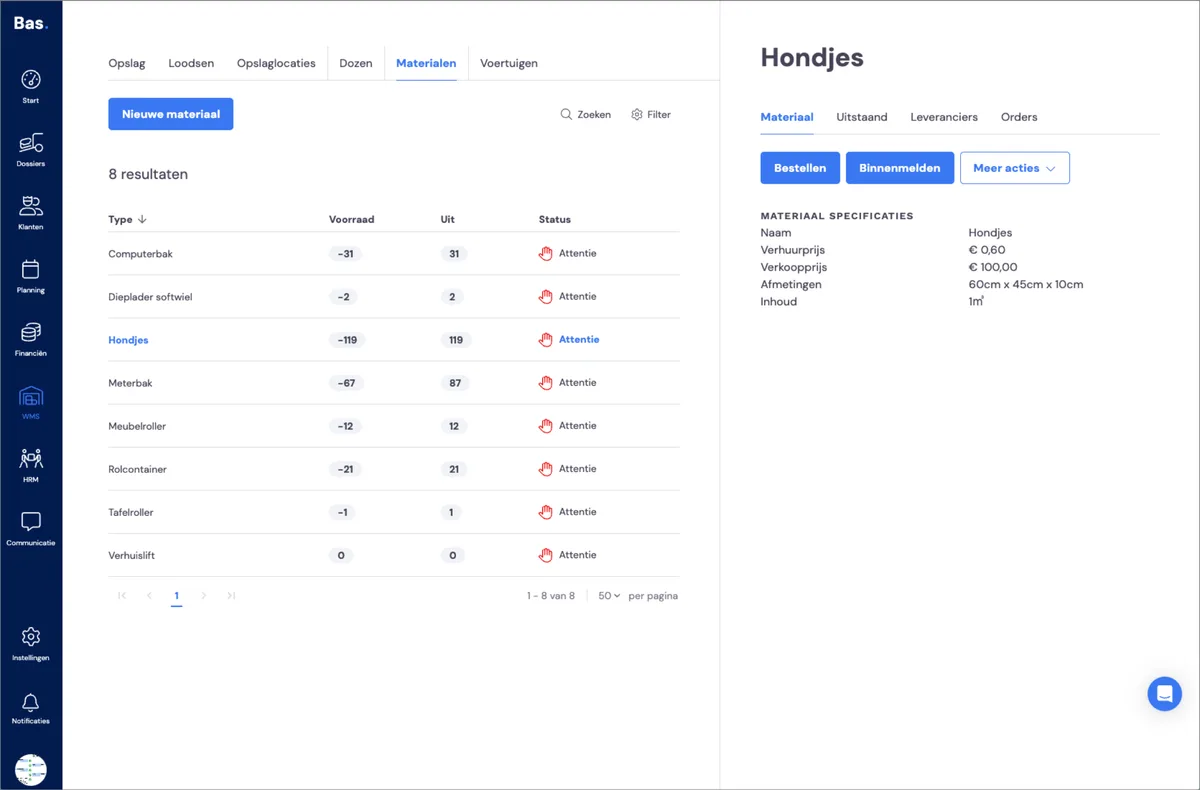
Go to WMS and then to Materials.
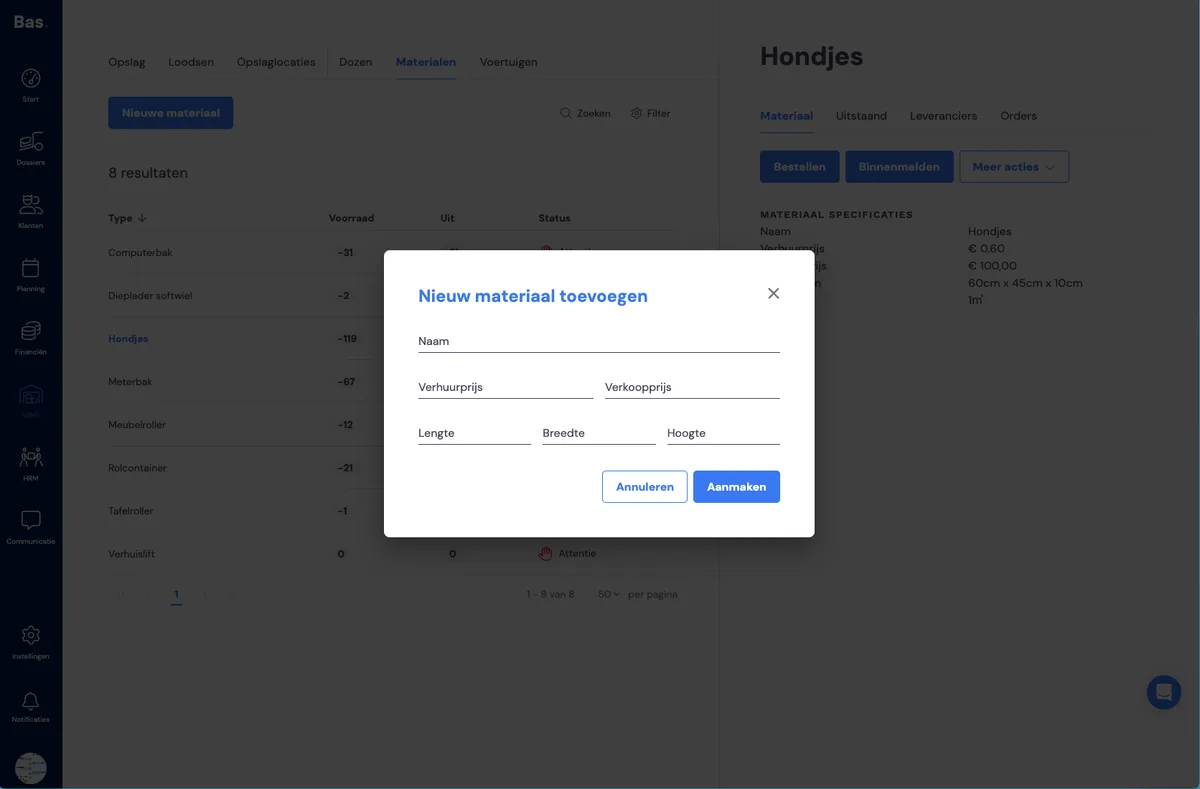
Then use the 'New material type' button. Enter the material type: name, rental price, sale price and the dimensions. Click create and the type is added.
No dimensions for materials you fill with household effects
Note: do not enter dimensions for materials such as roll containers! Otherwise these materials will be added to the cubic metres to be moved. Since you fill these with household effects, you would count this volume twice!
Entering a material supplier
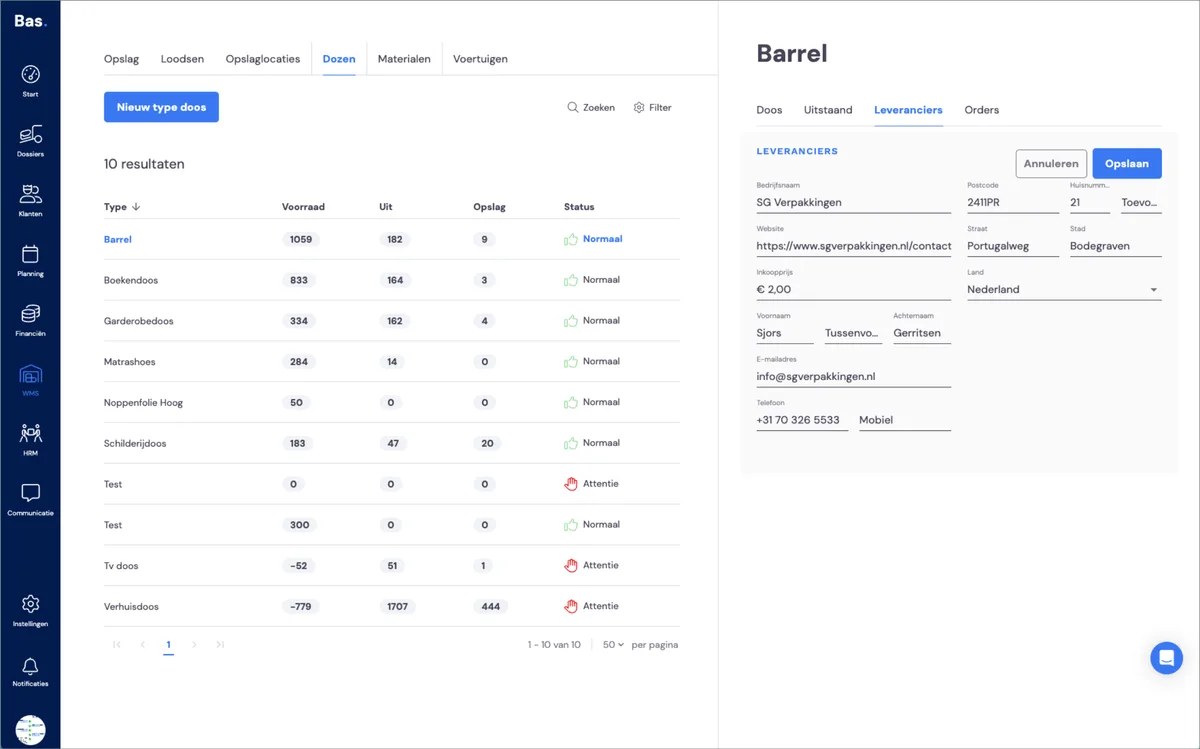
Then add a supplier to the new material type. Click the 'Suppliers' tab on the right-hand side of the material management screen and enter the details.
Placing an order for material types
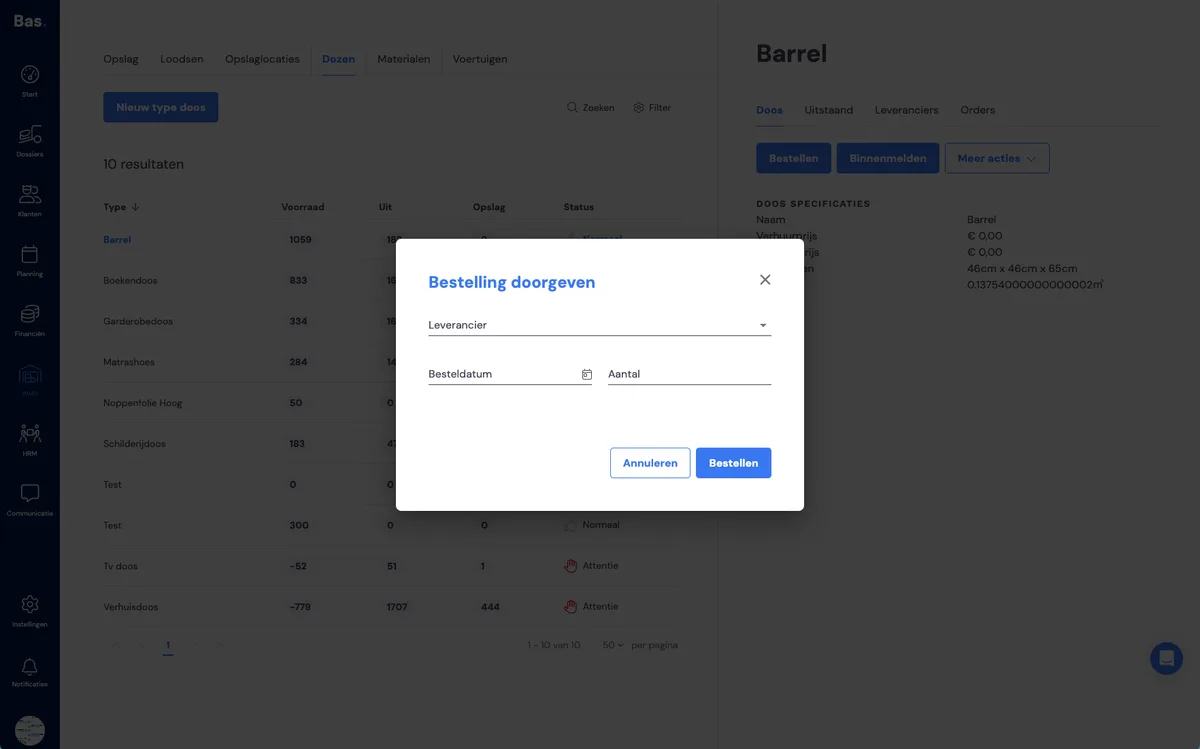
Then place an order with the quantity you have in stock as the number.
Booking in an order
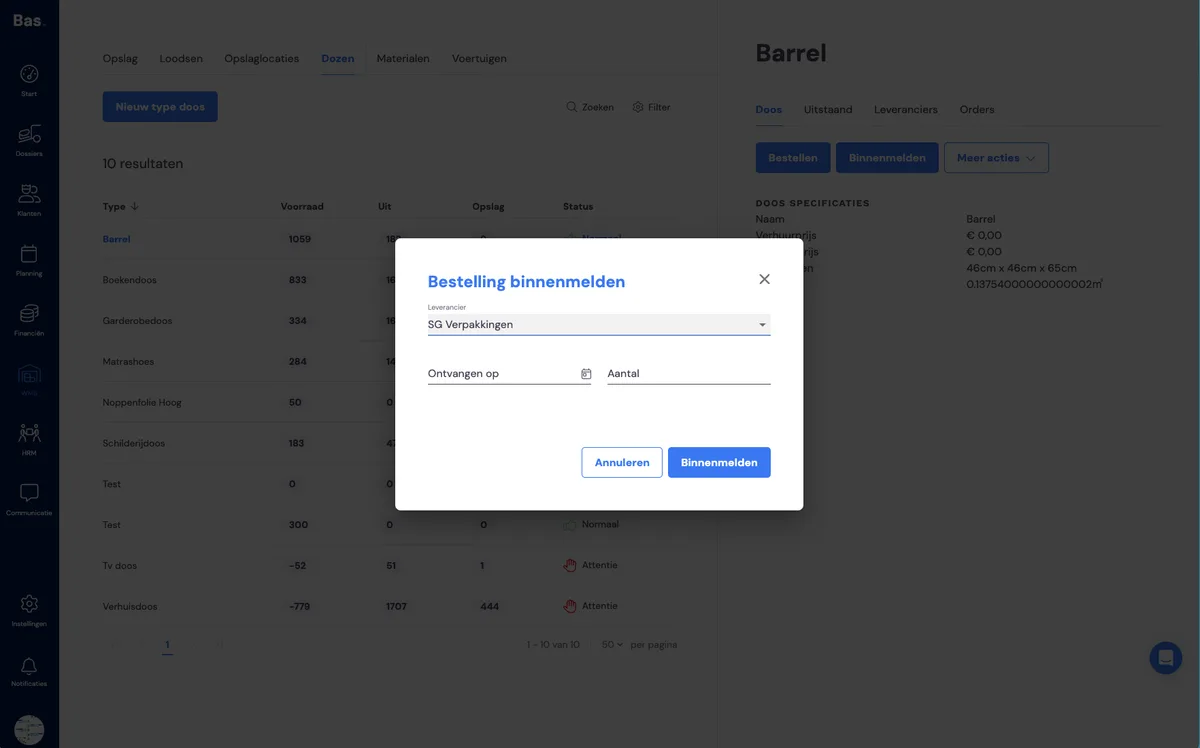
Once you have saved the supplier, you can book in the order. For a new material type, that is immediately the initial stock.
Do this for all the material types you use. After this you are ready for the next step.
Next step
The next step is entering the vehicles you use on jobs >.