
In the previous step you created teams; in this step you link the tasks (that appear on the home page) to the teams you created.
Linking teams to tasks
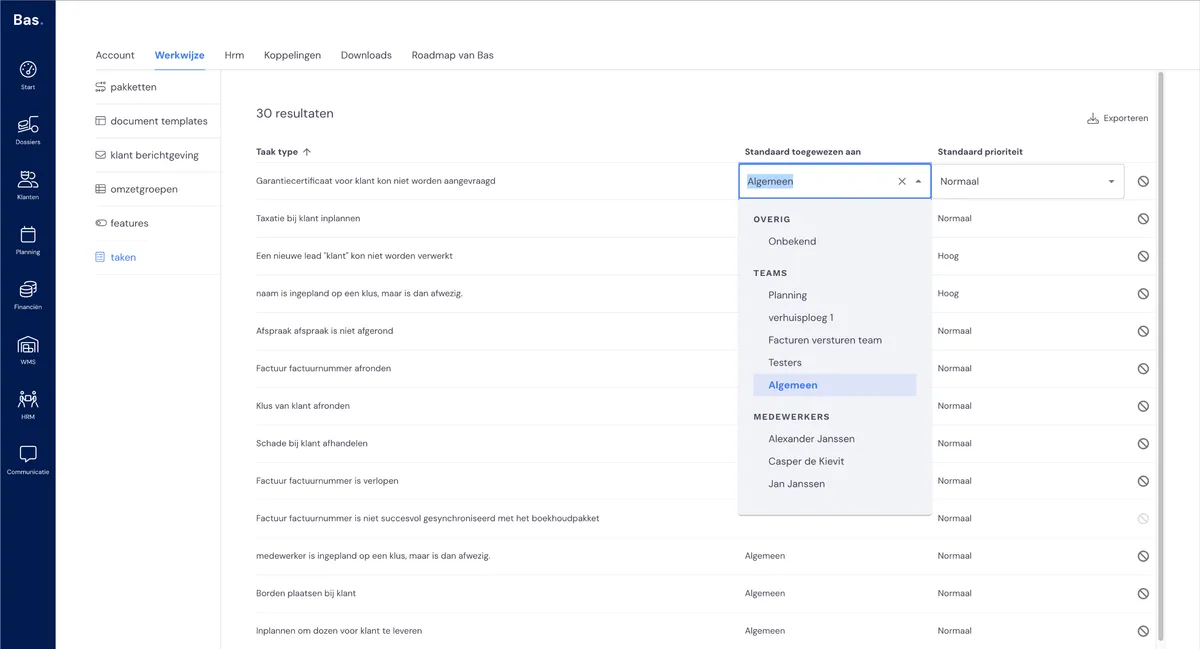
Go to Settings > Workflow. Choose Tasks there. In the list you can link each task to a team. Work through the list.
Setting task priority
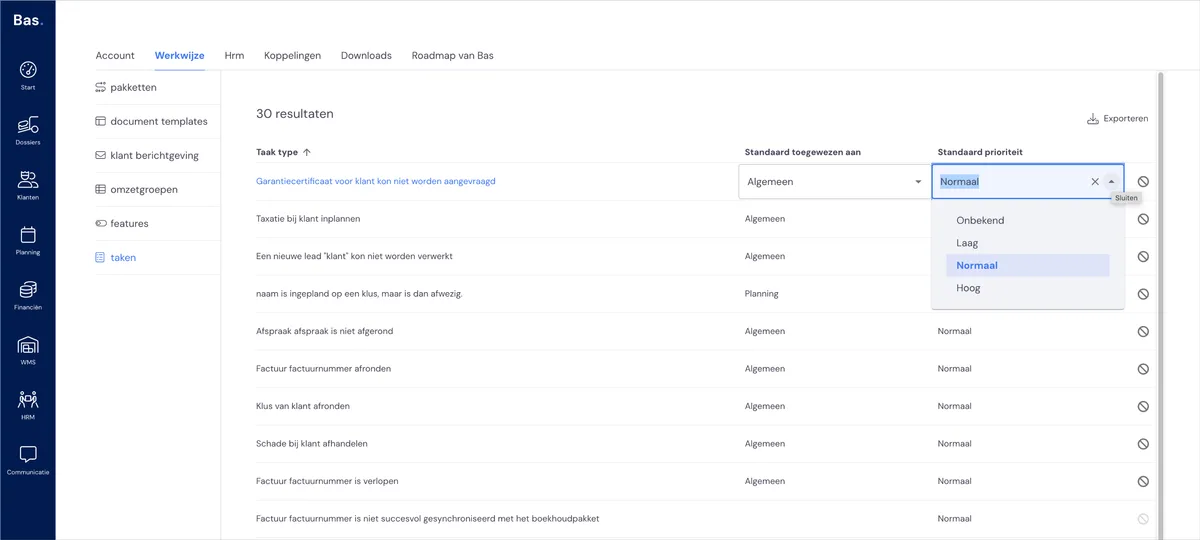
You can also set a priority per task. For example, you can mark the task 'Employee is scheduled for a job but is then absent' as urgent if you want.
Disabling tasks
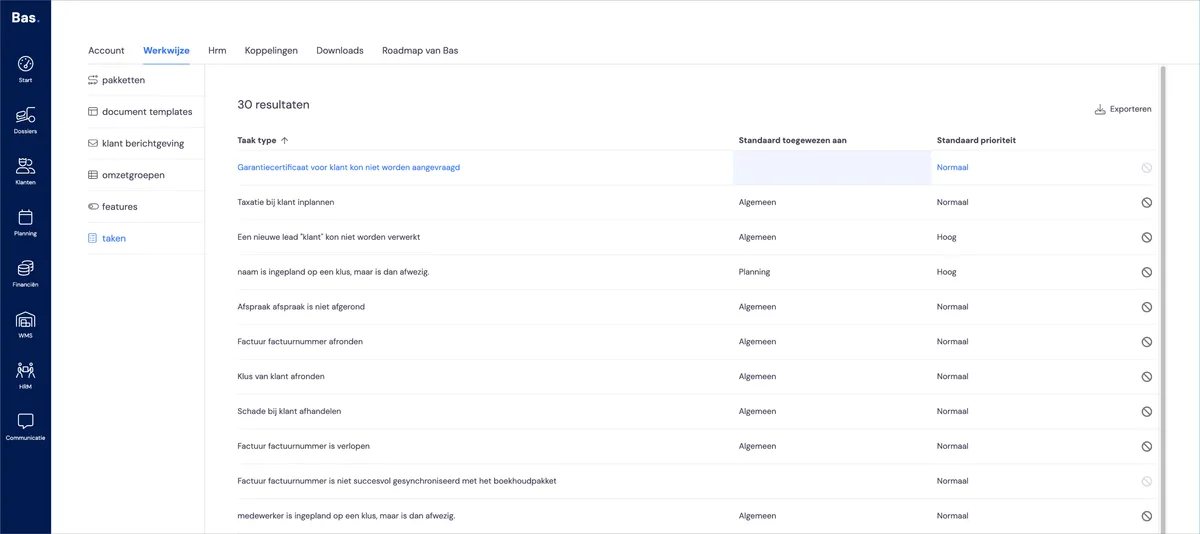
If you don’t want to use certain tasks, you can easily disable them using the icon at the far right of the row (the stop sign). No team or employee is then linked to the task any more.
Next step
In the next step you start entering the aids used during removals: the first step is entering boxes >