
Introduction: teams and tasks
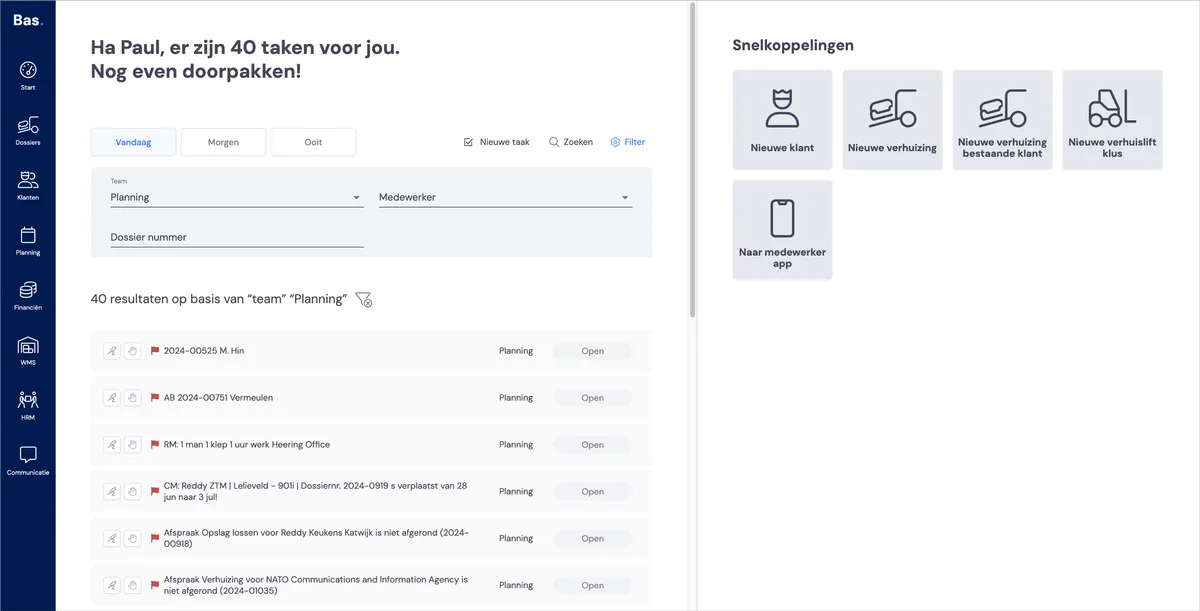
Tasks are created for the work that arises from working with Bas. A task is, for example: calling back about an expired quote you sent earlier.
You can link these tasks to teams of employees. In most cases you'll have a team for the quote stage, for scheduling and for invoicing.
In this step you put the teams together; in the next step you activate the tasks you want to use.
Creating teams
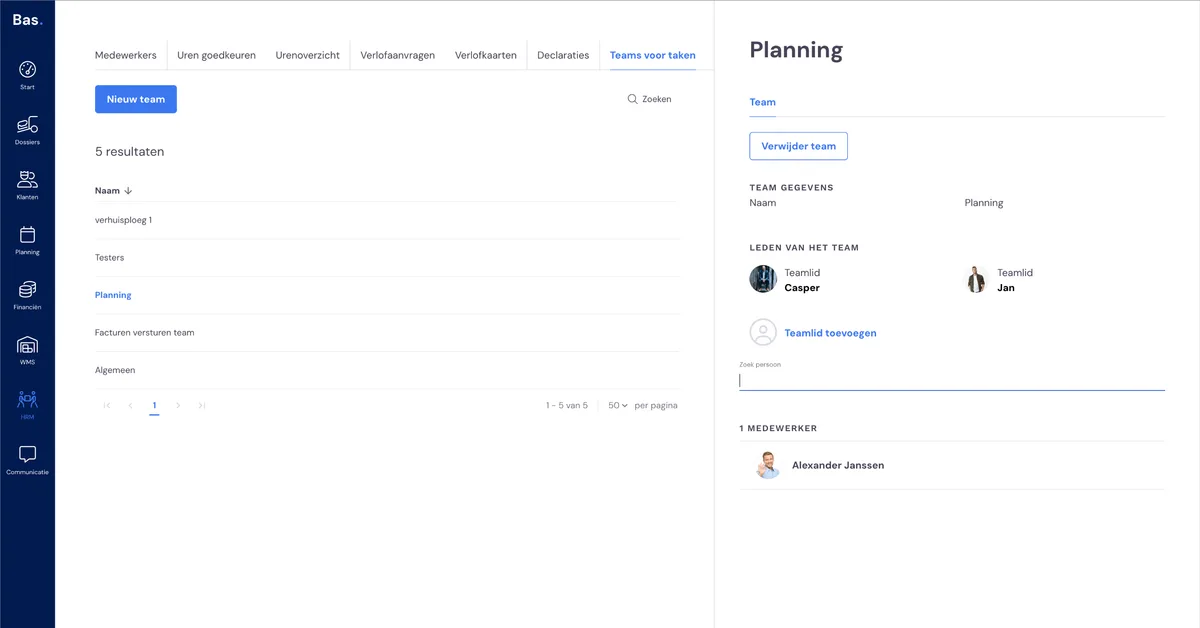
You can put together teams under HRM and then 'Teams for tasks'. Create teams so that they match the way you work. You probably have a team for sales, scheduling and invoicing. Create a team with the 'new team' button. You give the team a name and that creates the team.
Putting teams together
Click 'Add team member' in the right-hand panel; all employees with a back-office skill appear in the list under the button. Then drag the employees you want into the team. Do this for all teams, and you're done!
Next step
In the next step you configure the tasks that are used for the teams >