
When you start recording leave in Bas, the first step is entering the opening balance for all employees. This gives you the remaining number of leave hours for the coming year for every employee. This prevents errors in the calculation of leave taken and leave remaining.
A simple process is available for this, which you'll find under HR > Leave requests > Add leave hours in bulk.
What is the current leave balance?
When entering the current leave balance, it's of course important that you can calculate the correct leave balance.
The current leave balance is the balance at the moment you start recording leave, without yet including the hours for future leave days.
Example:
You start using leave in Bas on 1-1-2025.
On 31-12-2025, an employee has a leave balance of 50 hours, from which all leave days already granted have already been deducted
The employee was granted 5 days off in February 2025, a total of 40 hours, and these have not yet been processed in Bas
The employee is entitled to 240 additional hours of leave for 2025
The calculation:
the balance on 31-12-2024 was 50 hours, with the hours for February already deducted, so this needs to be corrected; the correct balance on 31-12-2024 is 90 hours
the hours for 2025 still need to be added to this, which is 240 hours
So you enter an opening balance of 330 hours for this employee.
Entering the current leave balance
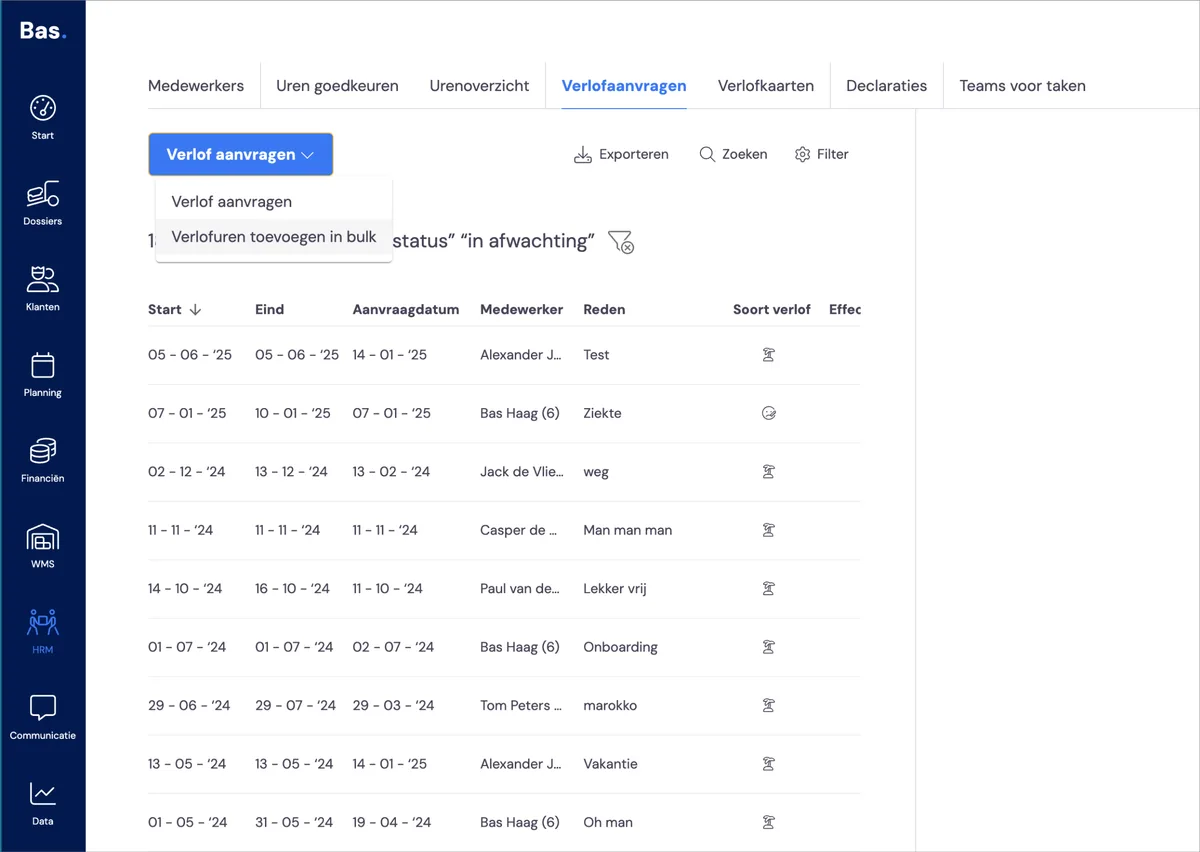
Go to HR > Leave requests. Choose 'Request leave' there and then choose 'Add leave hours in bulk'.
Add leave hours in bulk
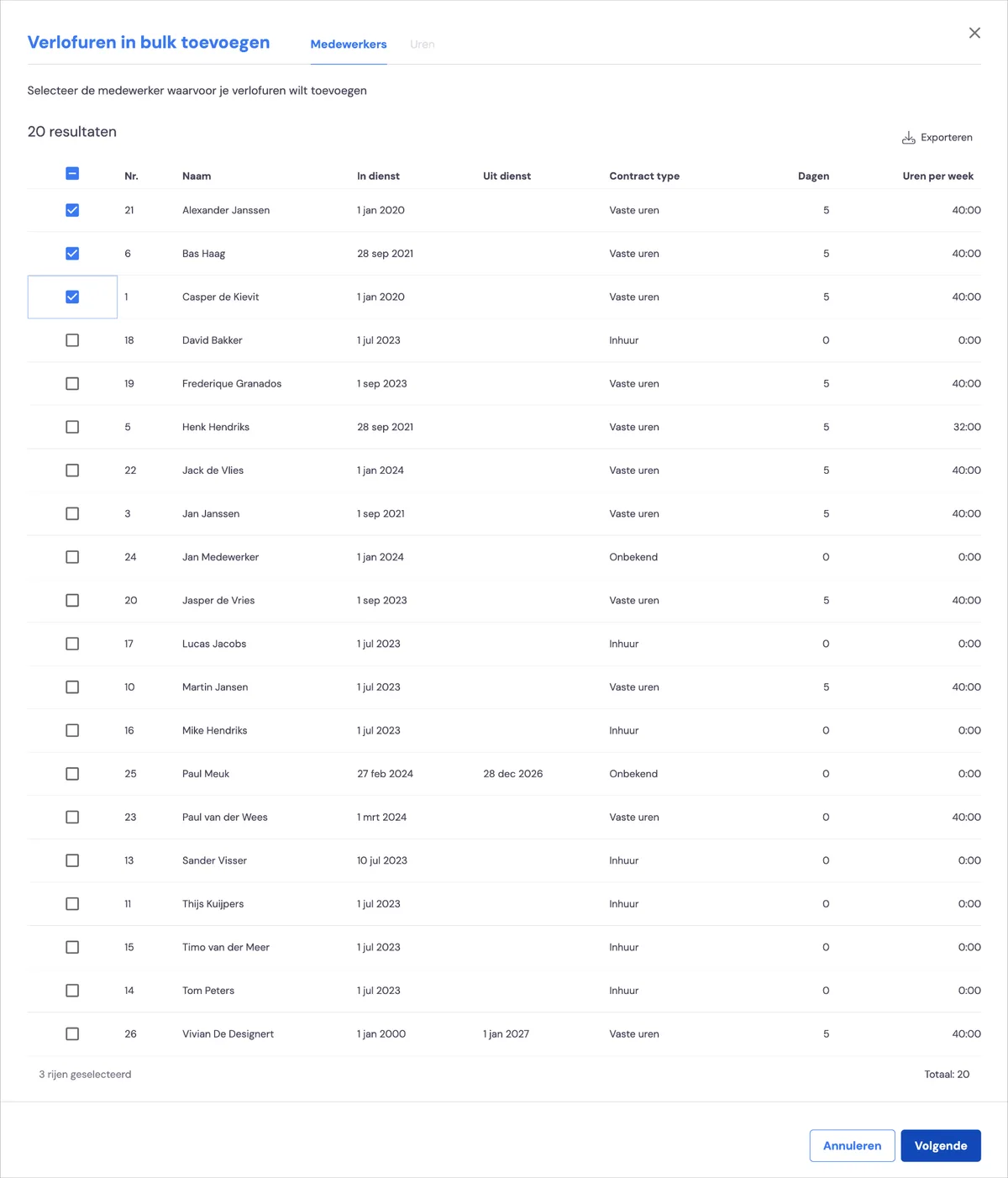
You'll then get an overview of all employees. Select all the employees for whom you want to enter a particular balance.
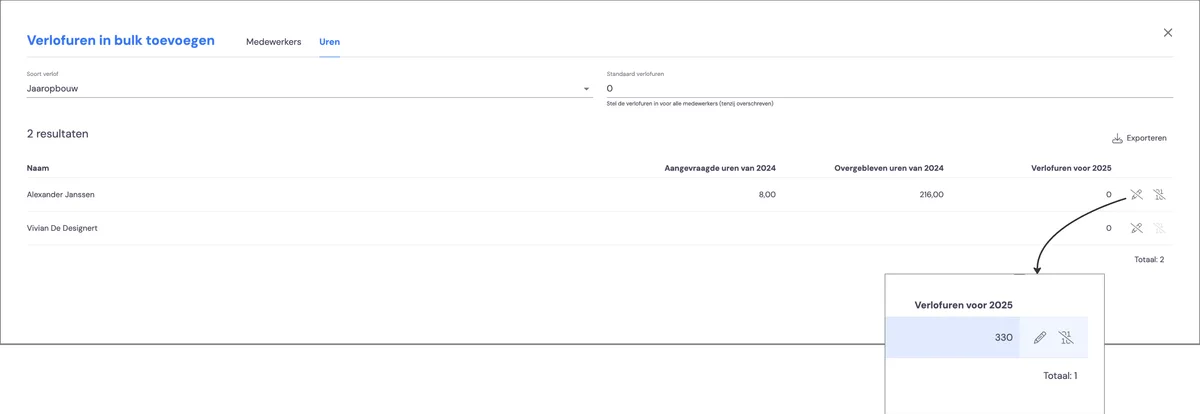
Click the pencil icon under 'Leave hours for 2025' and enter the new balance for each employee. Then click 'Save'. The opening balance has been added to the employees!
View the result on the leave card
You can see the result on the leave card, where you'll find the balance for each employee, along with all leave days and all outstanding leave requests.