
The new hours registration has several ways to check whether the correct hours have been registered for an employee.
Number of hours and break time
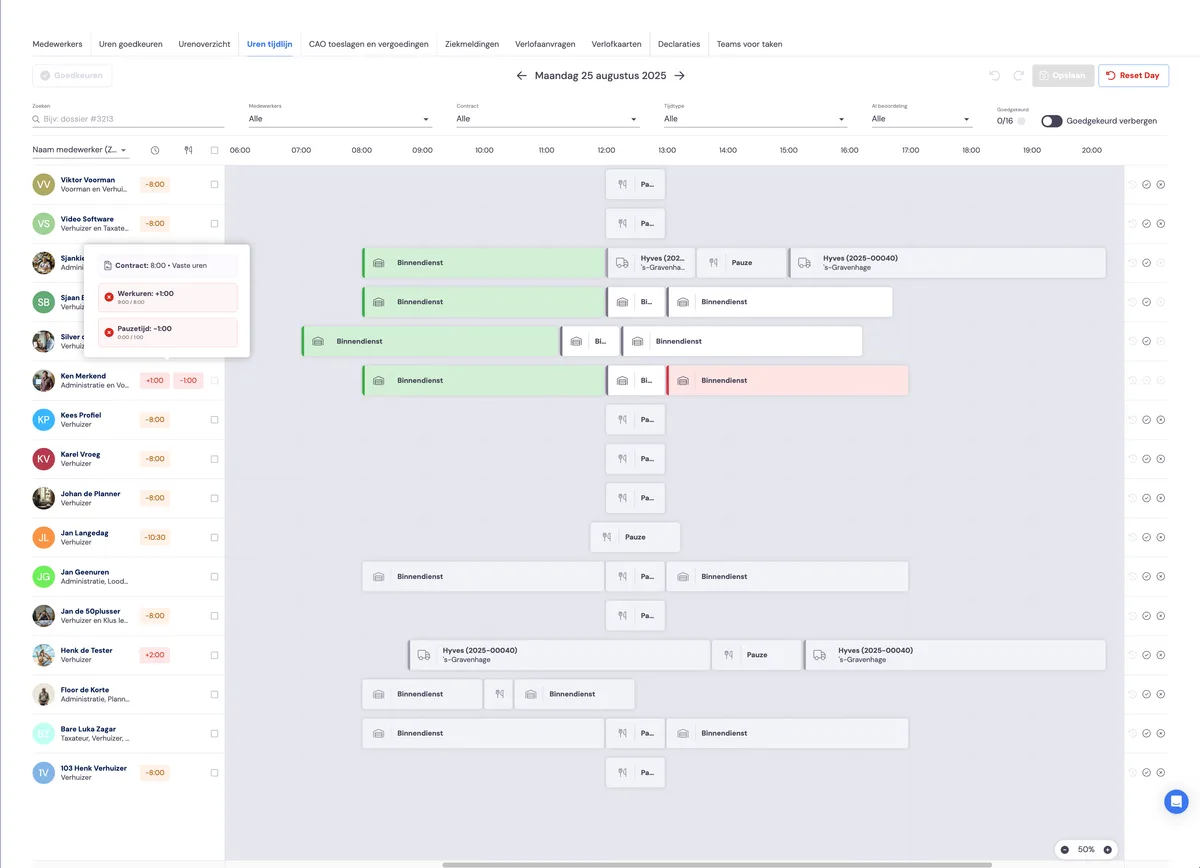
Deviation in number of hours compared to contract
To the right of the employee, you'll see the deviation between the number of hours worked and the employee's contracted hours. If you hover the cursor over this deviation, you'll see the calculation.
The deviation is the difference between the number of registered hours worked plus the number of leave hours plus the number of sick leave hours.
Deviation in break hours
An employee is required to take a break during the day. If not enough hours have been registered for the employee, you'll see the deviation here.
Note: you can set the number of hours an employee must take as a break yourself.
Deviation in number of hours compared to team members or the foreman.
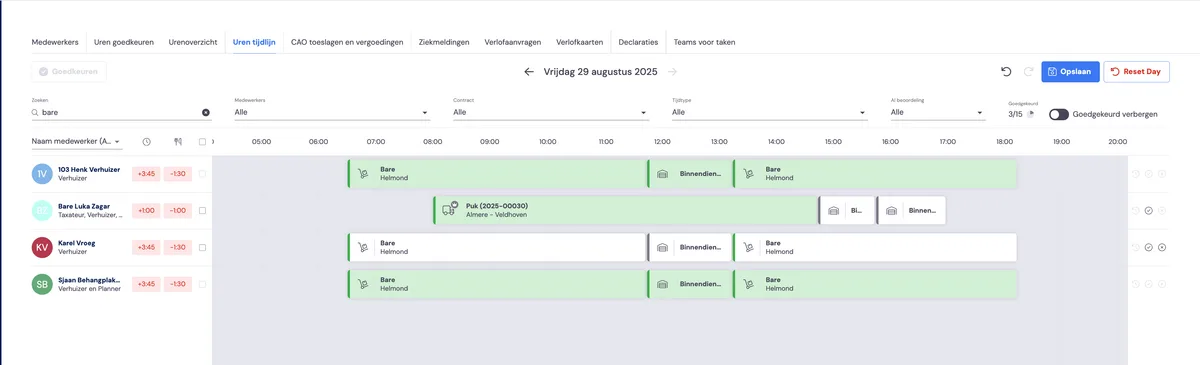
If an employee has worked on a job, then
the foreman may have logged billable hours for the employee
team members who were assigned to the same job may have logged hours
If this is the case, it's shown in the timeline.
Employees registering hours
The following article describes how employees can register their hours using the app.