
Making agency workers available for a longer period
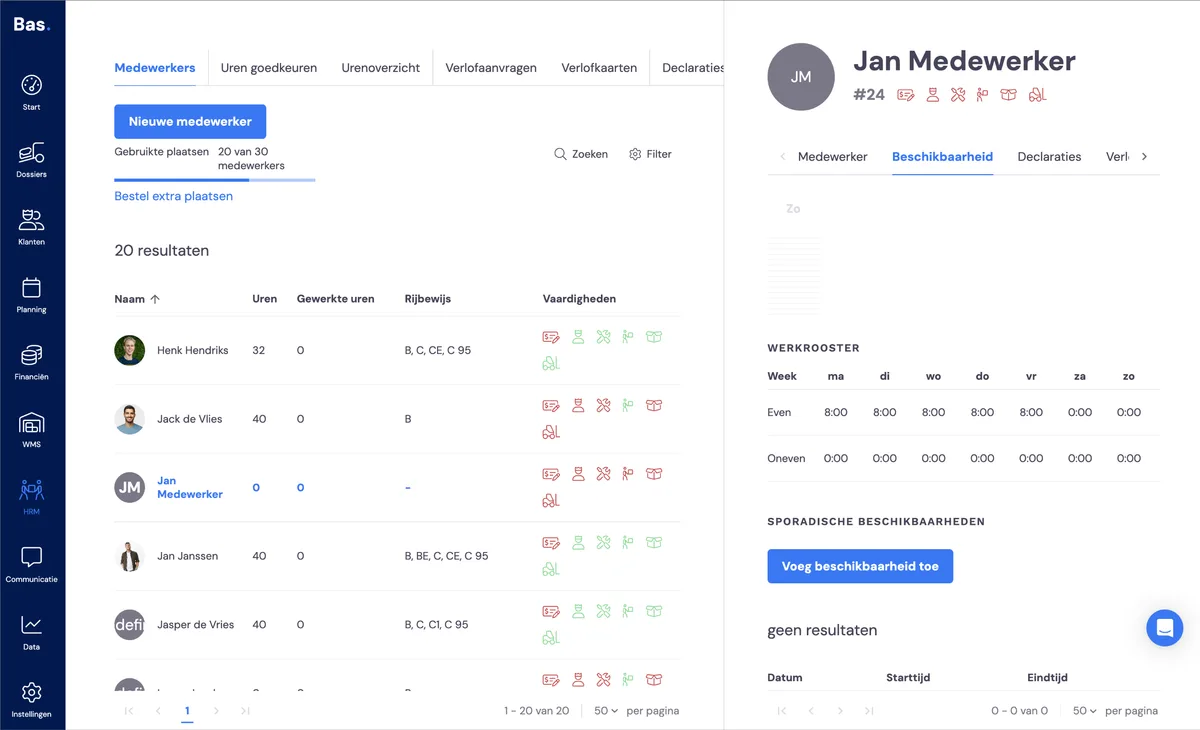
You can make agency workers available for longer periods via HRM > employees. Select the employee whose availability you want to set. Then go to Availability and Add availability under occasional availability.
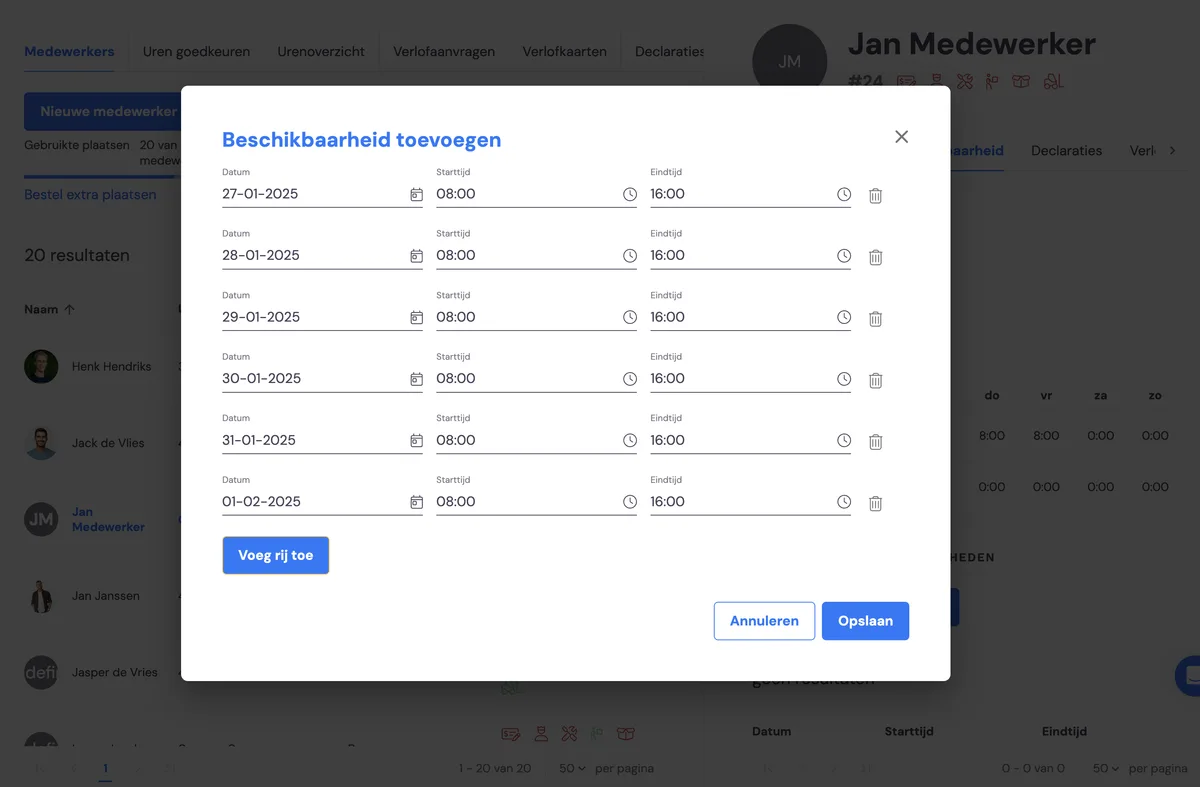
Then add multiple days using the 'add row' button. Once you have saved the days, they are added to the employee and the employee is immediately available in the planning.
Changing or removing an agency worker's availability
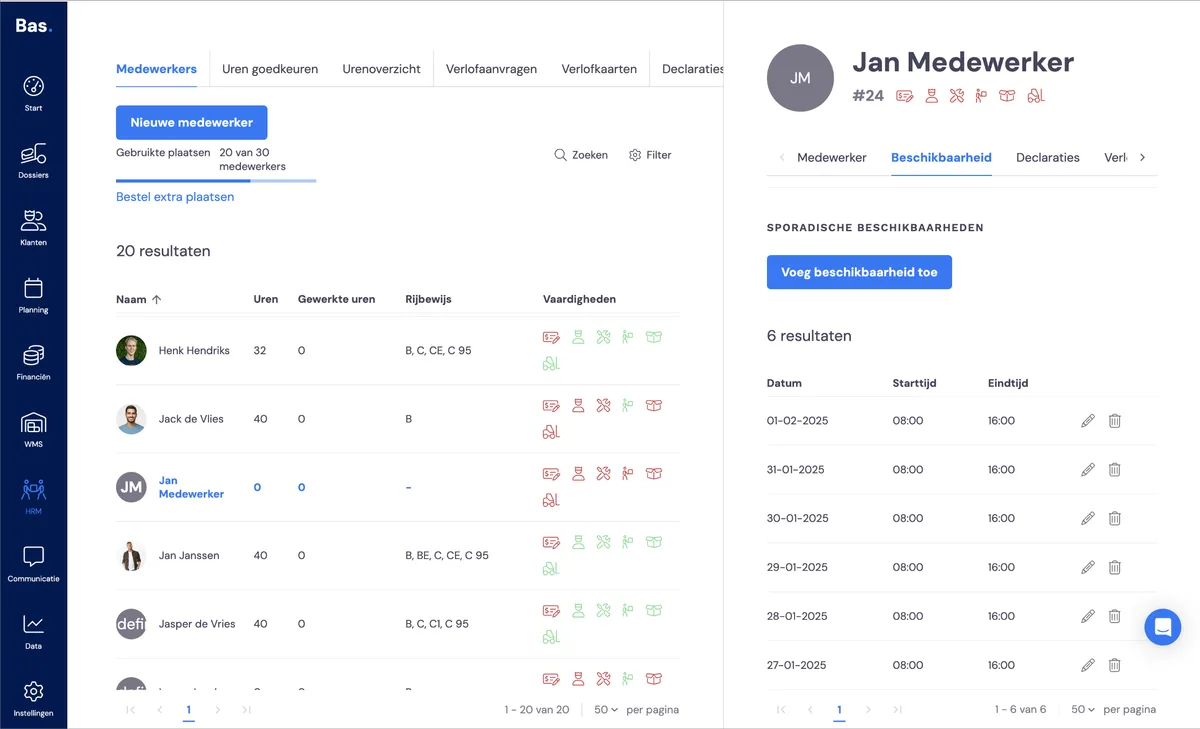
If you want to change an agency worker's availability, go to HRM > employees. Click on the employee's name and go to availability. Click on the pencil icon next to the day on which the agency worker has been made available to change the times. Click on the bin icon to remove the day from the list of available days.
Related articles
Making an agency worker available for a longer period
Setting the availability of permanent staff