Sales and CRM software for removal companies
Nine o’clock on a Tuesday evening, and an enquiry comes in from a lead provider. By the time you ring back in the morning, the customer has already heard from other removal companies.
In Bas, that enquiry is a job record before you’ve opened up. You see who it is, where they’re moving and when. Book the survey, send the quote in your own branding, and let Bas do the chasing.
Every enquiry deserves an answer before the customer rings the next firm on the list.
Enquiries land in Bas automatically
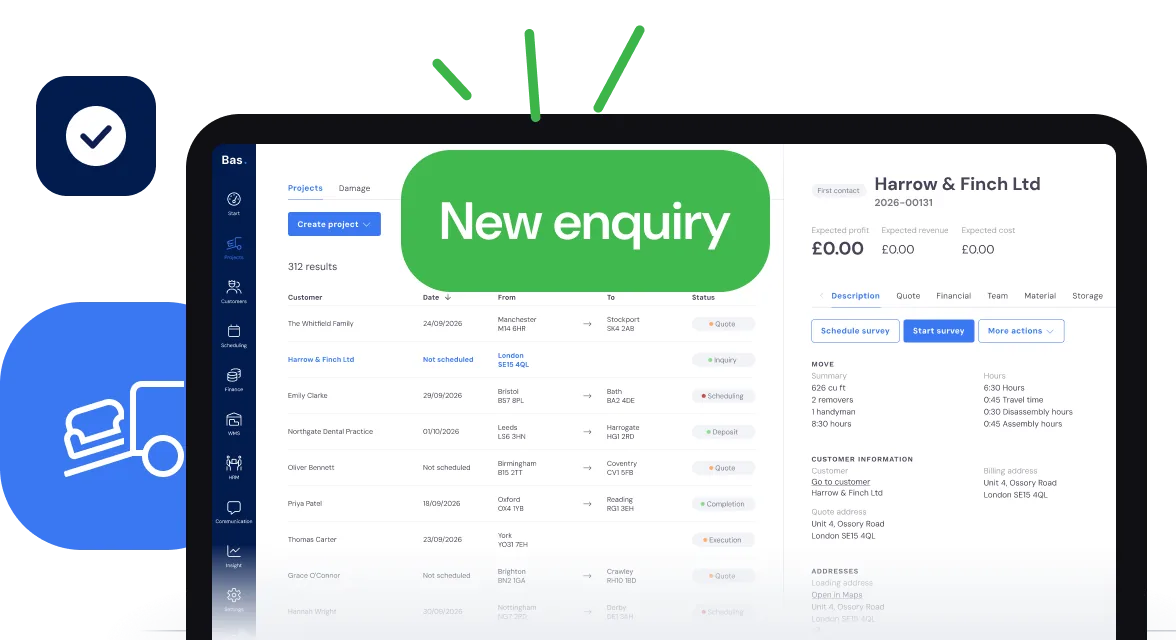
Link Bas to your lead providers and their enquiries come straight in, shared out among your salespeople. Put an enquiry form on your own website and those come in too.
Each enquiry gets its own job record, so nobody has to copy details out of an email. If it turns into a move, everything is already there for the survey, the quote and the diary.
Which lead providers and accounts packages Bas links to is listed under Integrations.
The survey, room by room
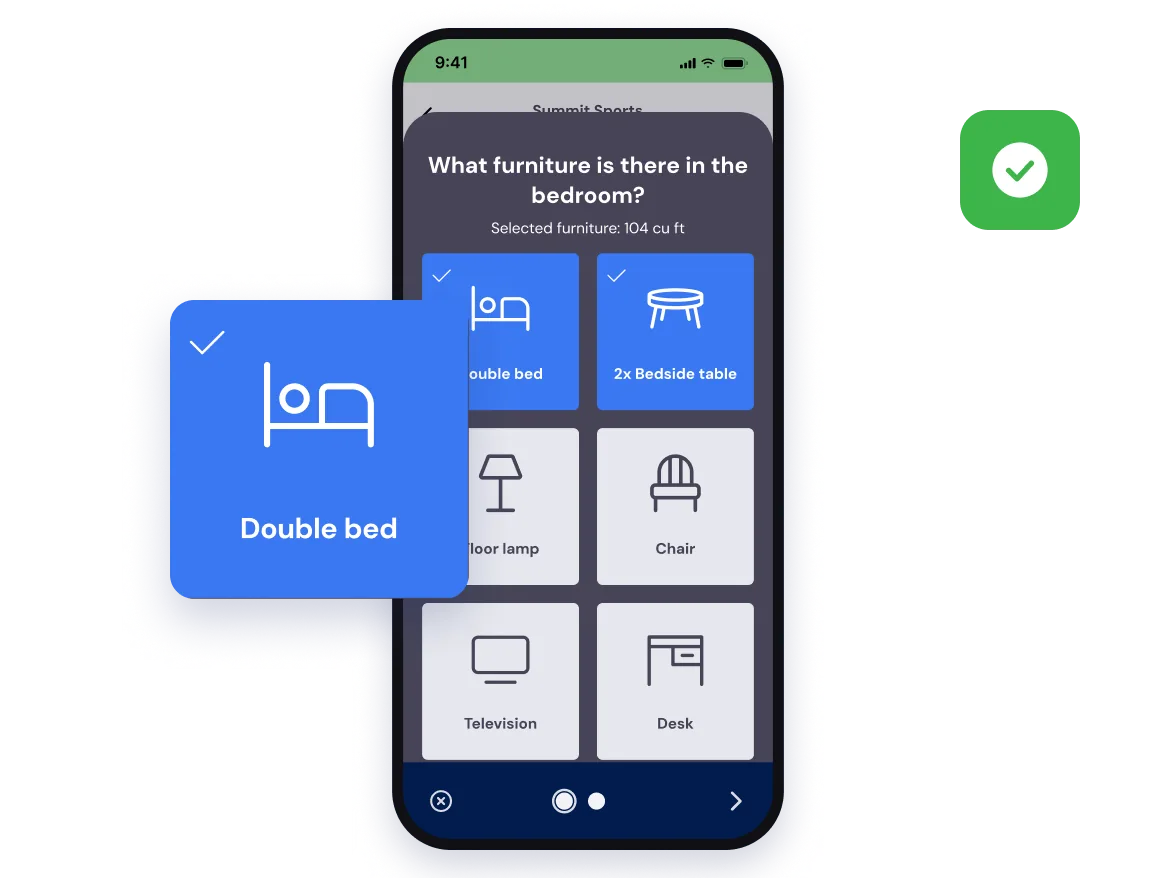
Your surveyor walks round the house with a phone or tablet and taps in the furniture room by room. Bas adds up the volume as they go and prices it from your own rates and how fast your crews work. On an iPhone, the smart furniture scan spots furniture through the camera.
Straight after the survey you can send the quote, have the customer accept it there and then, or leave it to the office.
Just started? Bas lets new and small firms send proper quotes from the very first job.
A quote that looks like it came from your firm
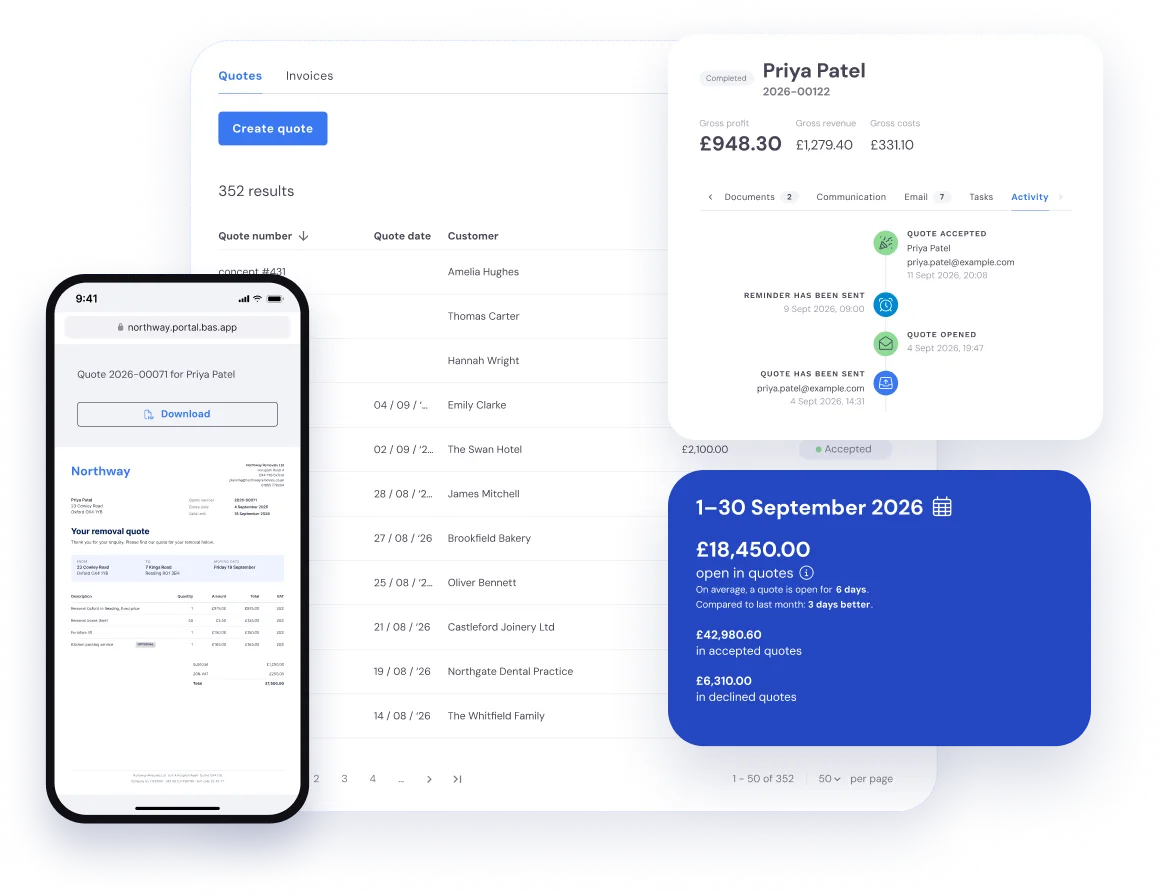
Your quotes carry your own logo, wording, pricing rules and layout, whether it’s a two-bed flat or an office move.
Want to change the layout or the wording of your quotes and emails? You can, at any time, in the template editor. That’s also where you switch on online acceptance and online payment.
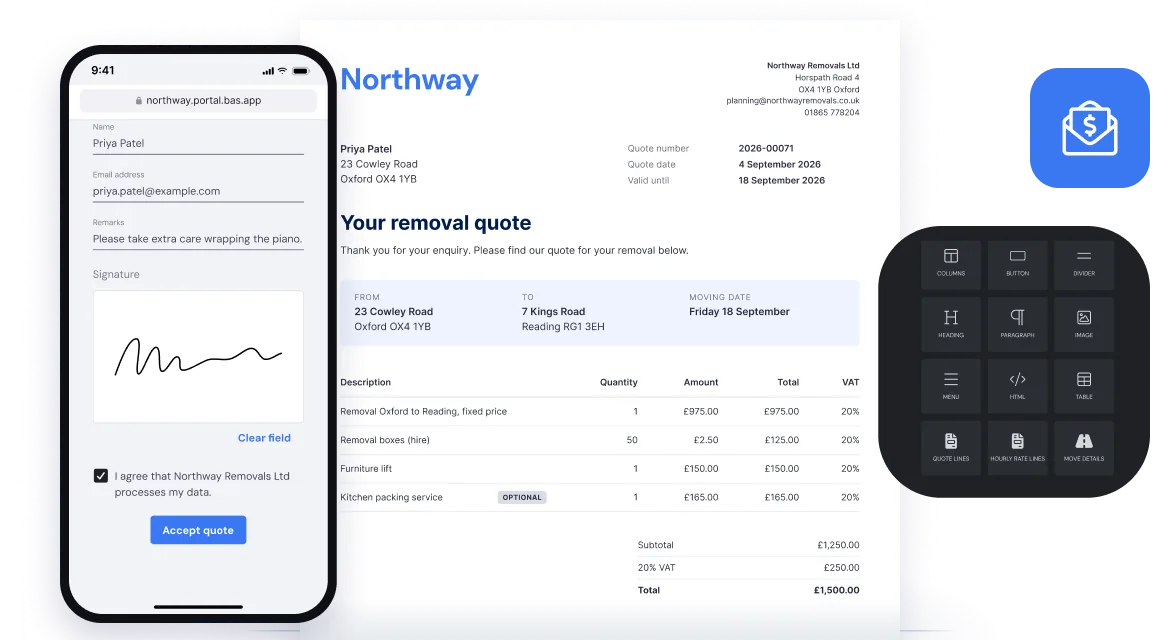
Accepted online
The customer opens the quote from the email and accepts it online. No account, no app, no printer.
Your own expiry dates
Give each quote an expiry date, so you’re not still chasing quotes from last spring.
Reminders sent for you
When a quote has expired, Bas can send the customer a reminder.
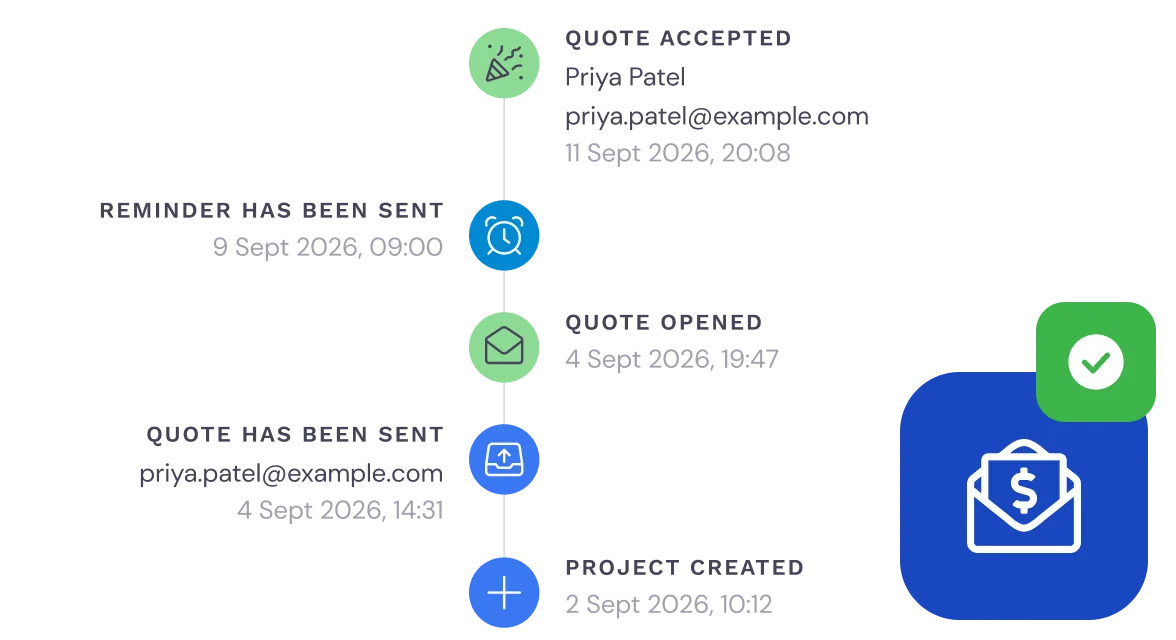
When a quote sits unanswered
You sent the quote on Monday and it’s gone quiet. Has the customer even opened it? Every customer record in Bas shows what they’ve done, from opening the email to accepting the quote.
When you ring, you already know where you stand. And when you’re off, your colleagues can see exactly where every job is.
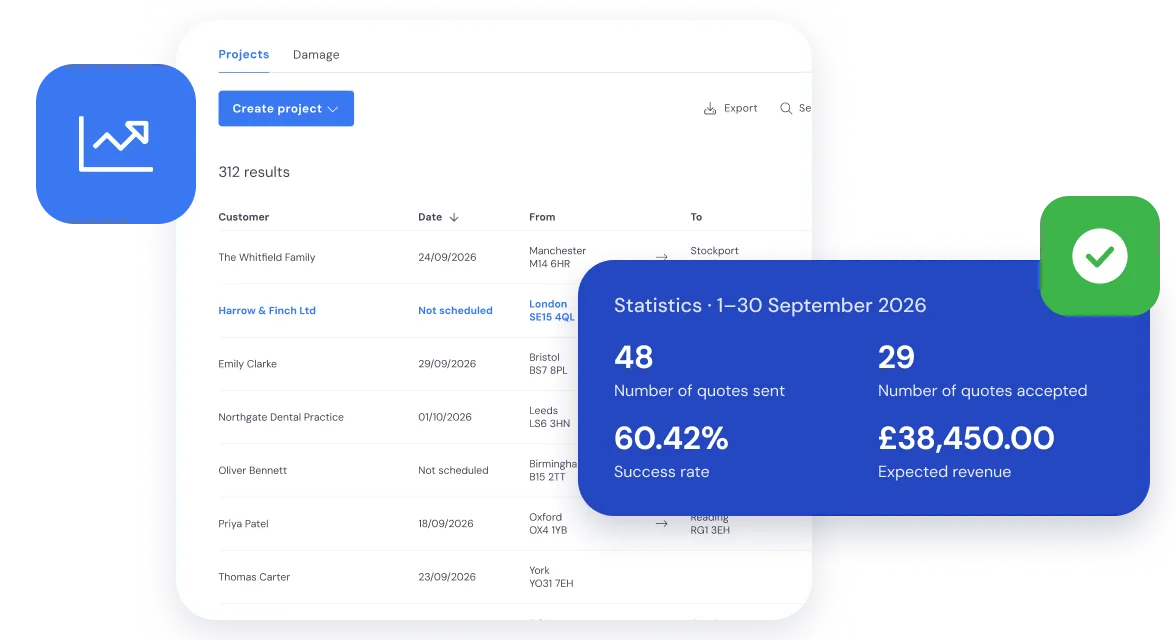
See how many quotes you win
Not just how many quotes went out, but how many you won and the revenue you can expect from them.
There are more sales figures in the Insights dashboards.
Questions about sales
What removal companies ask us most, with a short answer to each.
Yes. The customer gets the quote by email and accepts it online through a personal link: no account, no app. Once they accept, the job is ready for the diary. If a quote expires without an answer, Bas can send the customer a reminder. Read more in The perfect removals quote: how to write a quote that gets signed.
Bas links directly to lead providers such as Konnect You (formerly Compare My Move) and reallymoving. New enquiries land in Bas as leads and are shared out among your salespeople. One screen shows which leads are open, which quotes have gone out and which jobs you won or lost. Read more in More jobs from the same enquiries.
Yes. Your surveyor goes through the rooms on a phone or tablet, Bas adds up the cubic feet and prices the move from your own rates, and the quote is ready to send. On an iPhone, the smart furniture scan can spot furniture through the camera.
Yes. You set the quote layout to match your own branding: logo, colours and wording. You save standard text for each type of move, so every quote your team sends reads the same. To the customer, it’s simply a quote from your firm.
Bas gets the job ready for the diary and puts a task on the planner’s list. Nothing is retyped or copied from one system to another: the customer details, the addresses and the agreed services are there for the planner, and for the crew once the day is published.
Yes. The same Bas runs firms of one to four staff and firms with more than 20 and several branches, and the fee scales with the number of users. Switching can be done in as little as three weeks, but the pace is yours.
Yes. In the UK, Bas shows volumes in cubic feet and amounts in pounds sterling, with VAT on every quote and invoice.
Sold, and ready for the diary
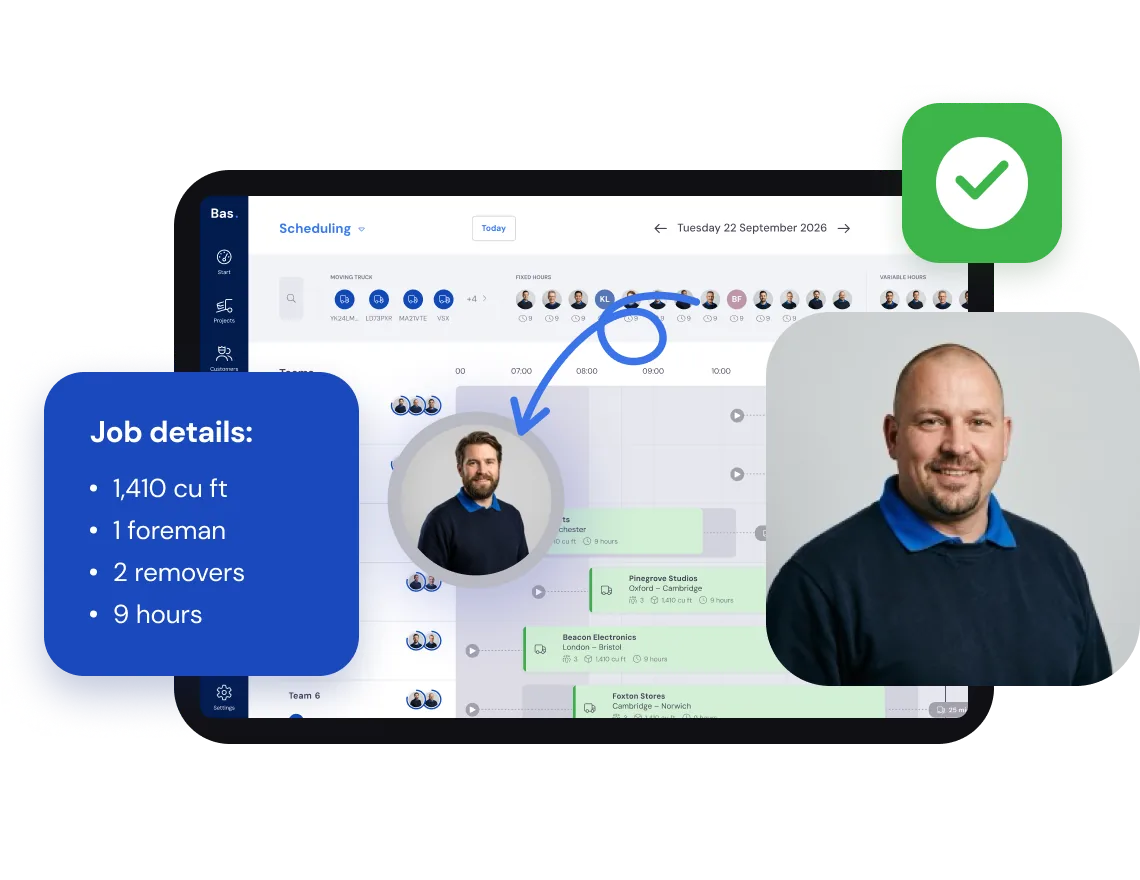
Once the customer accepts the quote, the planner has everything: the cubic feet, the packing materials and the hours. A task tells them the job is ready to schedule.