A customer portal for removal and storage firms
Ten to five on a Friday, and the office manager of a firm you store for is on the phone. Where’s the filing cabinet from the old office, and can it be at the new site next week? Somebody in your office goes to look.
Removal companies with commercial customers get that call every week. With the Bas customer portal, your customers look it up themselves. They log in, see what they have in store with you, book a delivery or a collection and follow it to the door. For each customer, you decide what they can see and do.
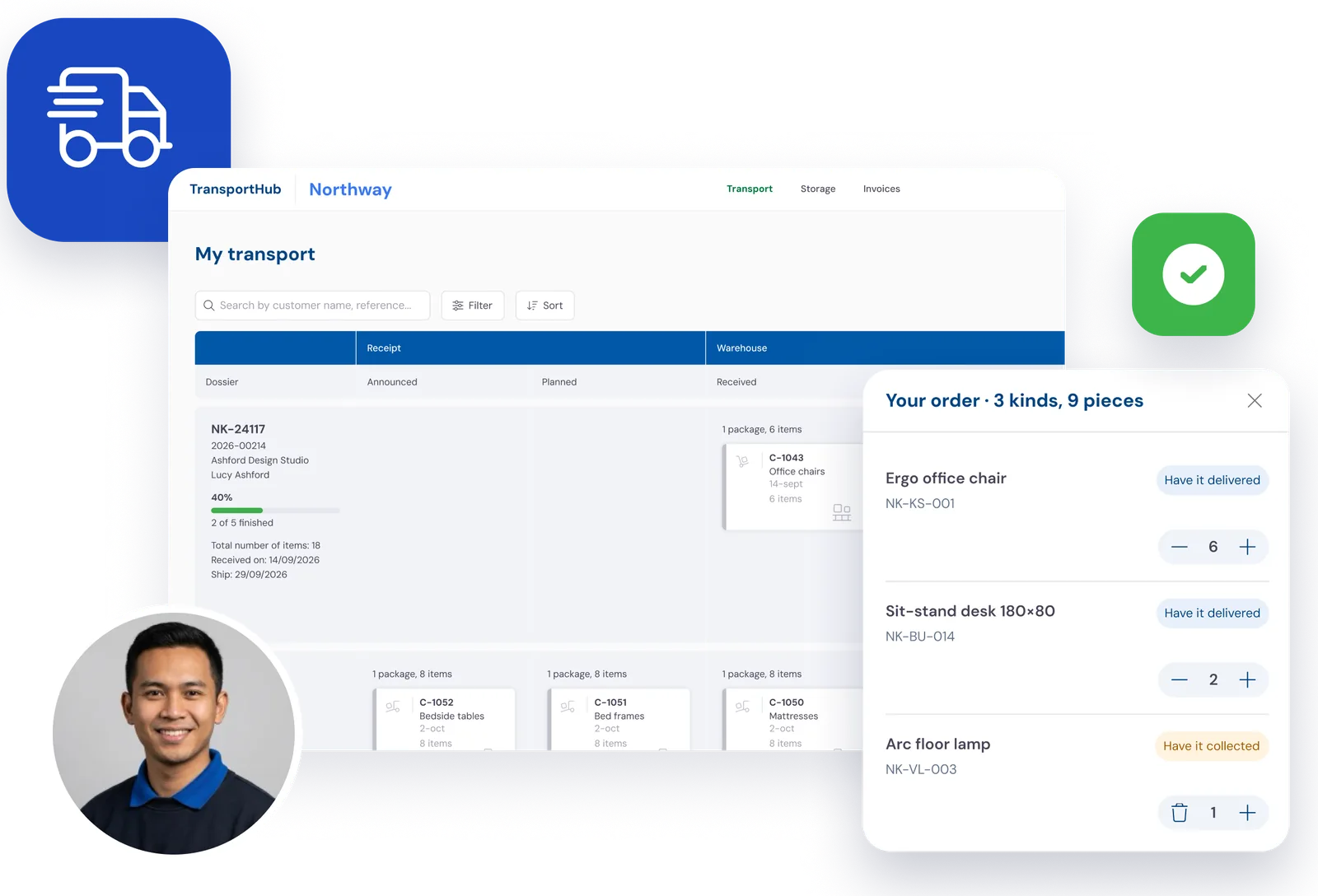
Where is that cabinet right now? Your customer can look it up themselves, at any time of day.
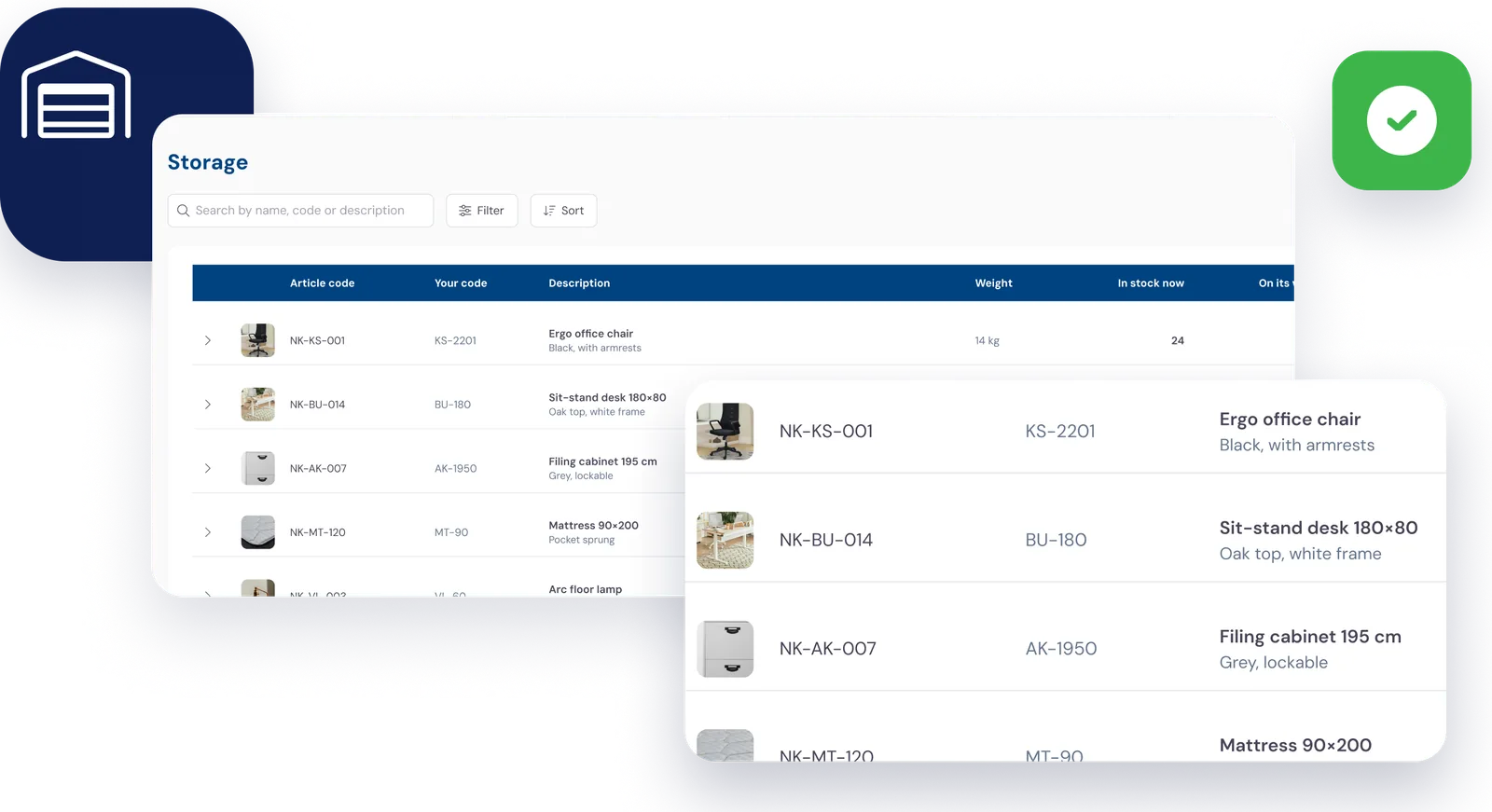
Their goods in store, with photos
Follow one customer, an office you store furniture for. For each item they see how many are in store now, what’s on its way and what’s already booked to go out. With a photo, so it’s clear which chair or which filing cabinet they mean.
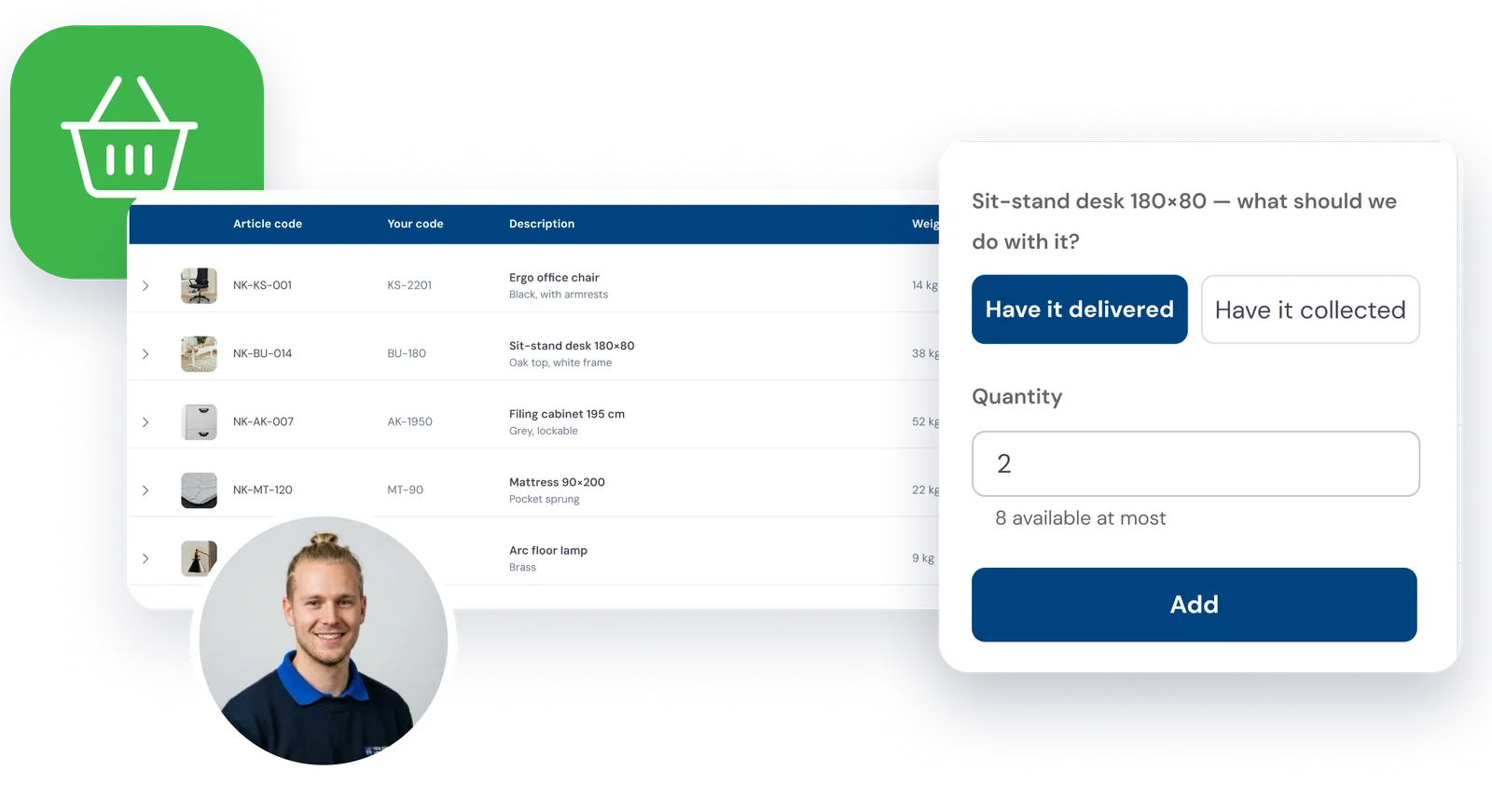
Delivered or collected, ordered like a shop
The customer puts items in a basket and chooses whether to have them delivered or collected. Then they fill in the address, the date and who to ask for.
The stock is held for that order straight away, so nobody can order more than you have. The request lands with your planner.
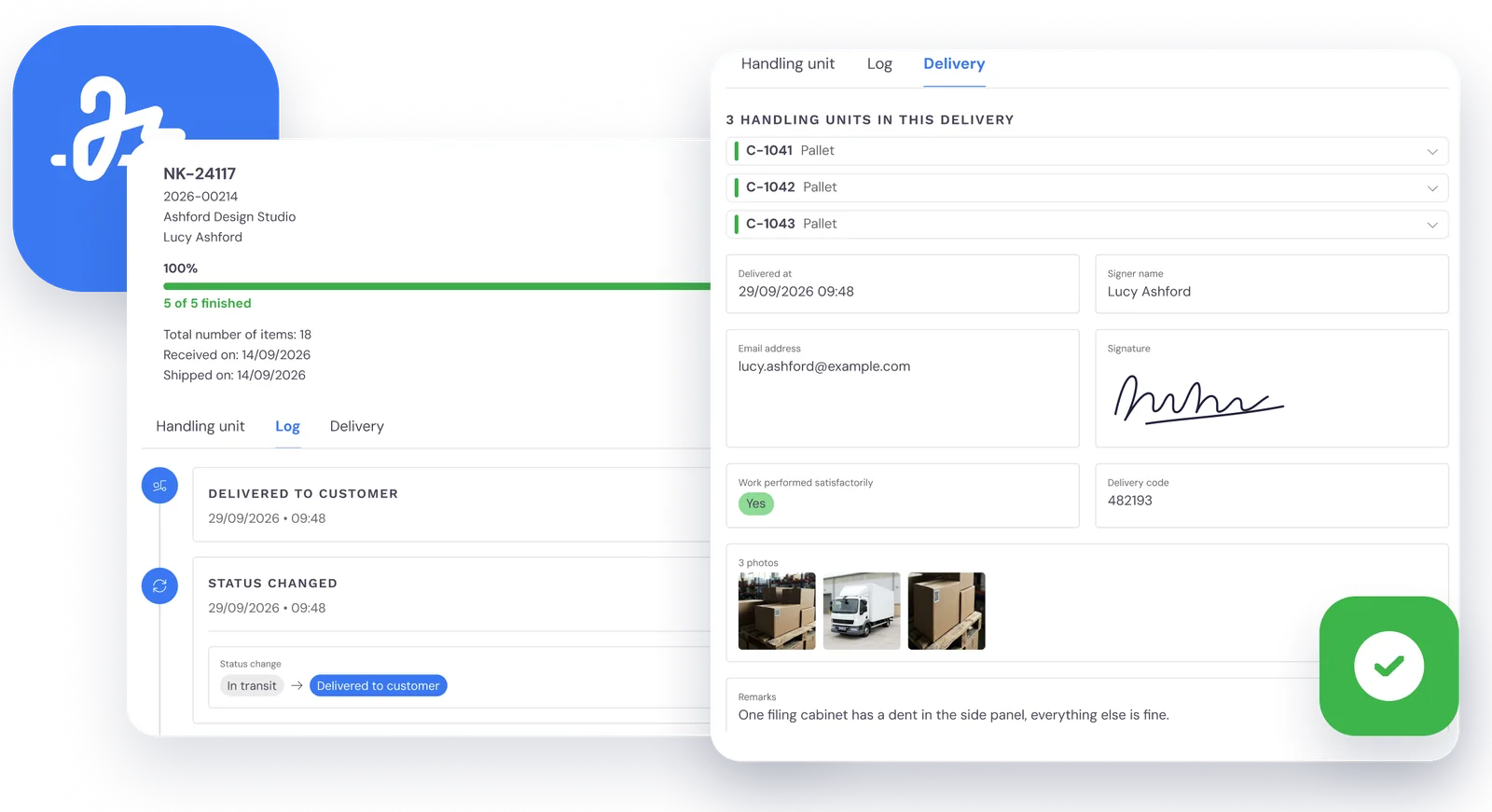
Every delivery followed, package by package
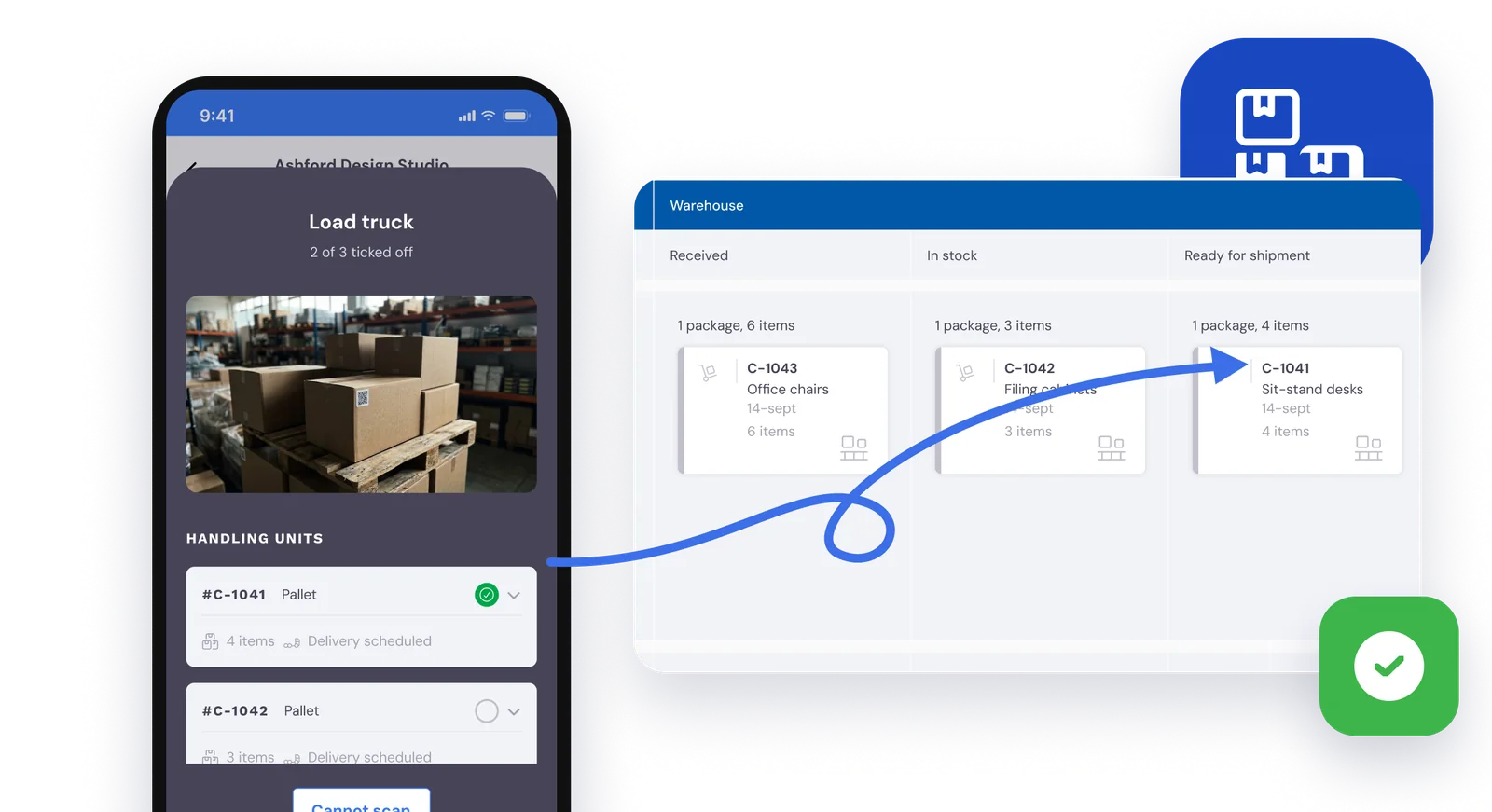
Under My transport your customer sees their consignments in three columns: receipt, warehouse and shipment. Each package has its own log, and after delivery there’s the proof of delivery, with the signature, the photos and the name of whoever signed.
Something to move that isn’t in store with you? Your customer books a collection or a delivery themselves.
Every “could you send me a copy” email is time the office isn’t spending on the next job.
Invited by email
You invite your customer’s staff straight from Bas, and they set up their own accounts. No passwords to send out.
You decide what they see
For each commercial customer you switch on what they can do: transport, storage, ordering from stock and invoices.
A proper sign-in
Users can turn on two-factor authentication or sign in with a passkey.
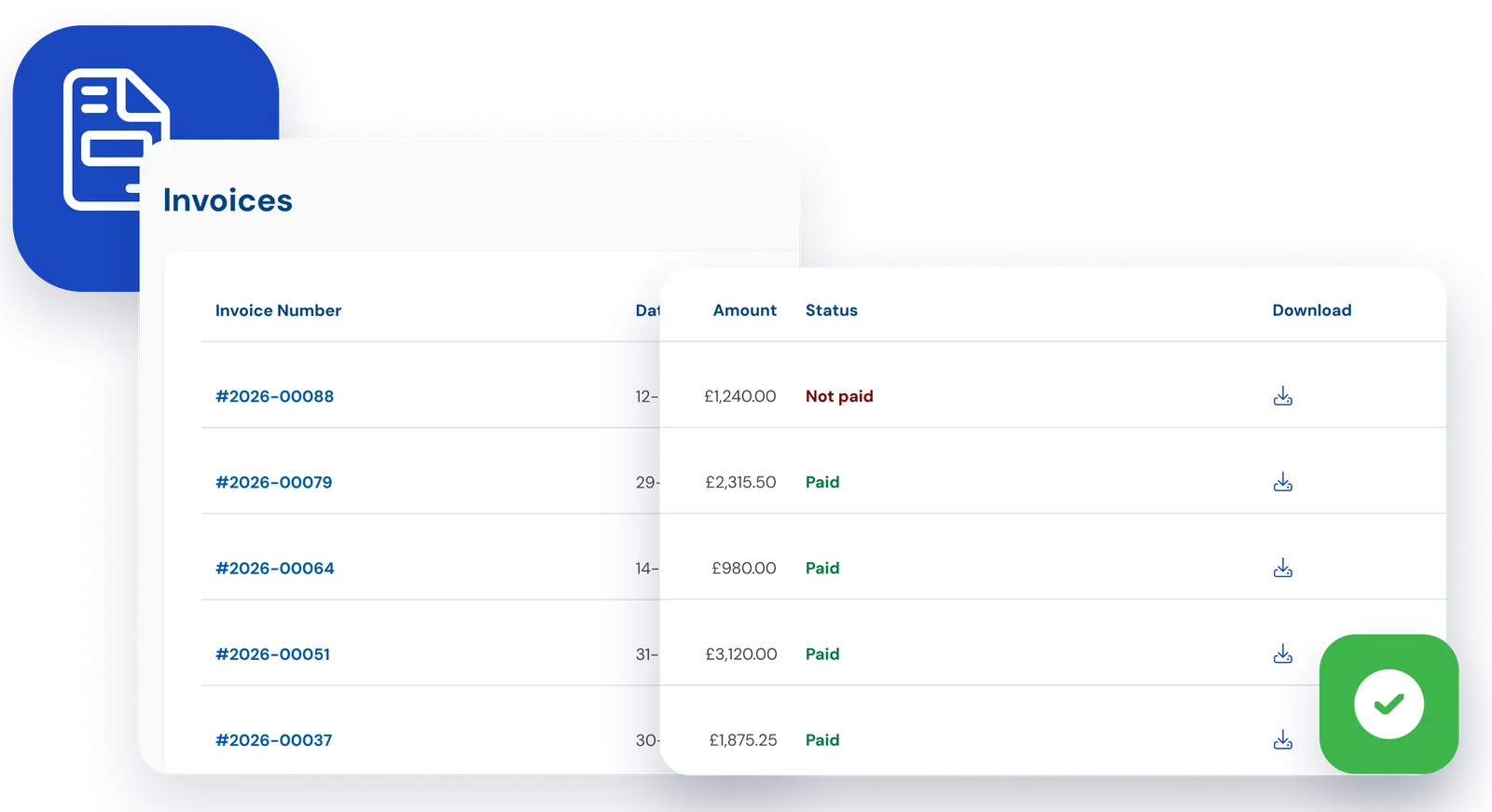
Invoices to hand, without asking
Your customer sees their invoices and whether each one is paid, and downloads them as a PDF. Their accounts team stop emailing you for copies.
What your staff record, your customer sees
The customer portal reads from the same jobs as your storage and transport. When your warehouse staff scan a package or your driver delivers it, the portal shows it. Nothing to retype or forward.
What the customer can’t do is change your warehouse. Adding items or moving stock stays with you and your warehouse staff.
Questions about the customer portal
What removal companies ask us most, with a short answer to each.
That depends on what you switch on for that customer: follow each package with its proof of delivery, see their own goods in storage with photos, have items delivered or collected, book a new transport and download invoices. Read more in A customer portal for your business storage clients.
You send an email invitation from the customer’s record in Bas, and the recipient sets up their own account. An invitation is valid for 30 days, and you can invite several people from the same company.
No. The customer portal is for commercial customers who have goods in storage with you or use your transport. Domestic customers accept their quote online and get their messages by email, without an account.
No. Your customer sees their stock and books deliveries or collections. Adding items or changing anything in your warehouse stays with you and your warehouse staff.
No. As soon as your customer places a delivery or collection, that stock is held for the order, so nobody can order what isn’t there. The request then lands with your planner.
The customer portal is an add-on to Bas, and we switch it on for you. In a demo we show you how it works and what it would cost your firm.