Transport software for removal firms: part loads, collections and drops
Tuesday morning, and a furniture shop wants a few of its sofas taken from your warehouse to customers in Leeds and York. The van goes out full. Unless someone finds a collection, it comes back empty.
Plenty of removal companies deliver and store for commercial customers between removals. In Bas, those drops and collections sit in the same diary as your moves. You put several customers’ goods on one run and fill the way back with a collection, and every package is tracked from goods in to the customer’s door.
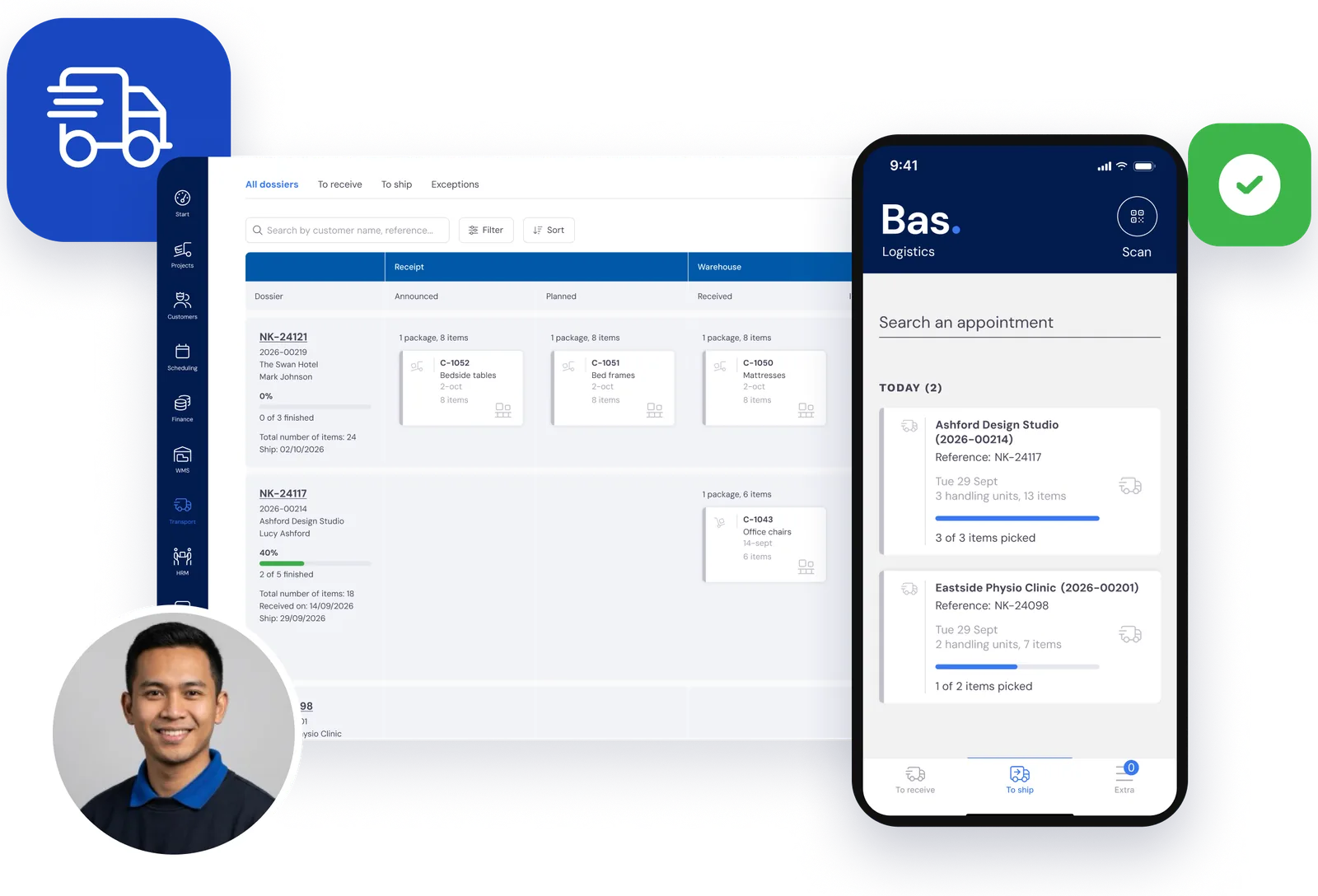
A van that comes back empty has only earned half its day.
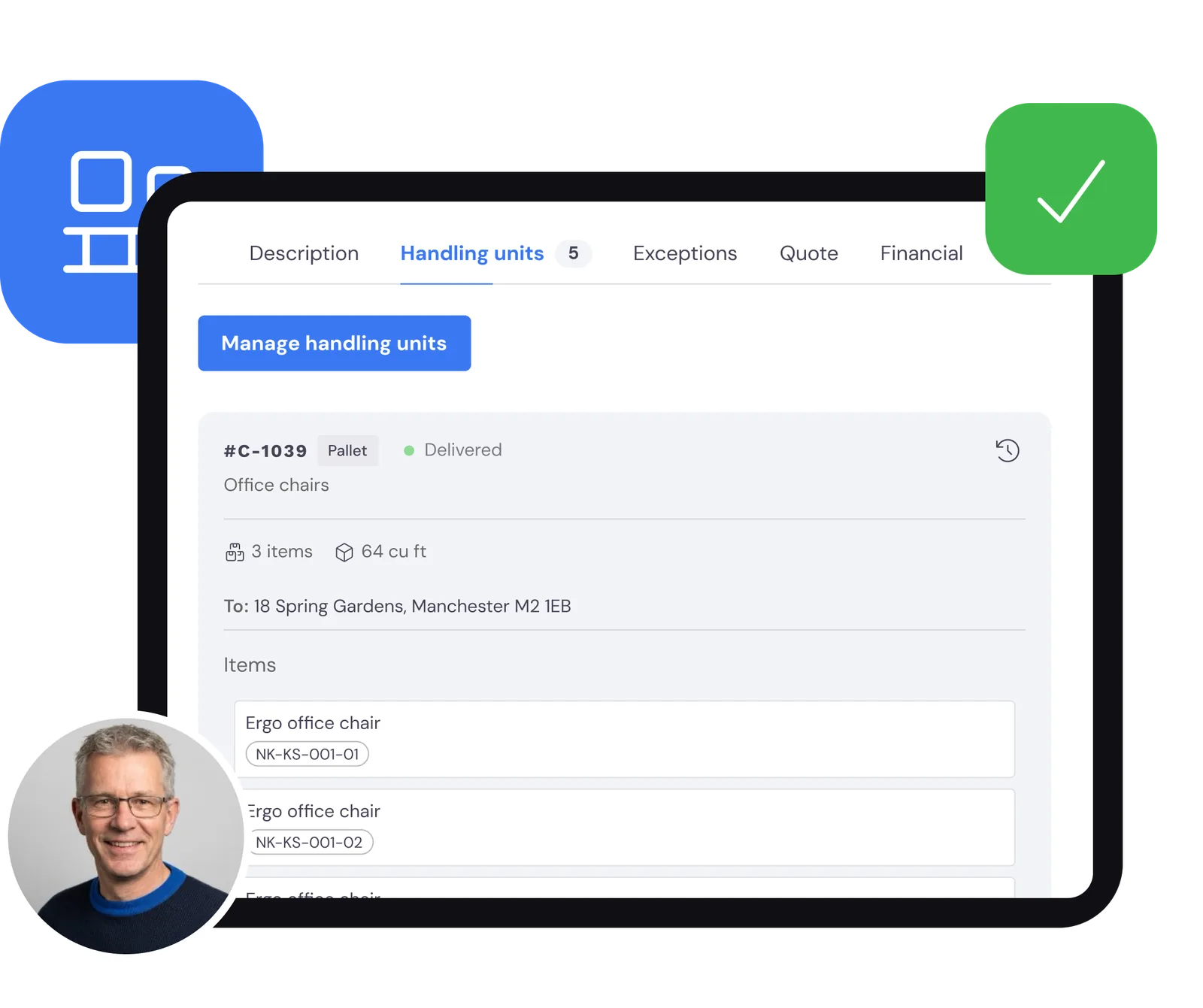
Booked in, with a label on every package
Follow one consignment. A pallet of office chairs arrives for a commercial customer. You book it in as a package with the items inside, and it gets a label with a QR code.
For every customer you then see what’s still to arrive, what’s in your warehouse and what’s ready to go out. That’s the warehouse side of Bas: stock per customer, locations with QR codes and consignments made ready to go.
Part loads and return loads on one run
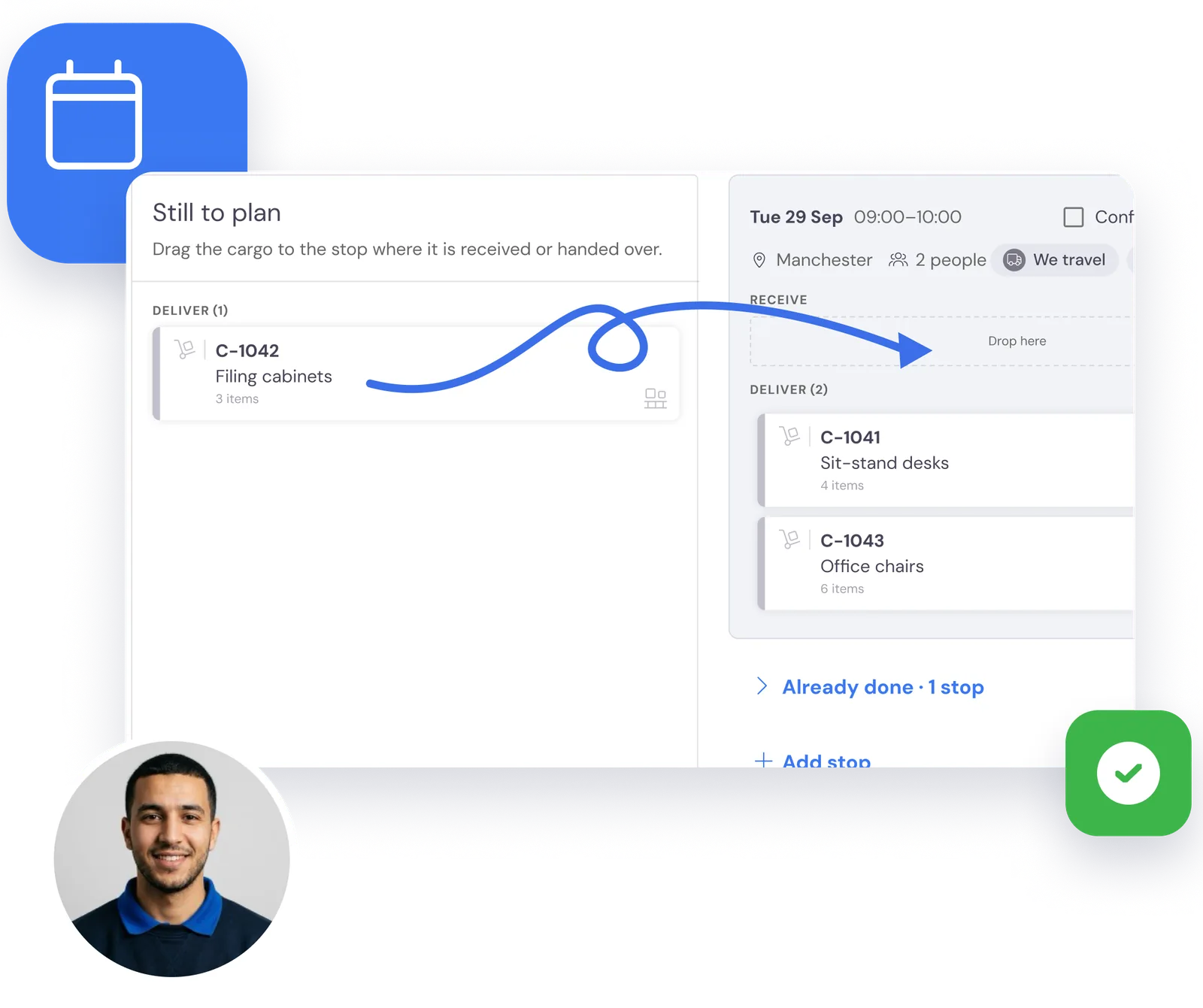
In the job record you drag packages onto a collection or a drop, with an address and a date. The run appears in your normal diary, next to your removals, with the crew and the van that take it.
Put the chairs on the same run as another customer’s desks, and add a collection for the way back. You decide what goes on which run. Bas keeps every package attached to its stop.
The driver scans, delivers and gets a signature
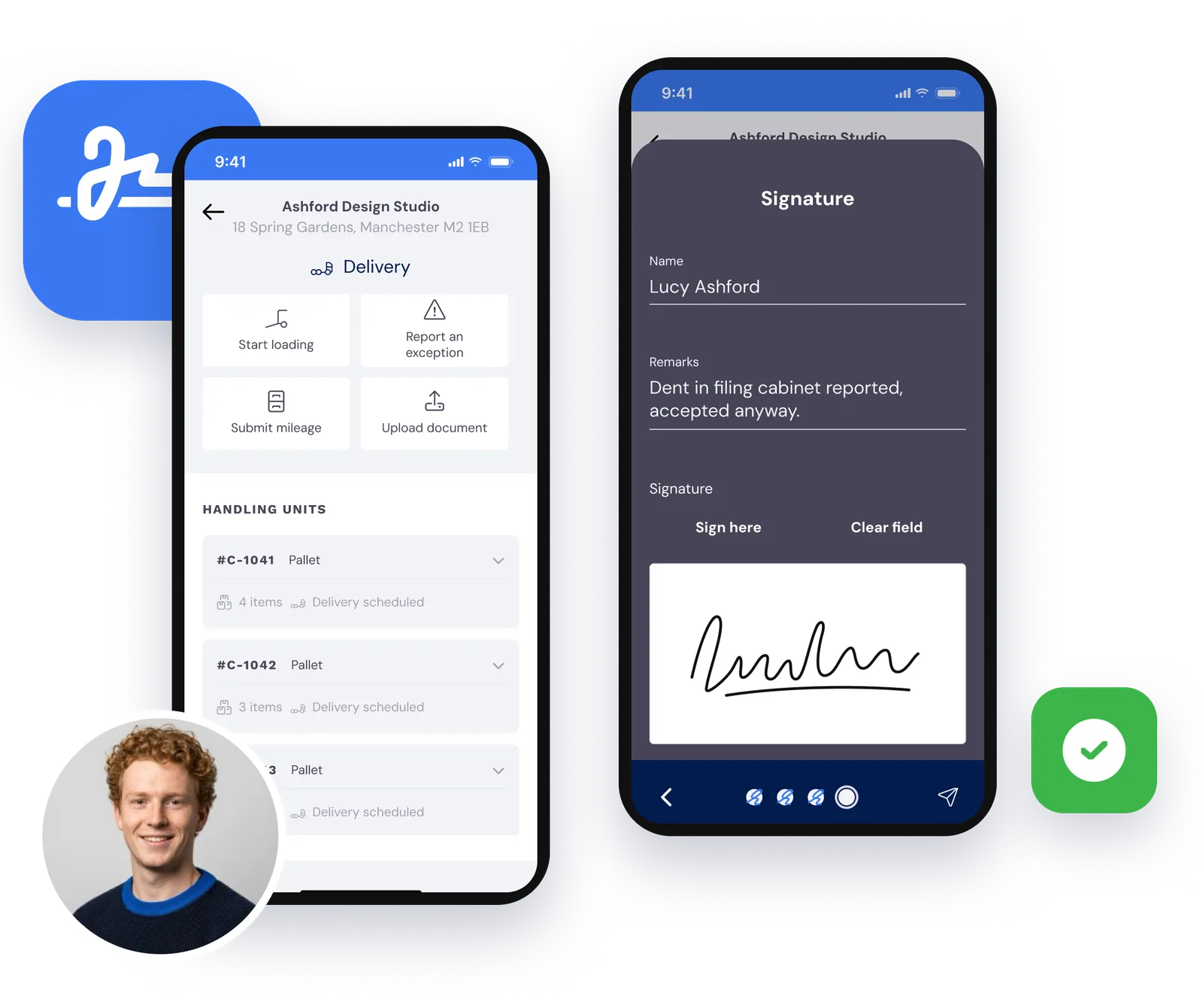
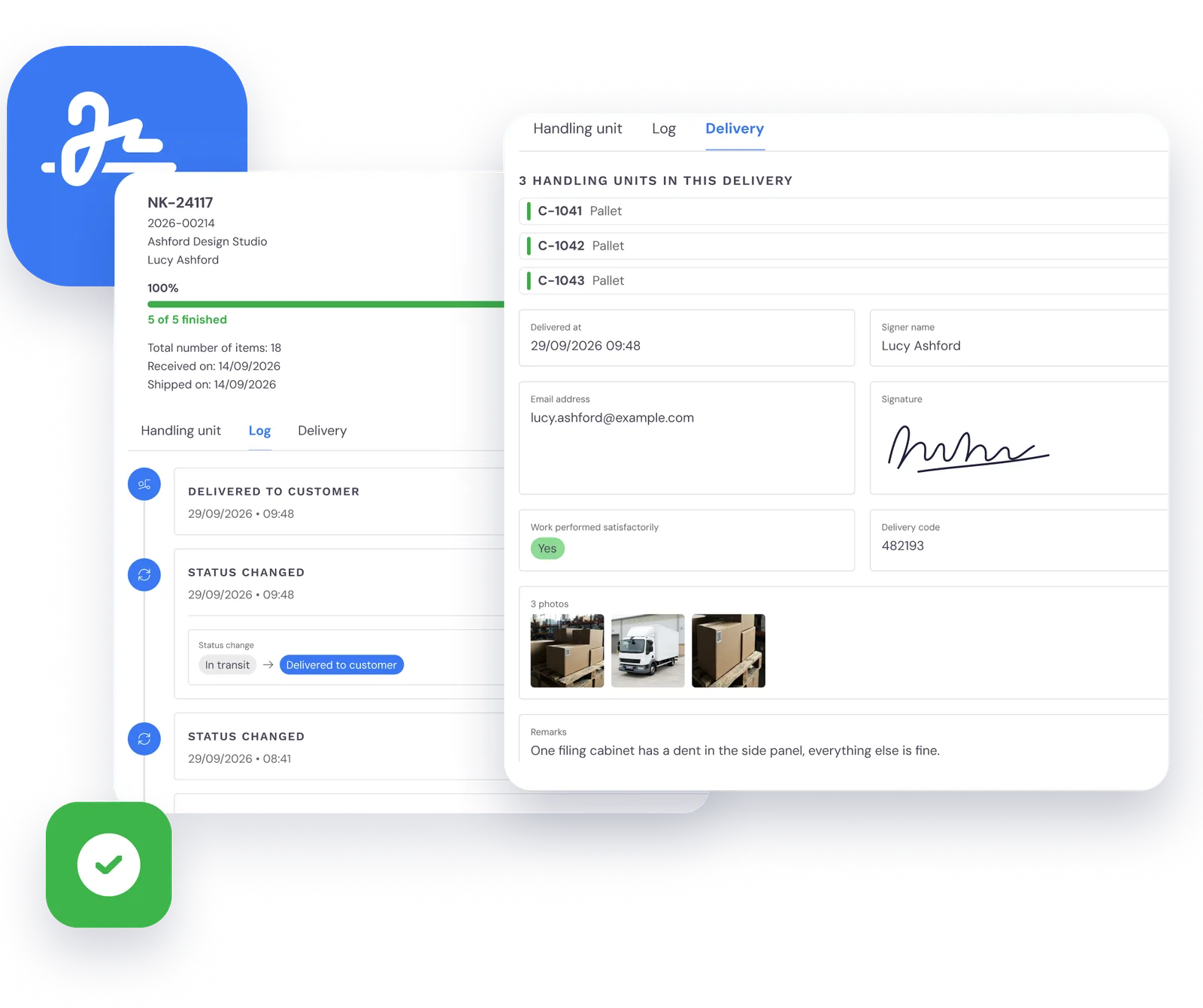
In the crew app the driver sees the day’s collections and drops, and scans each package at loading and again at delivery. The recipient signs on the phone and the driver takes photos. Together, that’s the proof of delivery.
If a drop can’t be made, the driver picks the reason in the app, and the office sees it straight away.
A delivery note in the cab proves nothing until someone finds it.
One job, not three spreadsheets
The planner creates the job, puts the packages on collections and drops, and puts the runs in the diary. Goods in, stock and delivery all sit on the same record.
Labels instead of lists
Warehouse staff book the goods in, put the labels on and get the packages ready to go out. A scan says where each one is.
Proof on the phone
The driver scans, delivers and gets a signature in the app. Nobody has to post a signed note back to the office.
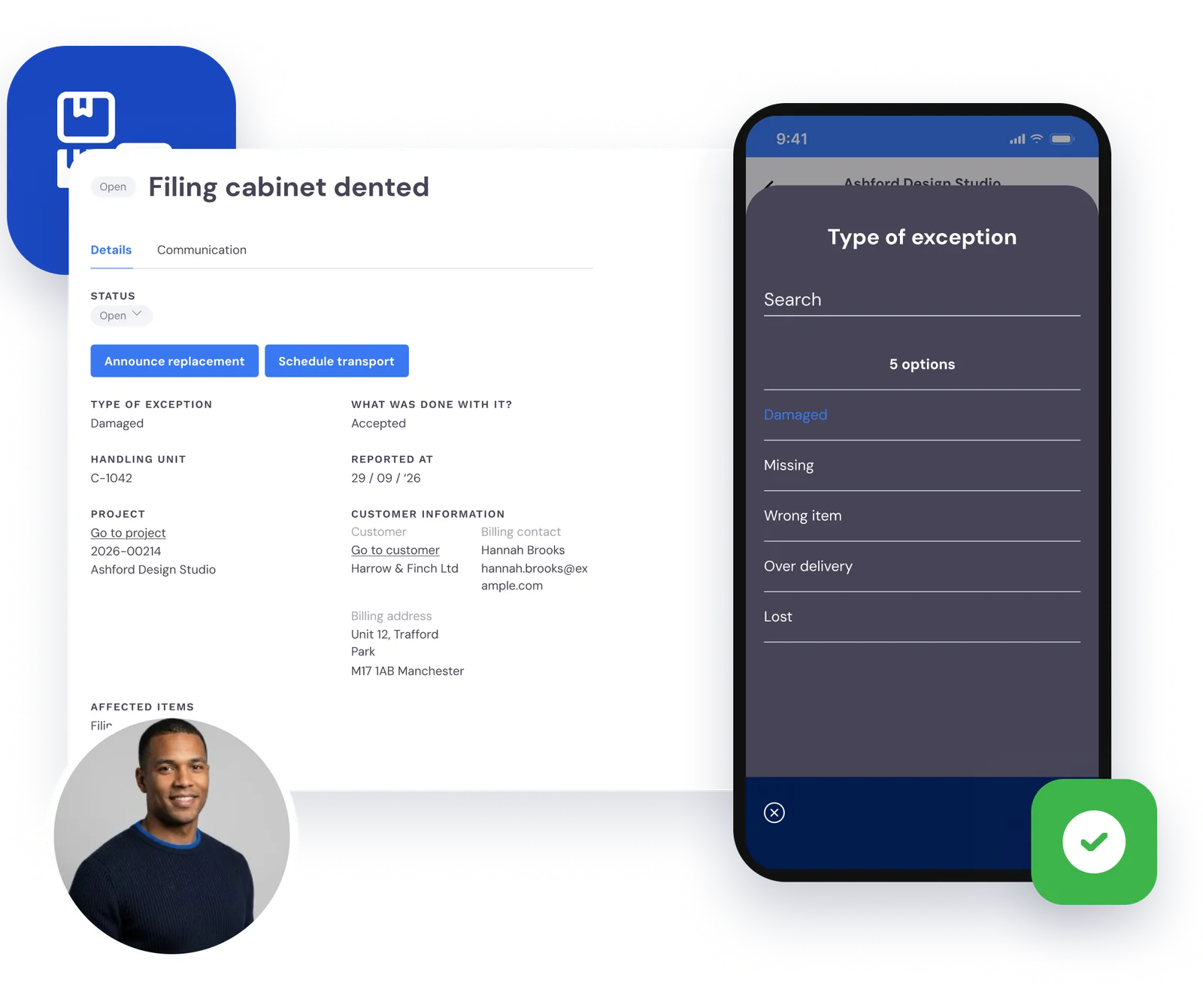
When a pallet turns up damaged
Damaged, missing, wrong item, over delivered or lost: the driver or warehouse staff record it as an exception, with photos, at the moment they find it.
A missing package goes in the diary as a follow-up delivery. When the customer asks what happened, the answer is on the job, not in somebody’s memory.
The invoice counts the drops for you
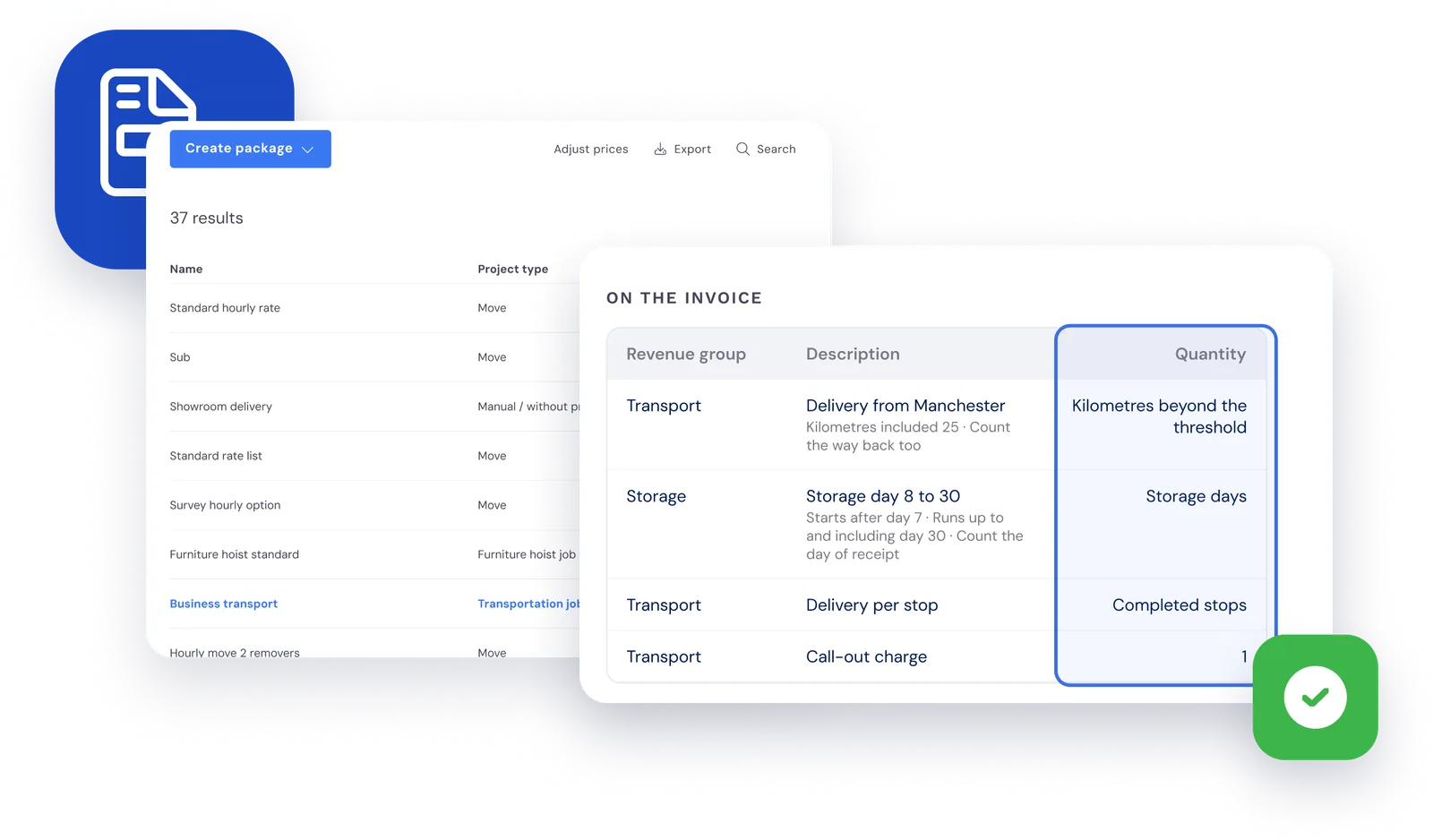
In your service packages you set where each invoice line takes its quantity from: storage days in tiers, mileage over an agreed allowance or the number of completed and failed drops.
Bas works it out from the job. You check the invoice and send it.
Your commercial customers can follow it themselves
Give your commercial customers access to the customer portal. They follow each package through collection and delivery, see the proof of delivery and book a collection or delivery themselves.
That means you can offer fulfilment as well: your customer orders from their stock, and you pick, label and deliver.
Questions about transport and part loads
What removal companies ask us most, with a short answer to each.
For removal and transport firms that take in, store and deliver goods for commercial customers, such as furniture, office fit-outs or project goods. Removals and transport share one diary, one app for crews and drivers, and one invoice run.
Yes, in Transport. You put drops for several customers on one run and add a collection for the way back. You decide what goes on which run, and the run sits in the diary with the crew and van that take it.
Both. As a transport management system (TMS), Bas handles transport orders, collections and drops in the diary, the crew app for drivers with scanning and proof of delivery, exceptions and the quantities for your invoice. As a warehouse management system (WMS), it handles goods in, locations with QR codes, stock per customer and getting consignments ready to go. Your commercial customer follows it all in the customer portal. Read more in TMS for removal companies: when do you need one?.
QR codes. Every package gets a QR code label, and the driver or warehouse staff scan it with the camera in the crew app. If a label won’t scan, they pick the package by hand in the app and note why.
On delivery the recipient signs in the crew app, and the driver can take photos. The signature, the photos, the name of whoever signed and the time are saved for each package. You see the proof of delivery in the office, and your commercial customer sees it in the customer portal.
Yes. An invoice line can take its quantity from the transport job: storage days in tiers, mileage over a set allowance per drop or the number of completed and failed drops. You raise and send the invoice like any other invoice in Bas.
No. Transport is an add-on to Bas, and we switch it on for you. In a demo we show you how it works and what it would cost your firm.