A removals diary that keeps up with completion day
Thursday afternoon, and tomorrow is Friday. For most removal companies that’s the busiest day of the week, because most moves in England and Wales happen on completion day. A couple of jobs have only just exchanged, one customer is still waiting to hear from their solicitor, and a porter has texted to say he won’t be in.
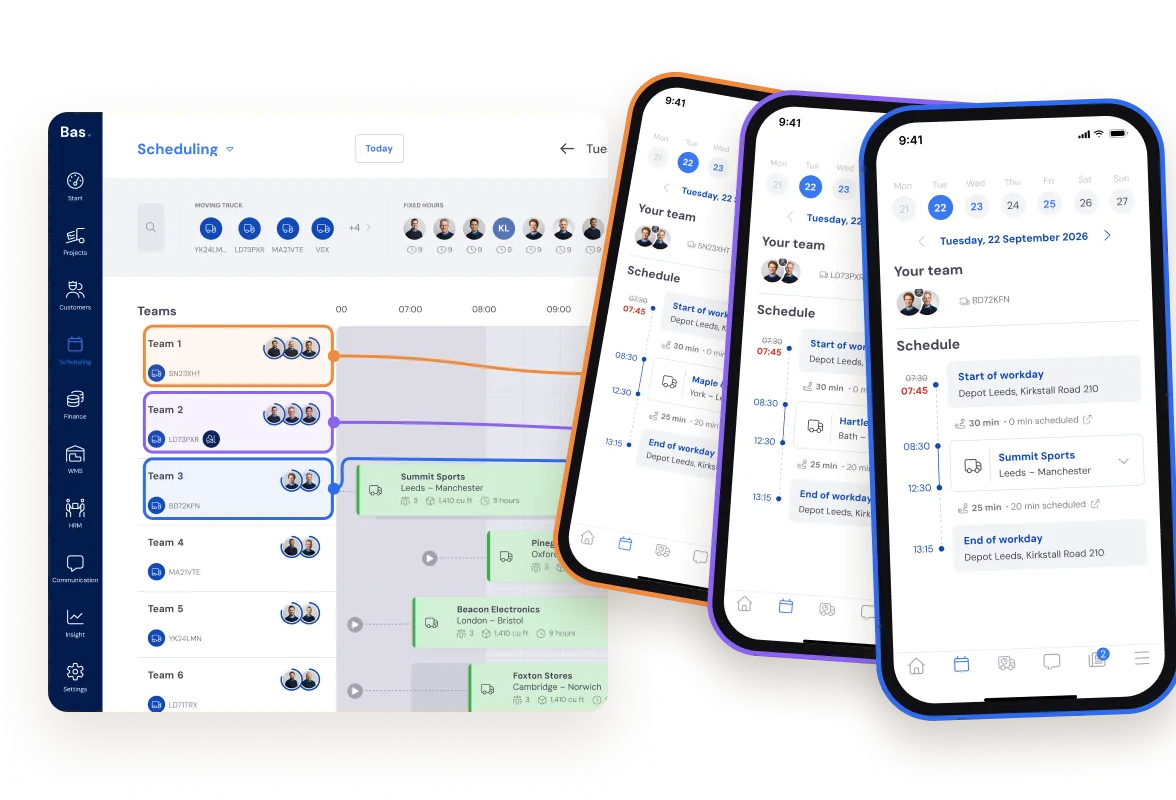
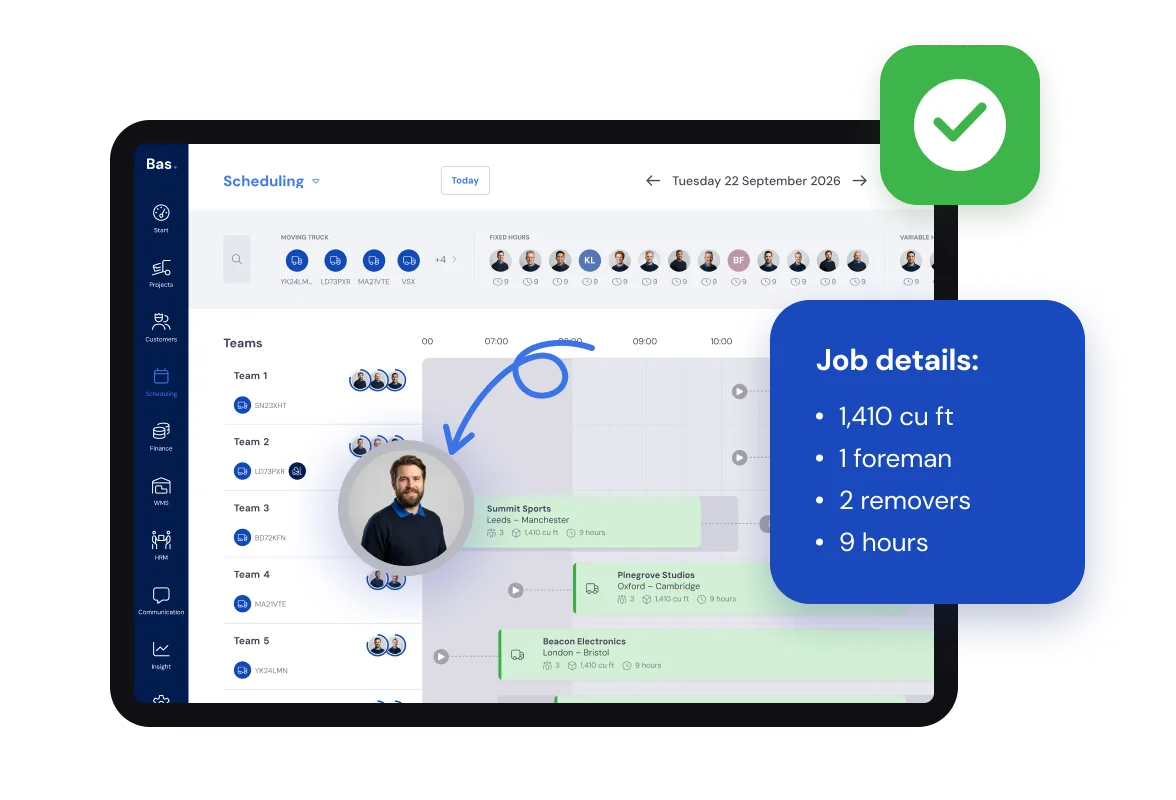
In Bas, every job sits in one diary next to your crews, your staff and your vans. You see at a glance who’s free tomorrow, which van is still in the yard and whether that last job fits. If it does, you drag it on.
Completion day is set by solicitors, not by you. Your diary has to keep up.
Pencilled in until it’s confirmed
Follow one job through the week. The surveyor has been round, the quote has gone out and the customer is aiming to complete on a Friday, but nothing is certain until contracts are exchanged.
You can still put the job in the diary on that Friday. It shows as unconfirmed until the job is confirmed, and your crew don’t see it in their app until then.
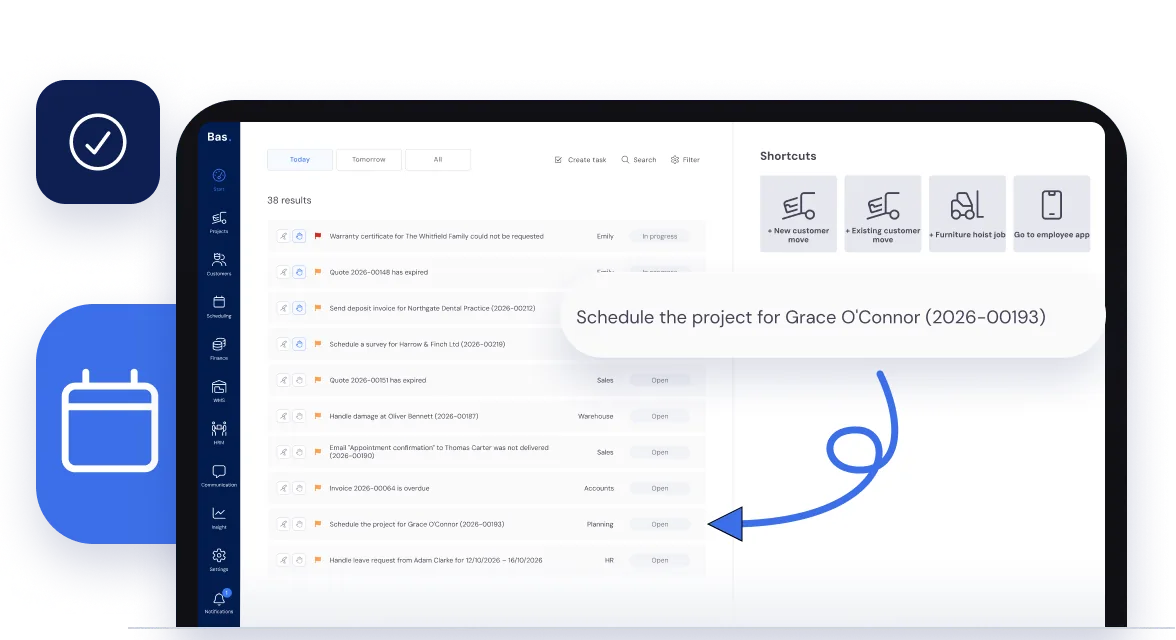
When the customer accepts the quote in Sales, Bas puts a task on your list to say the job is ready to schedule. Nothing sits waiting in somebody’s inbox.
Packing day and moving day, each with its own crew
Once they’ve exchanged and the date is fixed, the job takes its full shape. Packing on the Thursday, the move on the Friday, perhaps dismantling or a furniture hoist as well: each is its own appointment on the same job, with its own date, start time, crew and van.
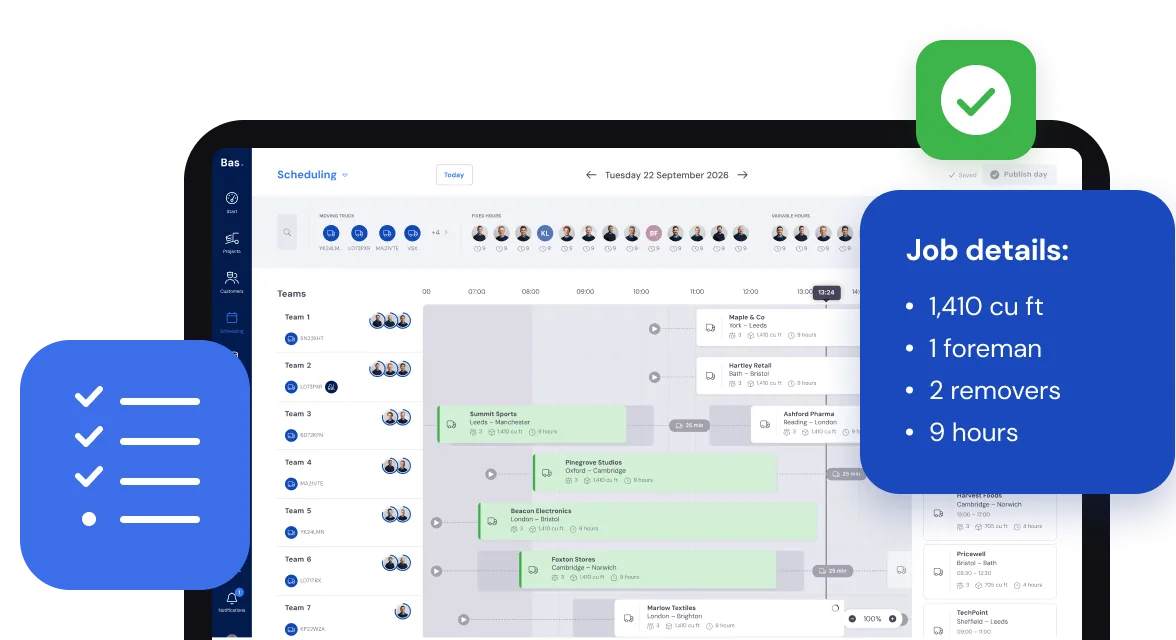
Everything from the survey and the accepted quote is to hand while you do it: the cubic feet, how many porters it needs and whether a foreman goes along, the packing materials and the extras the customer has paid for.
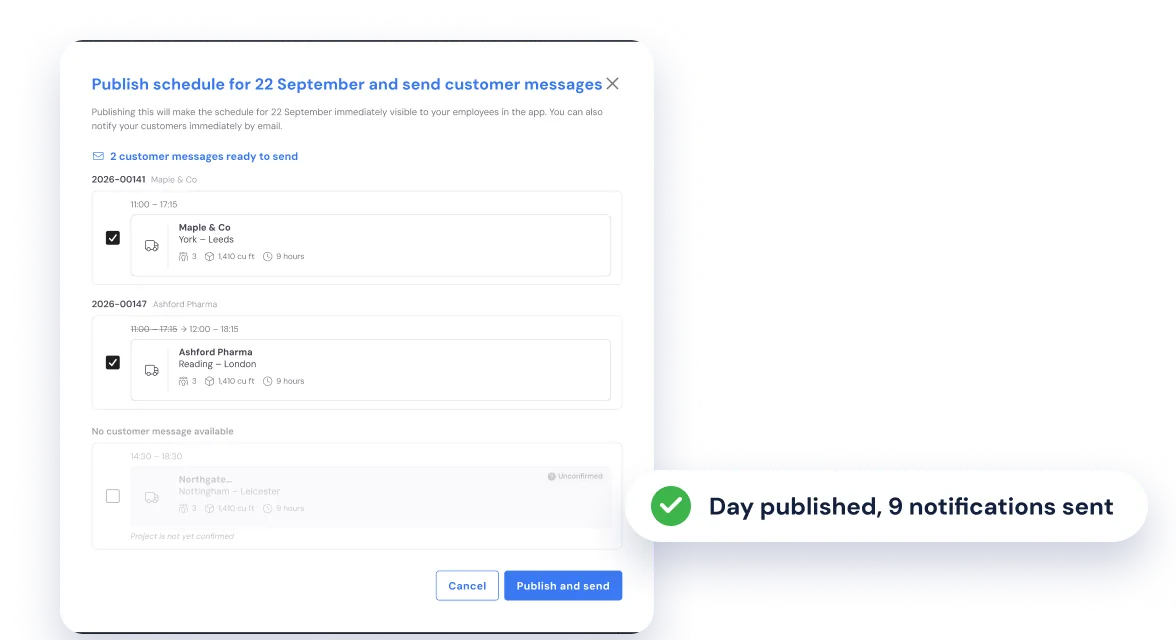
The crew see it the evening before
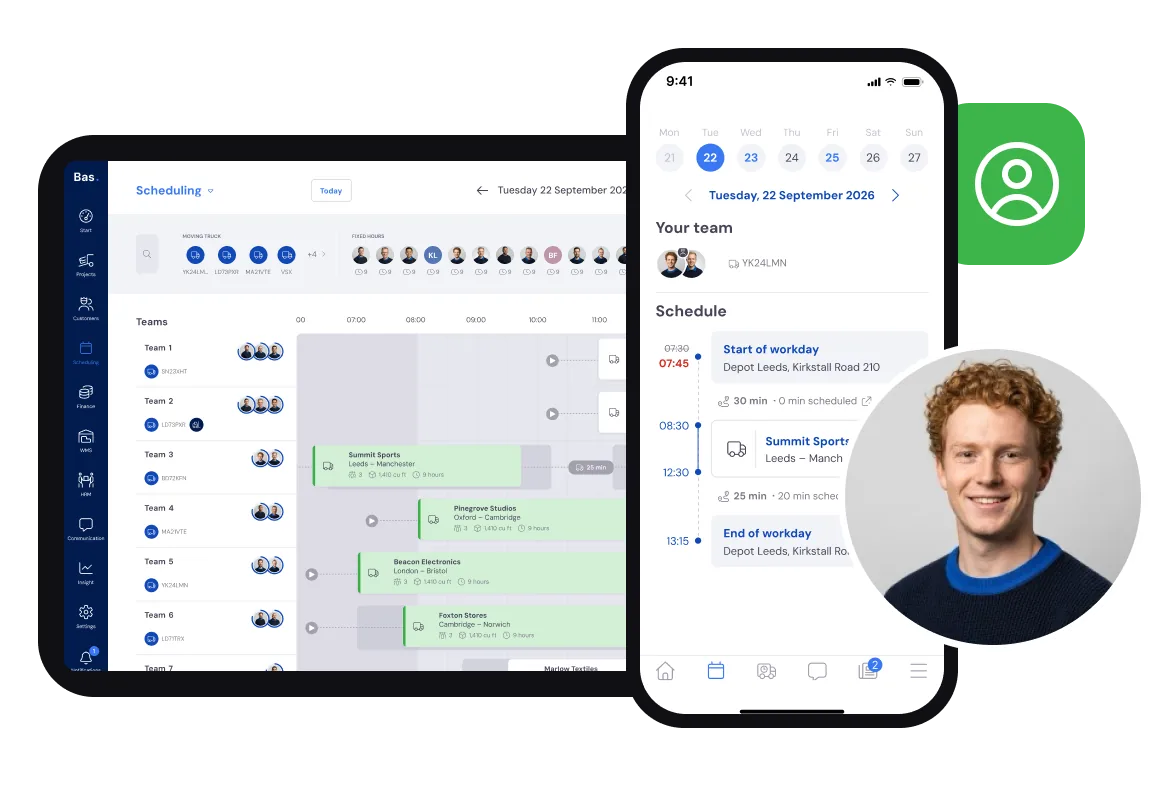
Move things around as often as you like. Nothing reaches the crew until you press Publish day. Then each crew see their jobs, addresses and start times in the crew app.
At the same moment you choose which customers get an email about a new appointment or a changed time. If someone on the day is off sick or on holiday, Bas warns you before you publish.
Rather not think about it? Set how many days ahead, and at what time, the diary goes out to the app automatically.
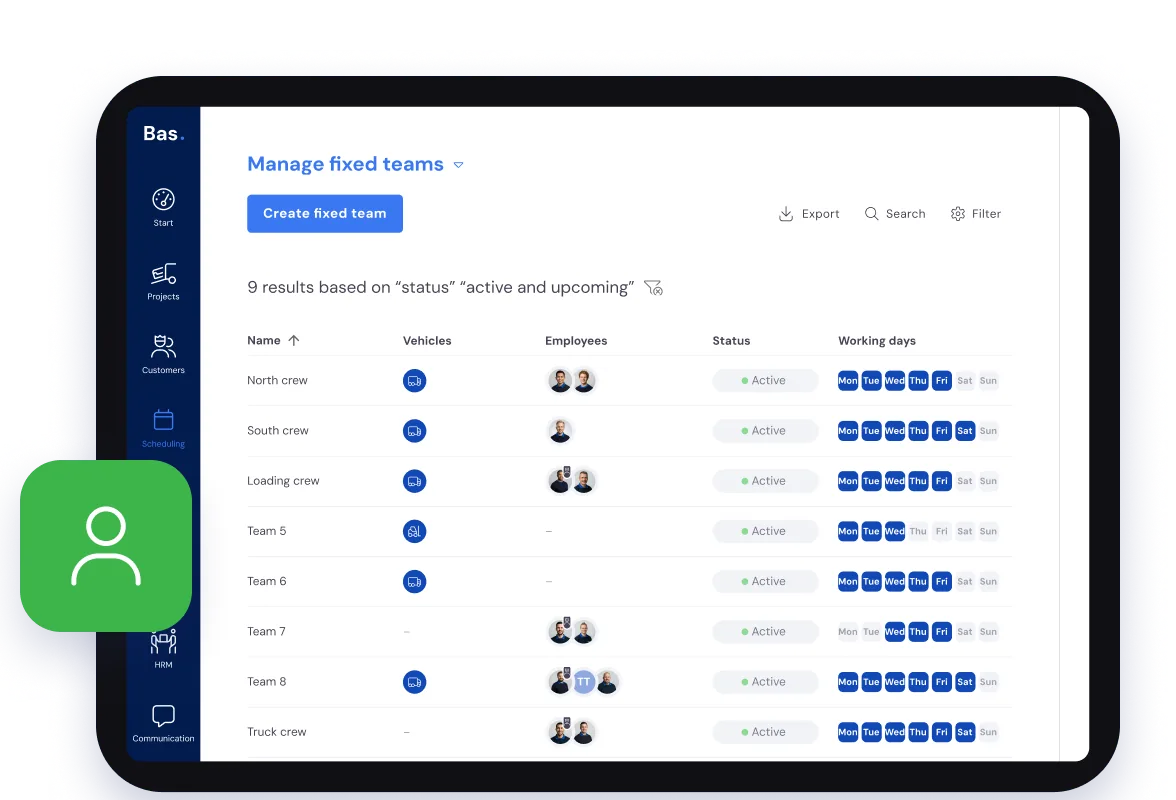
With fixed crews
Plenty of firms send the same foreman and porters out together, week in, week out. Set those crews up once, each with its van and working days, and every job goes into the diary even faster.
Handy if you run a growing removal firm.
A whiteboard shows who’s on which job. It can’t tell you who’s off, which van is free or what the customer was promised.
Who’s actually free
Each person’s working hours come from HR. Anyone off sick or on holiday drops off the list of who’s free, so the diary shows the hands you really have.
Which van is in the yard
Your vans are in the diary too, with the days they’re available, so you see which one is already out. Part loads and return loads are planned in Transport.
Your own staff first
The diary shows which permanent staff are still short of their contracted hours, so you book them first. Need more hands? Agency staff go in the diary alongside them.
When completion moves to Monday
The chain slips and Friday becomes Monday. Drag the moving day to Monday in the diary, and the packing day too if that shifts. You move each appointment separately, then put a crew and a van on it for the new day.
Keys not coming until after lunch? Drag the start time into the afternoon. Nothing changes for the crew or the customer until you publish, and when you do, you choose who gets an email about the new time.
And if the crew still end up waiting on the doorstep, record the waiting time on the job as an adjusted appointment, so you can charge for it.
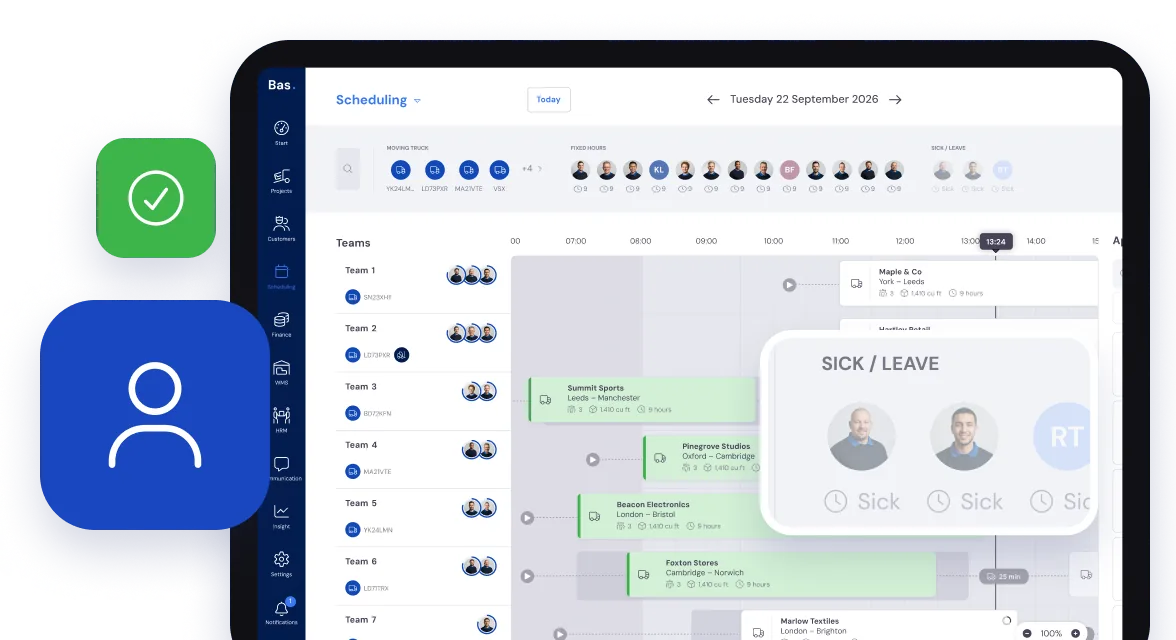
When a porter rings in sick at half seven
Record the sickness in HR or straight from the diary, and that porter no longer shows as free. If they were already on a job, Bas doesn’t quietly take them off: you get a task to find cover. Take them off the day’s appointments, drag in someone who’s free and publish the day again, so the crew have the change.
Holiday works the same way, with more notice. Staff ask for it in the crew app, and once it’s approved it shows in the diary.
Questions about the diary
What removal companies ask us most, with a short answer to each.
Yes. Put the job in on the day the customer is aiming for, with the crew and van you have in mind. It shows as unconfirmed until the job is confirmed, and your crew don’t see it in their app until then. If the date moves, you move it.
Drag each appointment to its new time or day in the diary: the move, and the packing day too if that shifts. On the new day you put a crew and a van on it again. Nothing reaches the crew or the customer until you publish the day, and then you choose which customers get an email about the changed time.
Record the sickness in HR or straight from the diary, and that person no longer shows as free. If they were already on a job, Bas doesn’t take them off automatically: you get a task to find cover, take them off those appointments and drag in someone else. You can still put someone who’s off on a job, but Bas warns you, and warns you again before you publish. Holiday works the same way: staff ask for it in the crew app, and once it’s approved they drop off the list of who’s free.
Yes. Agency staff sit in the diary next to your own staff. You make them available for a day or for a longer stretch and put them on jobs the same way. The diary also shows which permanent staff are still short of their contracted hours, so you can book them first.
When you publish the day. Until then you can keep moving things around without anyone getting half a plan. You can also set how many days ahead, and at what time, the diary goes out to the app automatically. If you change something after publishing, the app keeps showing the last published version until you publish again.
Yes. Record the waiting time on the job as an adjusted appointment. Then it’s on the job record, ready to charge, instead of on a scrap of paper in the van.
A whiteboard or a spreadsheet only knows what you write on it. The diary in Bas is linked to everything else: an accepted quote arrives as a job with the cubic feet and services on it, availability comes from HR, and your crew see their own work in the app once you publish. Each person’s skills, such as foreman, packer or hoist operator, are on their record too. Read more in Planning software for removal companies: what you really need.
The crew know the job before they leave the yard
Once the day is published, each crew have their jobs, addresses, materials and notes from the office in the crew app. Nobody has to ring the office from the doorstep.