HR software for removal companies: holiday, sickness and hours
A holiday request on a sticky note, a sick call at half seven and a timesheet still in the van. For most removal companies, that’s HR. In Bas, your staff do their part in the crew app, you deal with it in the office, and the diary shows who you really have.
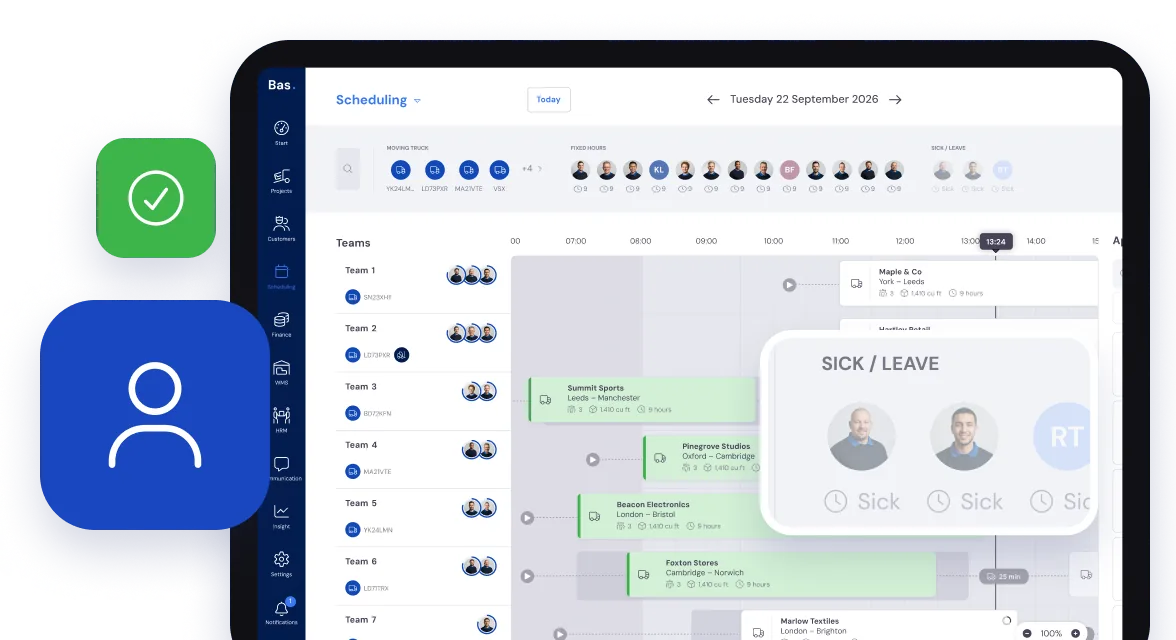
Your staff ask in the app. You answer from the office.
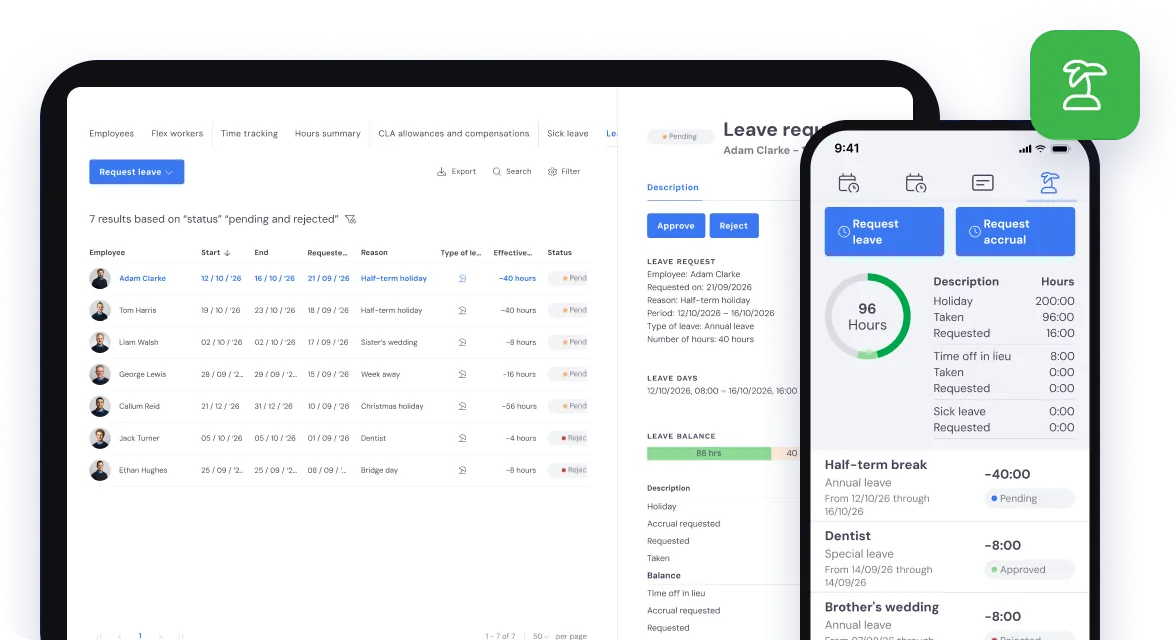
A holiday request that doesn’t get lost
Follow one porter through the week. On Monday he asks for a week off at half-term, in the crew app. You see the request in the office, with the dates and his remaining balance, and approve it or turn it down. He gets a notification on his phone as soon as you do.
Once it’s approved, he drops off the list of who’s free for those days. Bas keeps each person’s holiday balance, so nobody has to count it up in a notebook.
Sick on the morning of a move
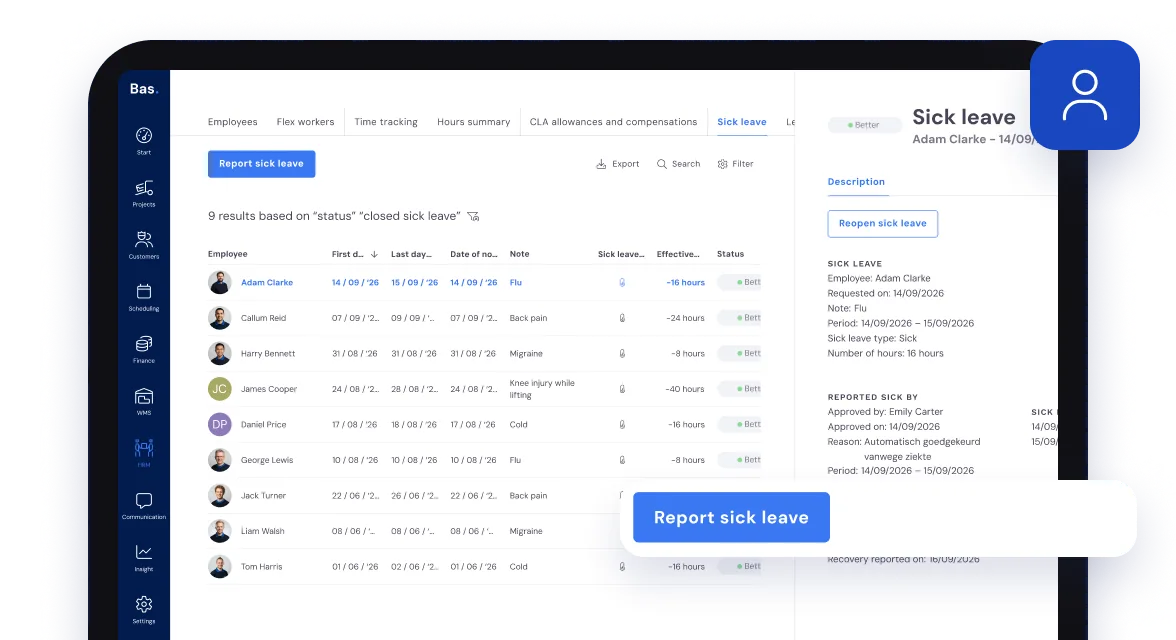
On Wednesday he rings in sick at half seven. Record it in HR, or straight from the diary, and he no longer shows as free.
If he was already on a job, Bas doesn’t quietly take him off. You get a task to find cover, take him off that day’s appointments and put someone else on.
Timesheets filled in for them
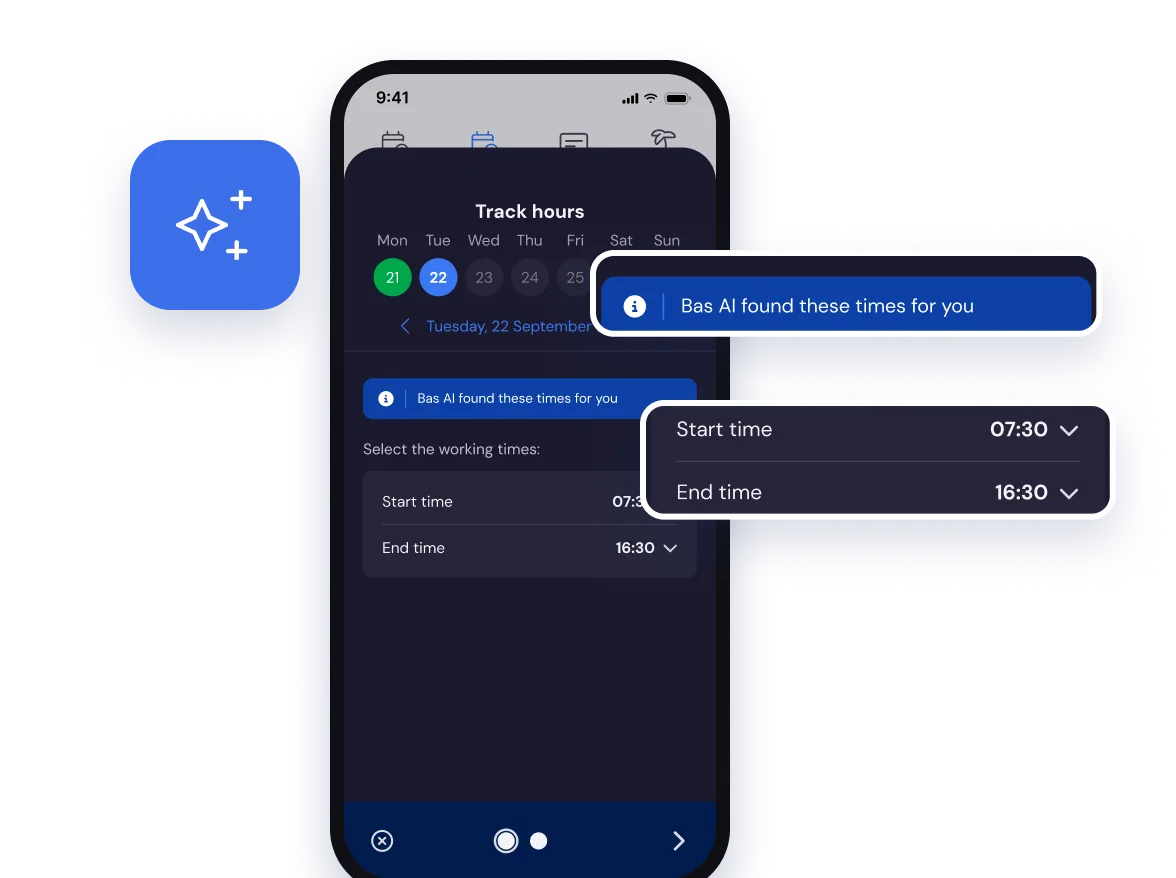
Back at work on Friday. After the job, the app suggests his hours from his contract, his working times, the diary and the job itself. He checks them and sends them in.
The foreman confirms the crew’s hours in the crew app, and you approve them in the office.
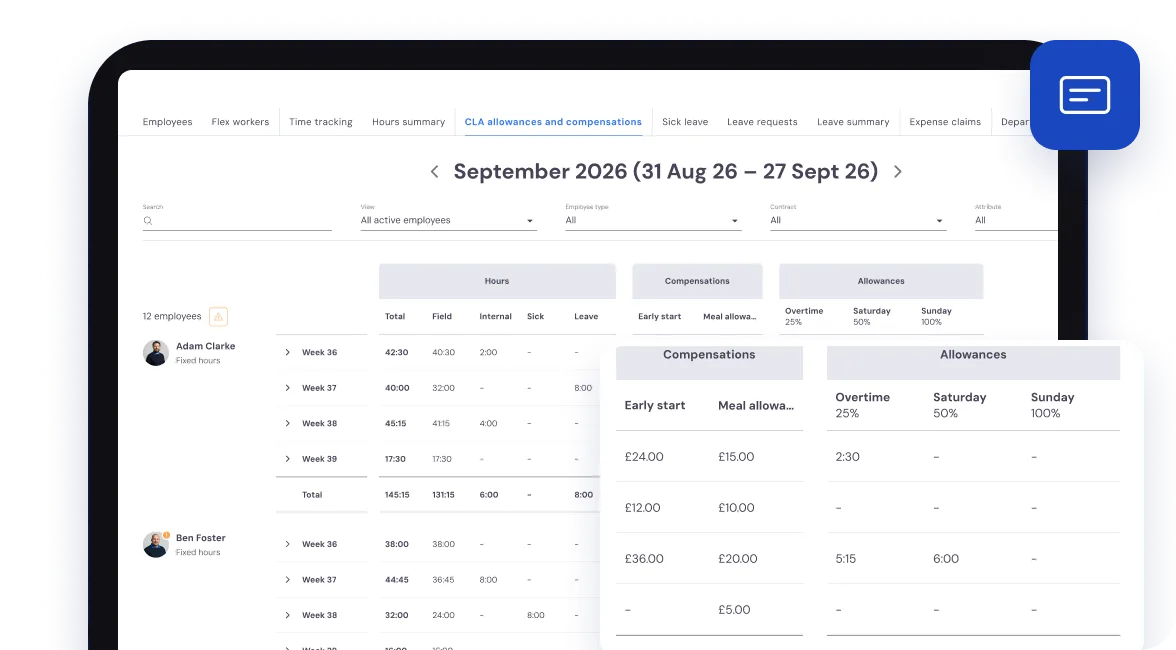
You set the rules for overtime rates and allowances to match your own contracts.
Overtime rates and allowances, worked out
He’s back for the Saturday job as well. Bas works out the overtime, the Saturday rate and any allowances from his approved hours and the rules you’ve set.
Which rates and allowances Bas works out, and how you set the rules, is on the Allowances page.
Ready for payroll at the end of the period
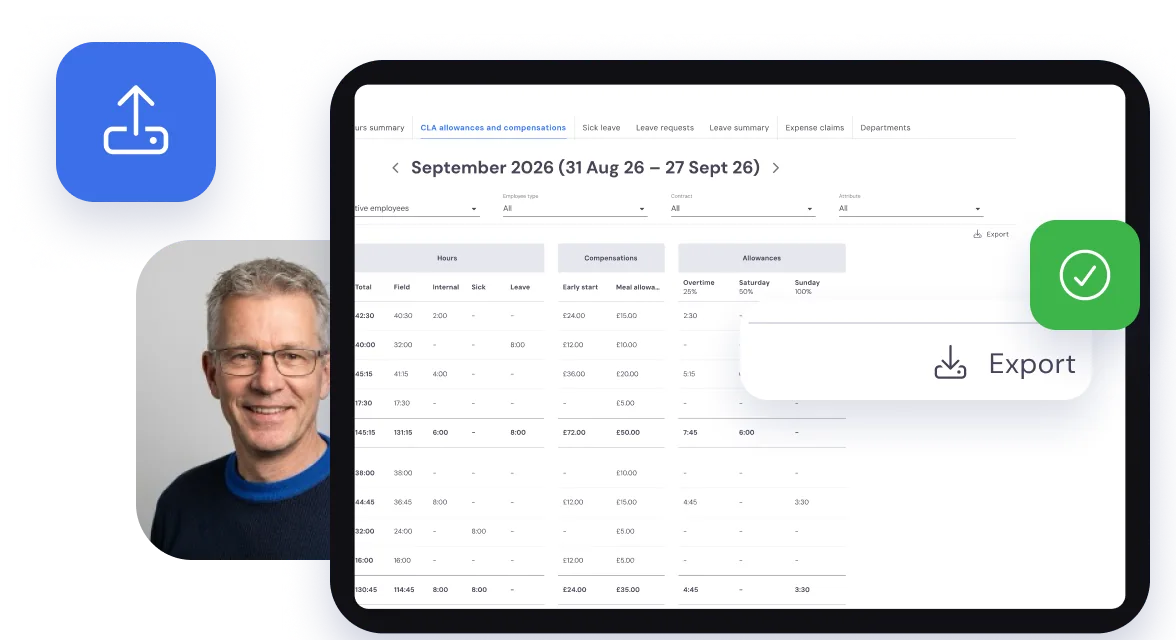
At the end of the pay period, export the hours, rates and allowances to Excel in one click. That’s the file for your payroll, or for your accountant.
Questions about HR
What removal companies ask us most, with a short answer to each.
Staff ask for holiday in the crew app, and you approve it or turn it down in the office. Once it’s approved, they drop off the list of who’s free for those days. Bas keeps each member of staff’s holiday balance and shows how many people you have over a longer period, so you see busy spells coming in good time.
No, you do. Record the sickness in HR or straight from the diary, and that person no longer shows as free. If they were already on a job, you get a task to find cover: take them off those appointments and put someone else on.
Staff record their hours in the crew app, and the foreman confirms the crew’s hours after the job. You approve them in the office, and Bas applies the pay rules you’ve set to work out overtime, allowances and other rates. At the end of each period the hours, rates and allowances go straight into your payroll, or out as an Excel export if you prefer. Read more in Time tracking, overtime and allowances: how to handle it in just a few clicks.
Yes. Staff send in expense claims through the crew app, for fuel, parking or other costs on a job. You approve them or turn them down in the office. Approved claims go into the payroll run or are paid out separately, depending on how you’ve set it up.
No. The crew app suggests their hours from their contract, their working times, the diary and the job itself. They check them and send them in.