
Allowance rules
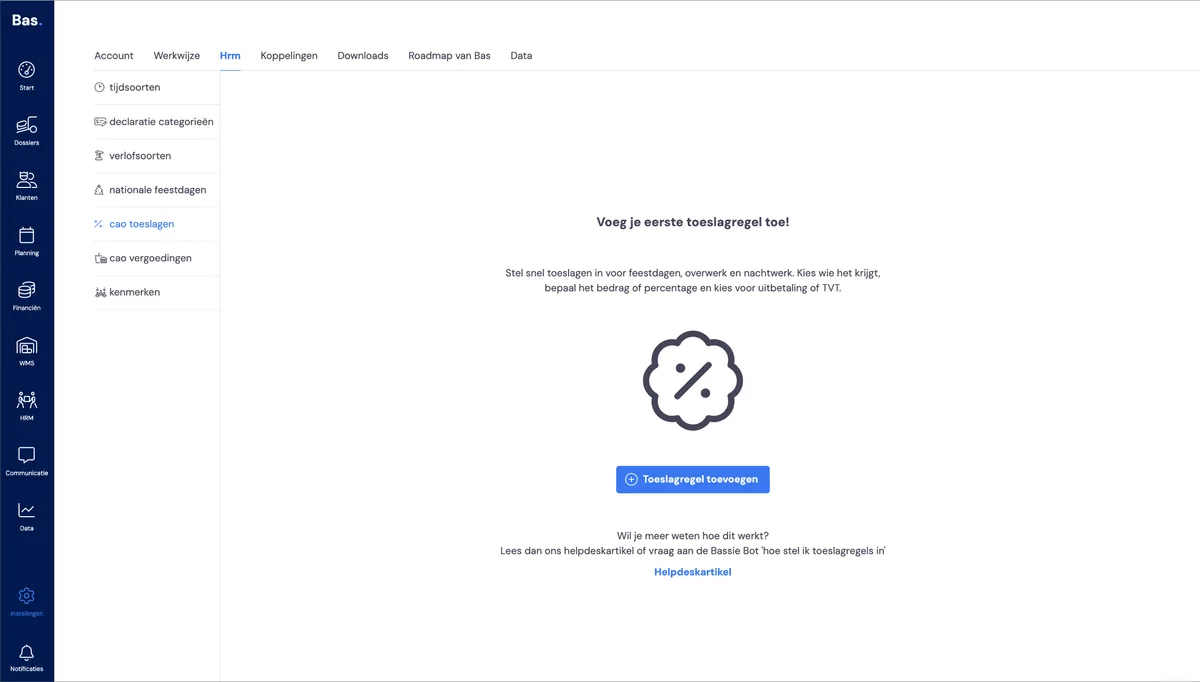
You'll find the overview of all configured allowance rules via settings > HR and then CLA allowances.
Creating a new allowance rule
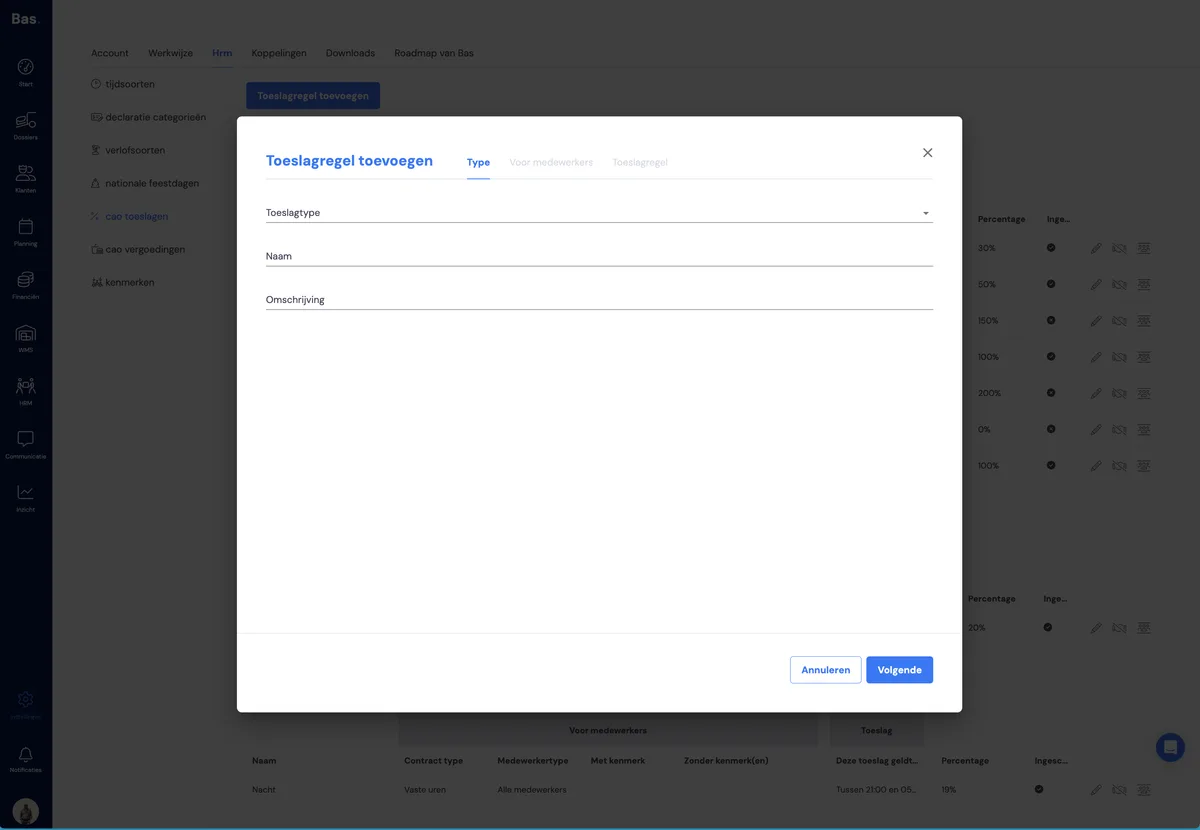
You add a new allowance rule using the 'Add allowance rule' button. You'll then be guided through a wizard where you add all the attributes of the CLA rule.
Choose allowance type, name and description
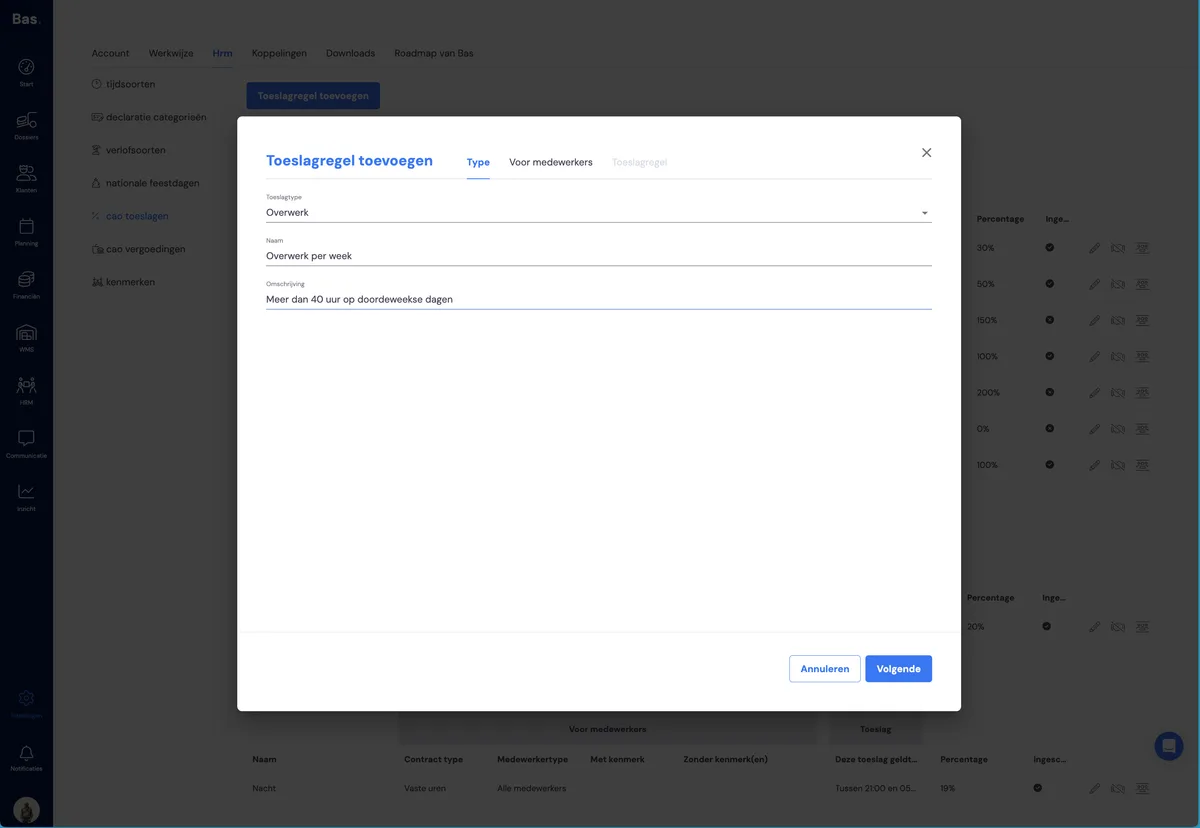
You can create allowance rules for daily overtime or weekly overtime, allowances for weekend work, and work on public holidays. Choose which type of allowance you want to add, then enter the name and description.
Select employees
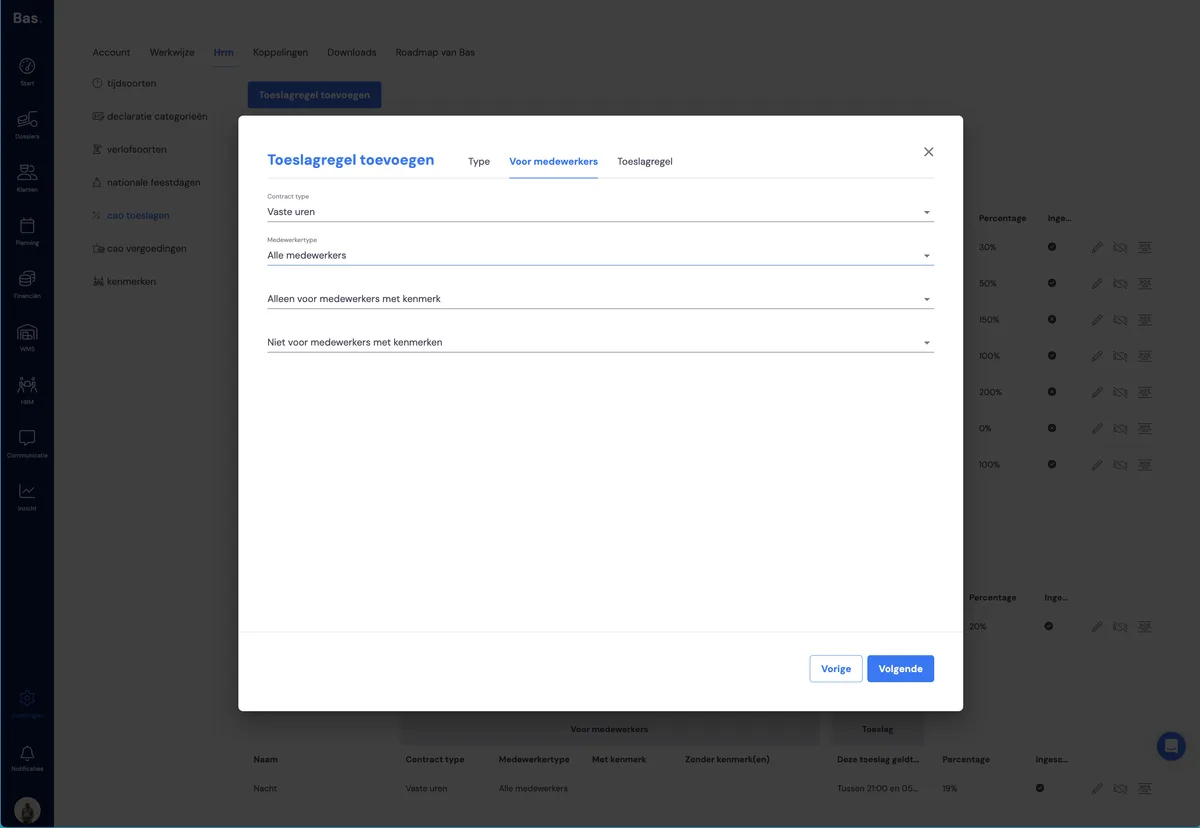
In this step, you select which employees the allowance should apply to. You have the following options:
contract: choose which type of contract the allowance should apply to
employee type: choose field-work employees (these are employees with a skill such as mover, handyman or foreman, etc.) or choose office-work employees (employees without any of these skills, such as planners)
only for employees with attribute: make the allowance apply only to employees with an attribute (that you've added to the employee via HR)
not for employees with attribute: exclude employees with a particular attribute
Determine the allowance
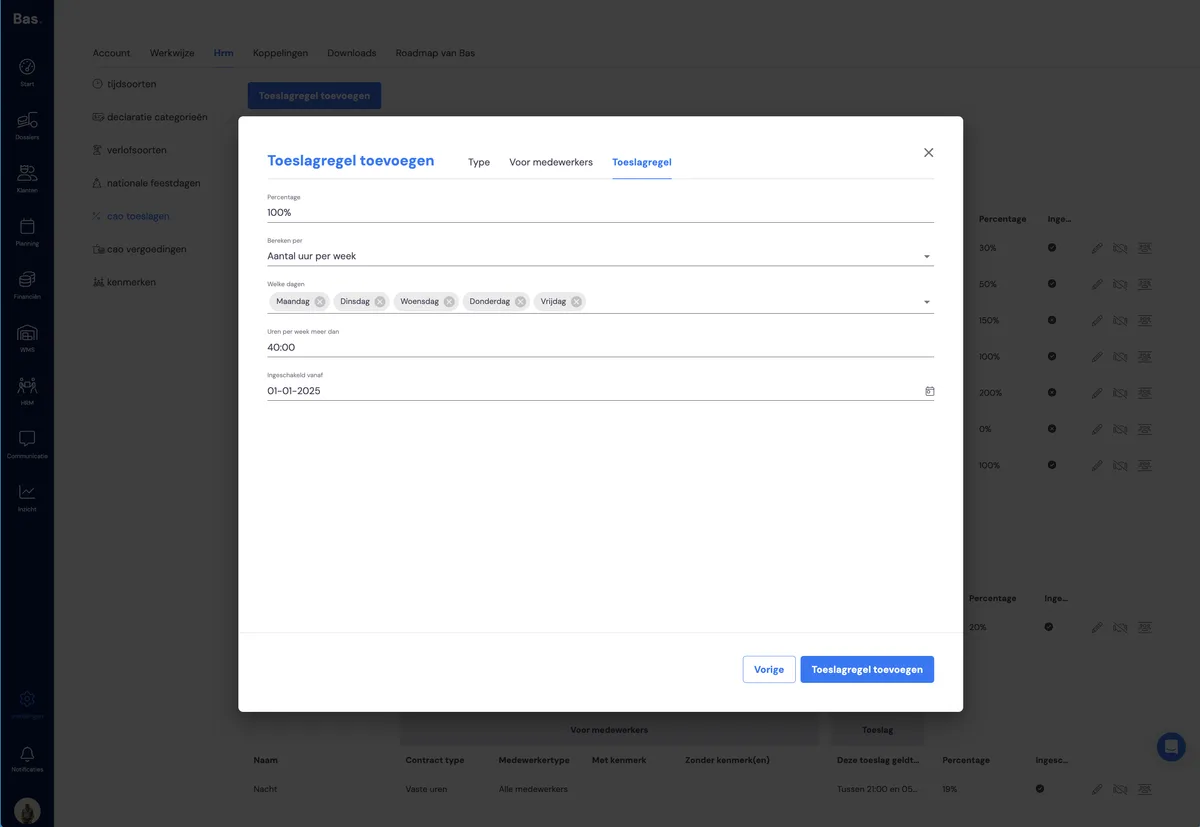
In the overtime example, you enter the following details:
percentage: the percentage paid extra, on top of the normal salary (in the form of time off in lieu or a payout)
per day or per week: determine whether overtime is calculated based on the number of hours per day (more than 8, for example) or per week (more than 40 hours)
days: choose which days the calculation is based on
active from: the point at which the allowance rule becomes active
Once you've completed all the steps, your allowance rule will appear in the overview.
Editing an allowance rule
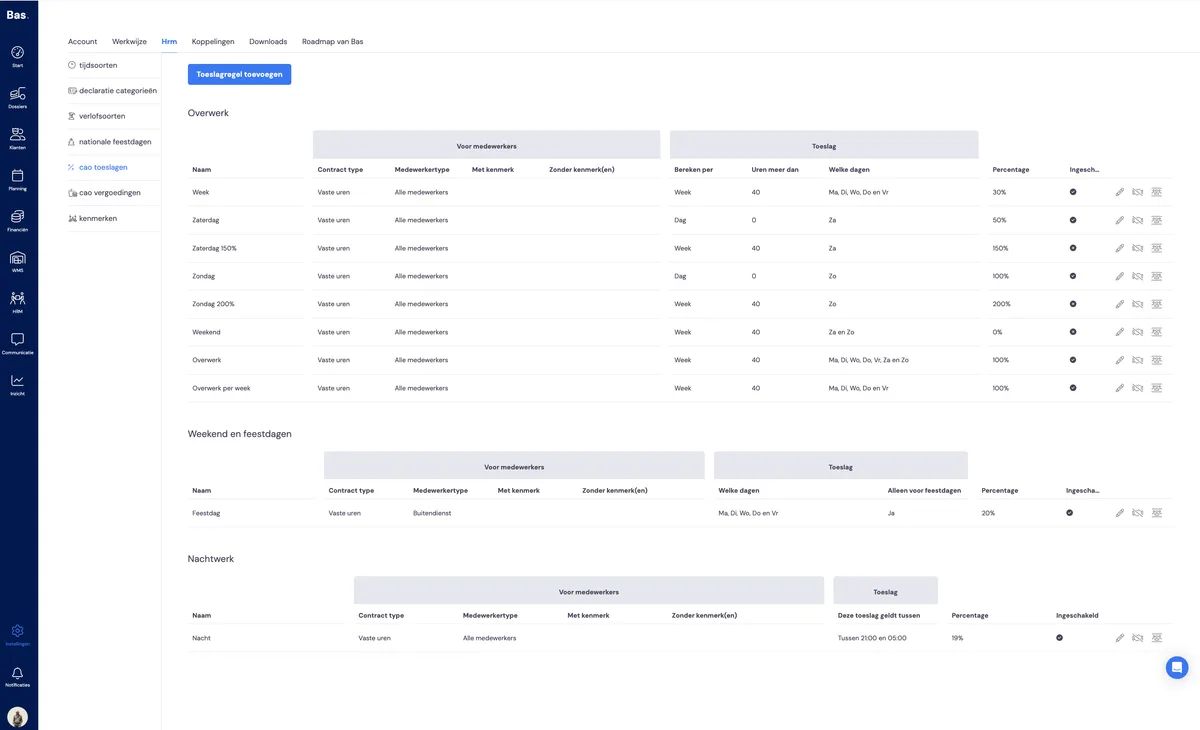
You can:
edit an allowance rule using the pencil icon on the right of the rule.
enable or disable it using the date icon.
Checking which employees a rule applies to
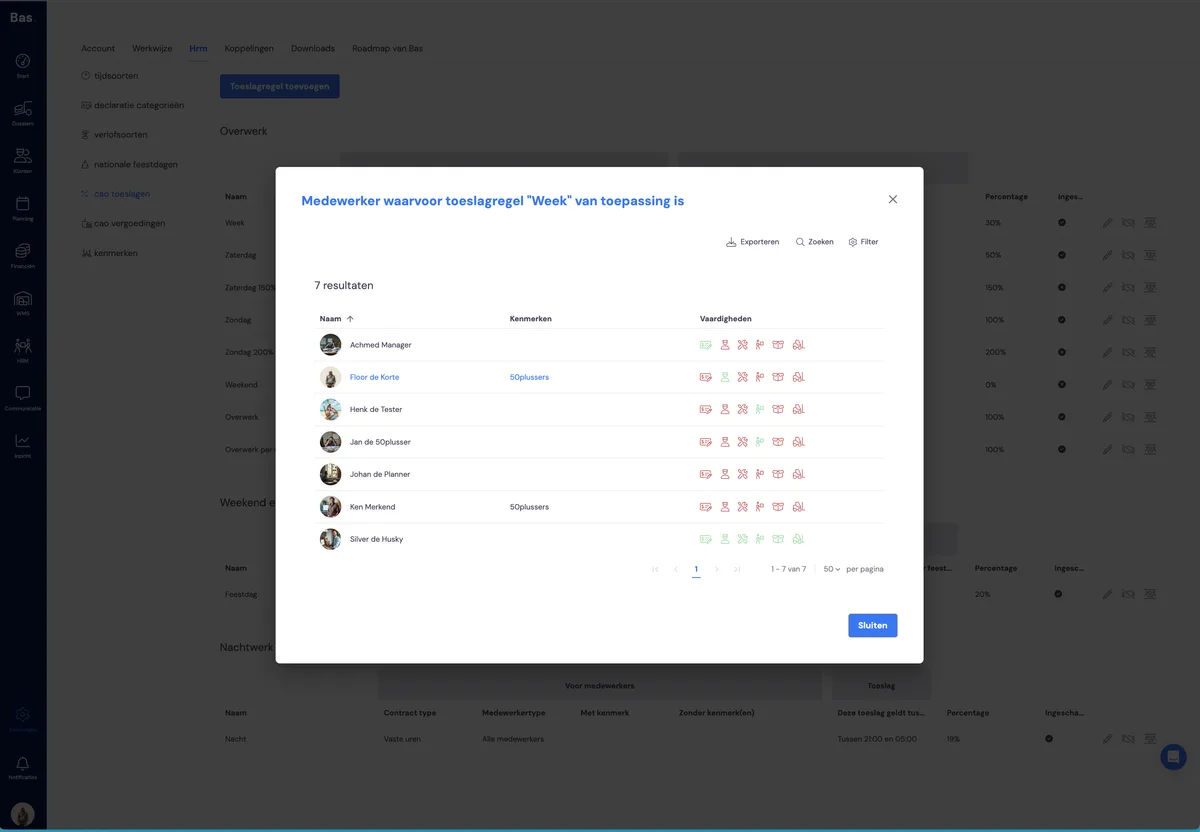
You can check which employees the allowance applies to by clicking the person icon.
What you can do
Set your own rules for reimbursements
Create specific attributes for employees and link them to CLA rules