
Overview of attributes
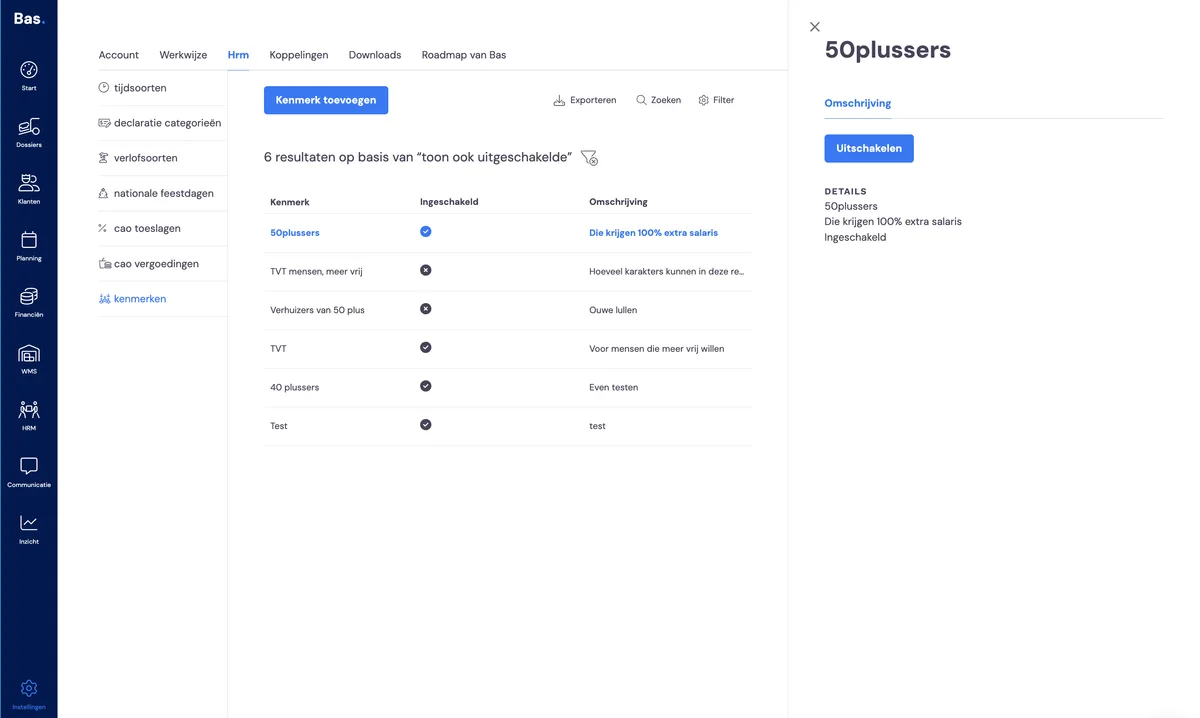
You'll find the overview of all created attributes under settings > HR. Here you can view, create and disable attributes.
Creating an attribute
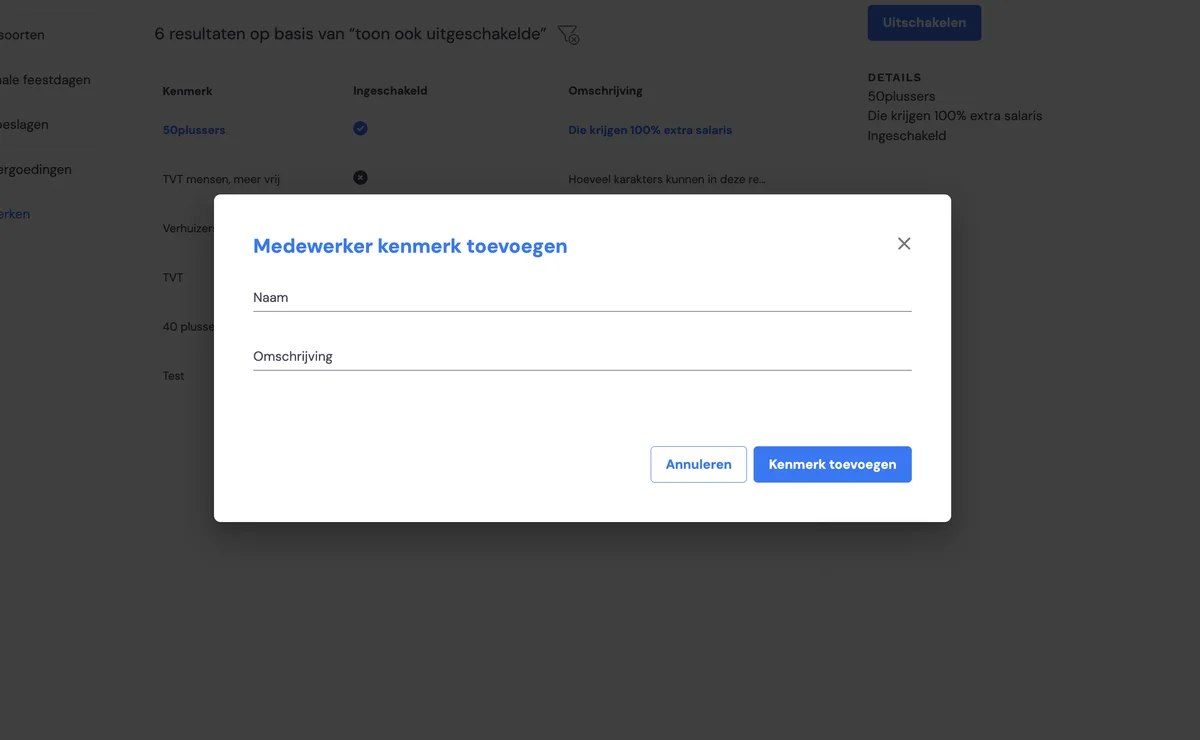
Create a new attribute by clicking 'Add employee attribute'. In the form that appears, simply enter the name and description.
Adding an attribute to an employee
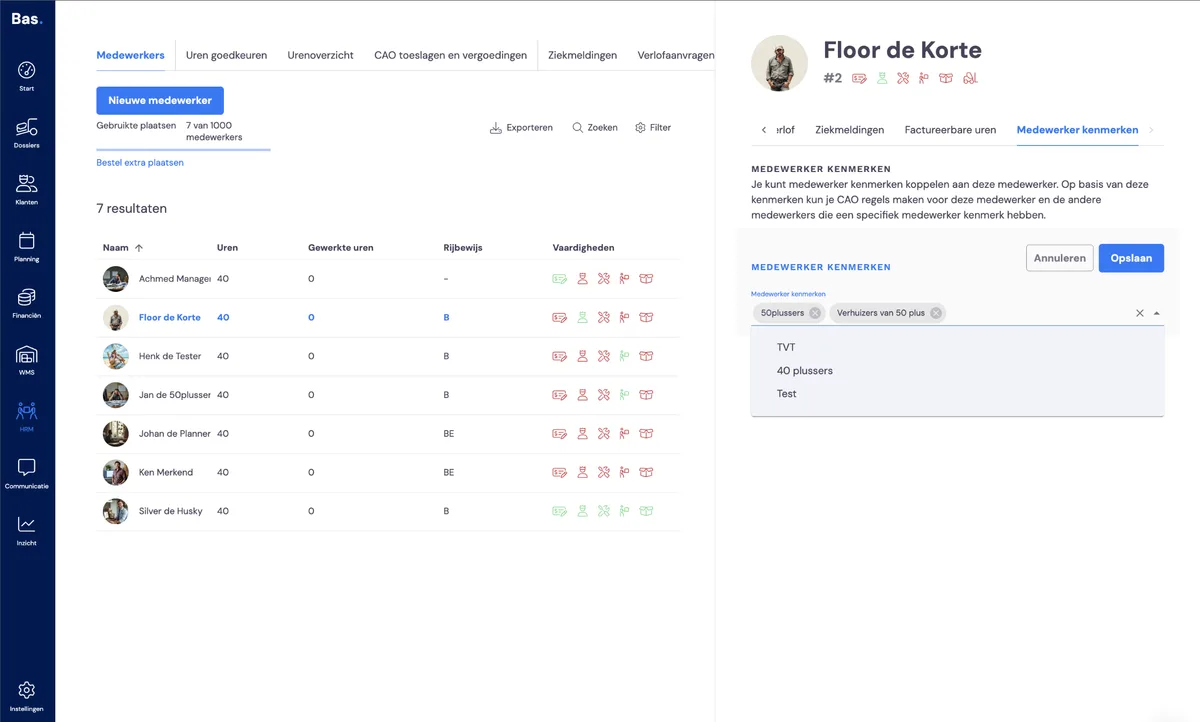
You link an attribute to an employee via the 'Employee attributes' tab when you click on the employee in HR.
Linking a CLA rule to specific employees
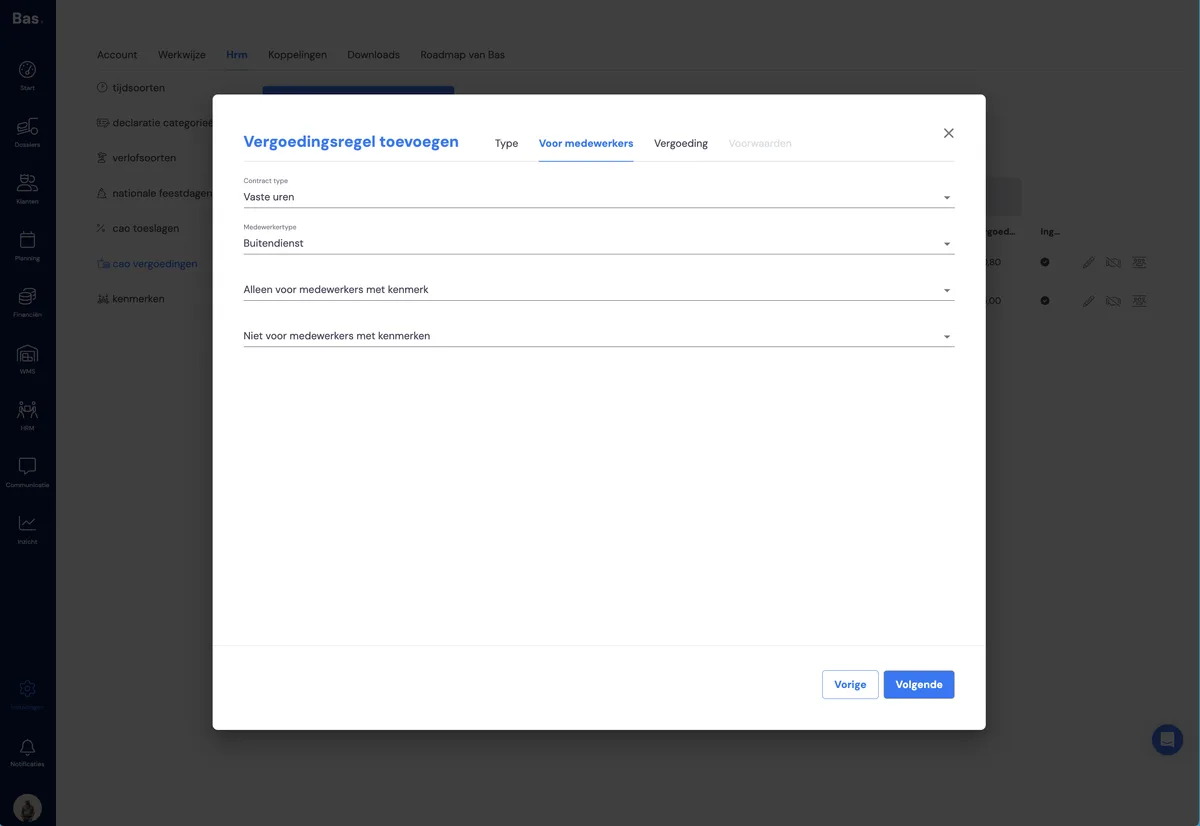
If you want to exclude employees from a reimbursement, or make the reimbursement apply only to certain employees, you select this in the form that appears when you click the pencil icon next to the reimbursement.
Checking
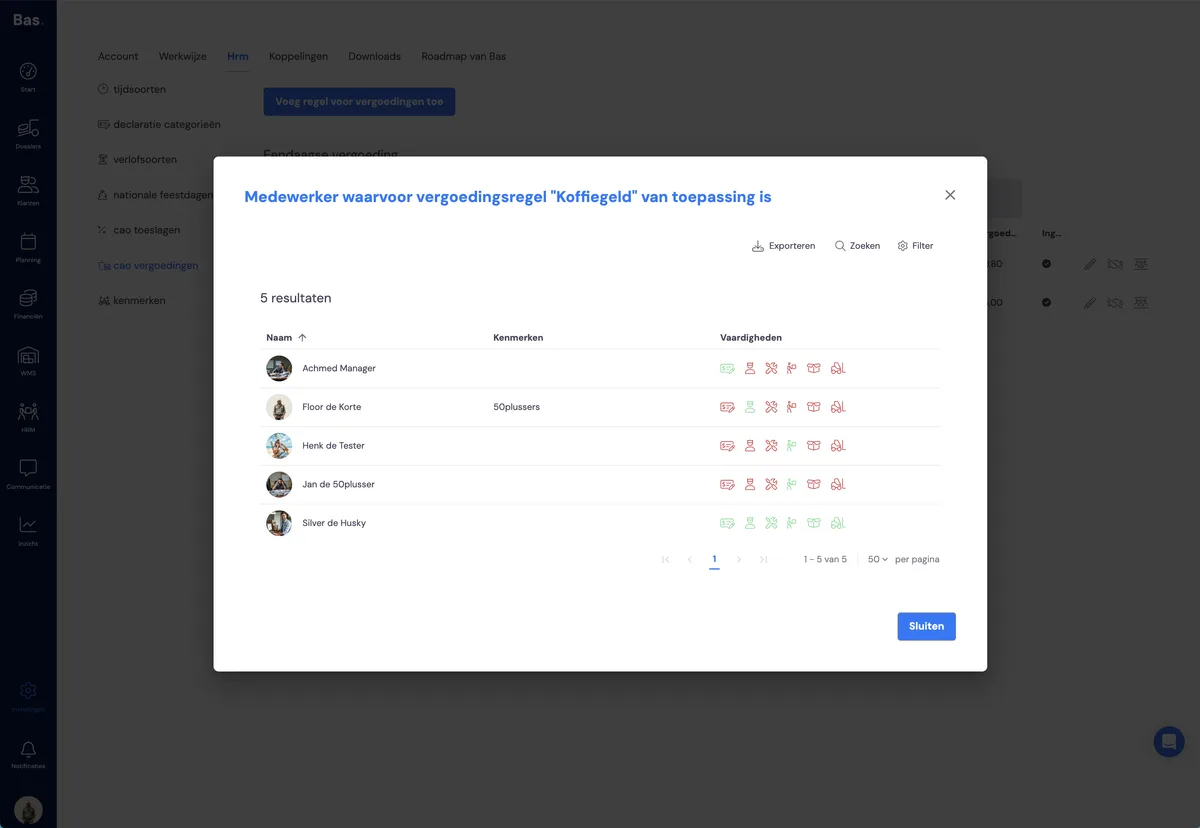
You can check which employees an allowance applies to by clicking the person icon next to each allowance and reimbursement rule.