Monday morning, three emails. An office asks whether you can still send the September stock list. A school wants to know if the six spare chairs are still with you. And a facility manager is looking for the proof of delivery from last week, because a desk arrived with a scratch.
None of those questions is difficult. But each one costs you time: looking it up, exporting a list, finding a photo, replying. With ten business storage clients, that becomes a fixed part of your week.
What is a customer portal?
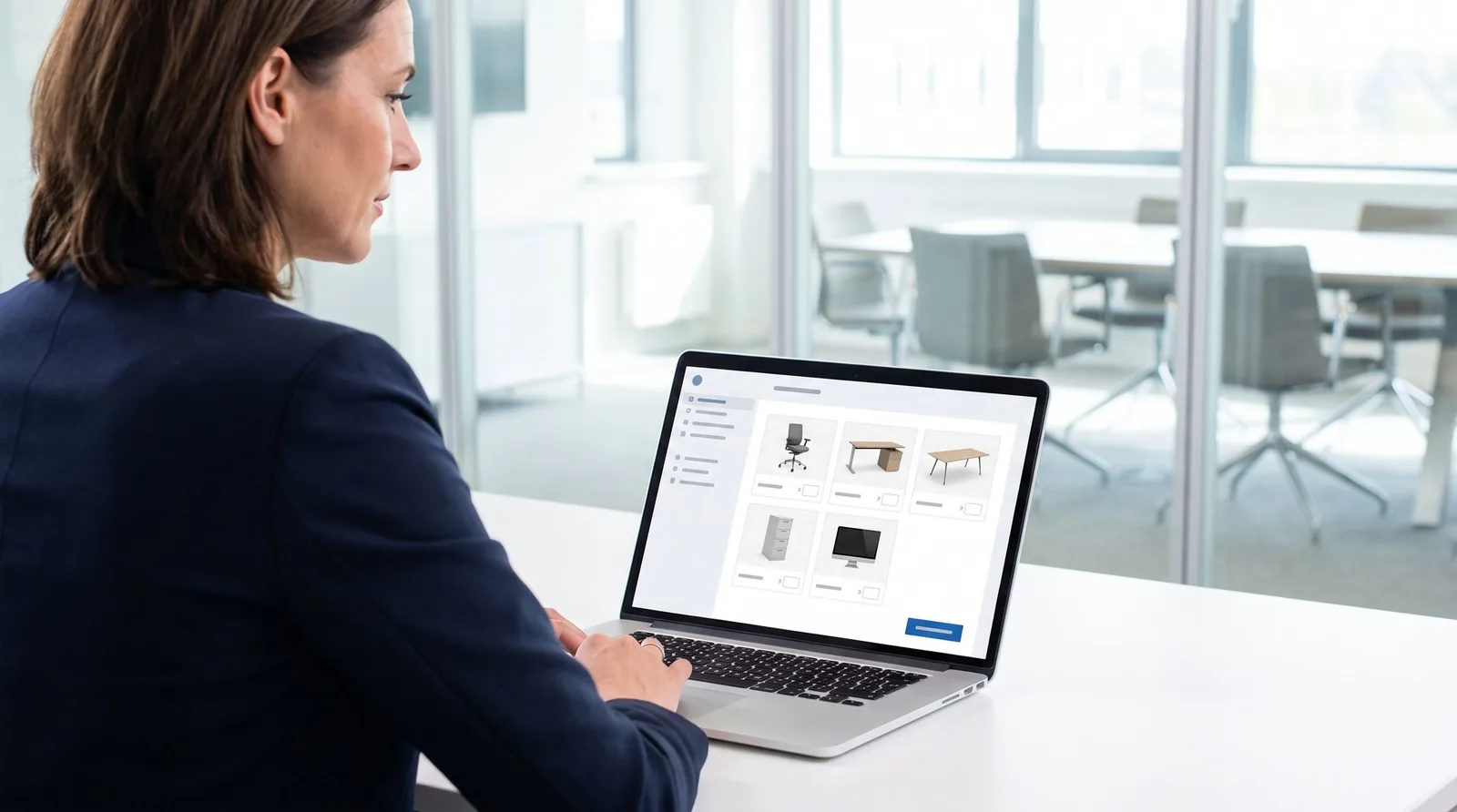
A customer portal is a secure environment of their own where your business client logs in to see what they have with you, request a delivery or collection, follow their transports and download their invoices. It is not a separate system: it shows the client part of what you keep in your own software.
That last point matters. A portal filled from a spreadsheet export is always behind. A portal that reads straight from your storage shows what your warehouse worker scanned this morning.
What your client should see in the portal
A good customer portal answers the questions that now come in by email and phone:
- What is with you? Per item, with a photo and description, so it is clear which chair or which filing cabinet is meant.
- What is on its way or already planned? So the client does not request something that is already on the truck.
- Where is my transport? The status per package, from received to delivered.
- Who signed? The proof of delivery with signature, name and photos.
- What have I paid? The invoices with their status, as a PDF download.
Per client, distinguish between unique items and quantities. For a hundred identical desks, the client only wants to know how many there are. For a set-up workstation or expensive equipment, they want to see that exact unit. How to handle that with stickers and QR codes is covered in TMS for moving companies.
Ordering like a web shop, but on your terms
The best part of a customer portal is that the client can request a delivery or collection themselves. They put items in a basket and choose: deliver or collect. Then they enter the address, the preferred date and a contact person.
A few rules make the difference between a handy portal and a source of hassle:
- Never order more than is there. What the client requests is reserved at once. A second colleague cannot order the same chairs again.
- A preferred date, not a promise. Let the client pick a preferred date, not today. You confirm the appointment, and if the client calls to say it has to be today after all, you change it yourself.
- Floor and lift are required. Whether you need one person or two depends on that third floor without a lift. Ask at the request, not on the doorstep.
- Their own reference. Many business clients work with purchase order numbers. Let them enter it in the portal, then it also appears on the invoice and you do not have to email for it.
- The request becomes a task. A task for the planner arrives on your side, with the project attached. Nothing gets stuck in an inbox.
"A customer portal does not take planning away from your planner. It only removes the retyping, the chasing and the replying."
What you should not leave to the client
A portal is not a free pass. Some things you deliberately keep to yourself:
- Adding new items. Dimensions and volume determine how much storage space a client uses, and so the invoice. Do not let clients create their own items; you do that on receipt.
- Which items are visible. Decide which part of the catalogue a client sees and can order in the portal.
- What a client may do. Not every client needs everything. One may only look, another may order, view invoices or request a separate transport. Set that per client company.
- Who has access. Invite your client’s people yourself by email, in your own branding. Then you know who is looking. Two-factor authentication or a passkey keeps signing in secure.
Who is a customer portal for?
To be fair: not every mover needs a customer portal. A private customer who keeps their household goods with you for a few months rarely logs in. They call when they want their things back.
It becomes interesting with business clients who regularly need something from storage: offices with spare furniture, schools that move things around each school year, care institutions with equipment, shops and showrooms that keep stock with you. For them your storage feels like an extension of their own warehouse. That is also how you offer B2B fulfilment: the client orders from their own stock, you pick, label and deliver.
Is your storage ready for a customer portal?
- Every item has a name, a photo and dimensions
- Your warehouse locations have a code or QR sticker
- You know per client whether you charge by volume or a fixed price
- Someone picks up and schedules the requests from the portal
- You have agreed on lead times and handling fees
The portal is only as good as what is behind it
A customer portal only works if the data is right. If a package still says "on its way" while it has long been in the warehouse, your client calls anyway. So the portal has to read from the same system in which your warehouse worker scans and your driver delivers. Then the client sees a proof of delivery as soon as the recipient has signed, and an invoice as soon as you have sent it.
That is why the Bas customer portal runs on the same projects as your storage and your transport. What you record in the back office, your client sees straight away.
Customer portal in short
- For Business storage clients
- Client sees Stock, transports, proofs of delivery, invoices
- Client does Request a delivery or collection
- You decide Rights, catalogue, items and planning
- Condition The portal reads live from storage and transport
Conclusion
Every email saying "could you just send the list?" is a sign that your client wants to look for themselves. A customer portal gives them that, and gives you back the time now spent looking things up and replying. Keep control over what goes into storage, what the client may do and when you drive, and it works for both sides.
Do you charge storage by volume or per day? Then also see how that follows from the same data in invoicing.
Shall we grab a coffee?
Let us talk about storage and business clients in your company.
Online or on-site, you choose.
Conversations between Bas and moving companies with business storage clients (2025 and 2026), the Bas customer portal.